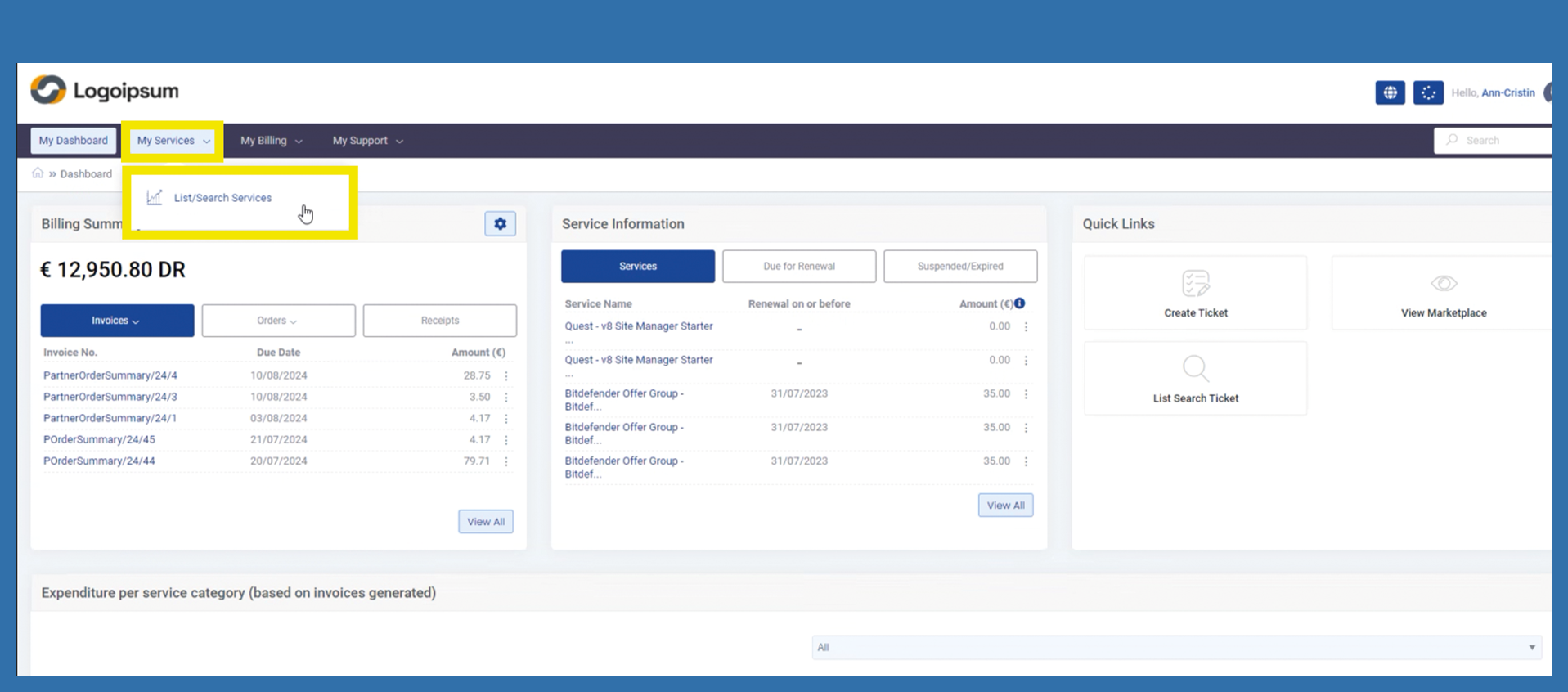
End Customers My Services > List / Search Services
To find the list of your services, please follow the path below:
My Services > List/Search Services.
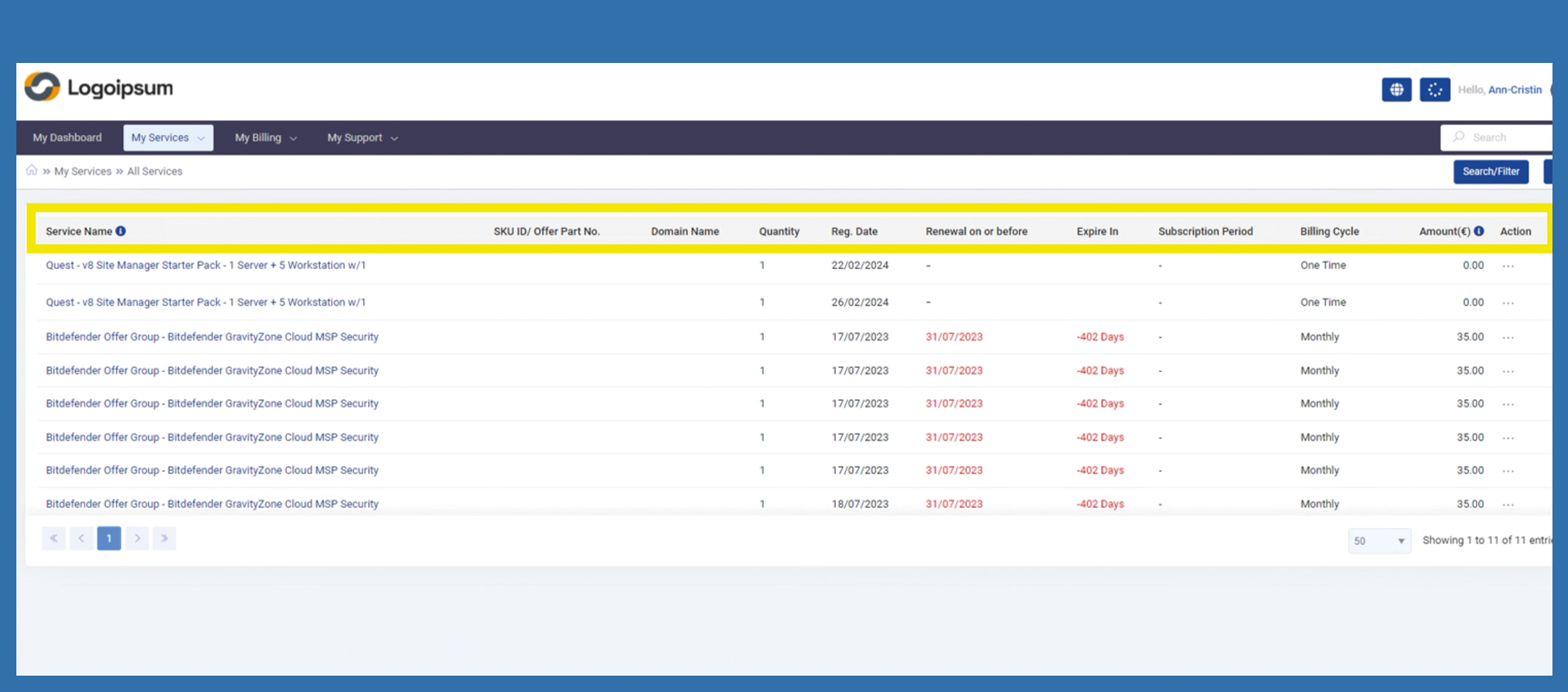
Here you can see a summery of all your services provided. The information available here is described below:
Service Name: Name of the purchased product/licence.
SKU ID/ Offer Part No.: Manufacturer / article number
Domain Name: ?
Quantity: Quantity of the product you have purchased.
Reg. Date: Time of purchase of the product
Renewal on or before: Date of renewal/expiry for your product.
Expire In: number of days in which the product expires or is renewed
Subscription Period:
Billing Cycle: Payment run of your product
Amount(€): Purchase price
Action: here you can edit a product, but only to a limited extent
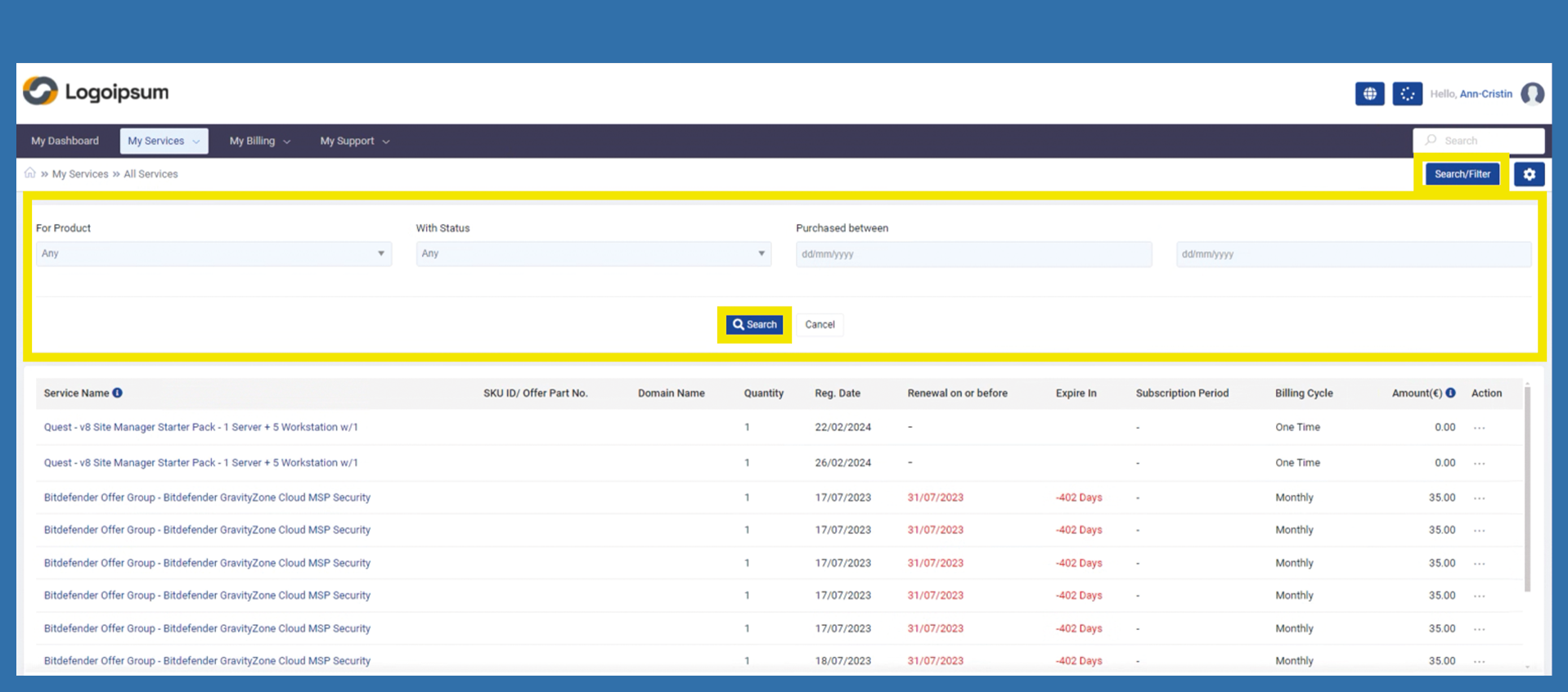
If end customer is looking for a specific subscription, he can use the filter at the top right. Click on Search Filter. The area highlighted in yellow opens. End customer can select what exactly he wants to filter for in the dropdowns and then click on Search.
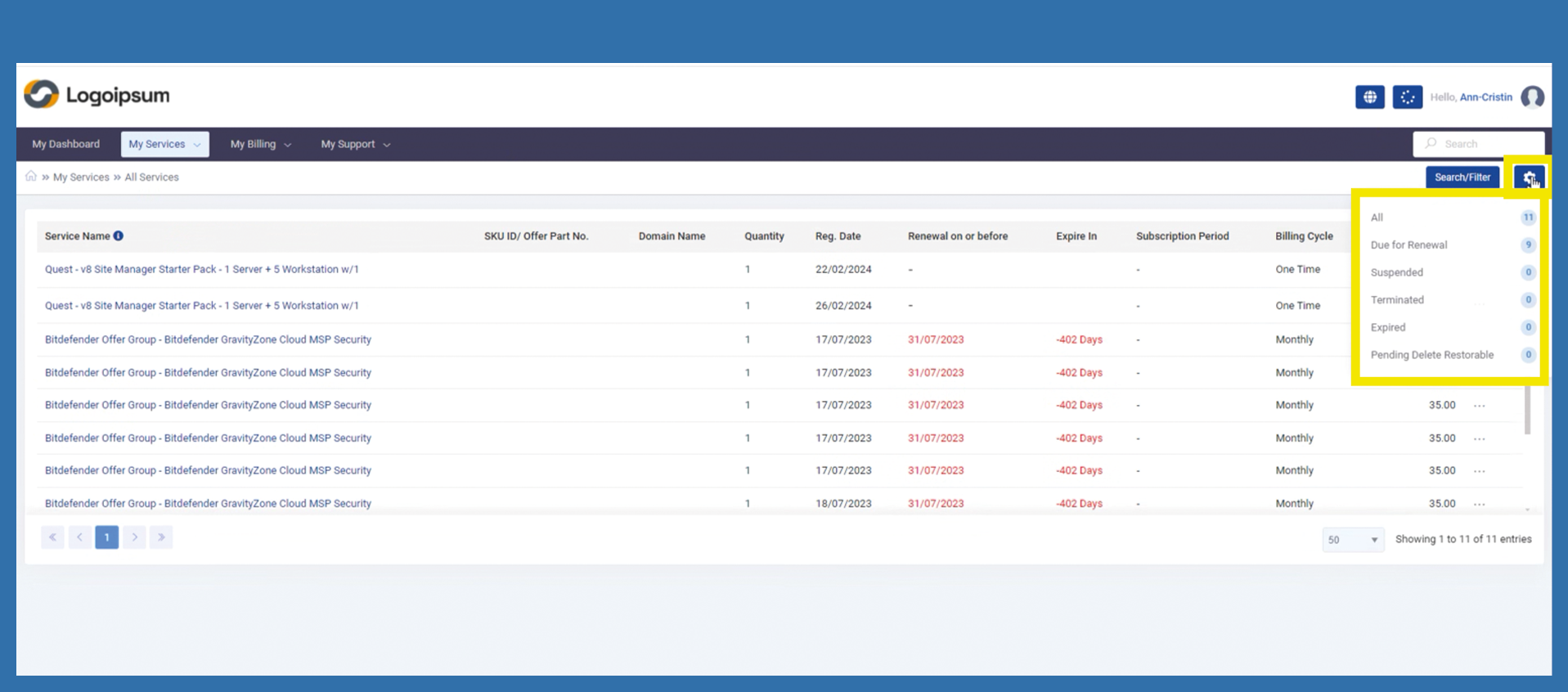
He can also use another filter by clicking on the settings at the top right and selecting the appropriate category from there.