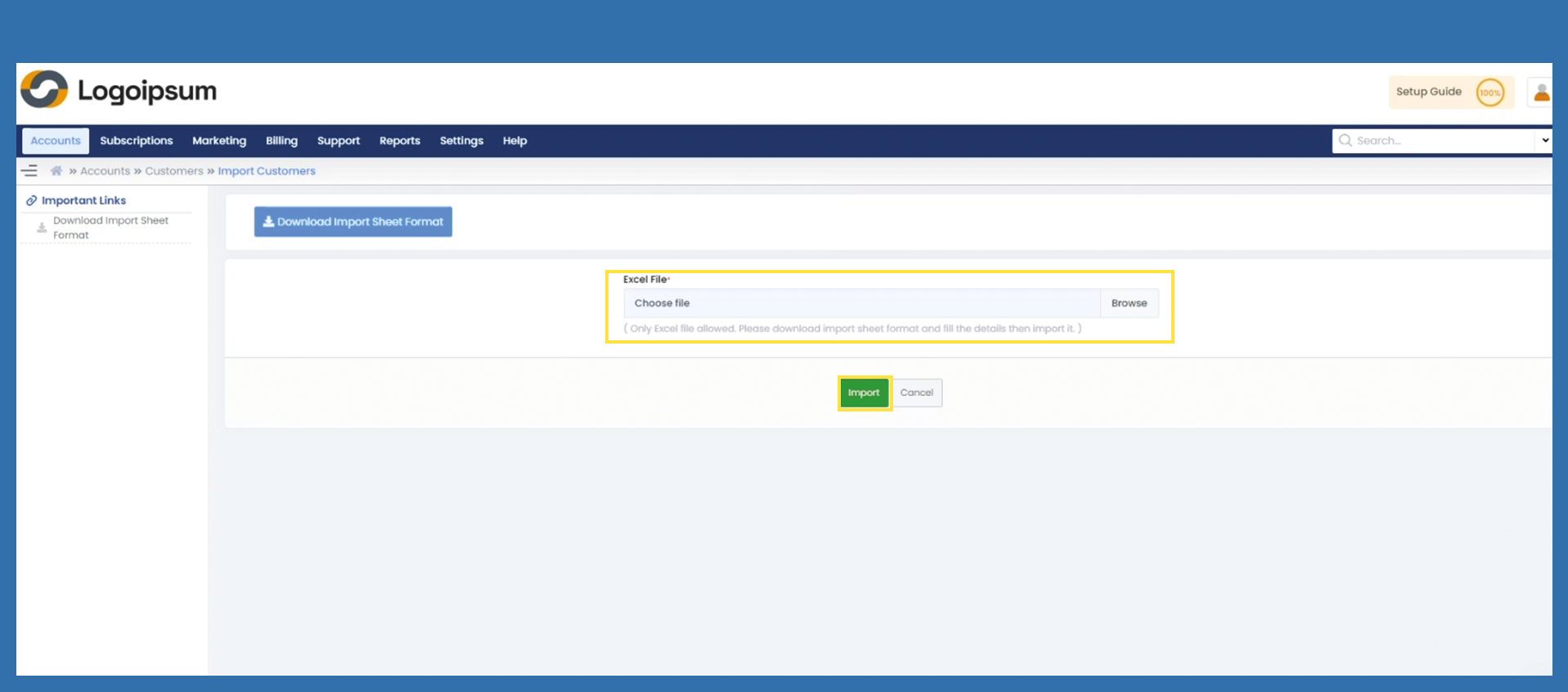
Accounts > Import Customers
If you have several end customers for whom you would like to import the data into the Marketplace, you can import them with a list. The following steps will show you how this works.
Accounts > Customers > List
Bild einfügen 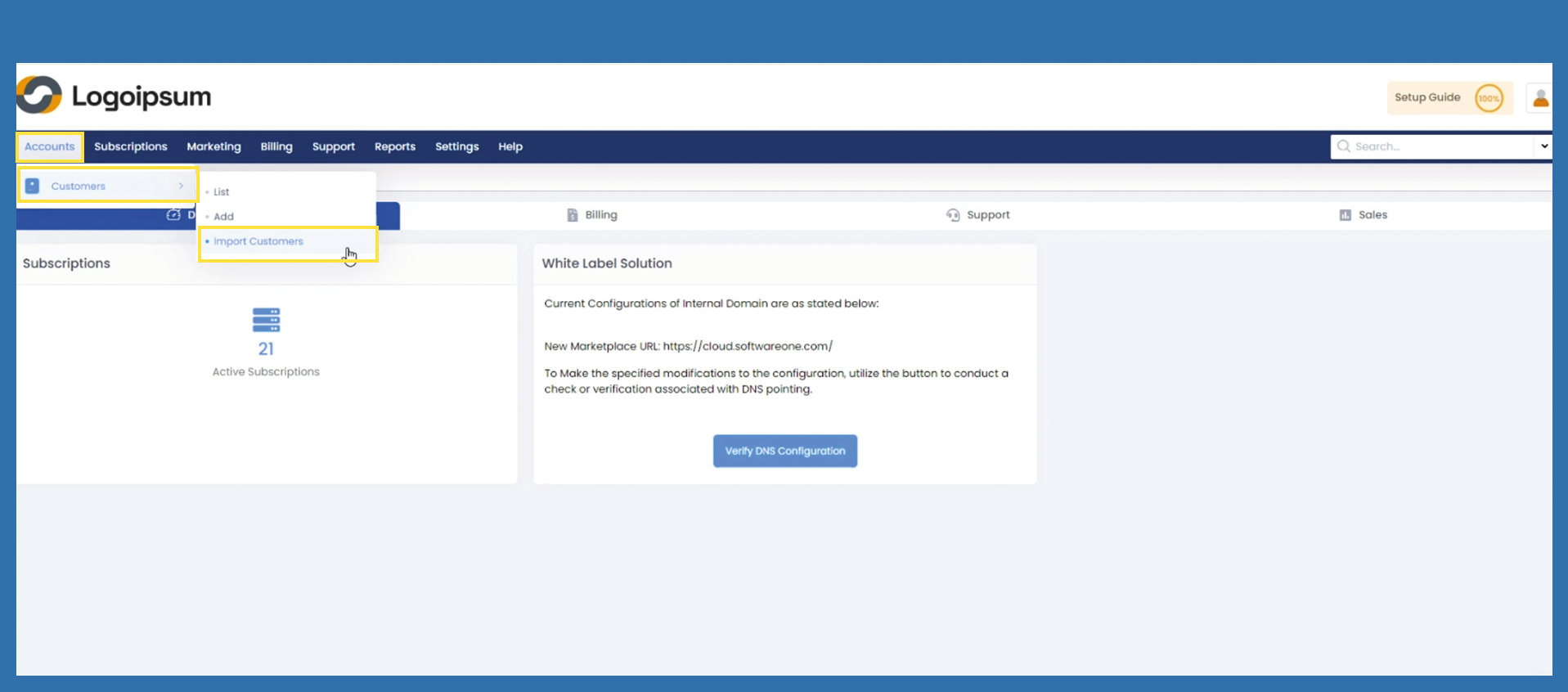
Click on Download Import Sheet Format button and download the excel file. You can find the file in your download folder.
Bild einfügen 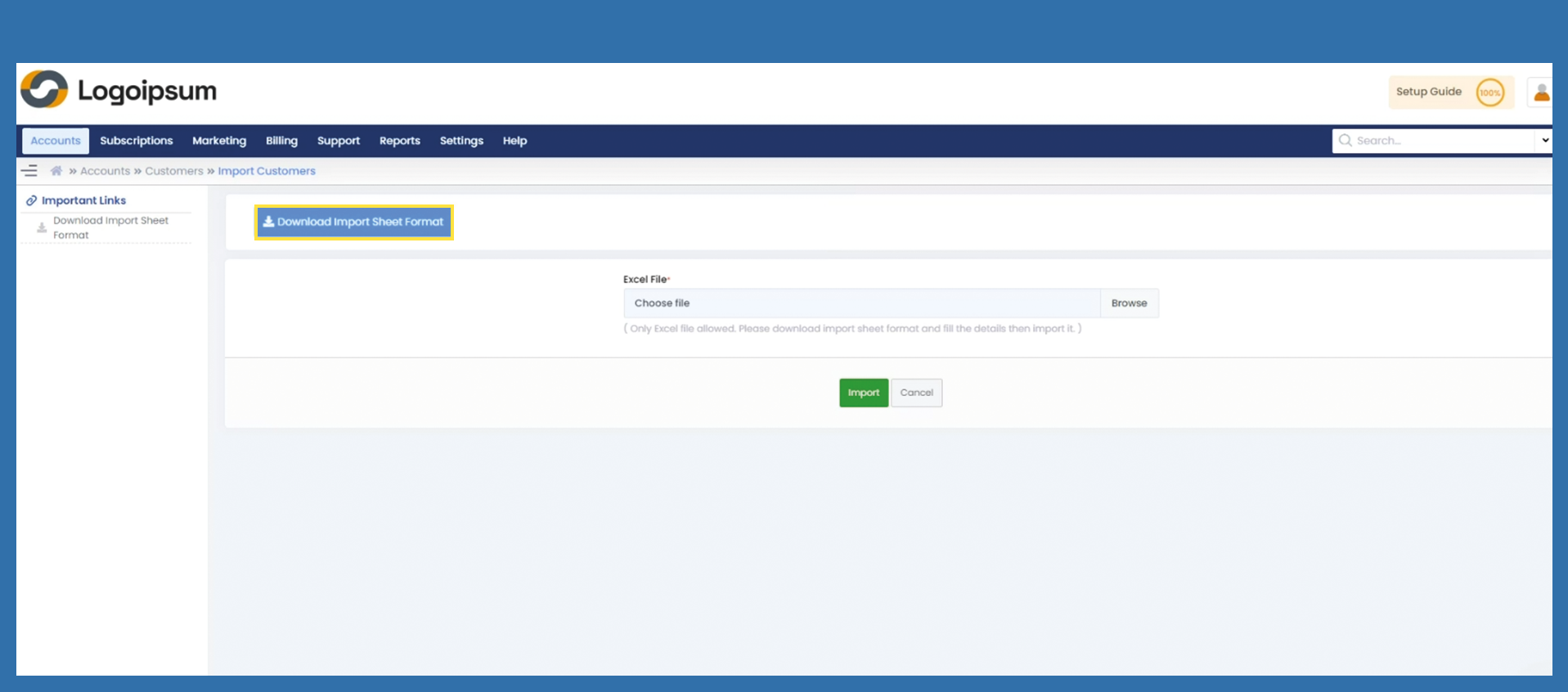
Fill in the Excel file according to the given columns. Save the Excel file. Note that the file name must not contain any special characters.
Bild Exceldatei einfügen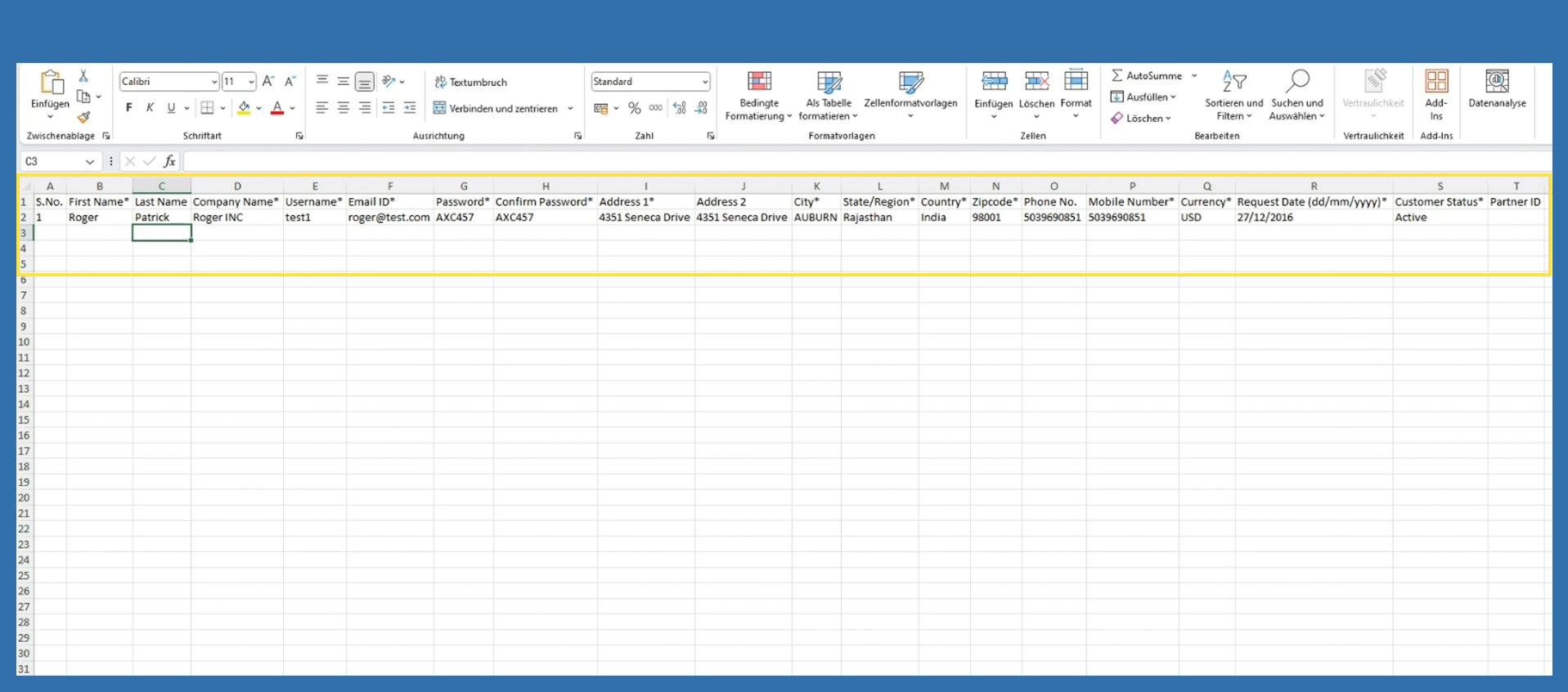
Click on the Browse button, select the previously saved file and then click on Import.
Bild einfügen