
Billing > Orders > Create Order
To place an order on behalf of your end customer, use the following path:
Billing > Orders > Create Order

If the end customer is not yet registered, you are welcome to do this for them. Fill in all mandatory fields under New User? and save the access data. Afterwords click on Create Account.
If the customer is already a registered customer, you are welcome to enter how you would like to identify the customer via dropdown in the Client ID field under Sign In. Then enter the relevant data in the field Client Information. In all cases, you will be shown a selection of customers as soon as you have entered the first numbers or letters. You can select the relevant customer and click on Sign In.
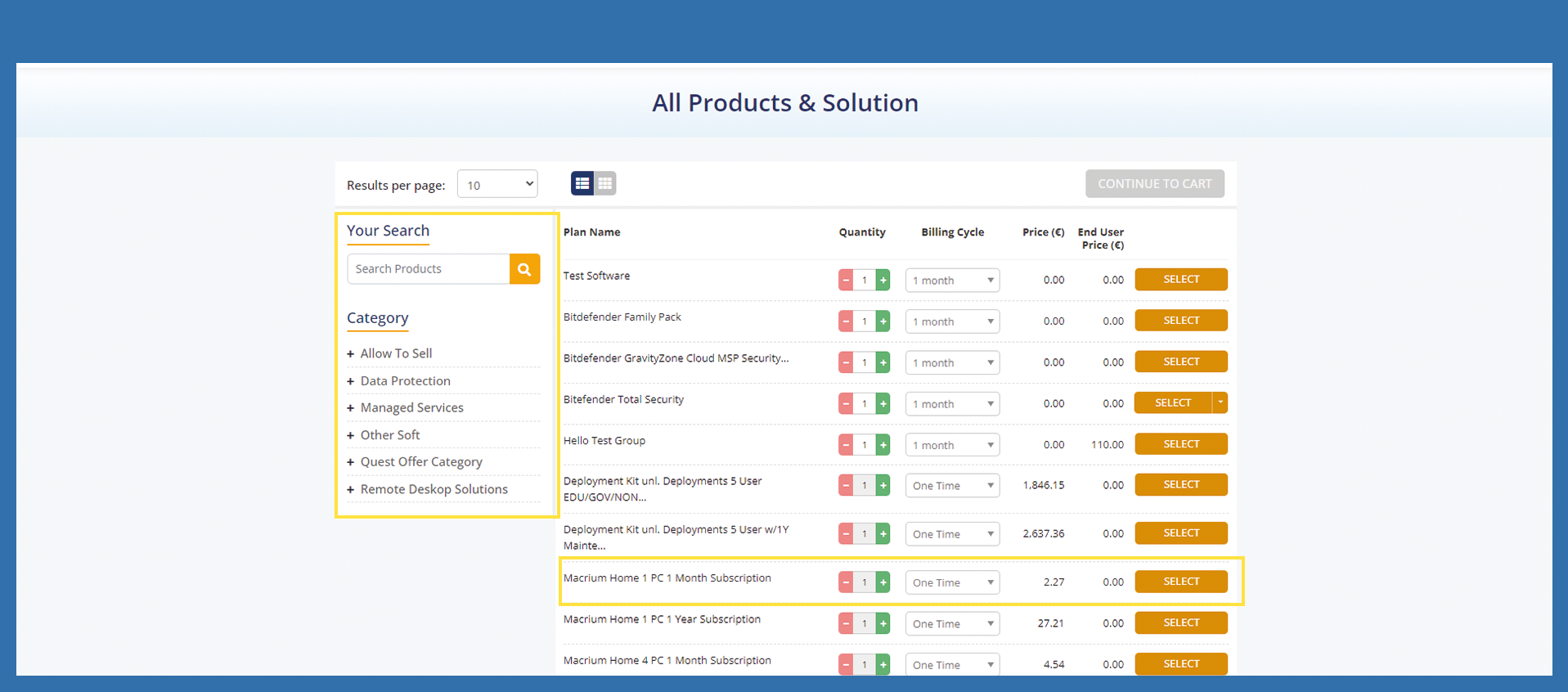
You will then come to Product & Solution section.

Now select the product you want to sell to your end customer. Increase the number with Plus or decrease the number with Minus to the right of the item description and then click on Select. The item is now added to the shopping cart. A popup will open, please confirm with OK.
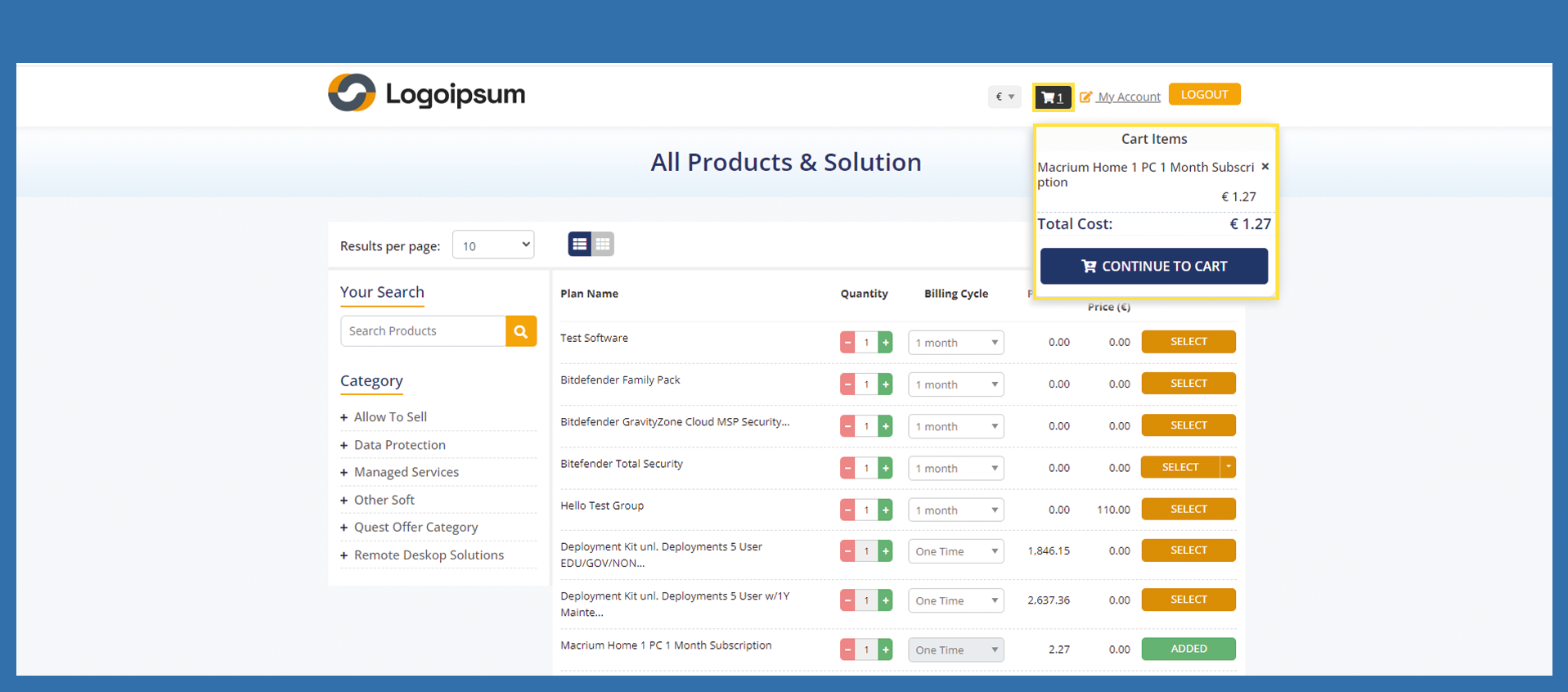
Click on the shopping cart at the top, a pop-up will open with the items in your shopping cart. Now click on Continue to Cart within the popup.
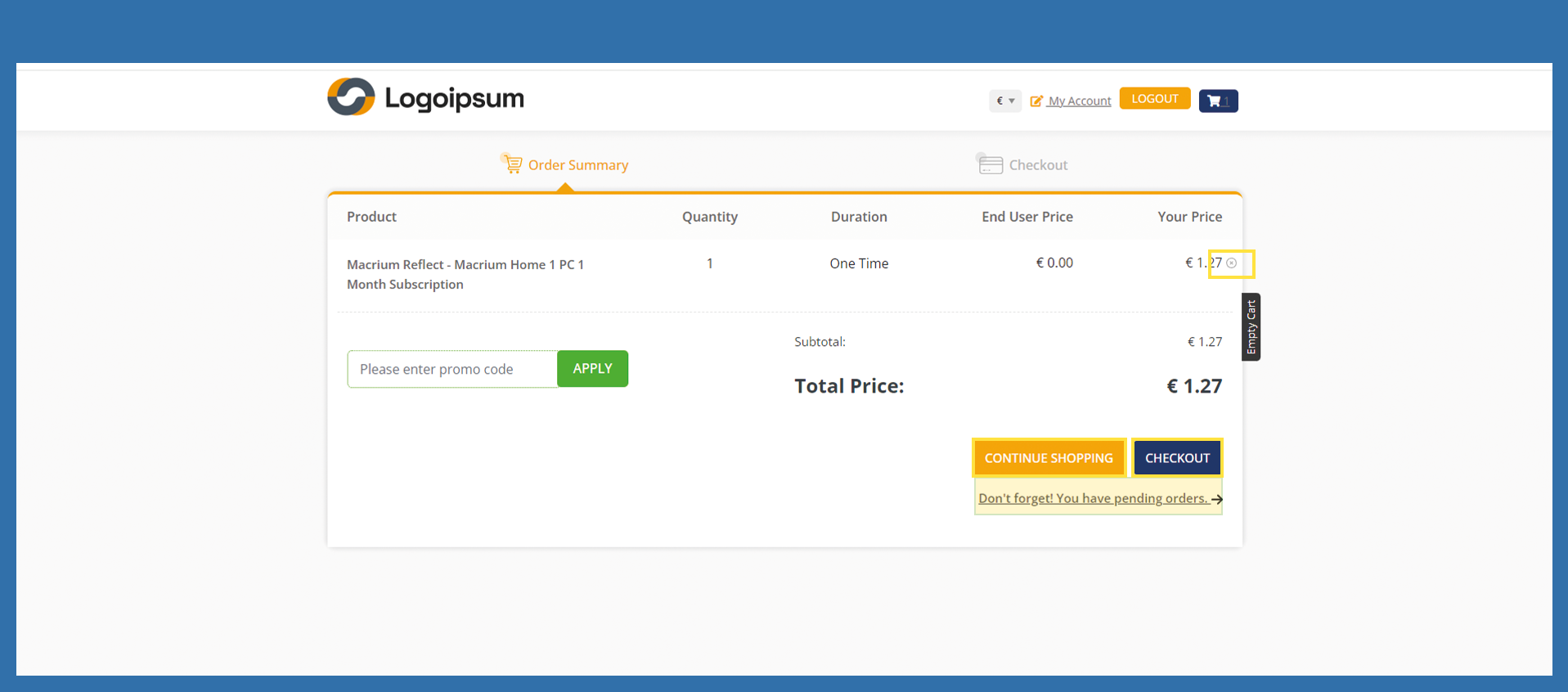
There are various options in the order summary. You can delete the item with the x behind the price. You can also continue shopping by clicking on Continue Shopping. Click on Don't forget! You have pending orders. if you want to view all open orders of your end customer. Once the shopping cart is complete, you can click on Checkout.
ACHTUNG; Bestellprozess noch nicht fertig geschrieben. Die Zusammenfassung der Bestellungen, kurz vor dem Abschicken der Bestellung war nicht korrekt und muss geprüft werden.