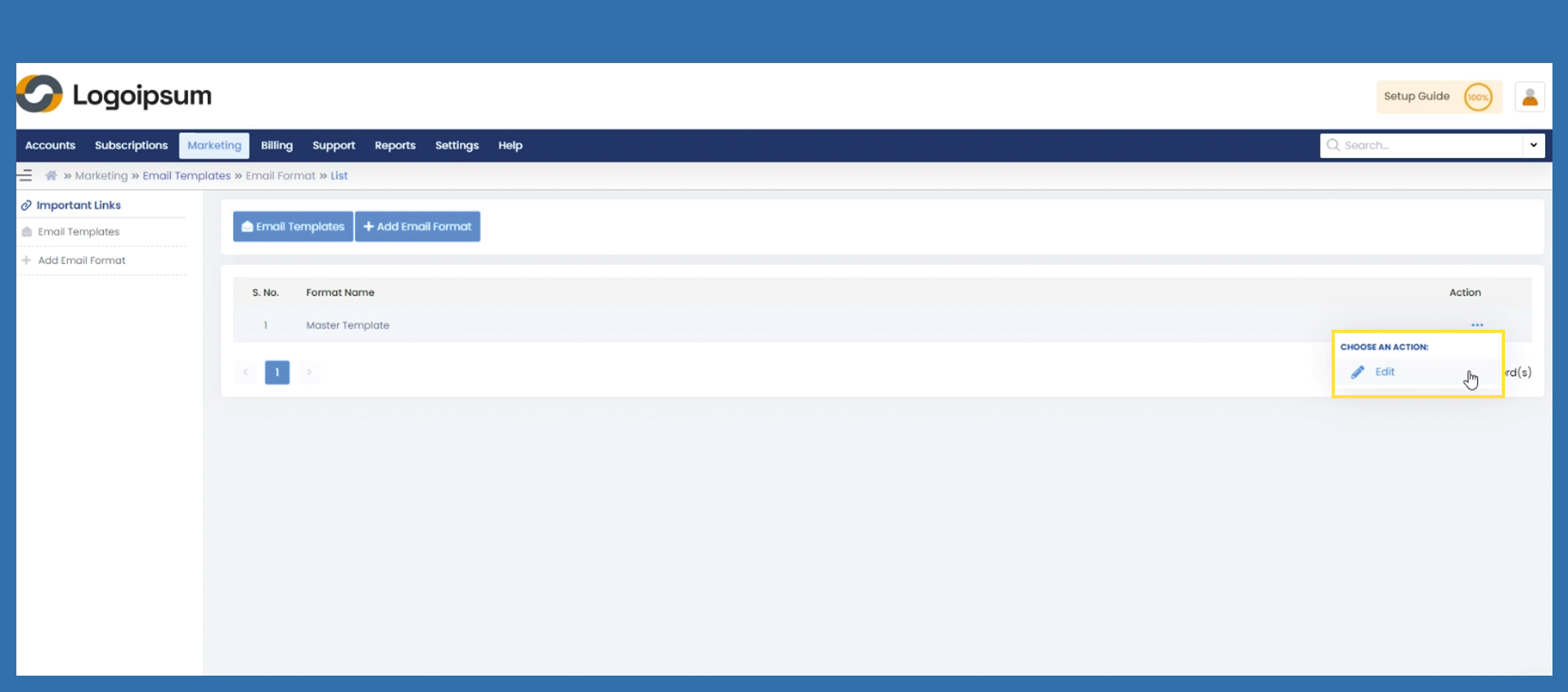
Email Templates > Email Format
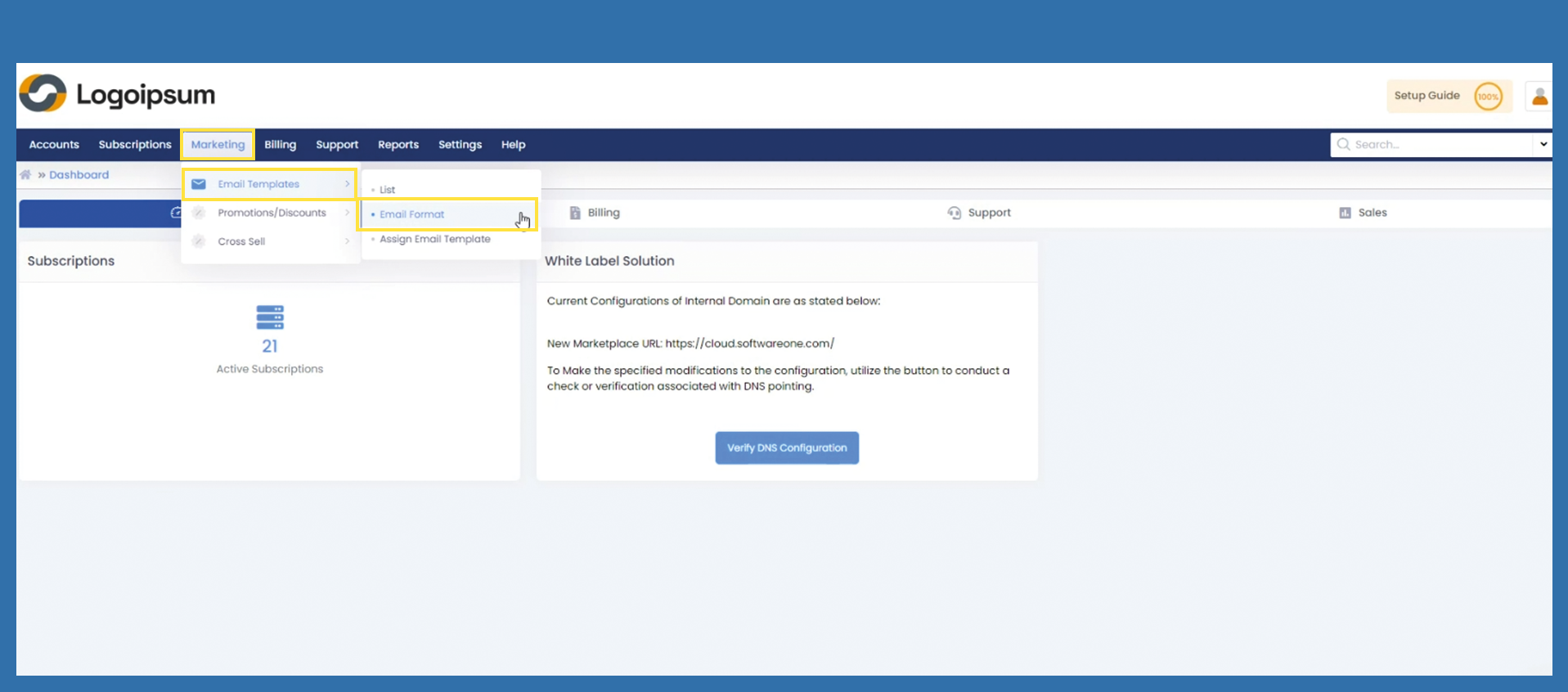
To create a new E-Mail Format, please follow the following path:
Here you can define the design for the header and footer of certain emails.
Marketing > Email Templates > Email Format
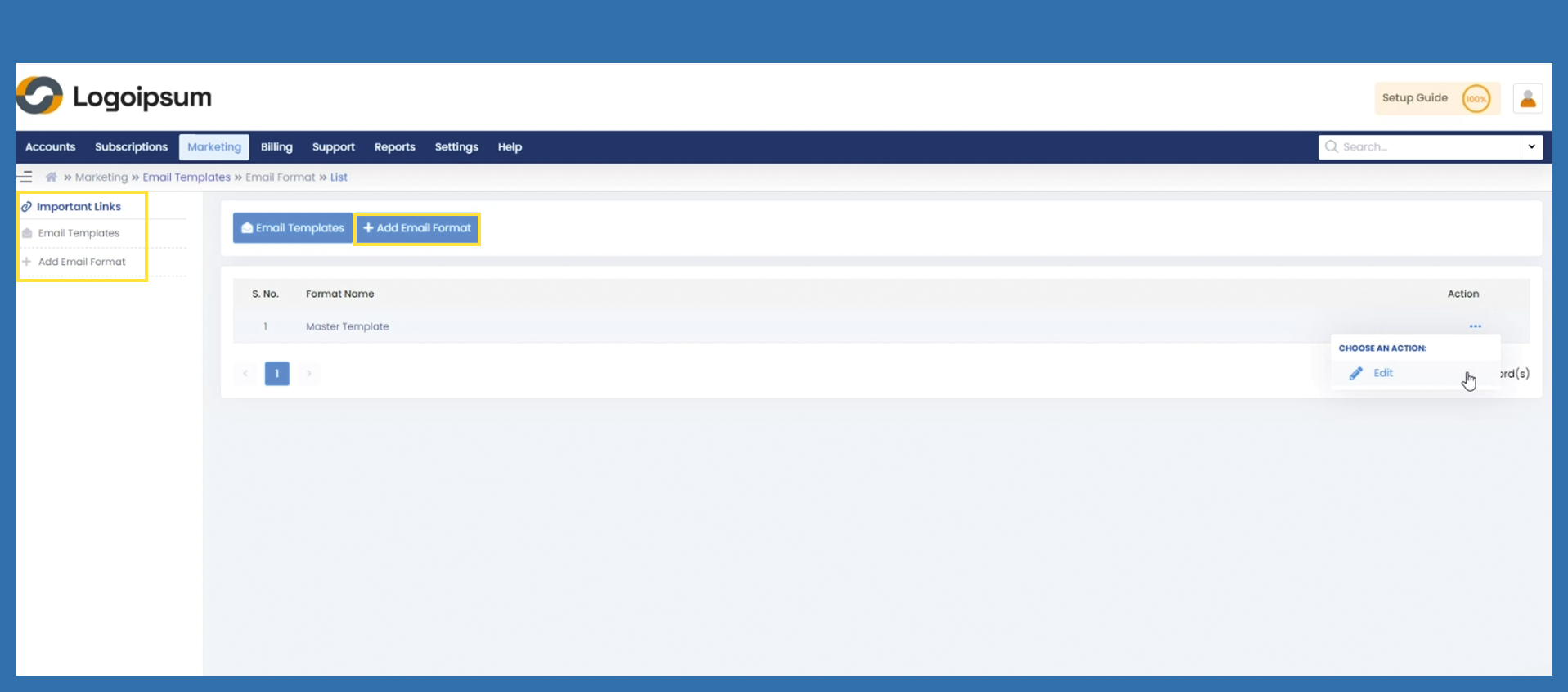
To add a new Email Format, please click on the +Add Email Format button.
Business Unit: Please select the correct Business Unit on the caption Business Unit
Format Name: Please give a a clearly assignable name to the Format you want to add.
Format Structure: The Format structure has to be written in HTML Codes.
To insert a HTML Code, please click the </> button to get into the code view.
Here, you can now insert the HTML code.
To save, click the </> button again, and therefore come back into the view, where you can see what this code designs.
Then, to finally save, please click Save.
Bild einfügen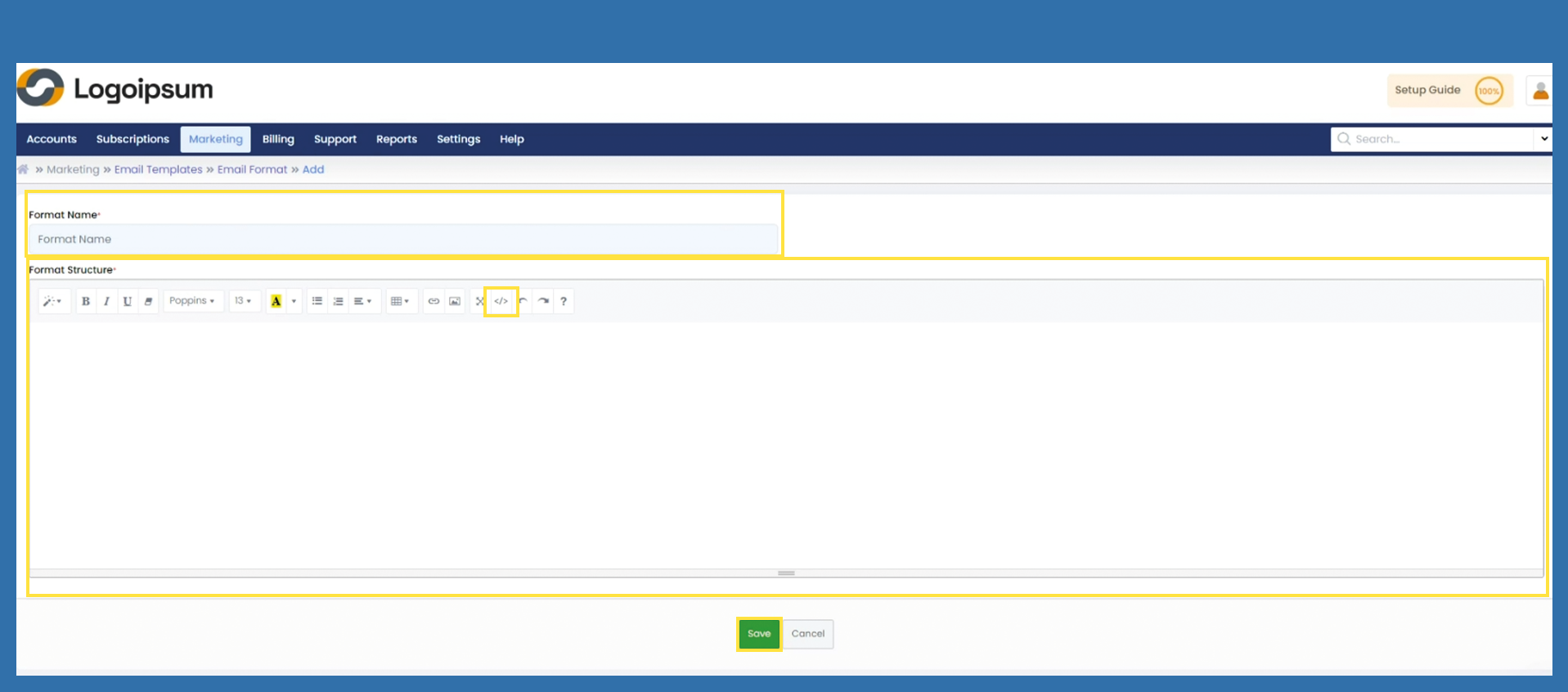
If you only want to change the existing email template, click on the three dots under Action in the Overview and then on Edit.
You can now make your changes via the visual view or via the code by clicking on </> button.
Bild einfügen