Add Page/Category
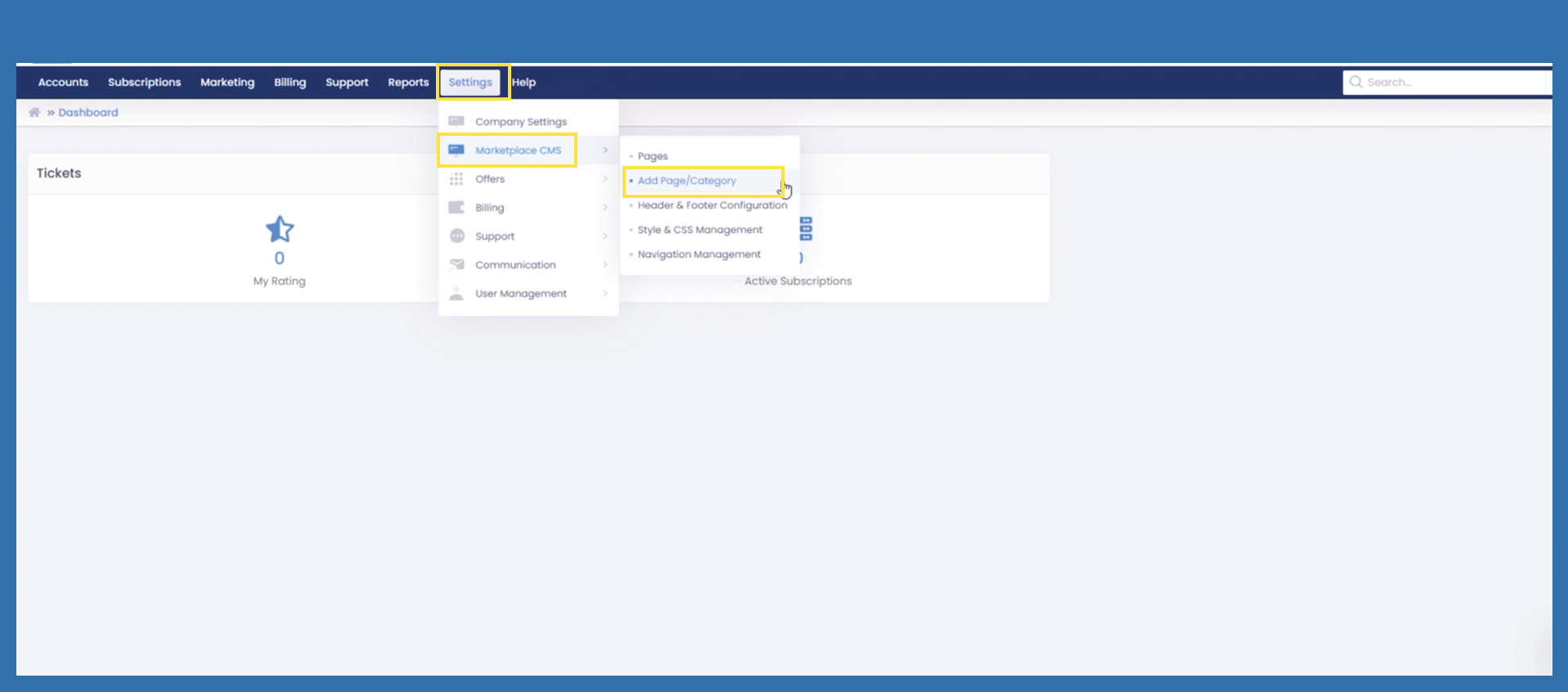
To Add a Page/Category, please follow the path below as shown in the picture.
Settings > Marketplace CMS > Add Page/Category
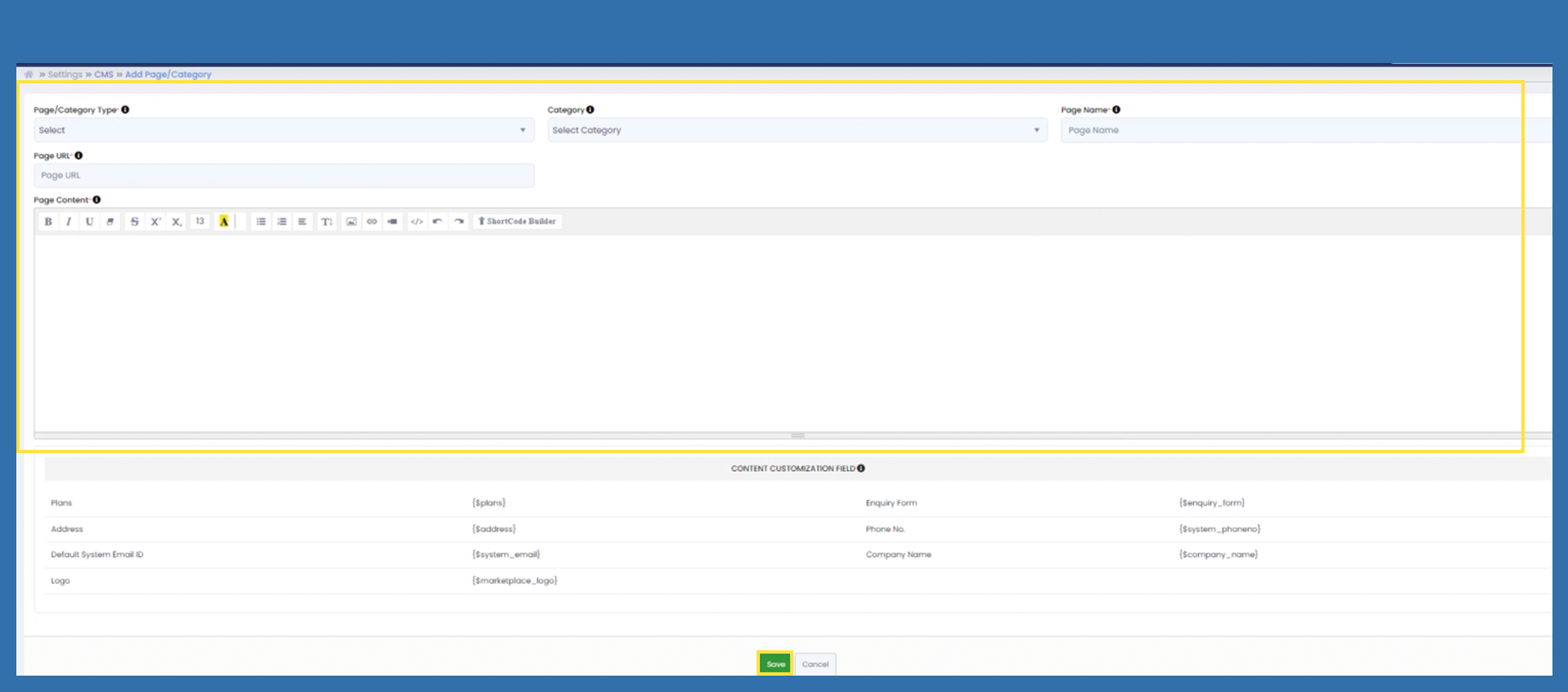
Page/Category Type: Please use the drop-down menu to select the type of page you would like to create.
Home page: Can only be created once. If a homepage has already been created, it will no longer appear in the selection.
Product page: Various product pages can be created.
Content page: Various product pages can be created.
Contact: Can only be created once. If a homepage has already been created, it will no longer appear in the selection.
Category: If you want to combine several content pages, you can create a group for these pages. And thus subordinate the corresponding pages to a menu item on the homepage.
Category: If you have already created a category, you can select the corresponding category via dropdown. If you do not want your page to be assigned, leave the field empty.
Page Name: Enter the name that should appear in the ribbon on the homepage.