Navigation Management
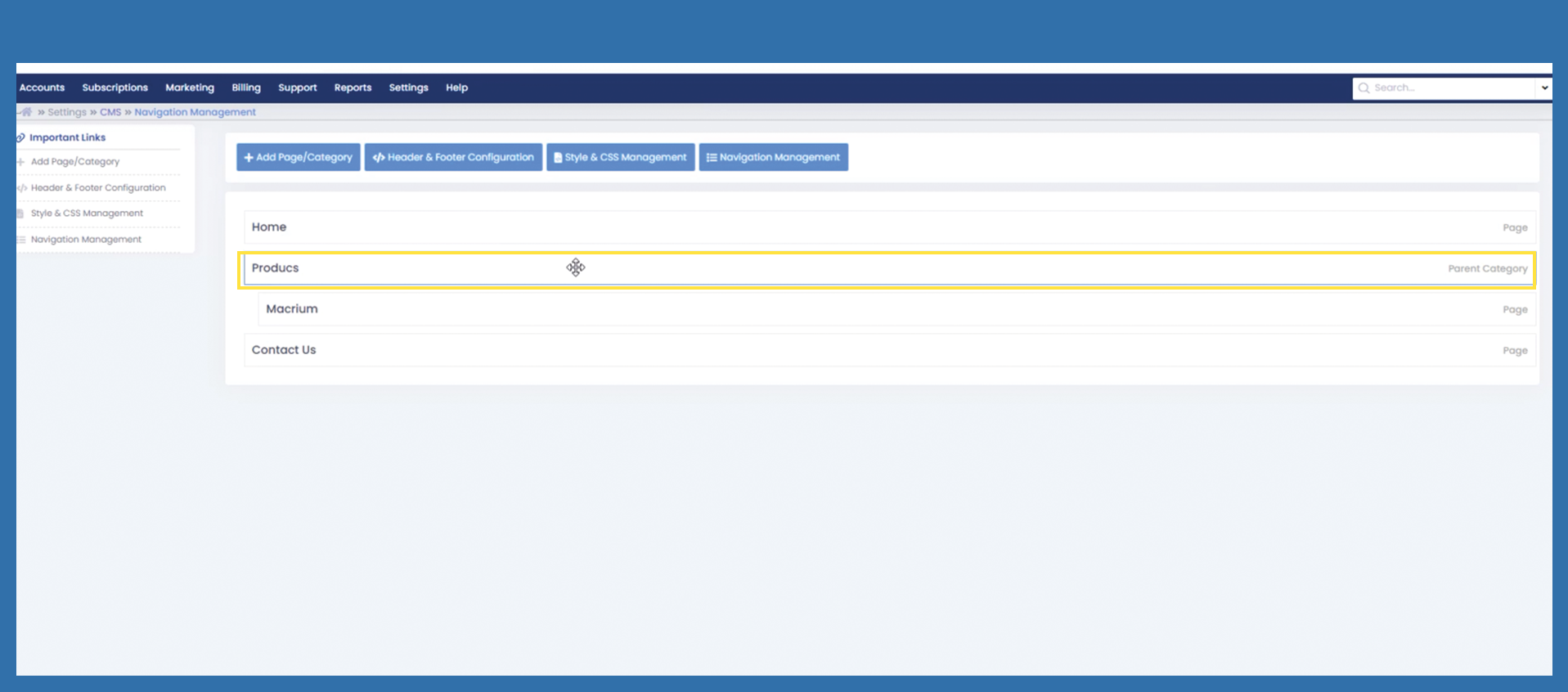
With the following settings you can personalize your menu bar according to your wishes and easily move the individual pages with the cursor.
To customize you menu bar use the following path:
Settings> Marketplace CMS > Navigation Management
Bild mit Pfad einfügen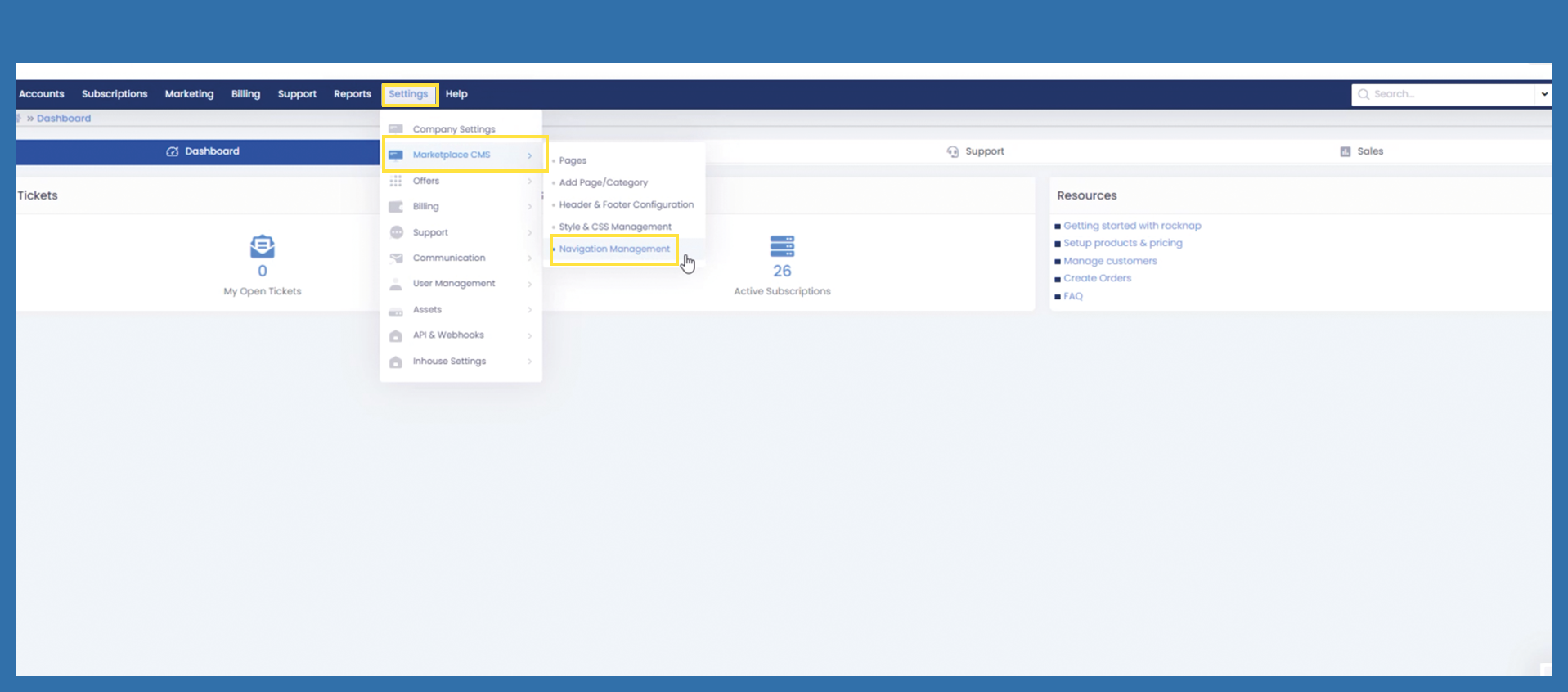
To move a page, select the corresponding page with the mouse. The cursor becomes visible, hold down the left mouse button and move the page to the desired position. Then release the left mouse button again to position the page accordingly. Changes are saved automatically.
Bild einfügen