Offers > Basic Configuration
You can set your selling prices for the end customer from here.
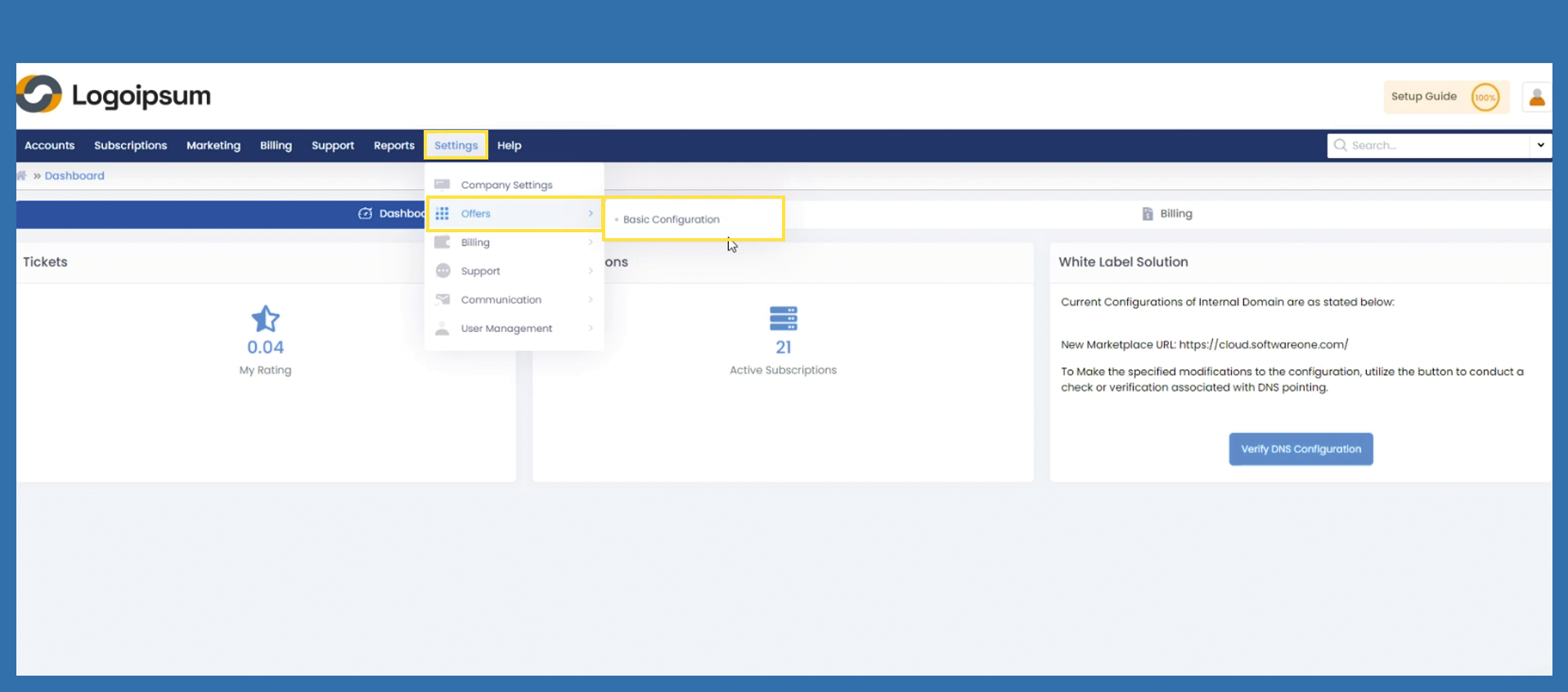
To save the settings, use the following path:
Settings > Offers > Basic Configuration
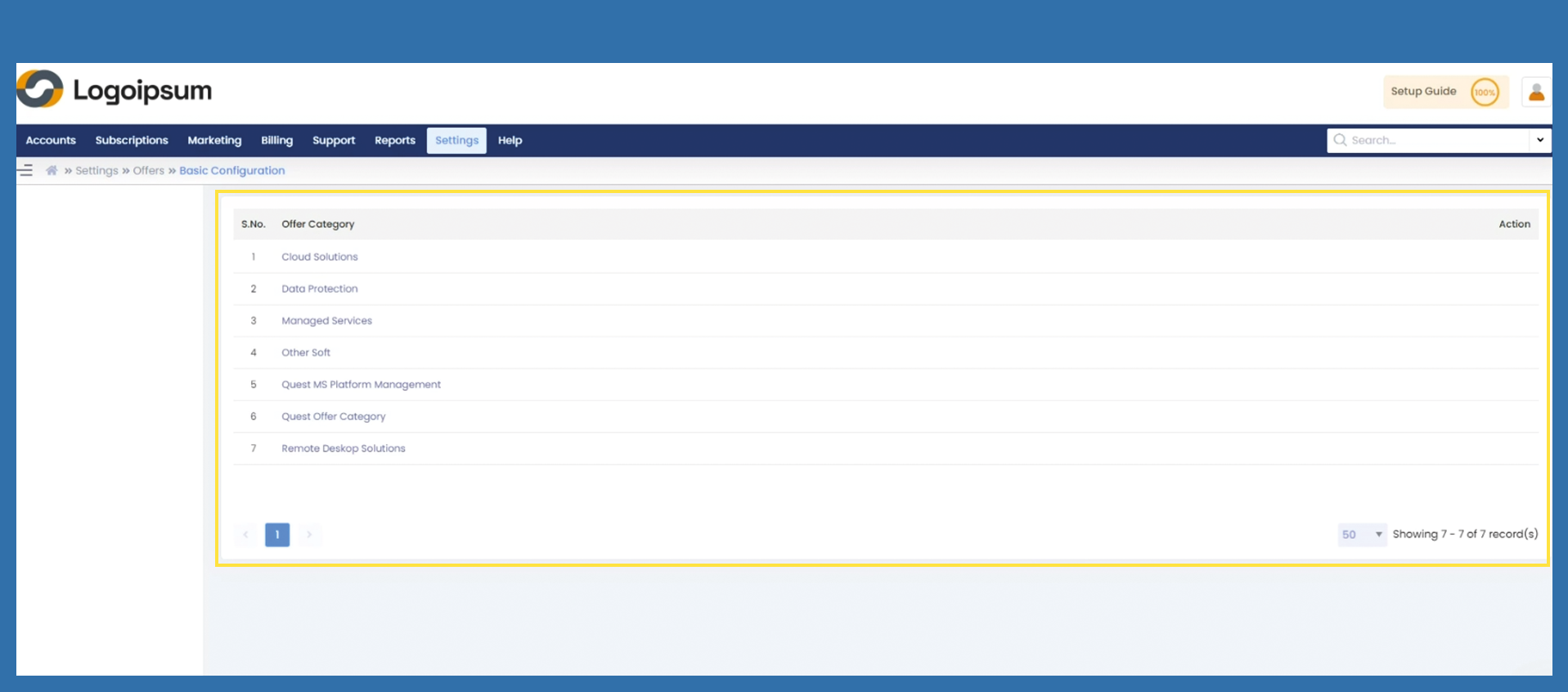
Now click on the category released for you under the corresponding Offer Category.
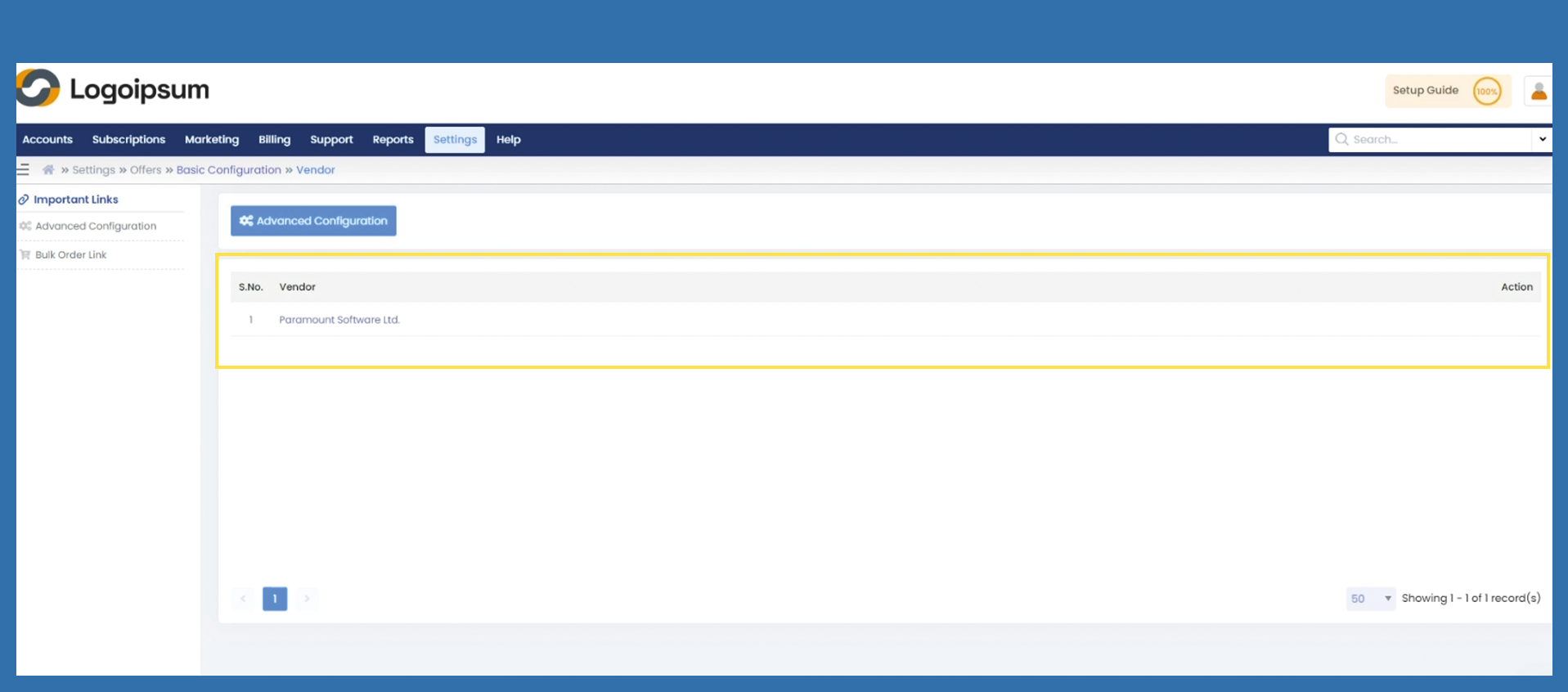
Now click on the vendor already stored.
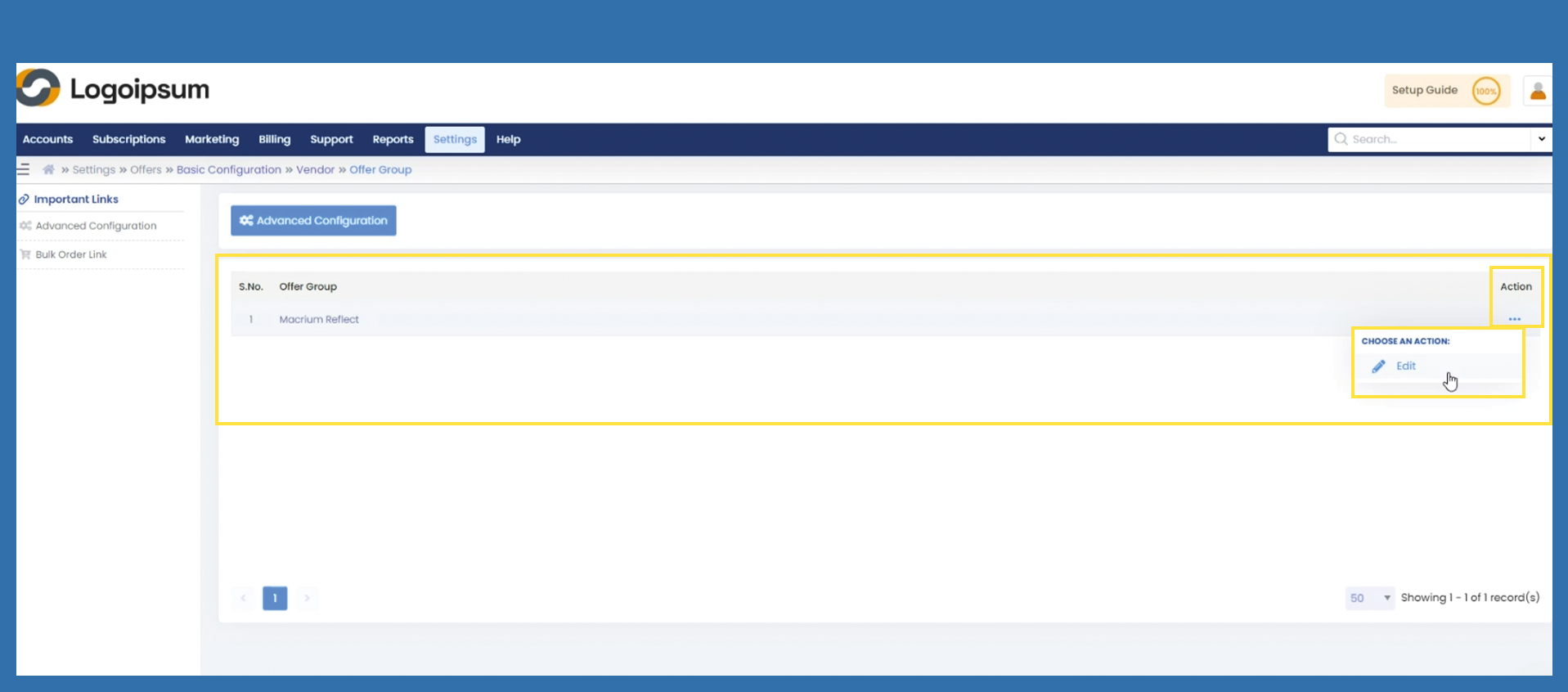
Click on the three dots under Action to edit the entire Offer Group.