Billing > Invoices (Order Summary)
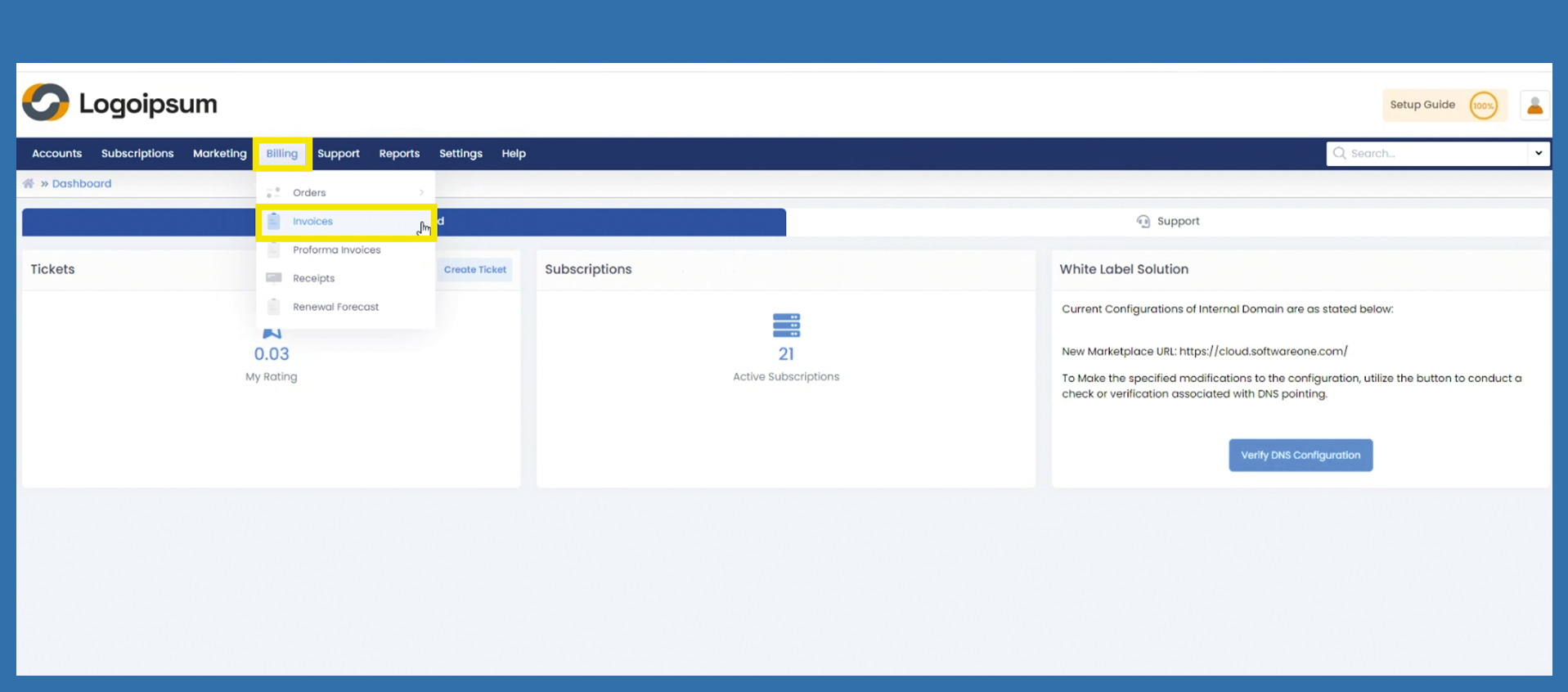
If you would like to view all your order summaries, click on the following path:
Billing > Invoices
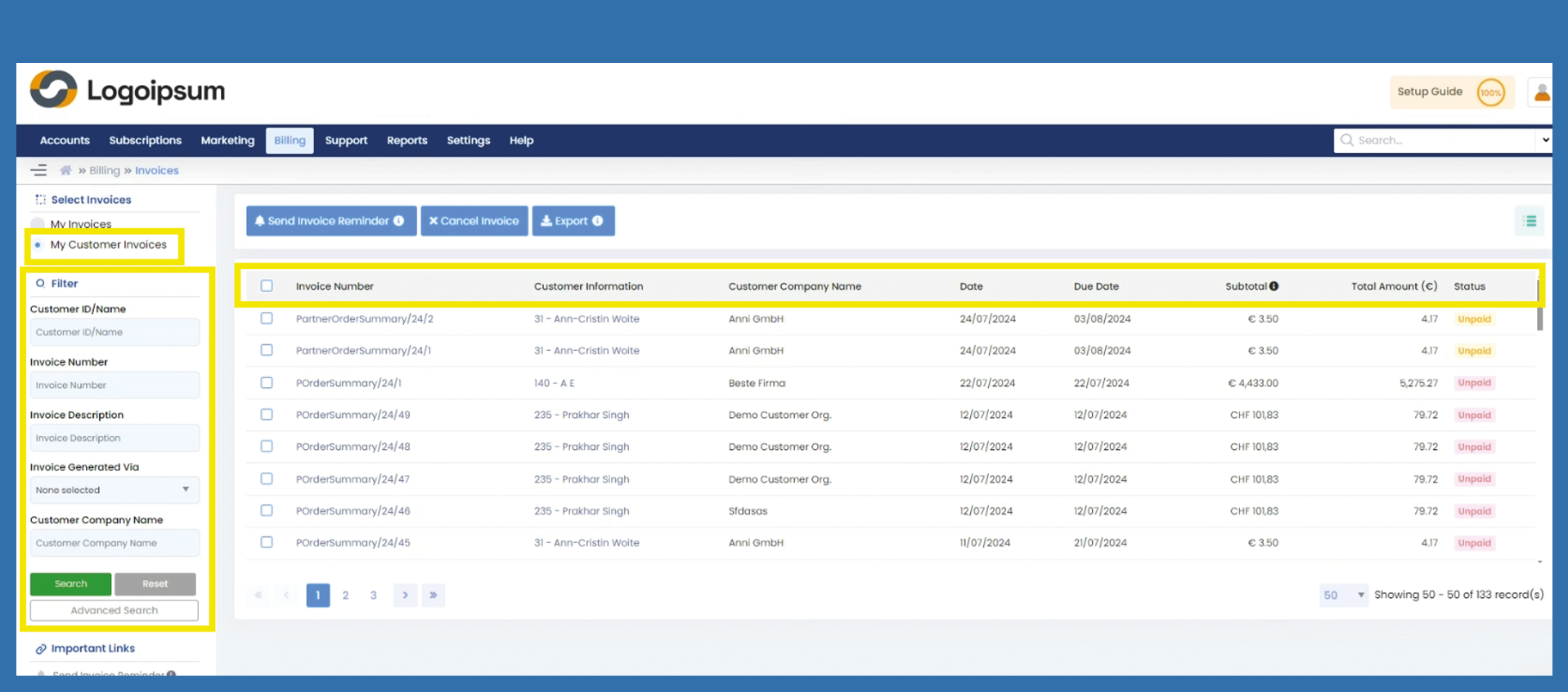
Choose between My Invoices and My Customer Invoices at the top left to see your invoices or those to your end customer.
Use the filter section on the left-hand side, to search for a specific order summary.
Choose the corresponding criteria:
- Customer ID/Name
- etc.
If you have further information which are not displayed in the main filter section click on Advanced Search.
You can see here, the most important information about order summaries:
Invoice Number: is the order summary number which you have already assigned via the getting started wizard
Customer Information:
Customer Company Name:
Date:
Due Date:
Subtotal:
Amount:
Status:
You can manage your headlines by clicking on the hamburger menu symbol on the upper right side. There you can mark the information you want to see displayed.