Billing > Invoices (Order Summary)
There are no invoices in the Marketplace, invoices are created in the partner's ERP system. Therefore, everything that has to do with invoices has been renamed Order Summary.
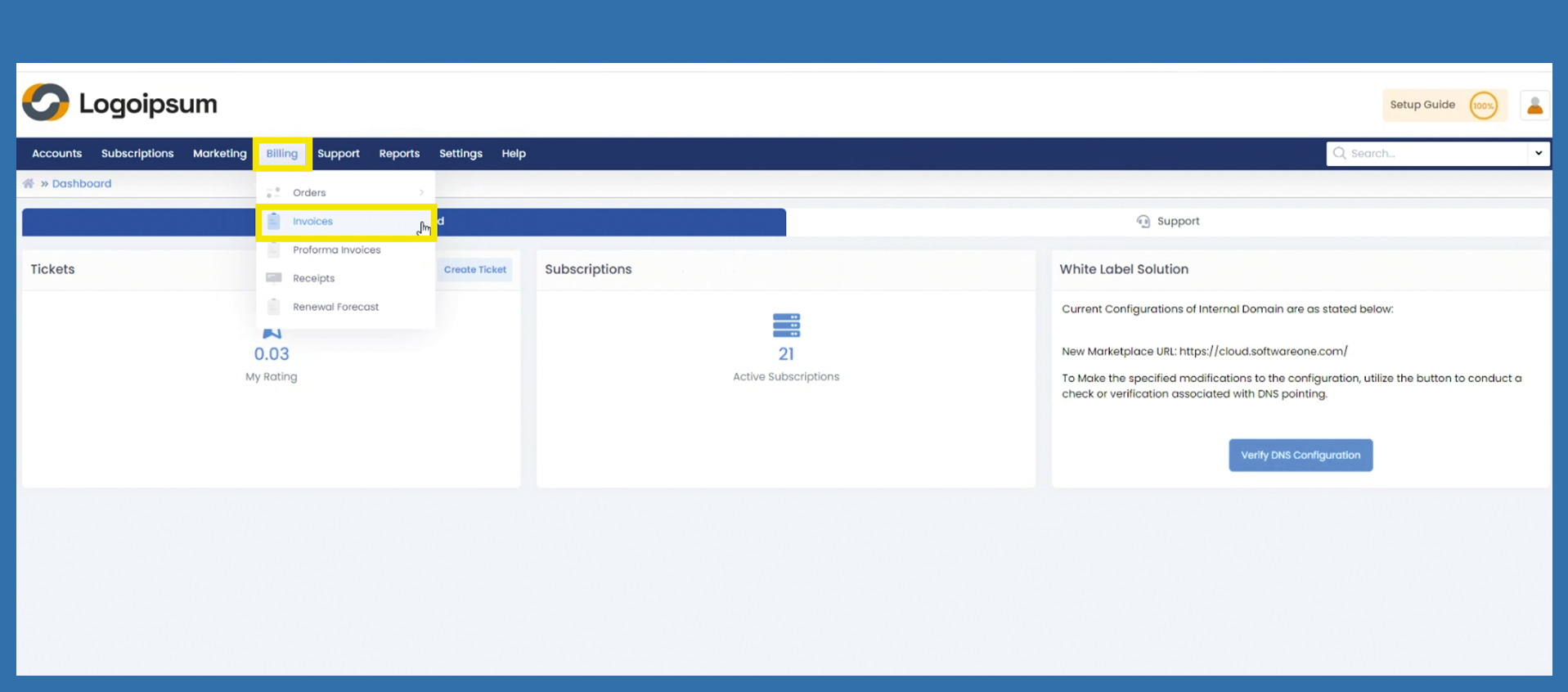
If you would like to view all your order summaries, click on the following path:
Billing > Invoices
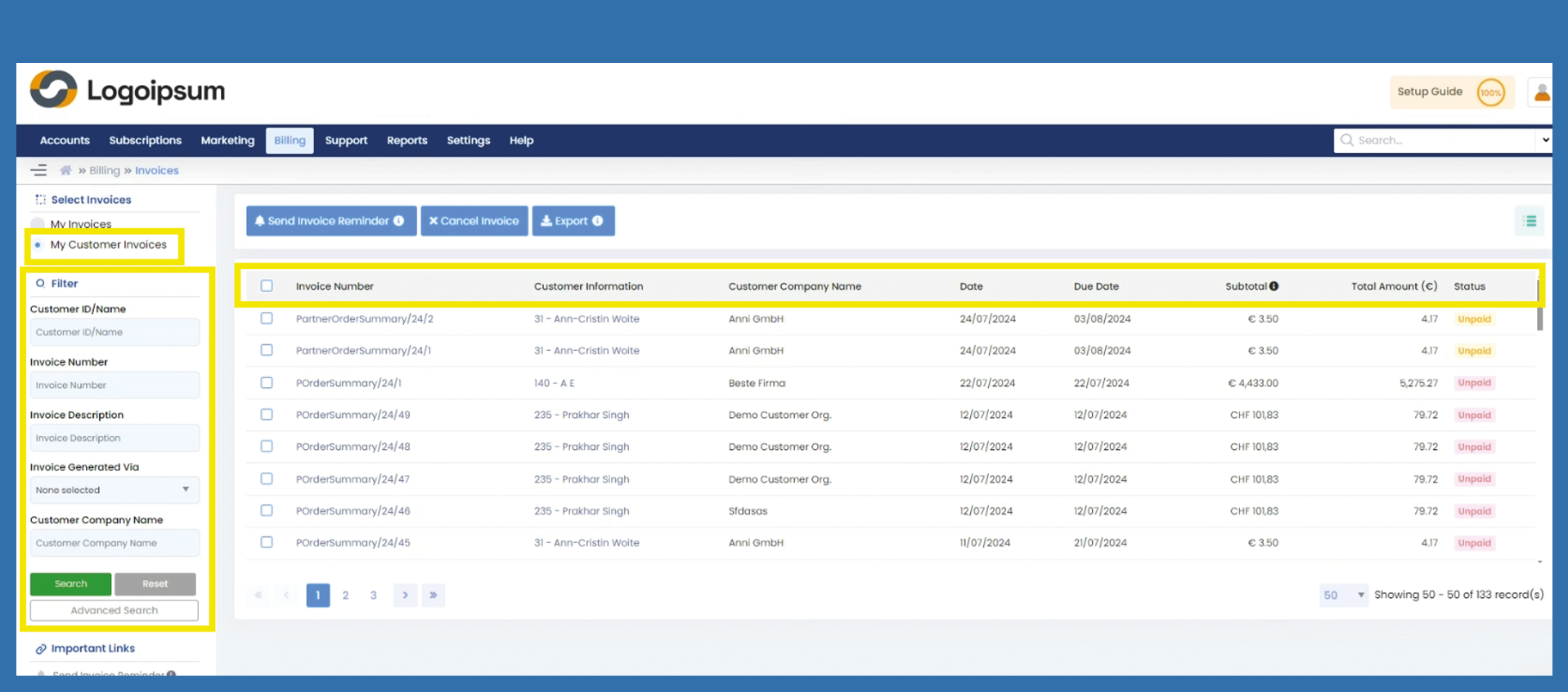
Choose between My Invoices and My Customer Invoices at the top left to see your invoices or those to your end customer.
Use the filter section on the left-hand side, to search for a specific order summary.
Choose the corresponding criteria:
- Customer ID/Name
- etc.
If you have further information which are not displayed in the main filter section click on Advanced Search.
You can see here, the most important information about order summaries:
Invoice Number: is the order summary number which you have already assigned via the getting started wizard
Customer Information: Here you can see the ID and the name of the end customer
Customer Company Name: You can see the company name of your end customer
Date: Is the date of the order
Due Date: The date by which the order should be paid.
Subtotal: The subtotal of the order.
Amount: The total amount of the invoice.
Status: And the status of the voucher. On our recommendation, you should hide the status, as no payments are currently being made via the Marketplace.
You can manage your headlines by clicking on the hamburger menu symbol on the upper right side. There you can mark the information you want to see displayed.