Orders > List
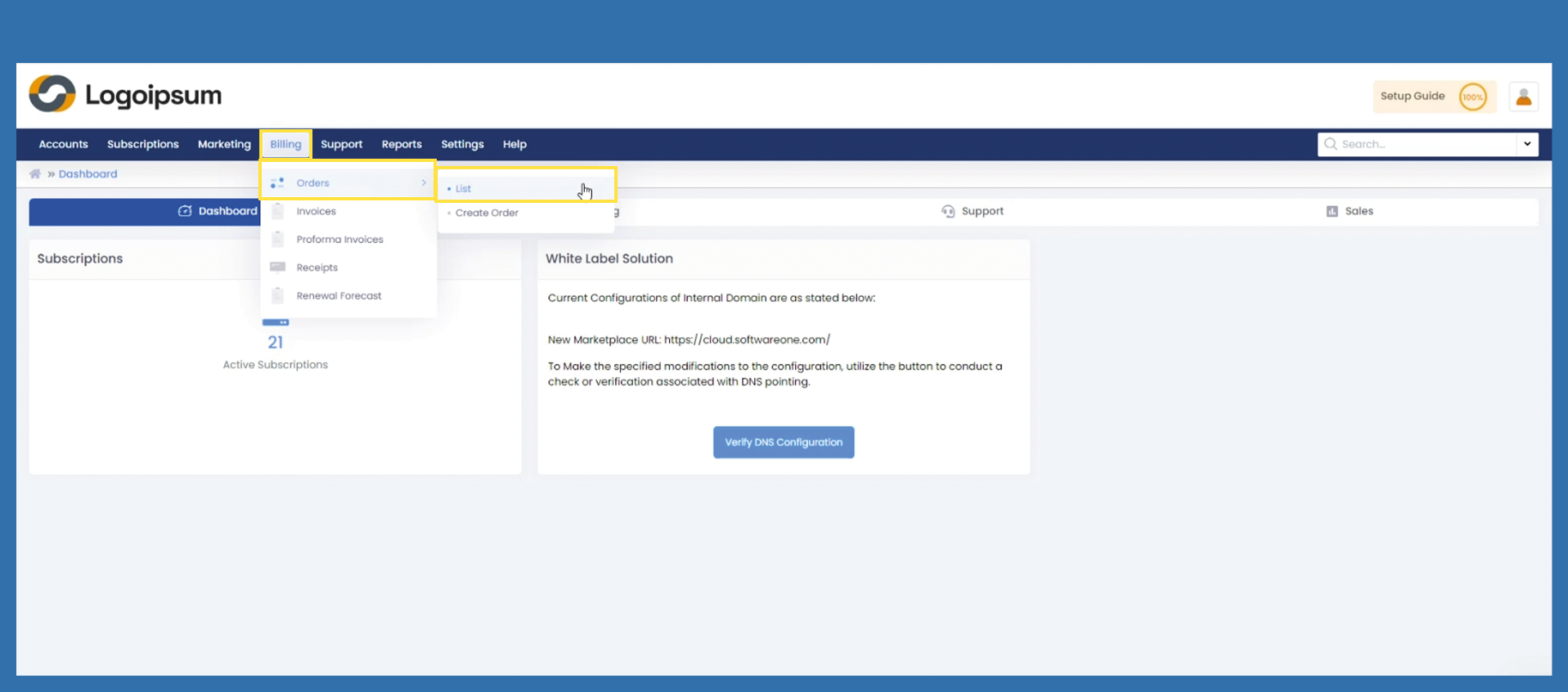
To get an overview of all your orders, select the following path.
Billing > Orders > List
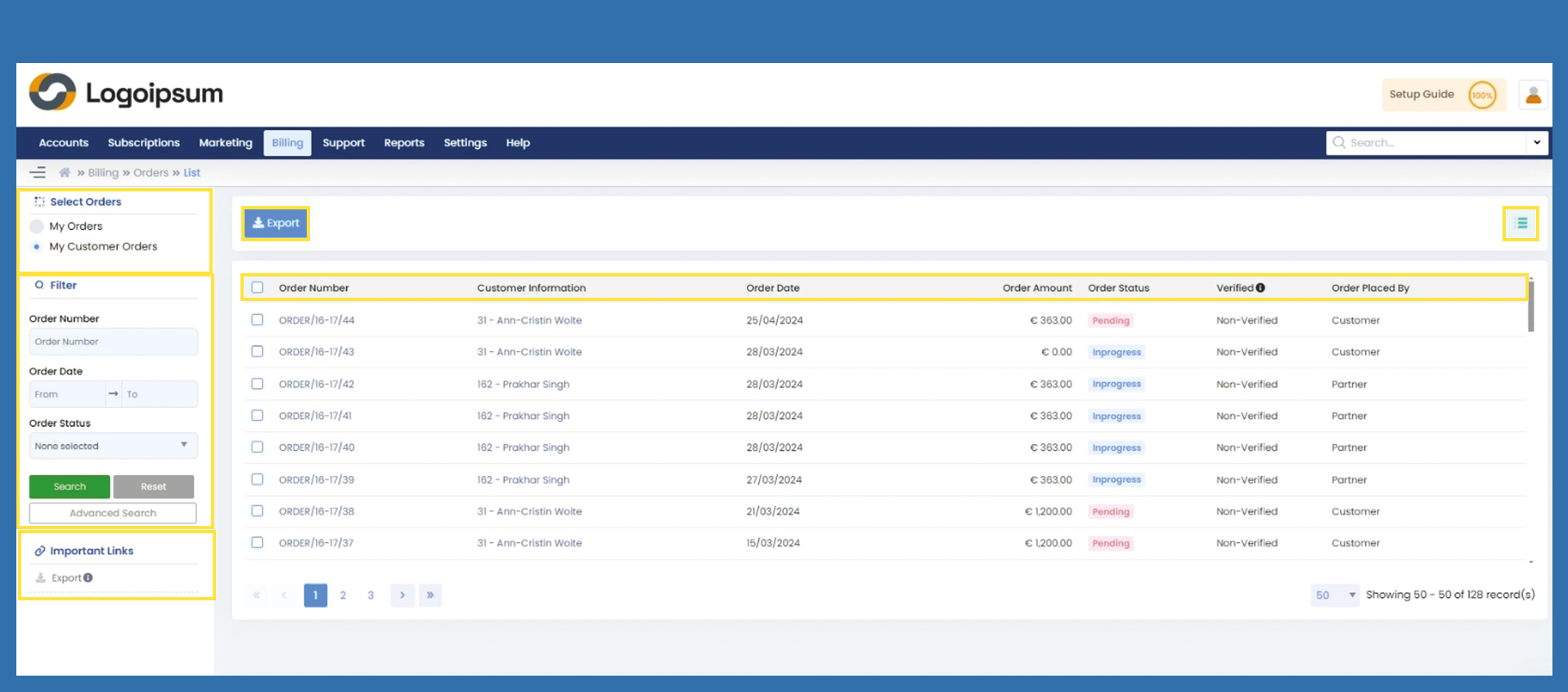
Under Select Orders on the top left-hand side, you can choose which orders you would like to view.
My Orders: All orders from you as a partner to the distributor
My Customer Orders: All orders from your end customer to you
To find an order, you can use the filter section on the left-hand side.
The blue Export button and the link under Important on the left contain the same function. Selected data can be exported from here an an Excel file.