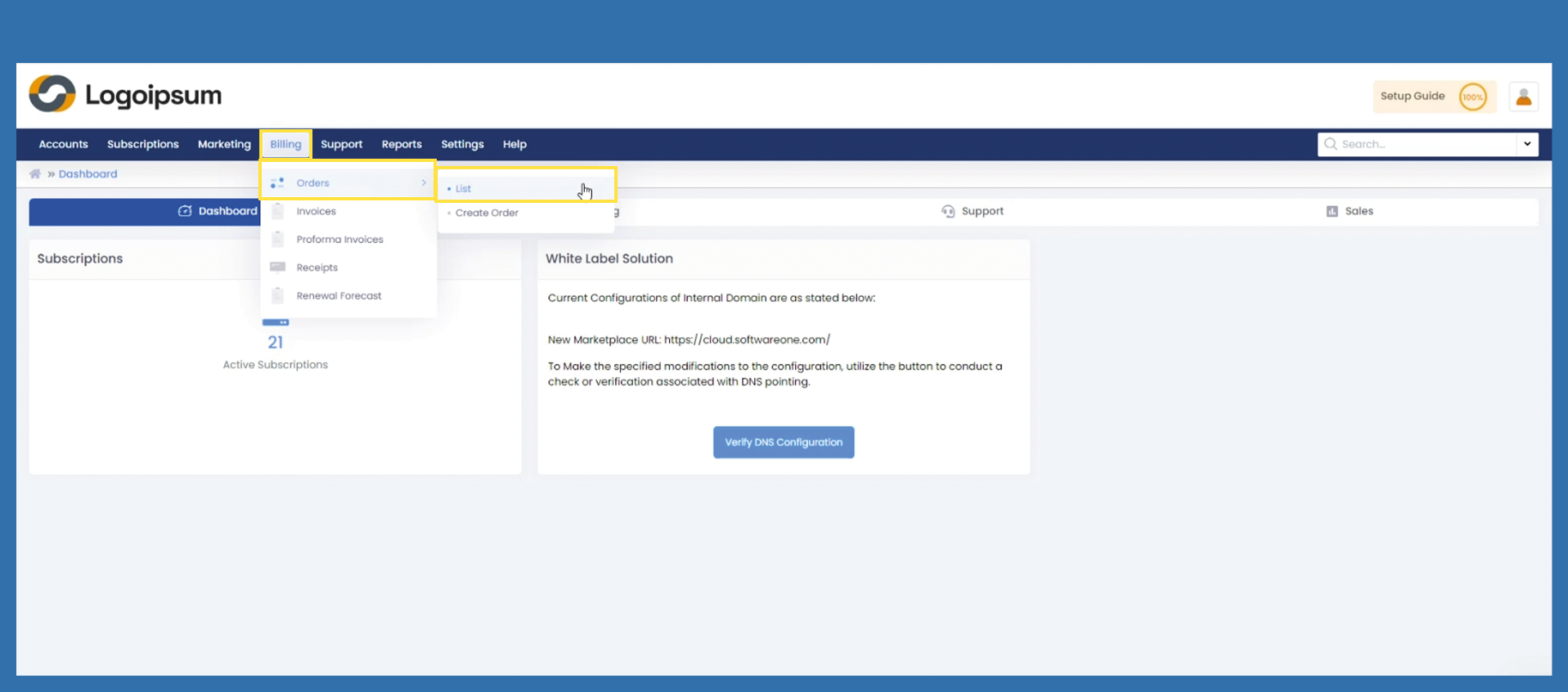
Billing > Orders > List
To get an overview of all your orders, select the following path:
Billing > Orders > List
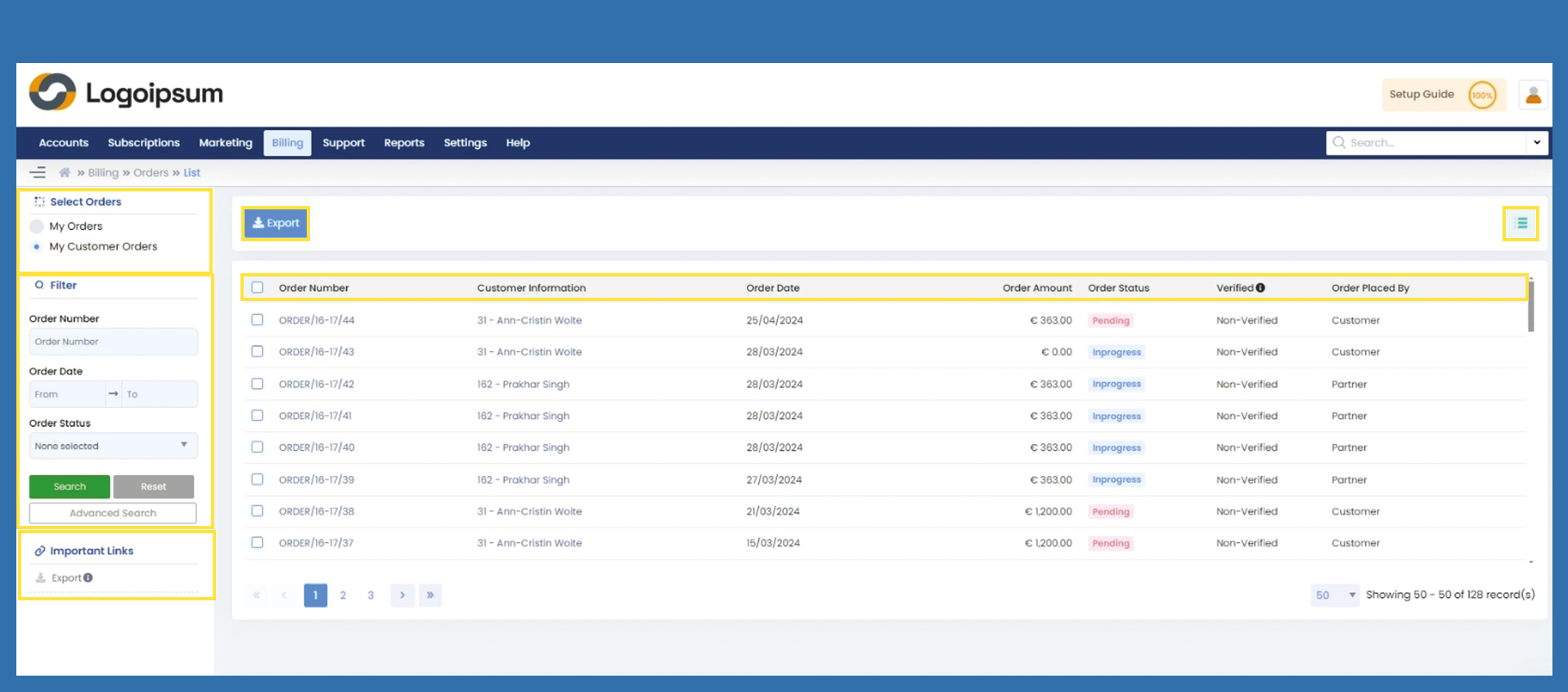
Under Select Orders on the top left-hand side, you can choose which orders you would like to view.
My Orders: All orders from you as a partner to the distributor.
My Customer Orders: All orders from your end customer to you.
To find an order, you can use the filter section on the left-hand side.
The blue Export button and the link under Important Links on the left contain the same function. Selected data can be exported from here as an Excel file.
You can see the following headlines.
Order Number: shows the corresponding order number
Customer Information: Name and ID of the end customer
Order Date: Receipt of the order / transmission of the order
Order Amount: Amount of the order
Order Status: shows the status of the order. In Pending, Inprogress, Declined, Delivered.
Verified: verified or non-verified, indicates whether the order has already been confirmed.
Order Placed by: Customer or Partner - who placed the order.
To get more information to your orders, user hamburger menu on the upper right corner.