Company Settings
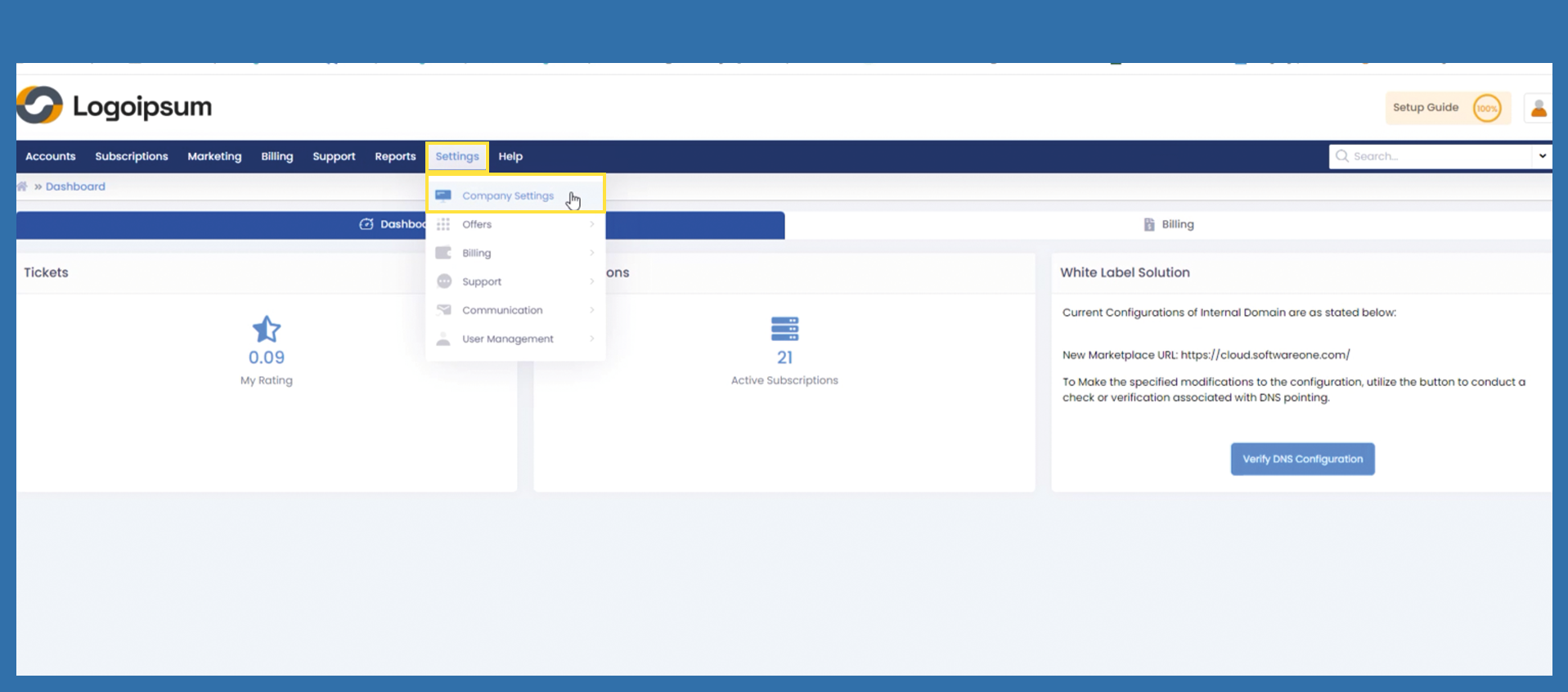
To change your company settings use the following path:
Settings > Company Settings
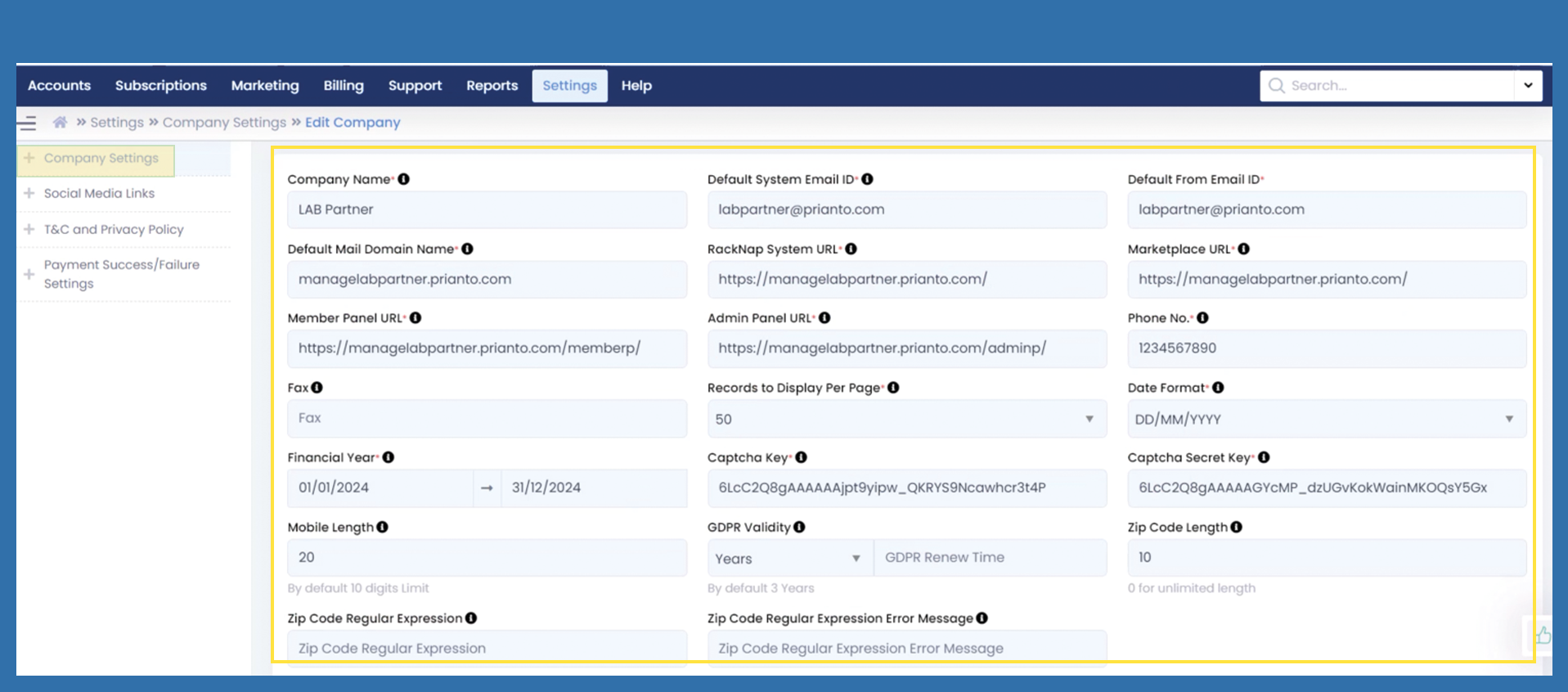
The fields Company Name, Default System Email ID, Default From Email ID and Default Mail Domain Name are automatically entered here from the Getting Started Wizard. You can change this data manually.
The fields RackNap System URL, Marketplace URL, Member Panel URL and Admin Panel URL are also generated according to the specifications from the Getting Started Wizard (depending on the settings for working with the Marketplace).
These fields can no longer be edited.
The Phone No. is also taken from the settings for the Getting Started Wizard and can be changed. The Fax field, on the other hand, is not a mandatory field.
You can choose the Records to Display Per Page and the Date Format via dropdown.
Enter your financial year in the corresponding field.
If the setting Internal Domain or Skip for now was selected in the Getting Started Wizard, the Captcha Key and Captcha Secret Key were automatically created and written to these fields. If External Domain was selected, the Captcha Key and Captcha Secret Key were taken from there.
The following fields Mobile Length, GDPR Validity, Zip Code Length, Zip Code Regular Expression and Zip Code Regular Expression Error Message are not mandatory fields. However, we recommend increasing the Mobile Length to 20 and the Zip Code Length to 10.
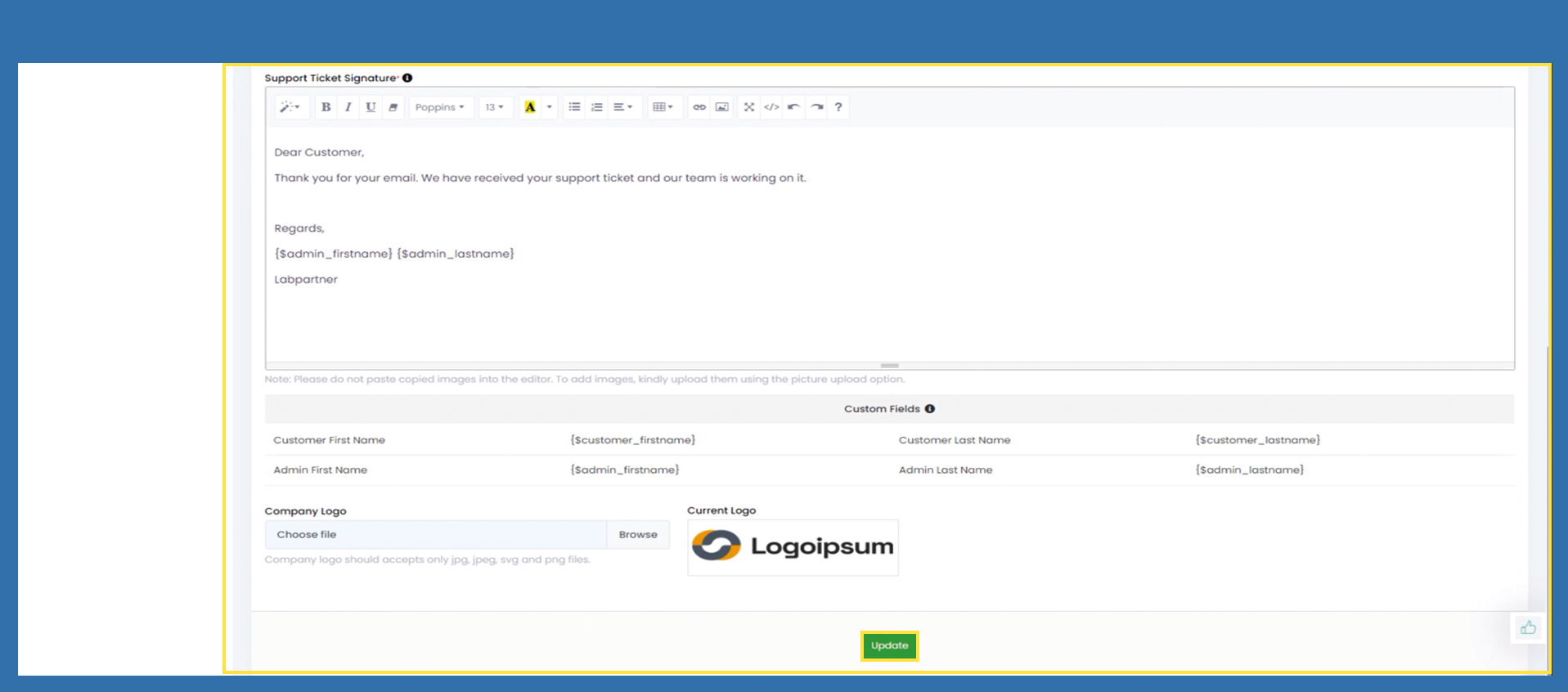
Under the Support Ticket Signature field, enter the signature that is to be mirrored in the support tickets.