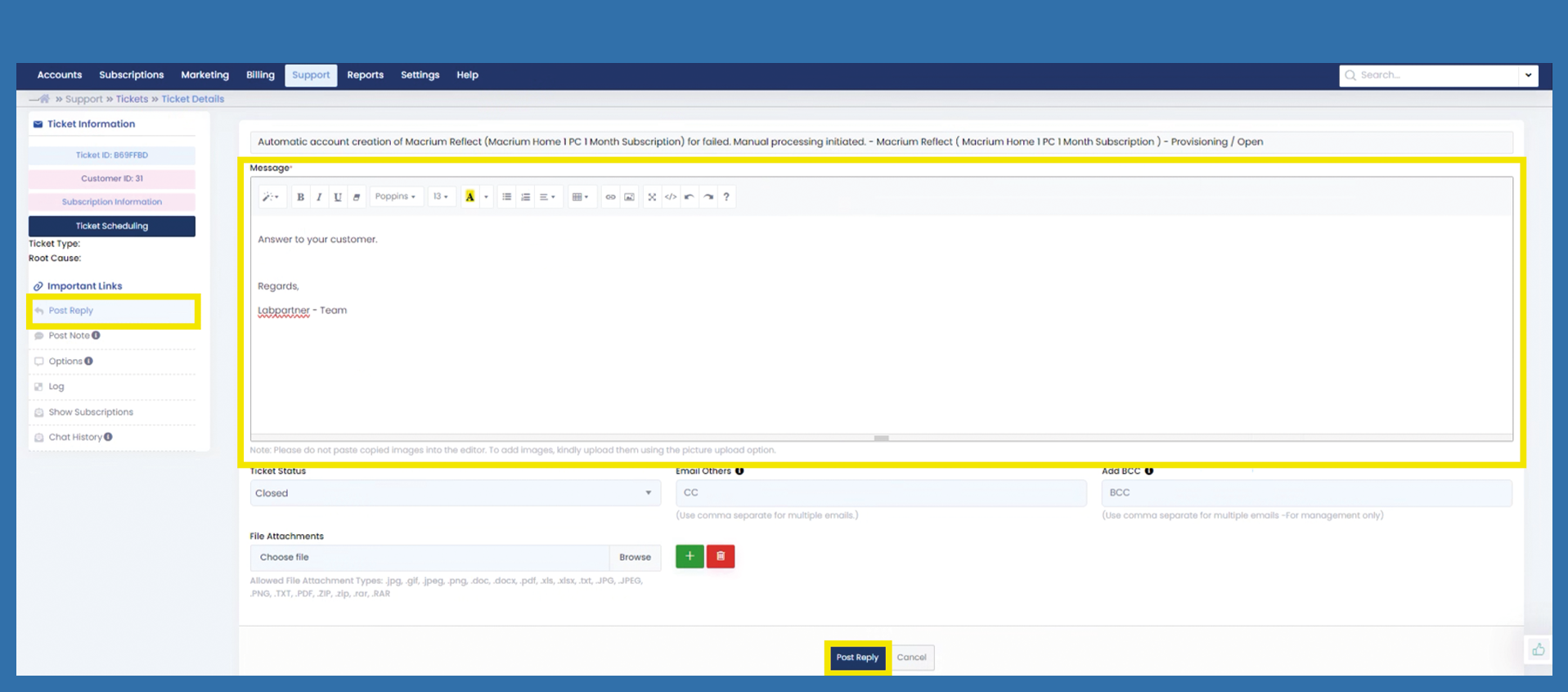
Support > Tickets > Change Ticket Status
To change the Ticket Status, please followuse the follwingfollowing path:
Support > Tickets > List
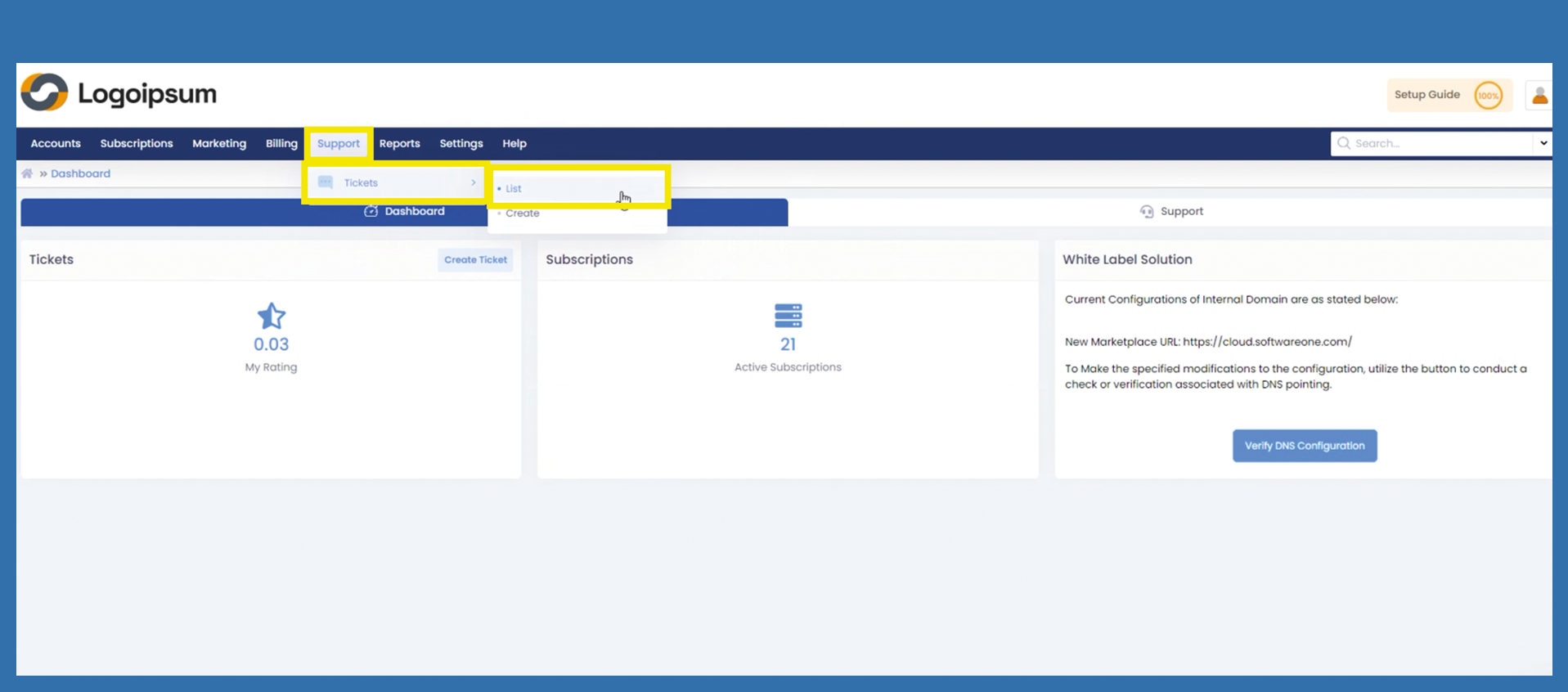
To
Select the ticket for which you want to change the Ticketstatus. Status,Use pleasethe clickfilter on the Ticketleft-hand inside. Mark the Listcorresponding below.ticket.
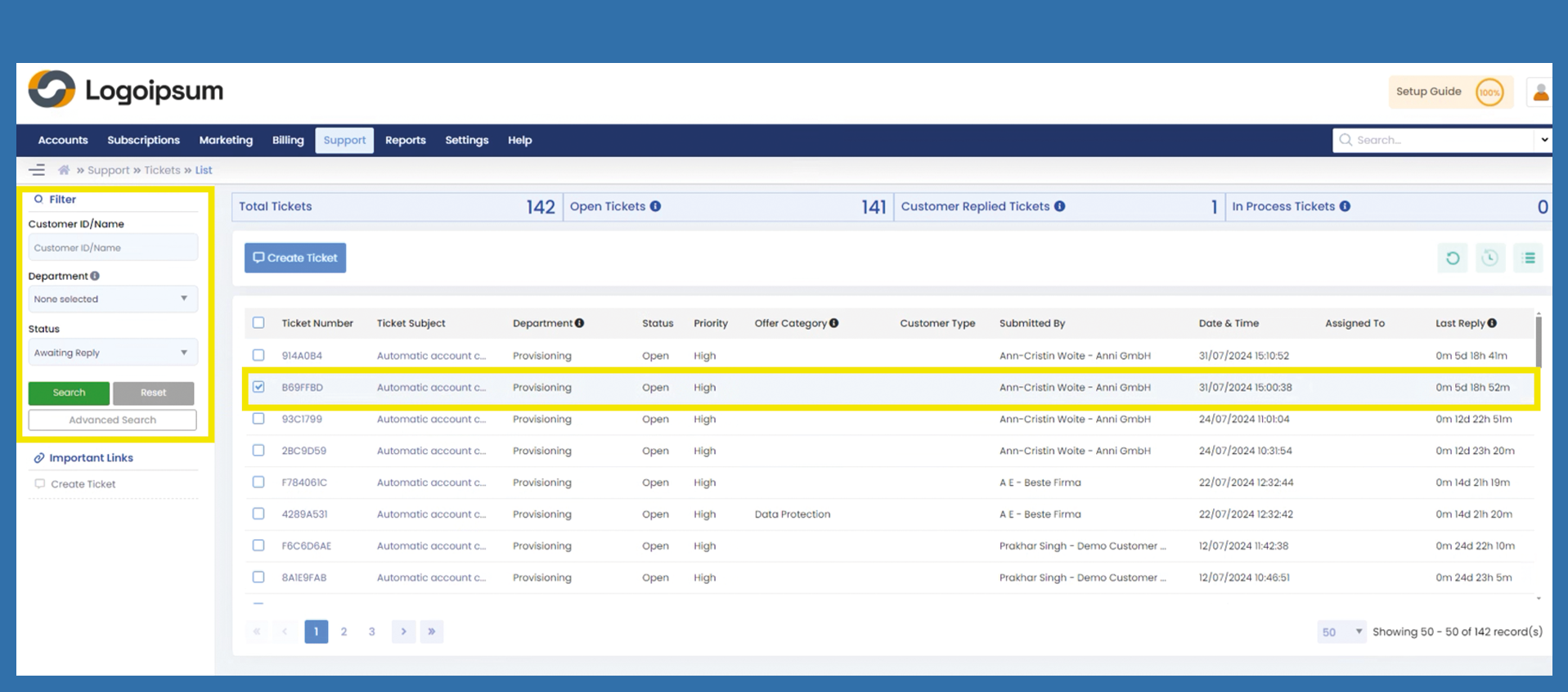
If a
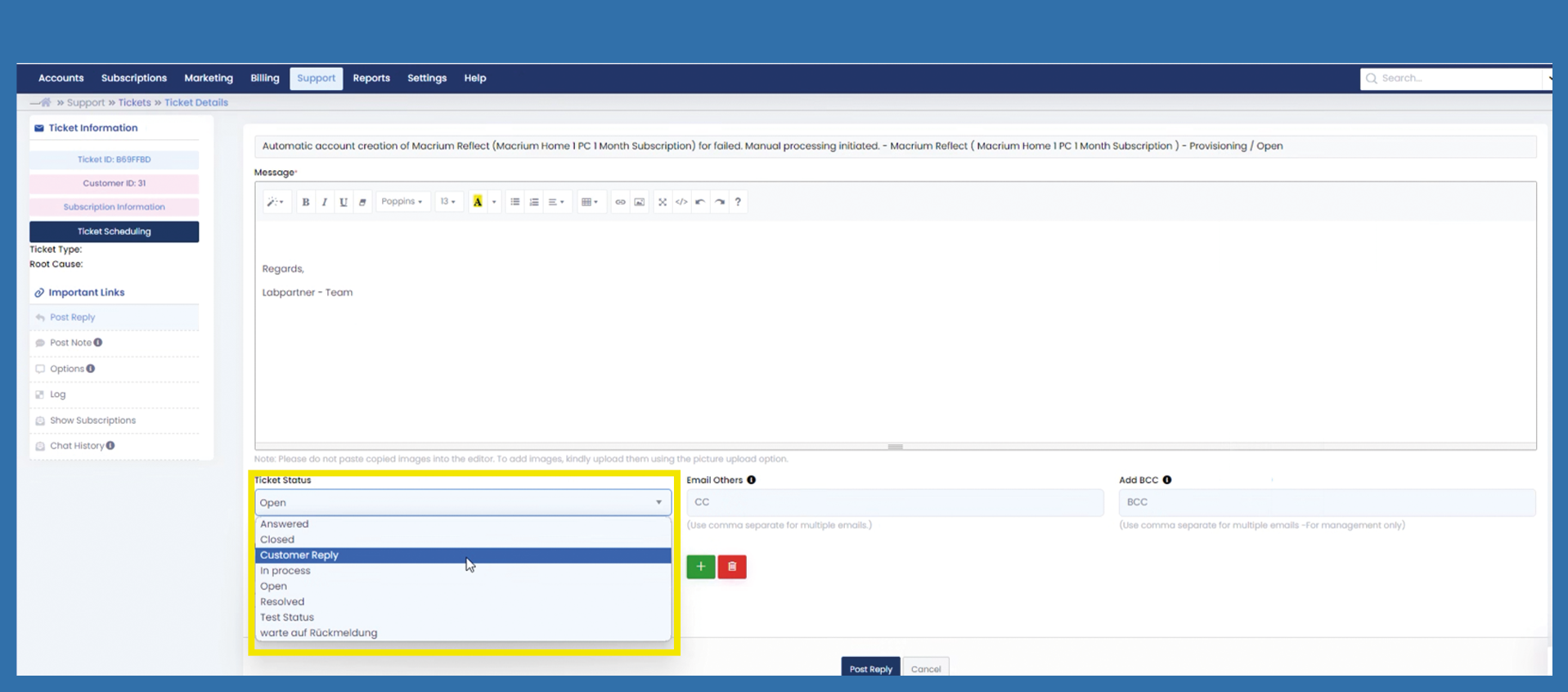
If you only want to change the ticket status, change the Ticketticket Statusstatus under the caption Ticket Status accordingly.
Certain Departmentsdepartments allow different Statuses.status.
Different statuses have different implications.
Open: forFor pre-answered tickets.tickets
Answered: Once Answered,answered, mark the Ticketticket as such
Customer Reply: ifIf customer has replied to the ticket, set it on the Customercustomer Replyreply status.
In Process: forFor answered tickets, where further help from a different Adminadmin is required, show with this tag that the ticket is worked on internally
Resolved:
Resolved: theThe problem is solved by the admin internally, now the solution is ready to be sent to the customer
Closed:
Closed:
Note:
ClickSelect the relevant status and then click on Post Reply.
To change a ticket status to closed,
the following settings must be made:
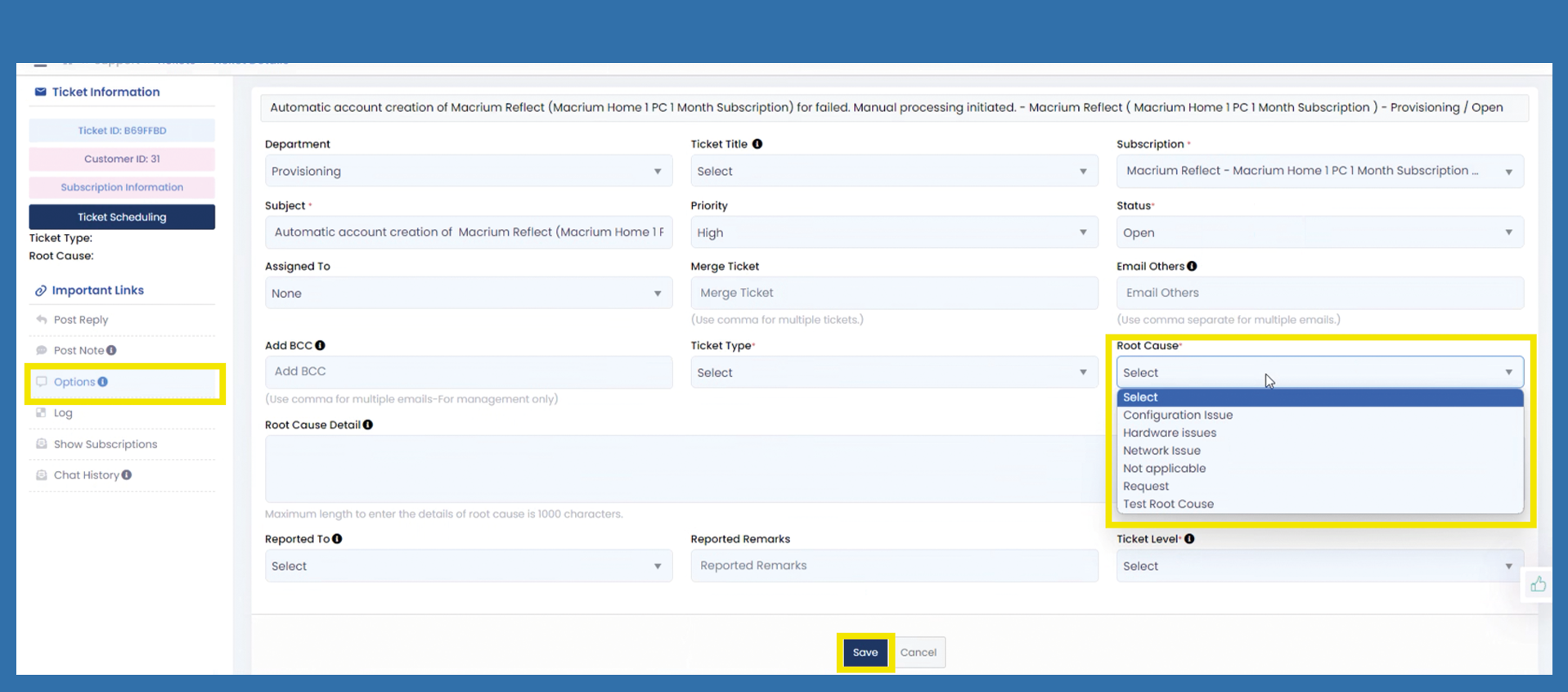
You need to click on the Options tab on the left-hand side.
Then select a Root Cause.
You can select, to what this Ticketticket is Reportedreported to under the caption Reported To. This is not a necessary field to fill in. This information will be shown, when tickets are filtered and exported. For clear insight, please look at Ticket Reports.
Now, click Save.
Then skip back to the tab Post Reply.
Change the status to closed and click on Post Reply.