Support > Tickets > Move ticket to another department
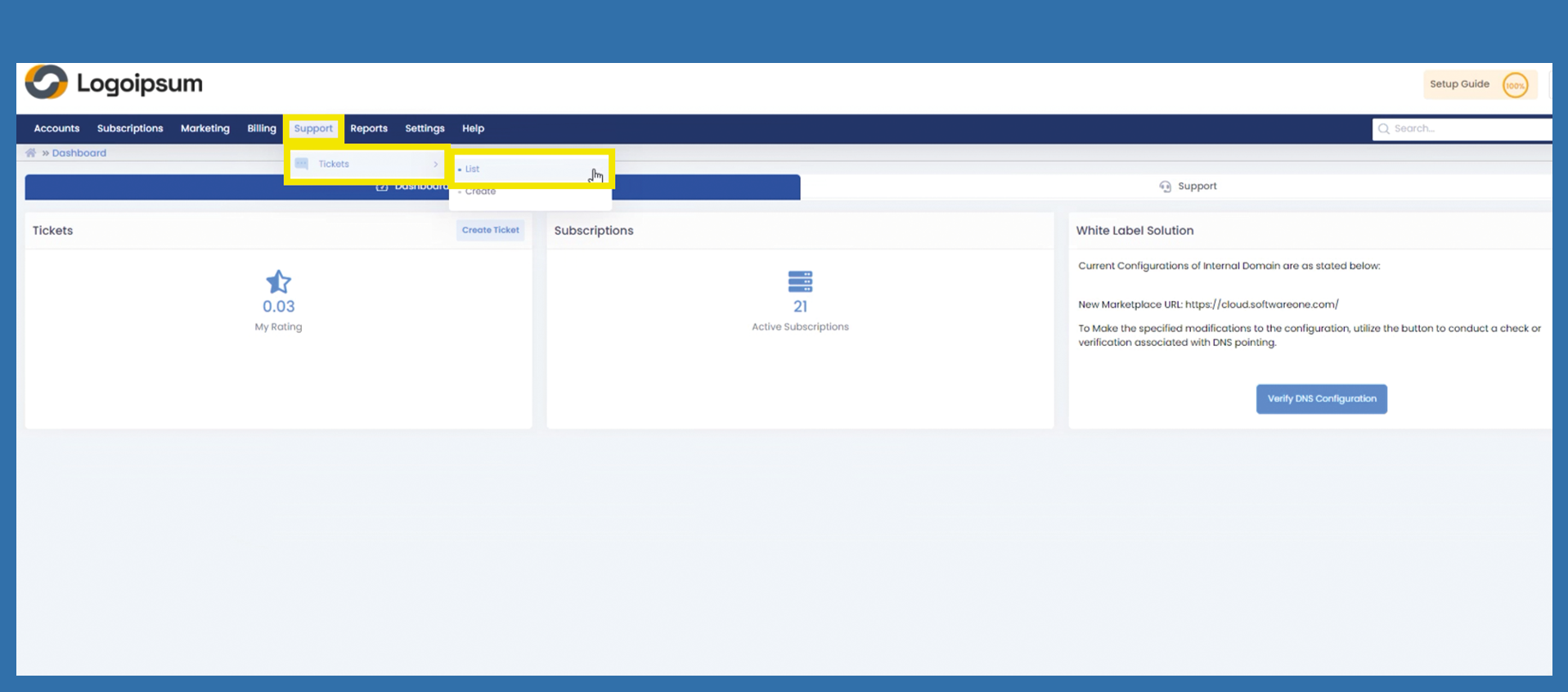
To move tickets to another Department, please follow the following path:
Support > Tickets > List
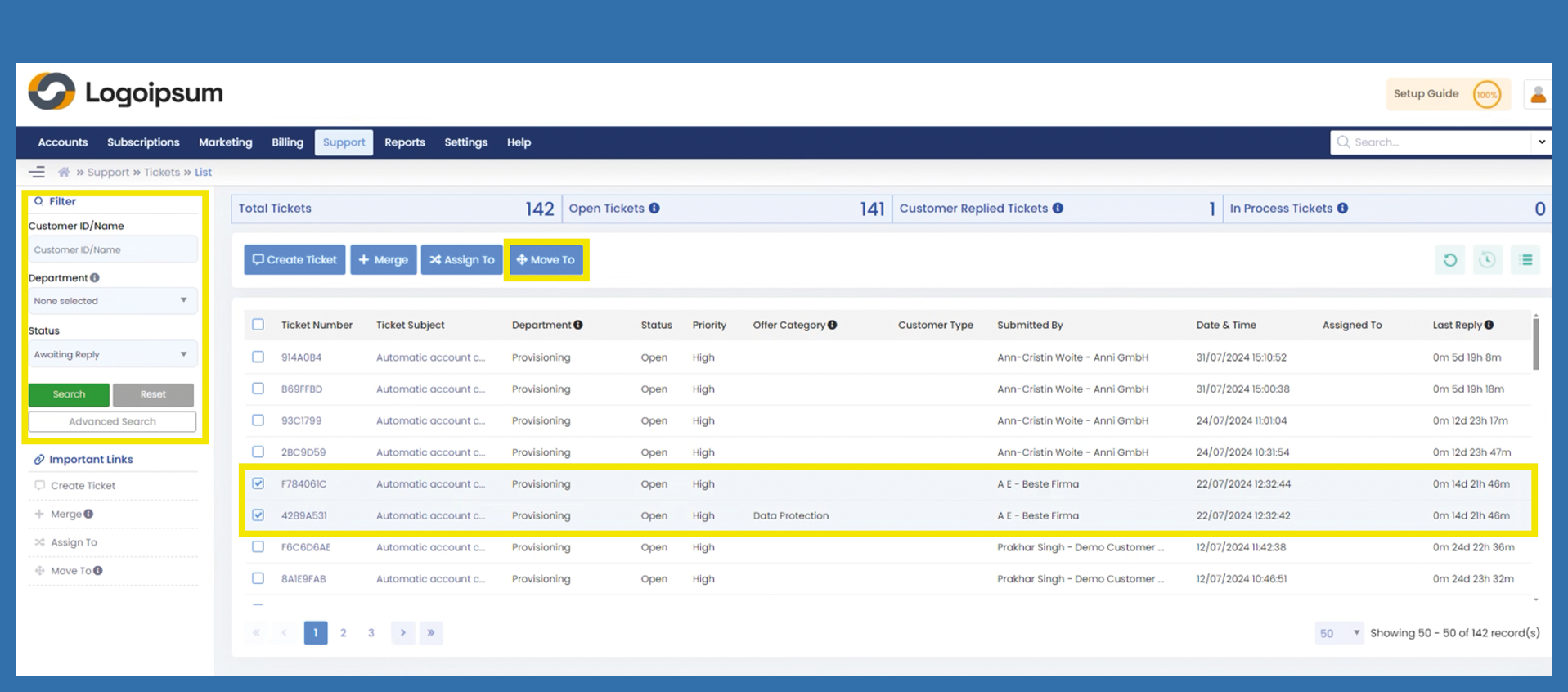
Use the Filter with the corresponding parameters to find the Tickets you want to look for.
Mark the Checkboxes of the Tickets you want to Move.
Then Click on Move To.
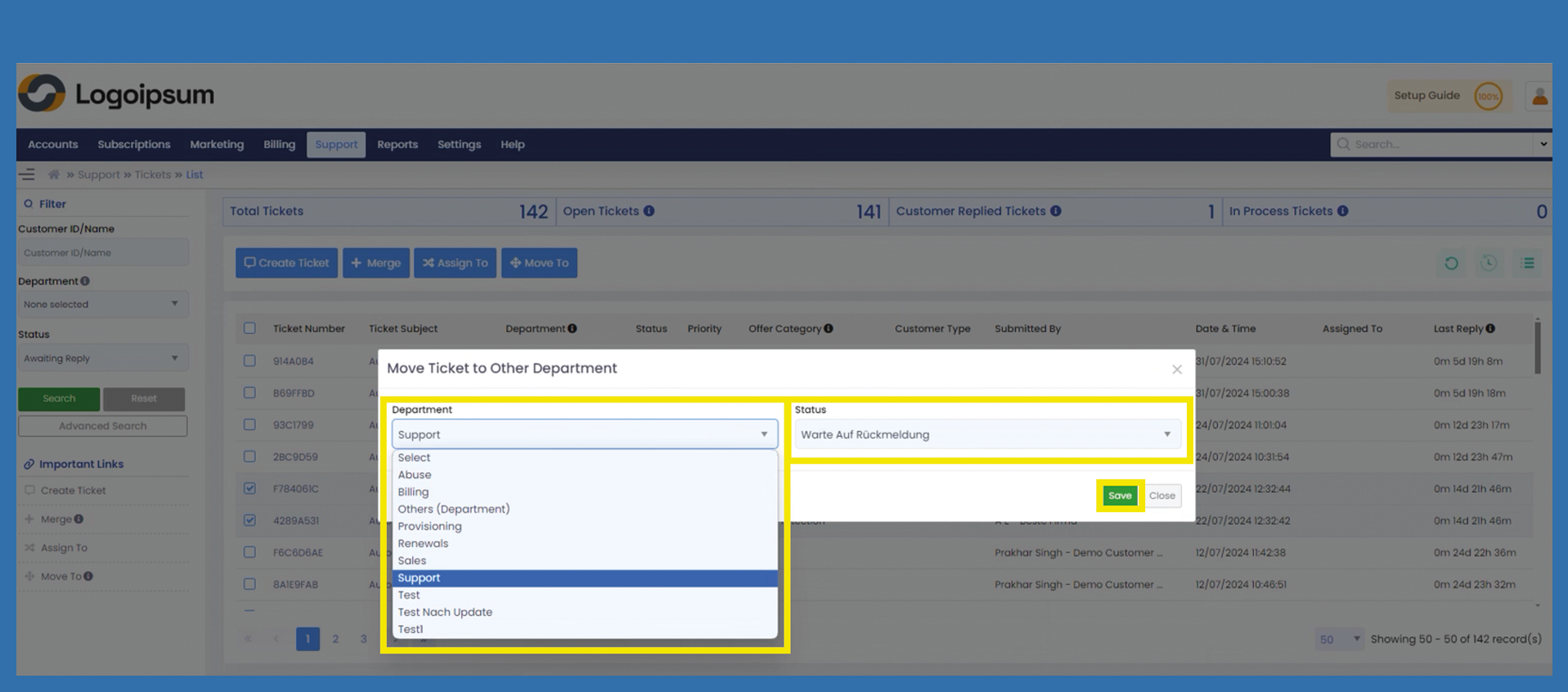
A window will appear.
Chose the Department this Ticket should be assigned too.
Choose the Status the Ticket should have.
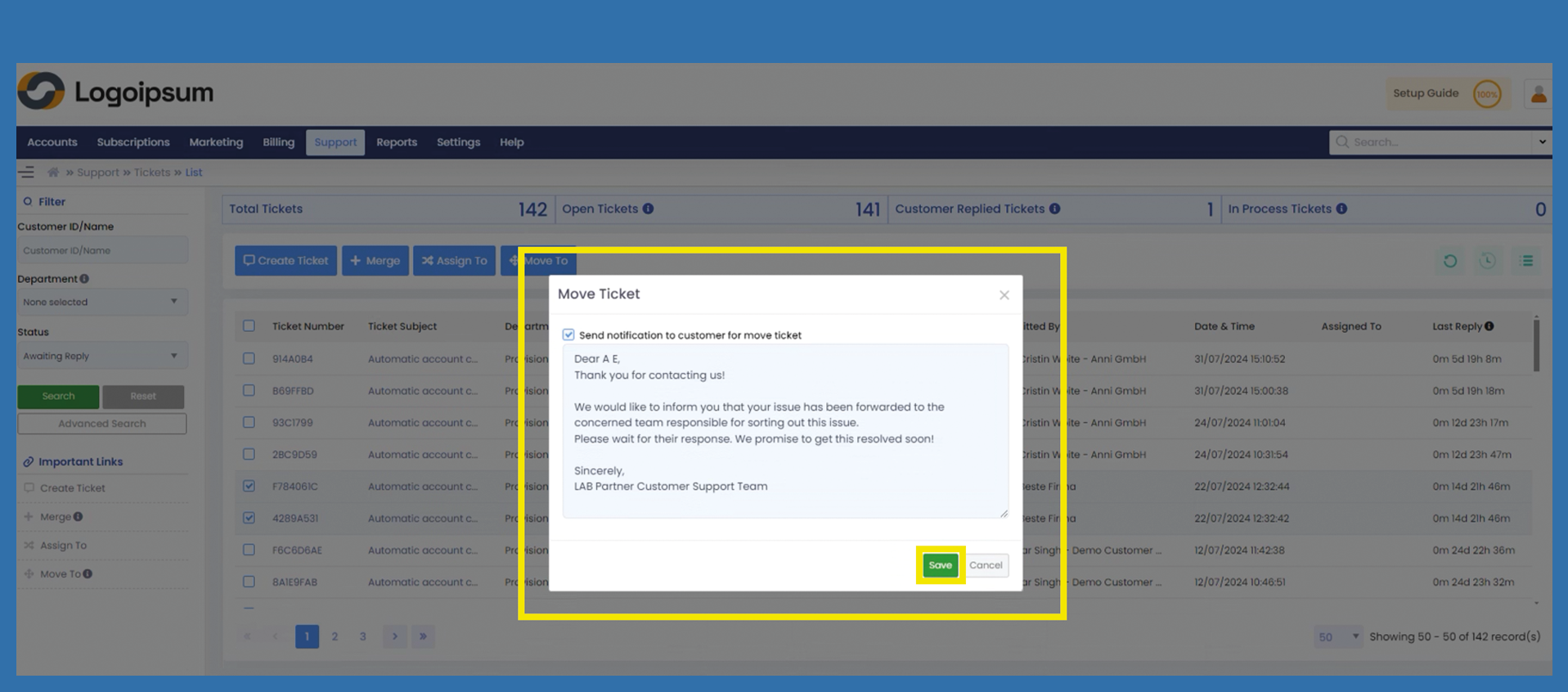
Click Save to move the Ticket and click OK on the following Pop-up.