
Support > Tickets > Move ticket to another department
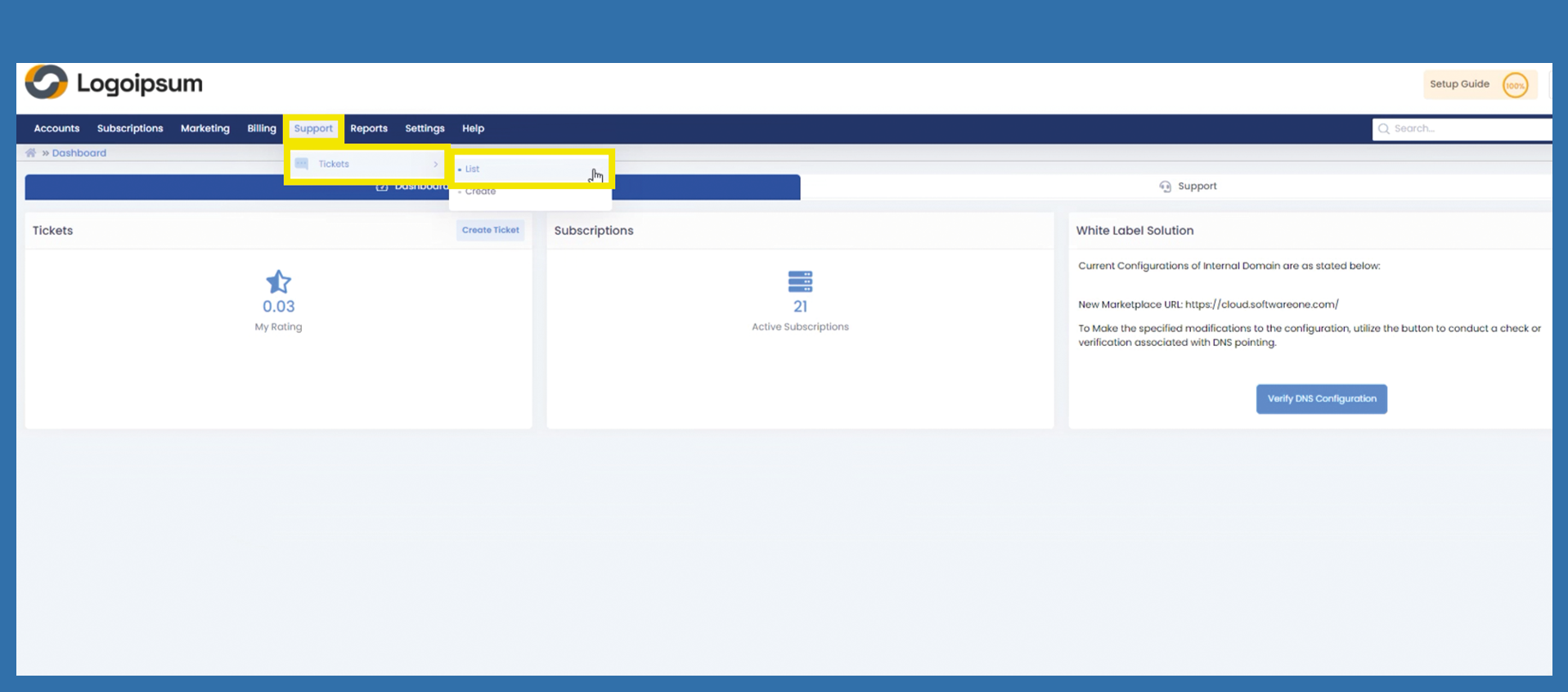
To move tickets to another Department,department, please followuse the following path:
Support > Tickets > List
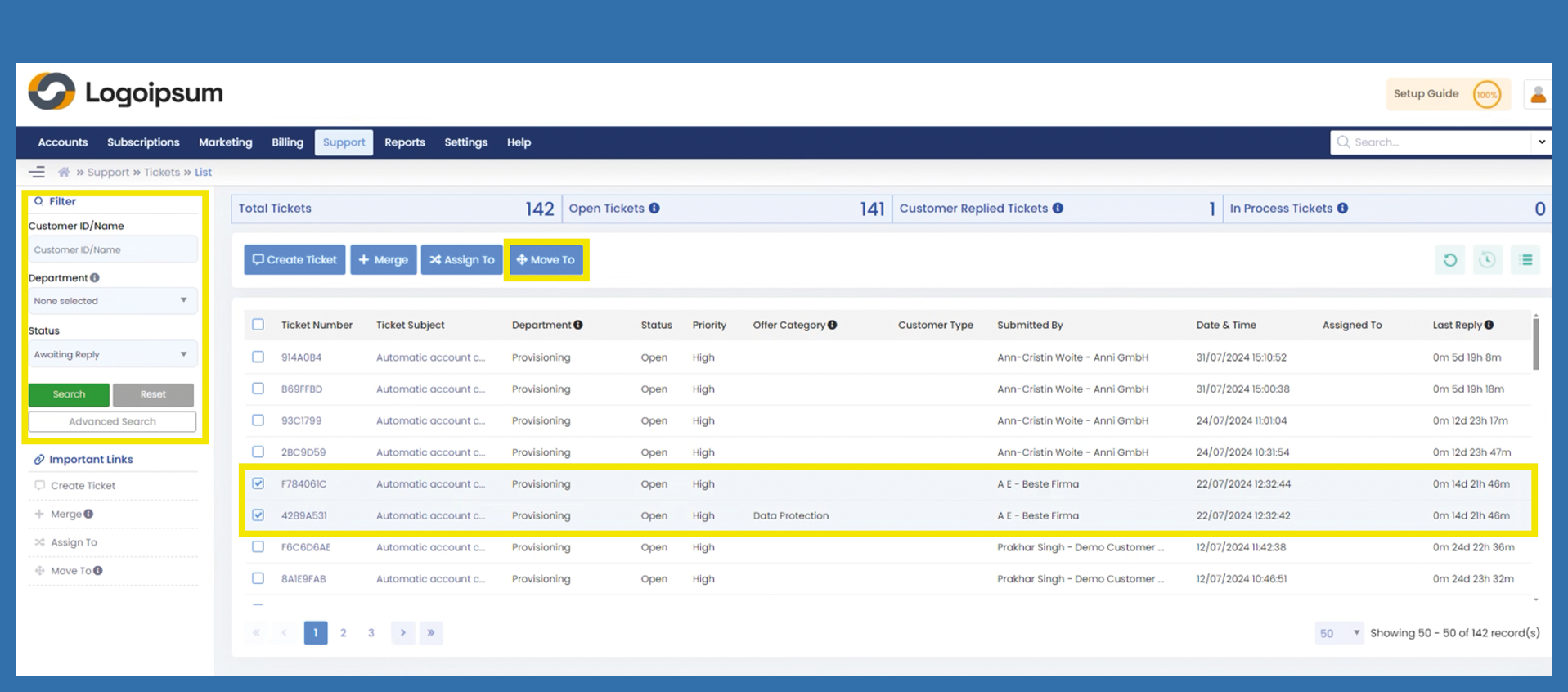
Use the Filter with the corresponding parameters to find the Ticketstickets you are looking for.
Mark the checkbox of the ticket you want to look for.
Mark the Checkboxes of the Tickets you want to Move.move.
Then Click on Move To.
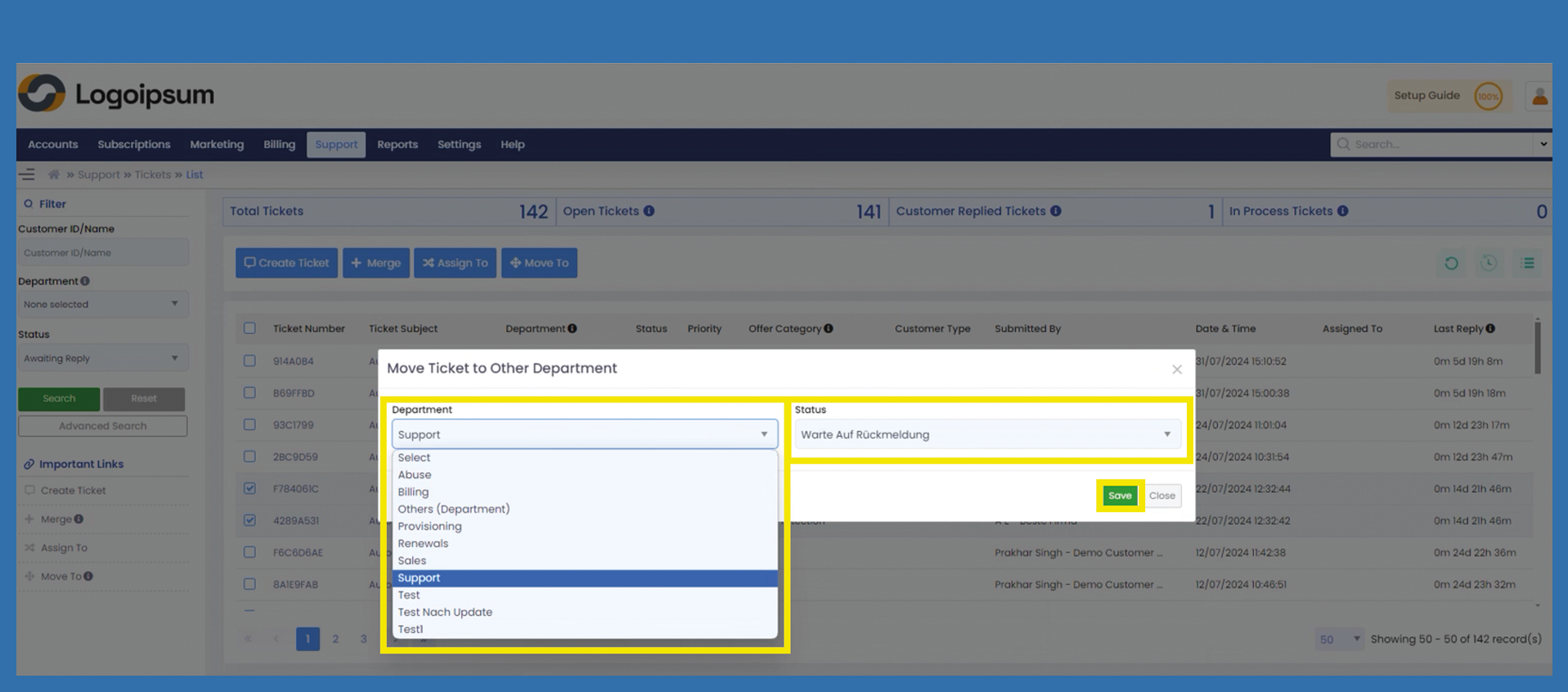
A windowpop-up will appear.open.
Chose the Department this Ticketticket should be assigned too.
Choose the Status the Ticketticket should have.
Click SaveSave. to move the Ticket and click OK on the following Pop-up.
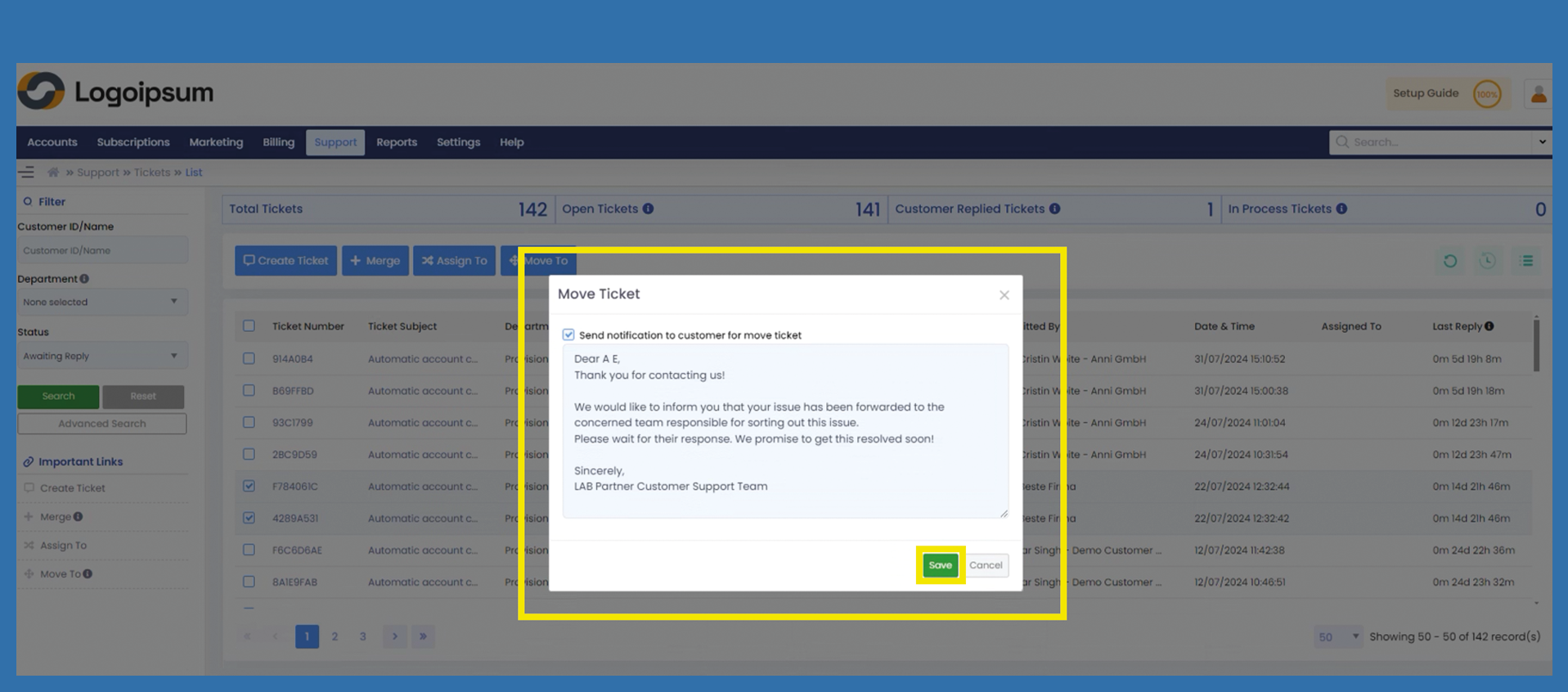
In the next ticket, select whether the customer should be informed that the ticket has been forwarded. If you uncheck the checkbox, the customer will not receive a message. Click on Save.
Confirm with the following popup that it is ok to forward the ticket or click on cancel and get back to the overview.