When can the MFA be reset? & How to reset MFA?
If the end customer has problems with multi-factor authentication, such as having deleted their account in the app, they can contact the partner to reset the MFA. The prerequisite for a reset is that the MFA process has already been completed once.
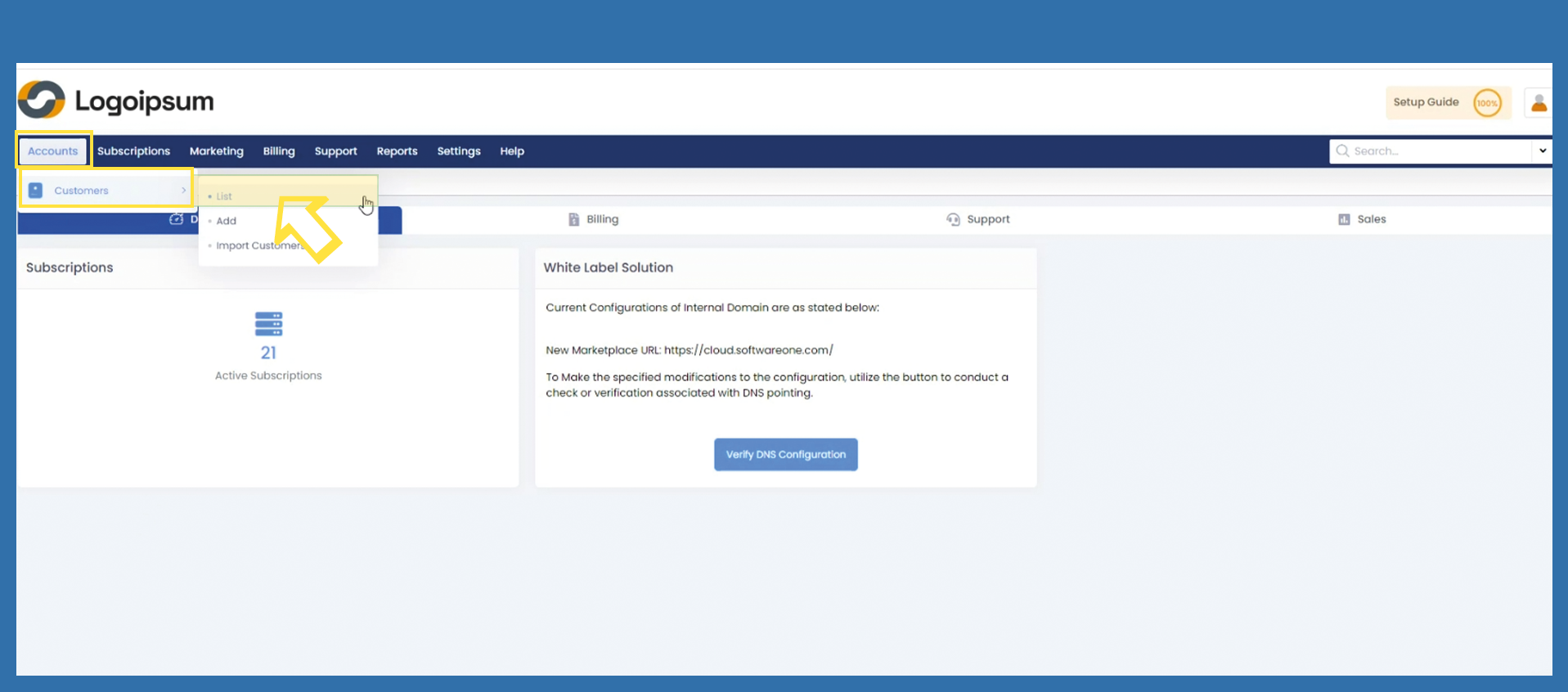
To reset the MFA for the end customer, click on the following path: Accounts > Customers > List
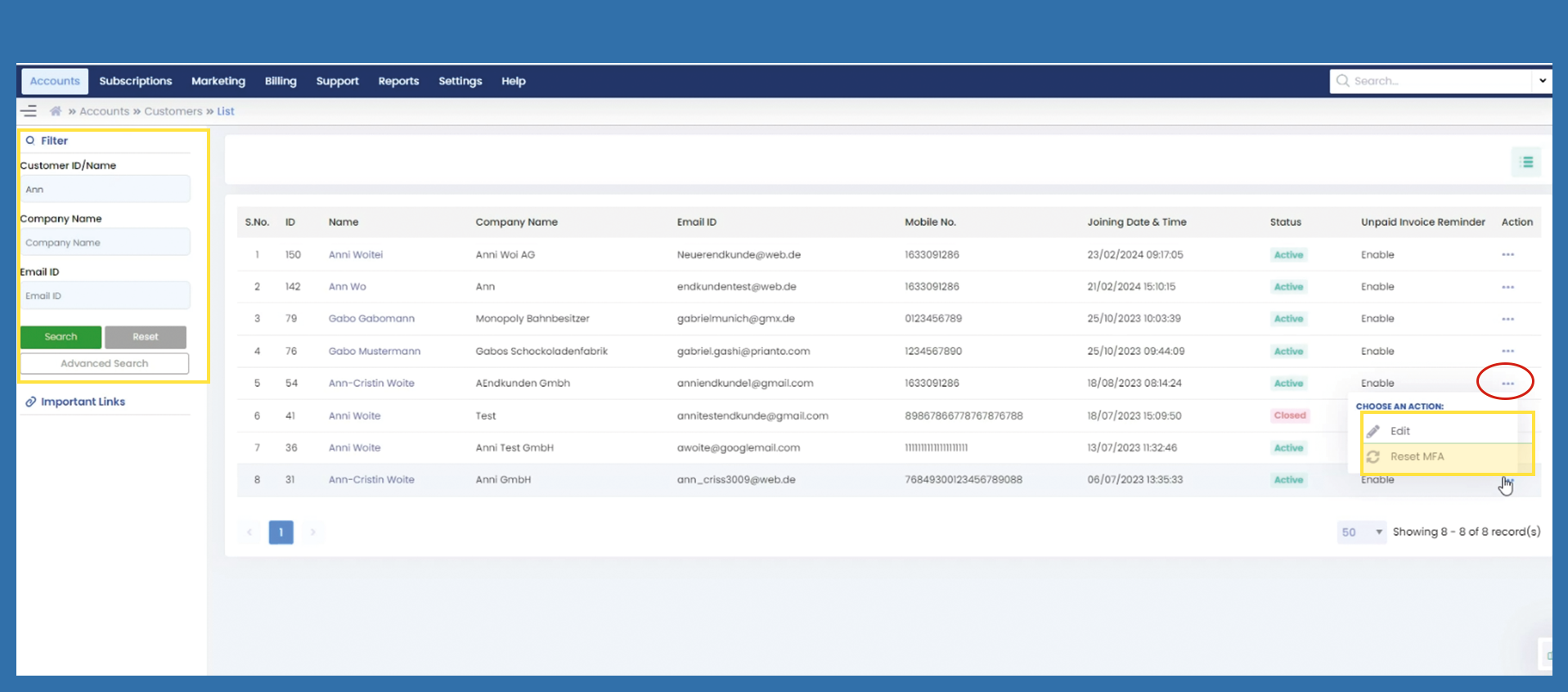
Use the filter on the left to identify the correct end customer and click on the three dots under Action. Now click on Reset MFA.