
Registration Process End Customer
There are two different ways in which the end customer can register.
Option 1
He can click on Buy Now under the products on your Marketplace.
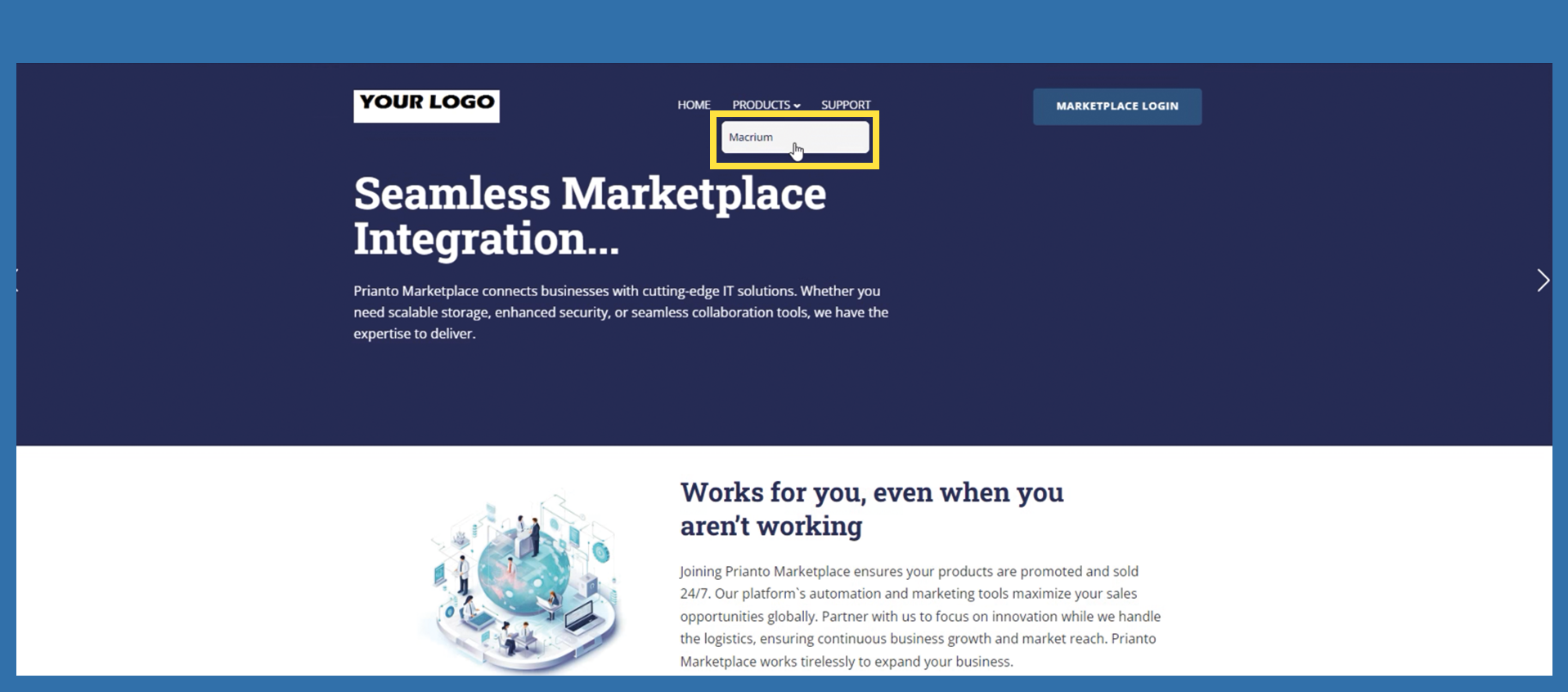
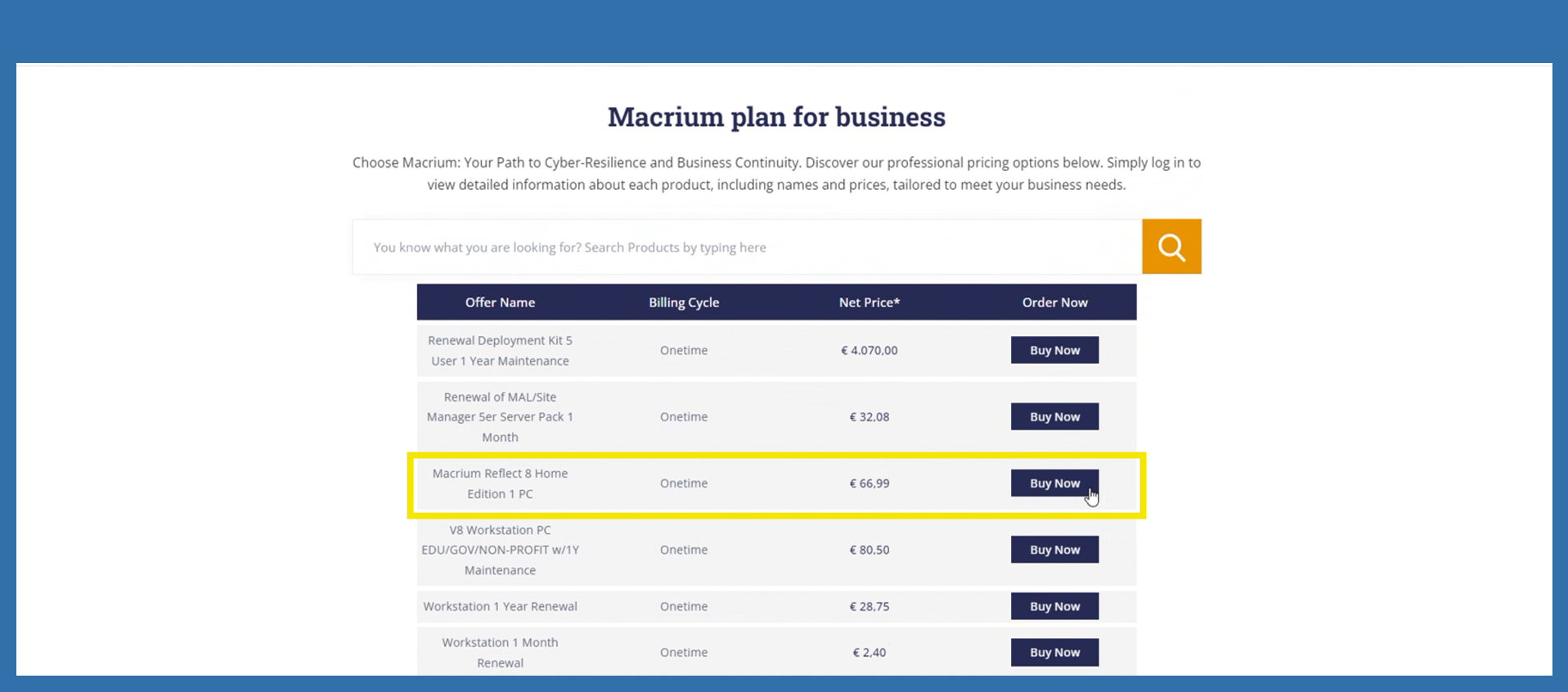
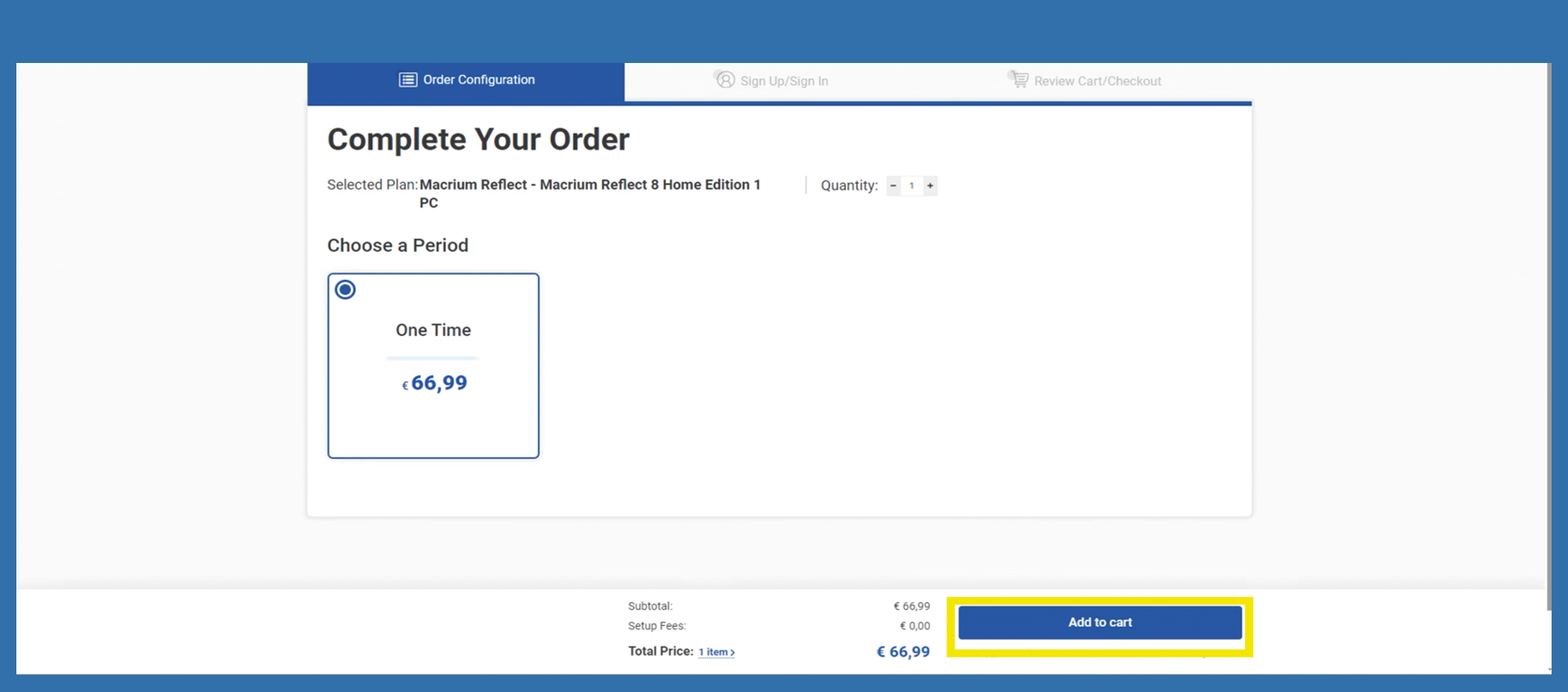
The end customer is then redirected to the order configuration page. If the selected item is to be placed in the shopping cart, the end customer must click on Add to Cart.
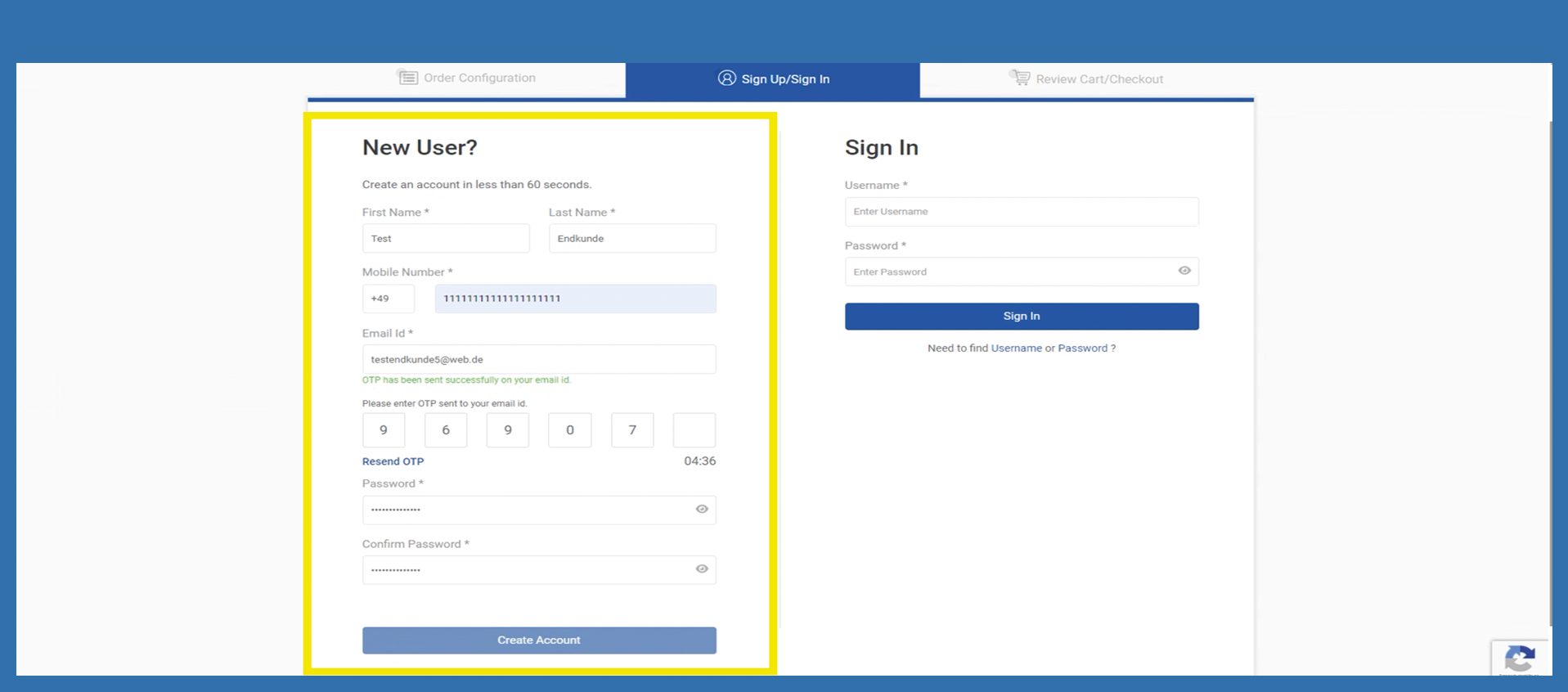
He will then be redirected to the registration page. He must fill in the most important information. When the email address is entered, a code is automatically sent to the entered email address. The customer must enter this code to continue entering the data and click on Create Account after he filled all relevant information.
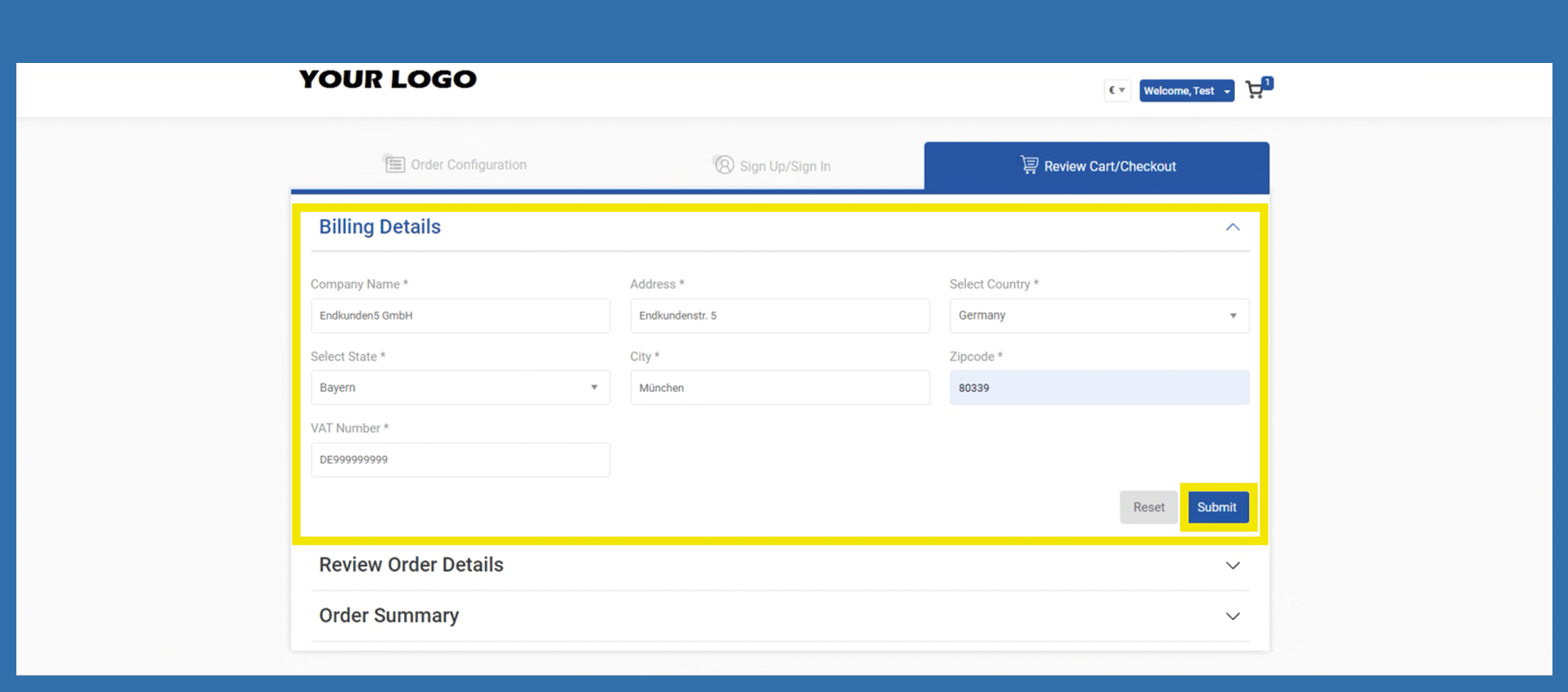
He will now be redirected to the billing details. It is mandatory to enter the data. After that click on Submit.
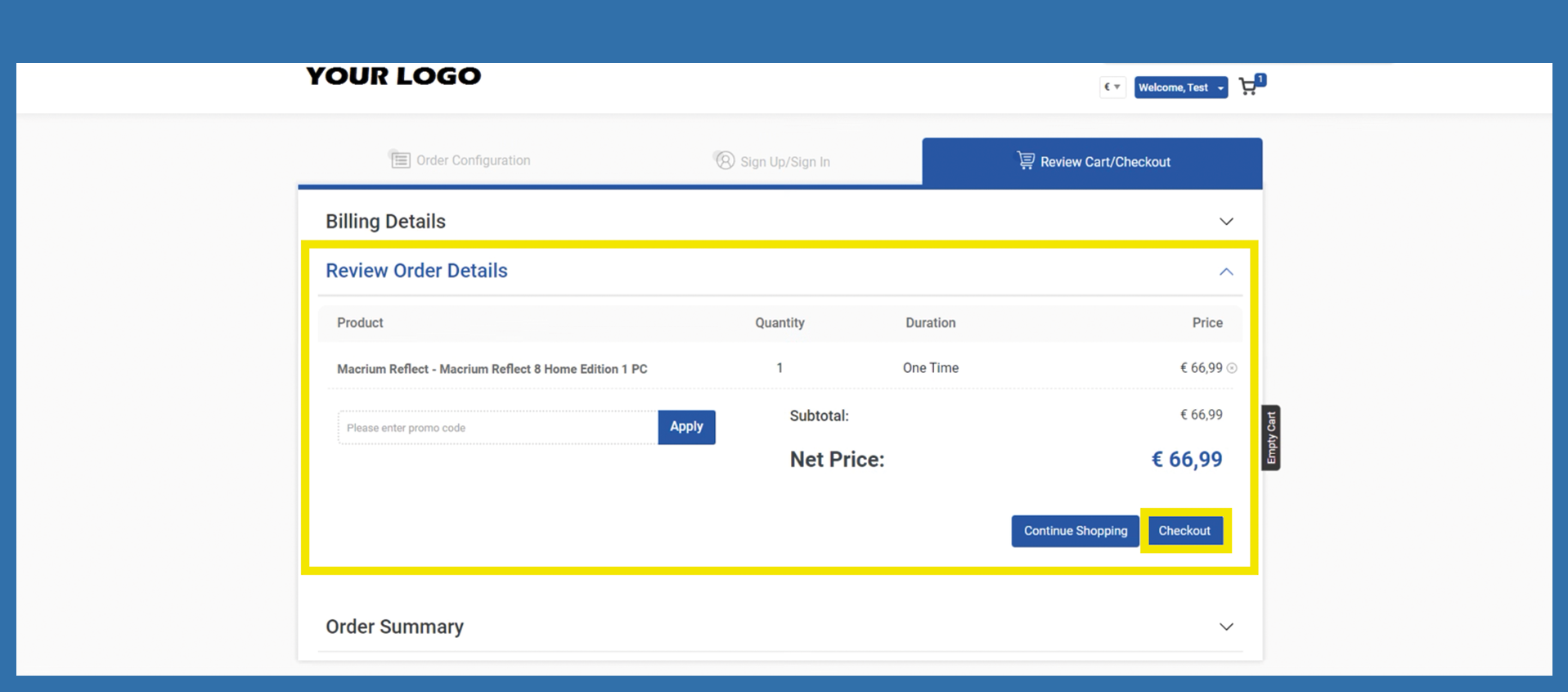
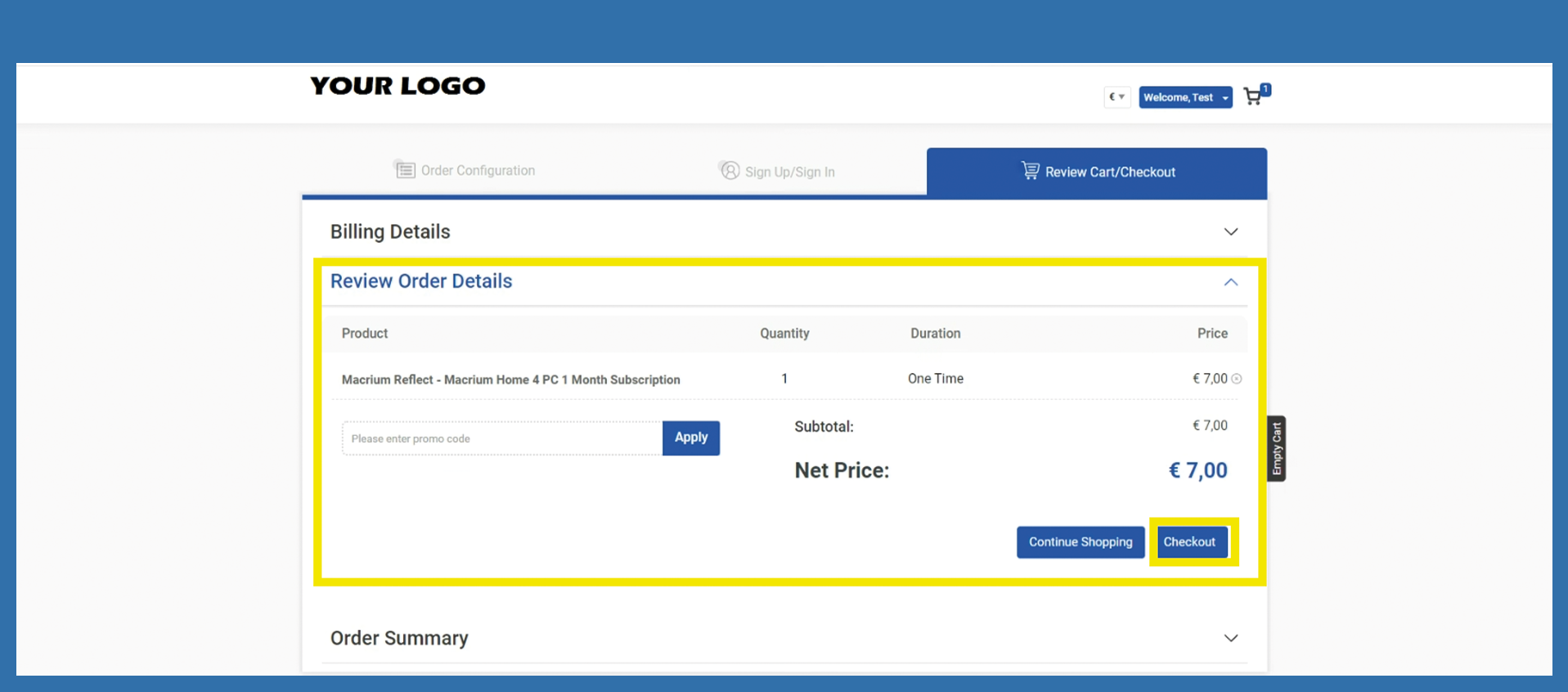
The end customer can check whether the selected items are correct in the next step review Order details. Click on Checkout.
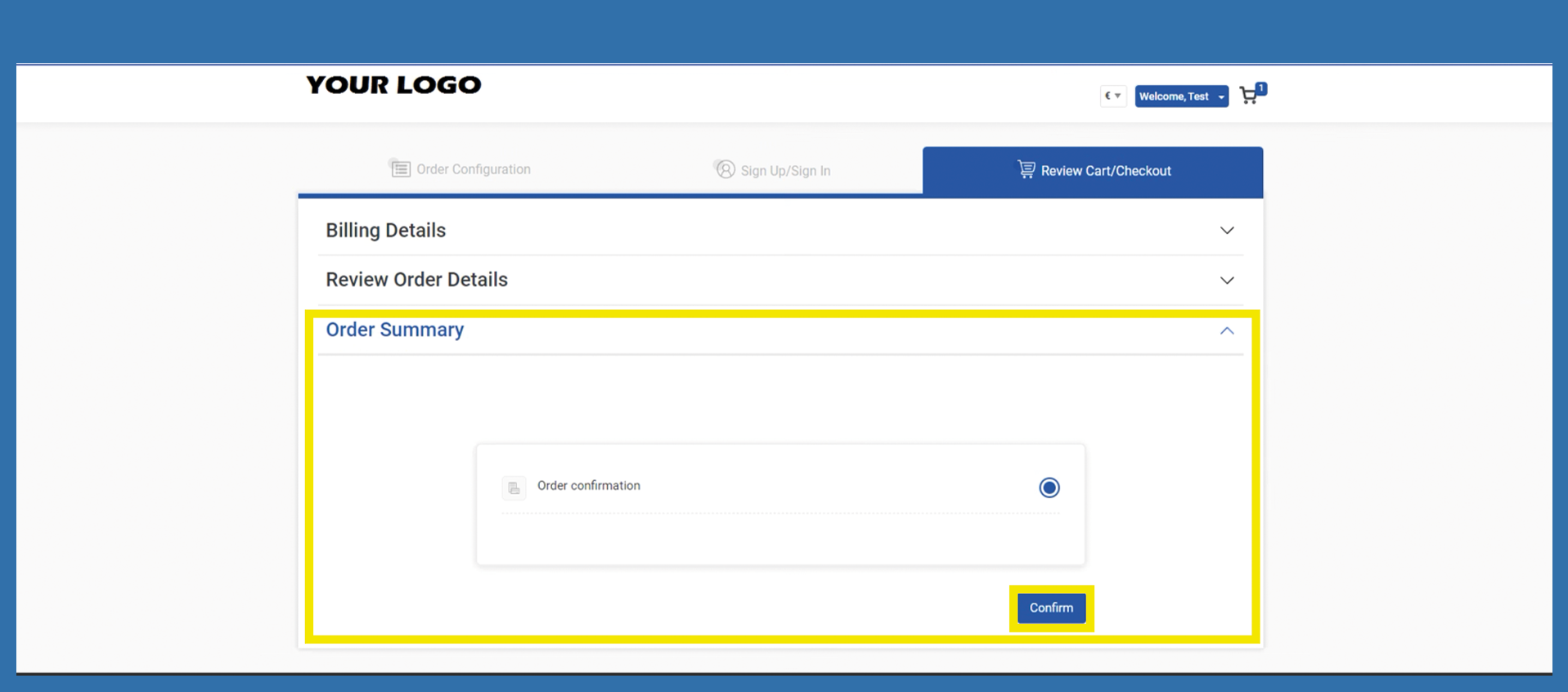
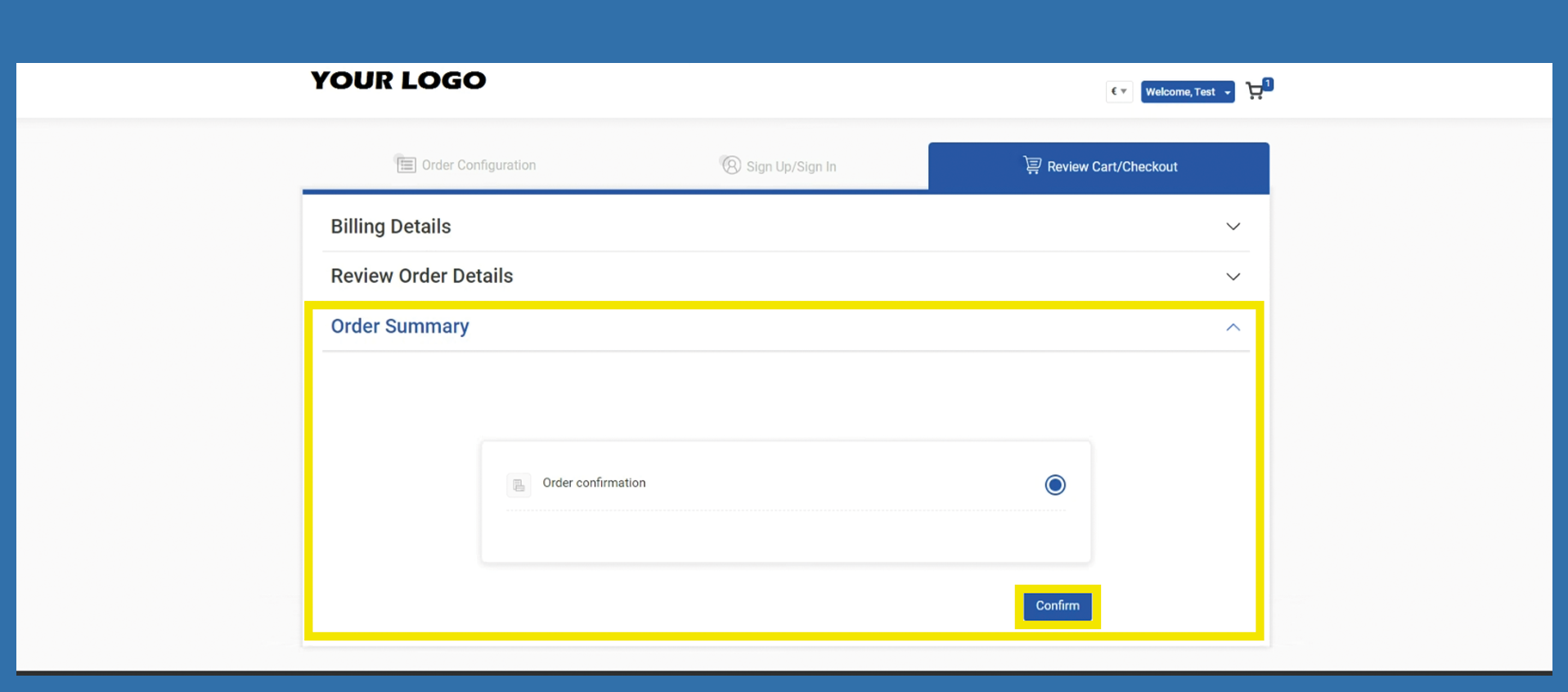
Tab Order Summary. Please click on Confirm. Continue in the popup with Ok.
The next time the end customer logs in to your Marketplace with their data, Multi-factor authentication must be executed.
Option 2
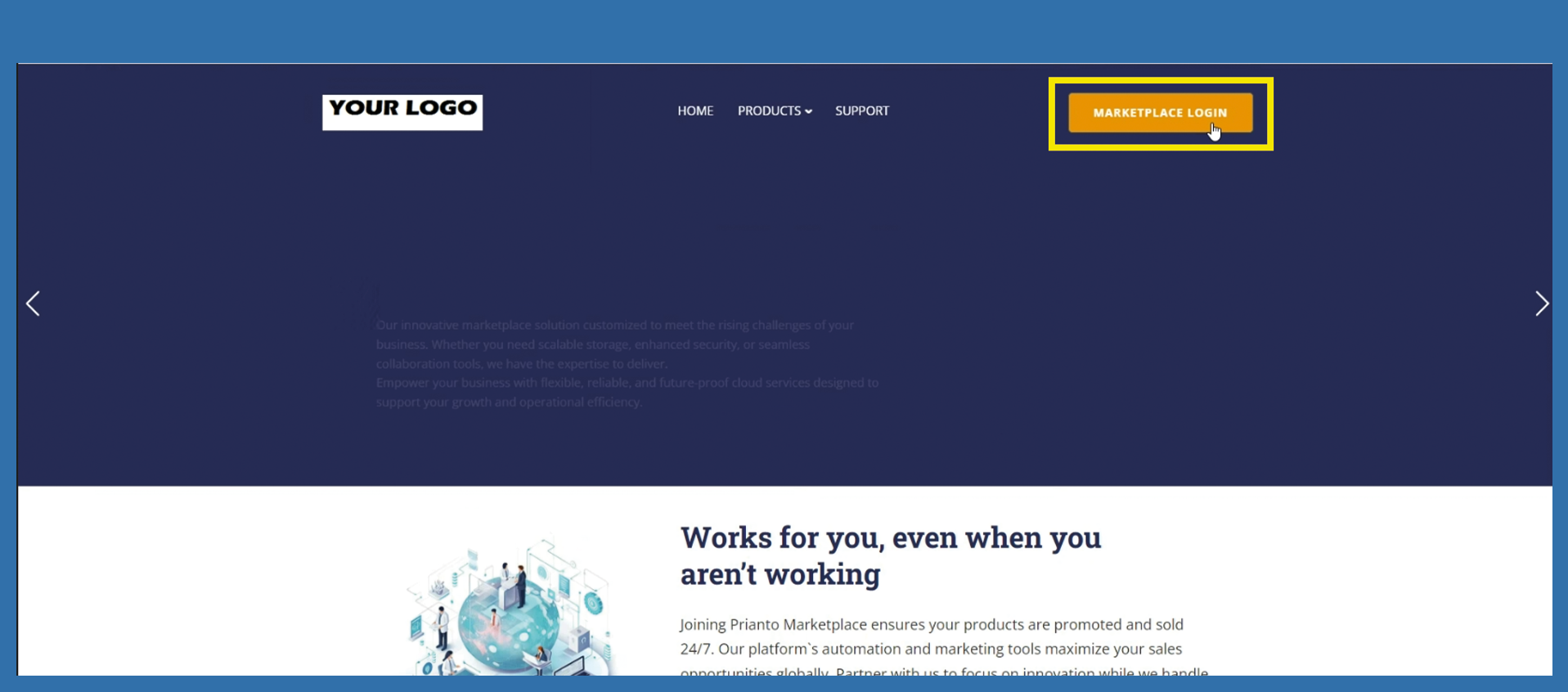
The customer can go directly to Marketplace Login on your Marketplace.
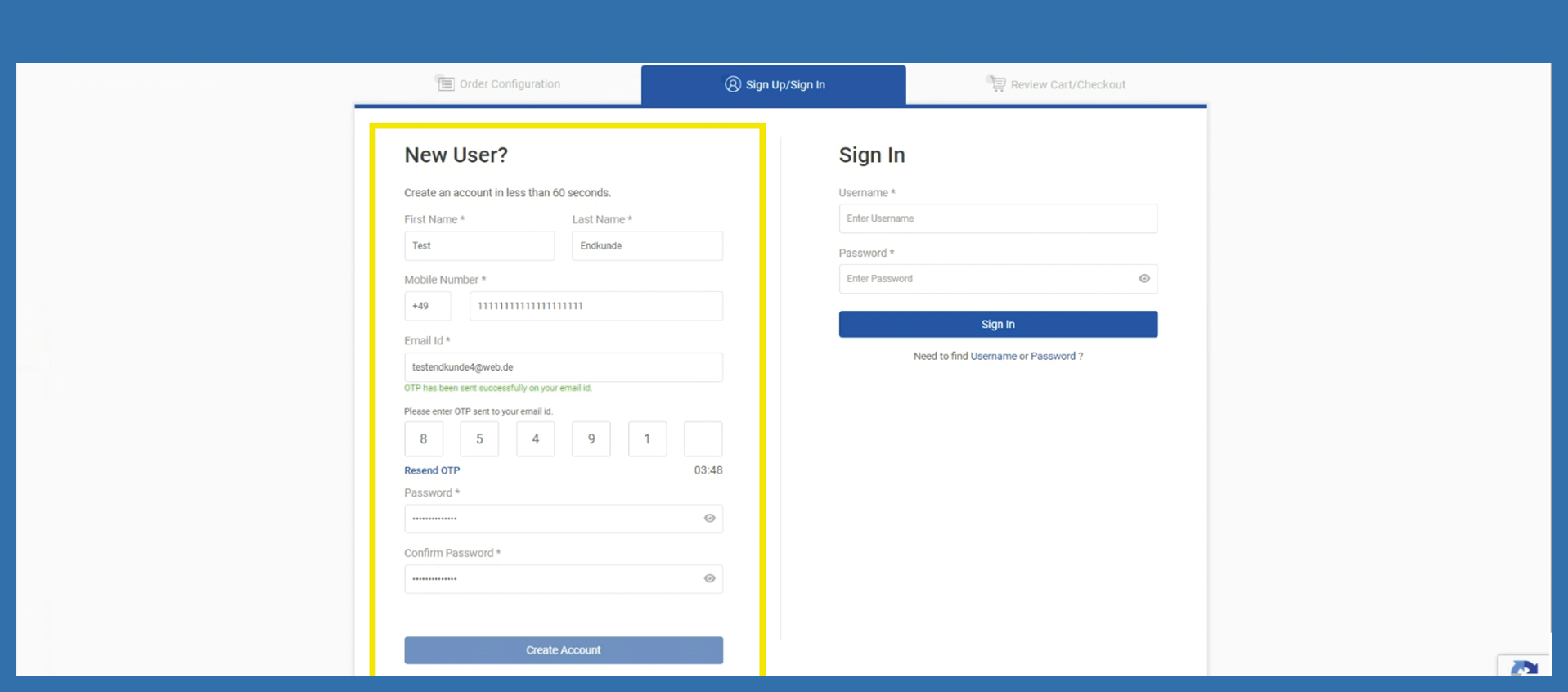
He will then be redirected to the registration page. He must fill in the most important information. When the email address is entered, a code is automatically sent to the entered email address. The customer must enter this code to continue entering the data and click on Create Account after he filled all relevant information.
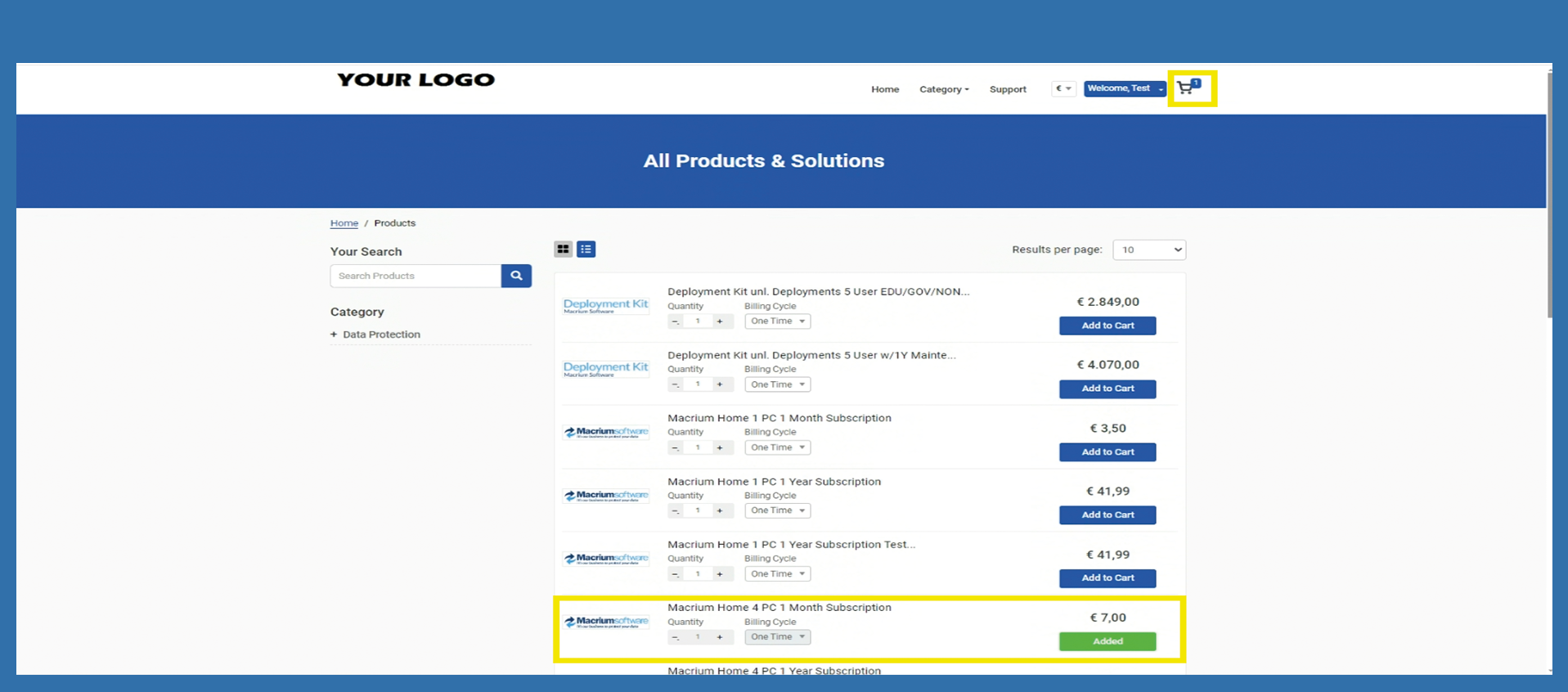
He goes directly to the shopping cart, where he can select the items he wants to buy and clicks on Add to Card behind the respective item. A popup will open in which you must confirm with Ok that the item has been successfully added to the shopping cart. As soon as all items are in the shopping cart, he can click on the shopping cart at the top right.
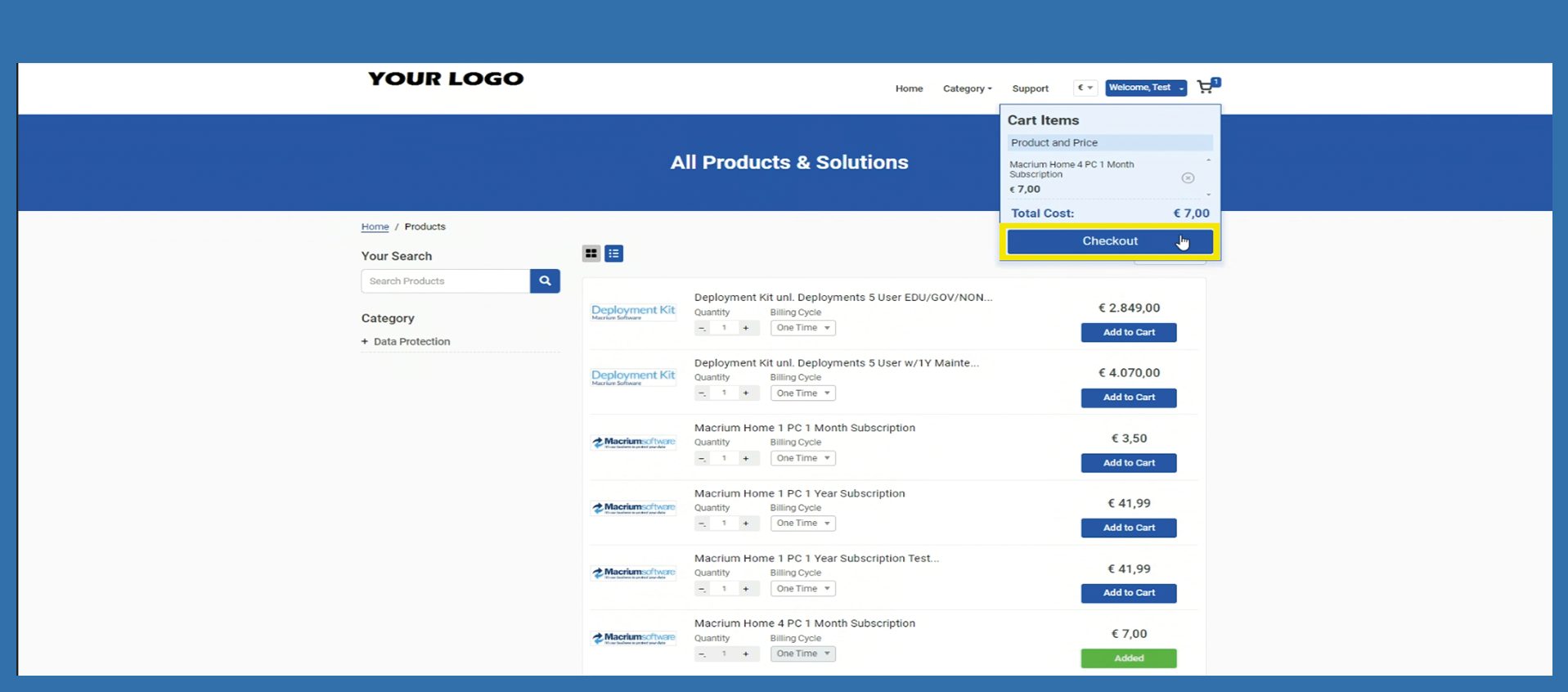
A popup opens, within this popup he has to click on Checkout.
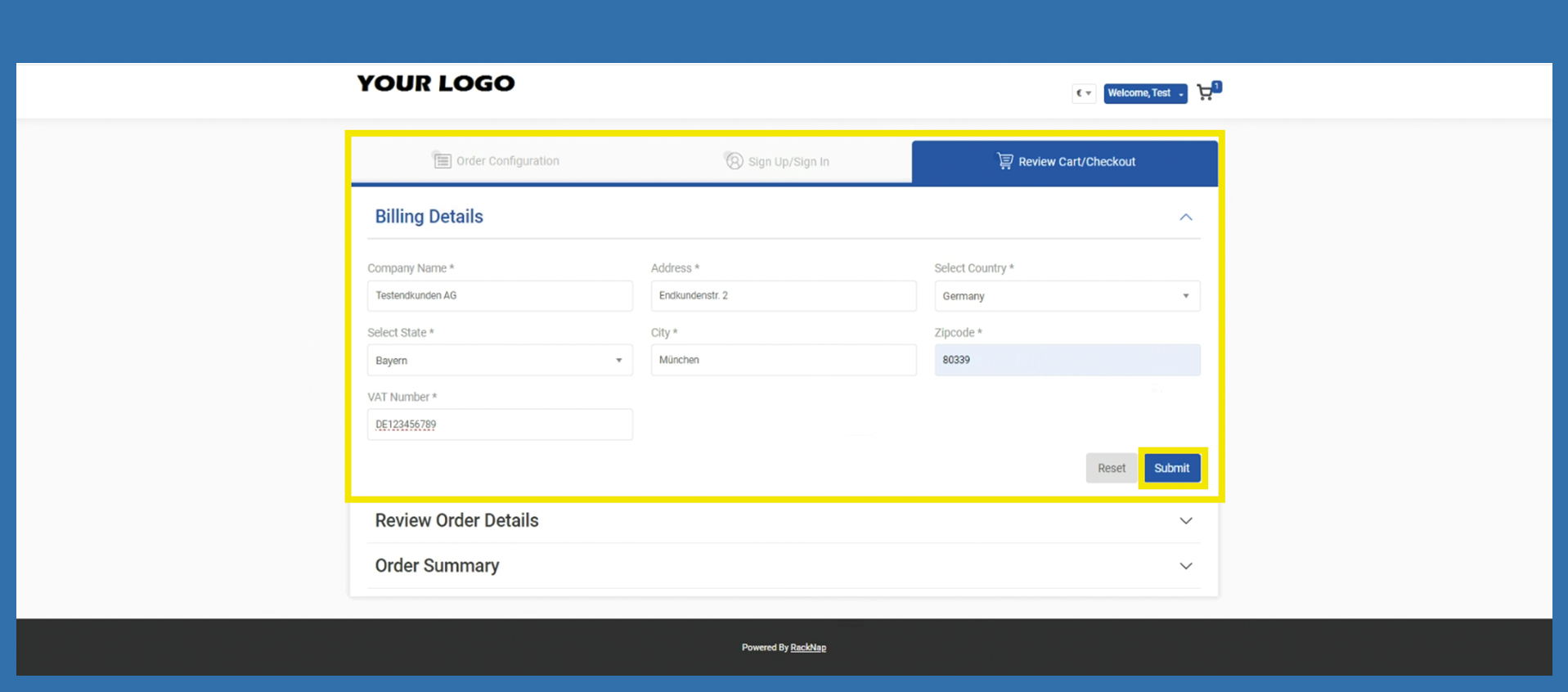
He will now be redirected to the billing details. It is mandatory to enter the data. After that click on Submit.
The end customer can check whether the selected items are correct in the next step Review Order Details. Click on Checkout.
In the Tab Order Summary, please him to click on Confirm. Continue in the popup with Ok.
The next time the end customer logs in to your Marketplace with their data, Multi-factor authentication must be executed.