End Customers My Billing > Order Summary
Please note that no invoices are created in the marketplace. The invoices are sent from your respective ERP system (partners ERP system). Order confirmations are displayed instead of invoices.
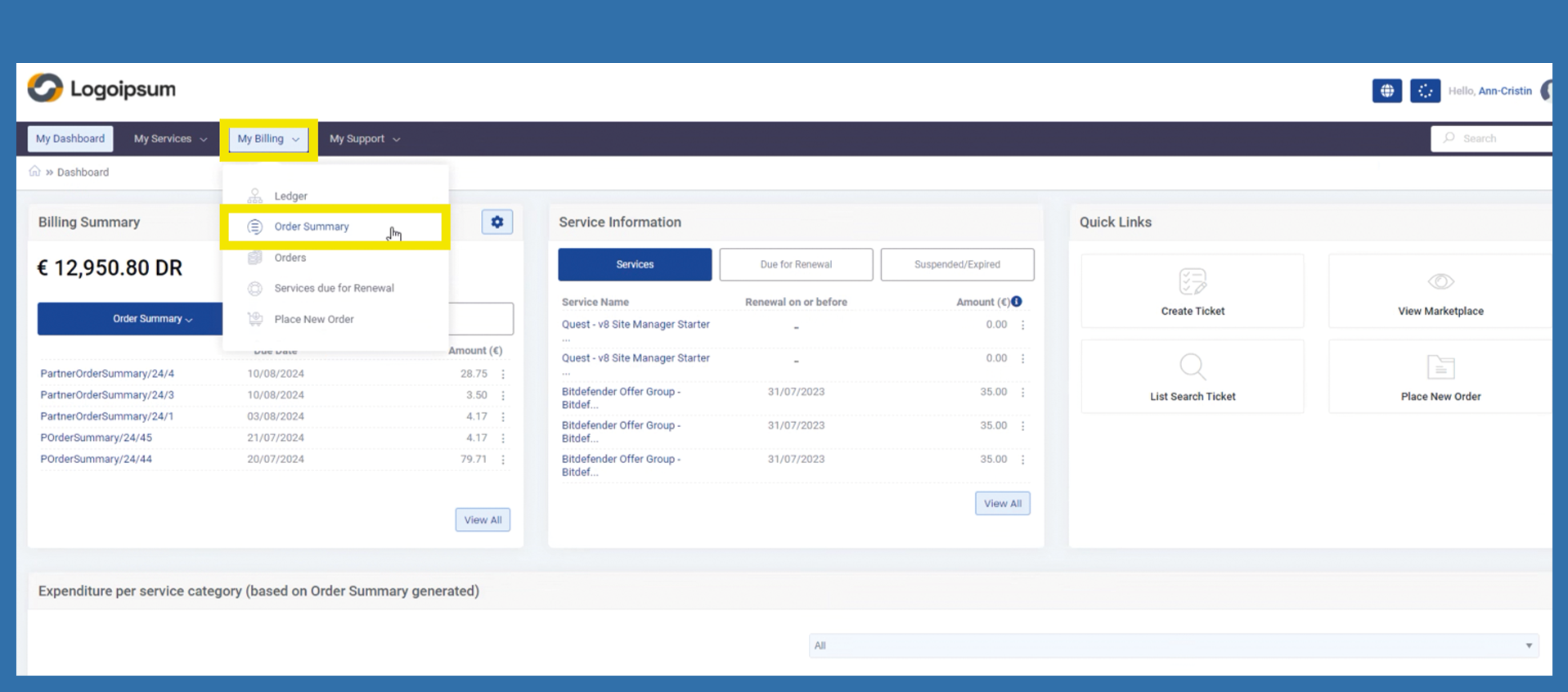
The end customer can use the following path to view all their order summaries.
My Billing > Invoices
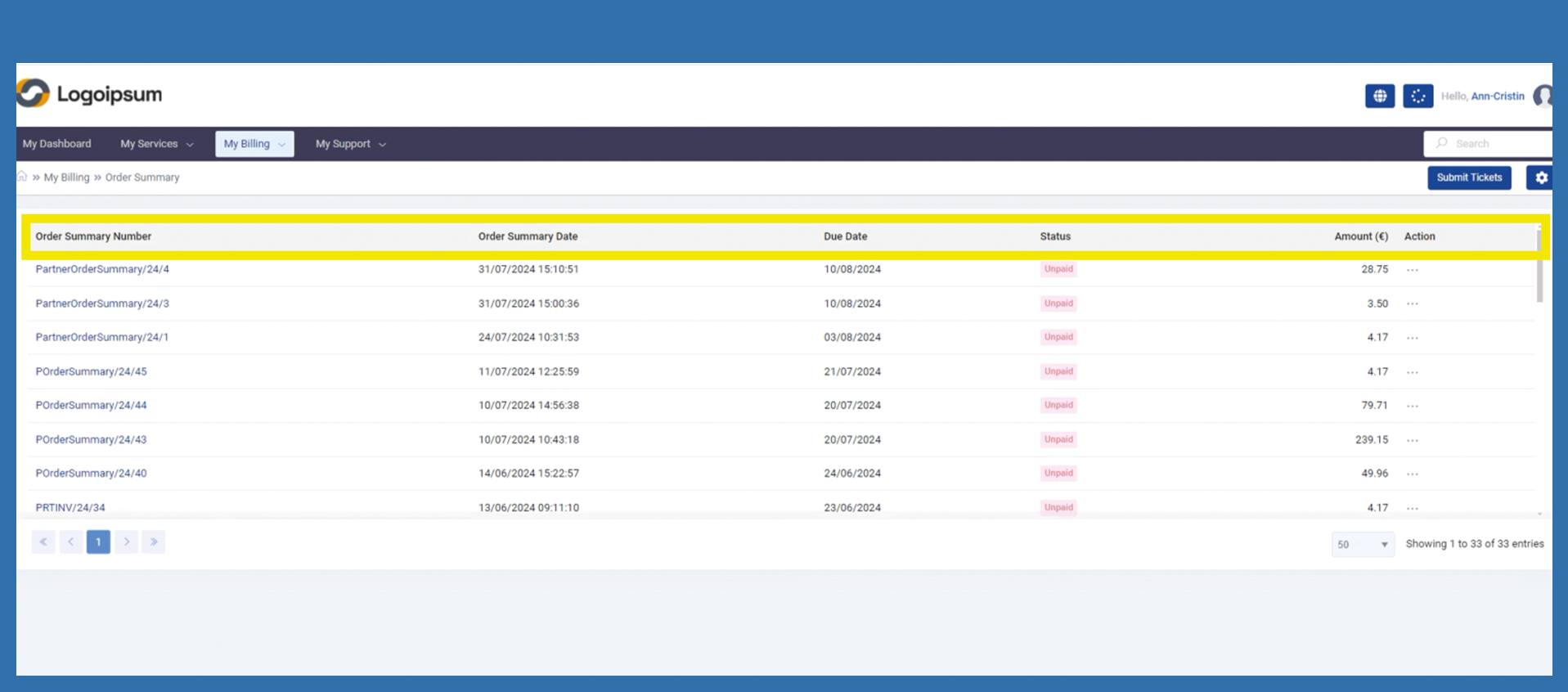
Invoice Number: Is the number of the order summary
Invoice Date: is the creation date of the order confirmation
Due Date: The due date when the invoice must be paid, which is also stated on the invoice sent.
Status: The status will always remain Unpaid for the time being, as we currently have no way of processing payments via the system. We are also unable to adjust the status manually.
Amount: Amount of the order confirmation / order value in net terms.
Action: Click on the three dots to display summary of the order or to download the summary.
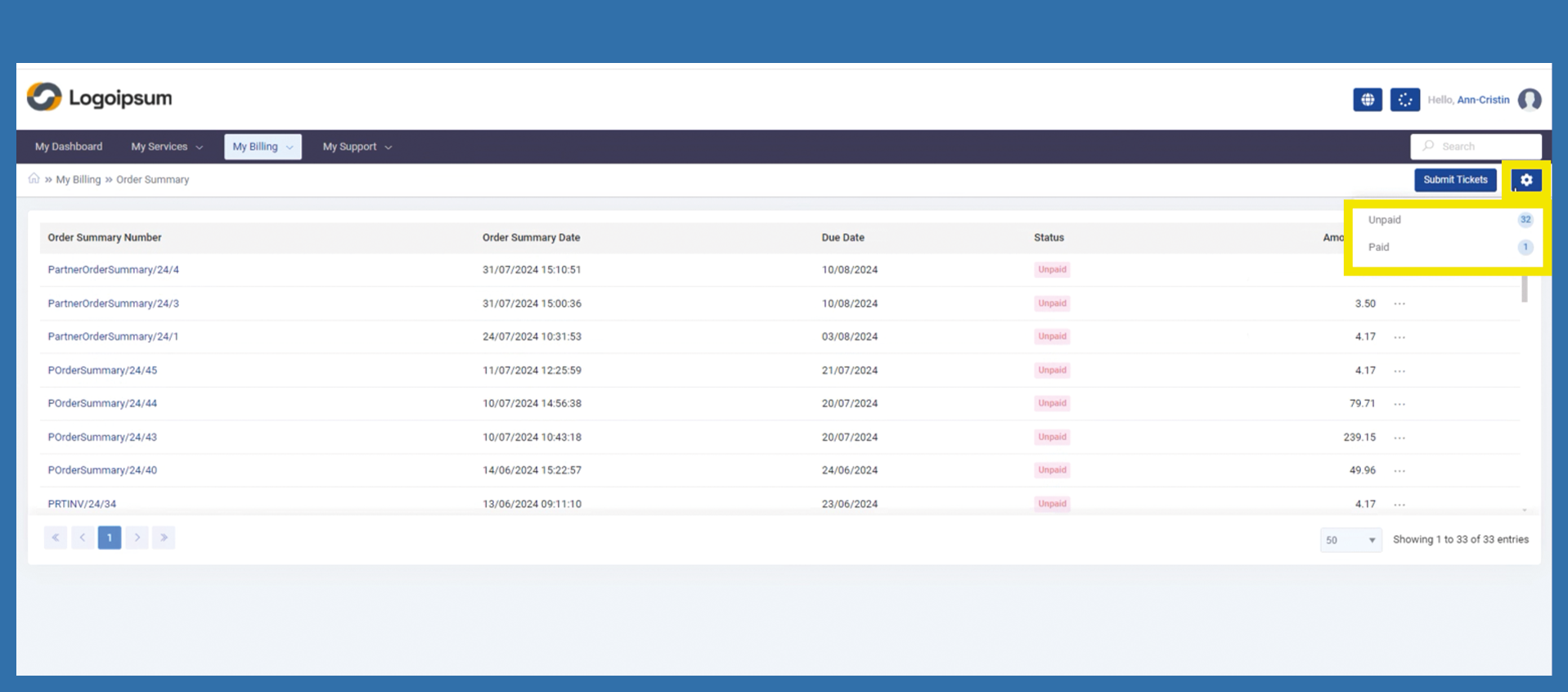
Under the settings on the top right-hand side, you can filter the order confirmations already listed by Paid or Unpaid.
As already mentioned above, the status will remain Unpaid for the time being, as all payments are only made in your ERP system.