End Customers My Billing > Orders
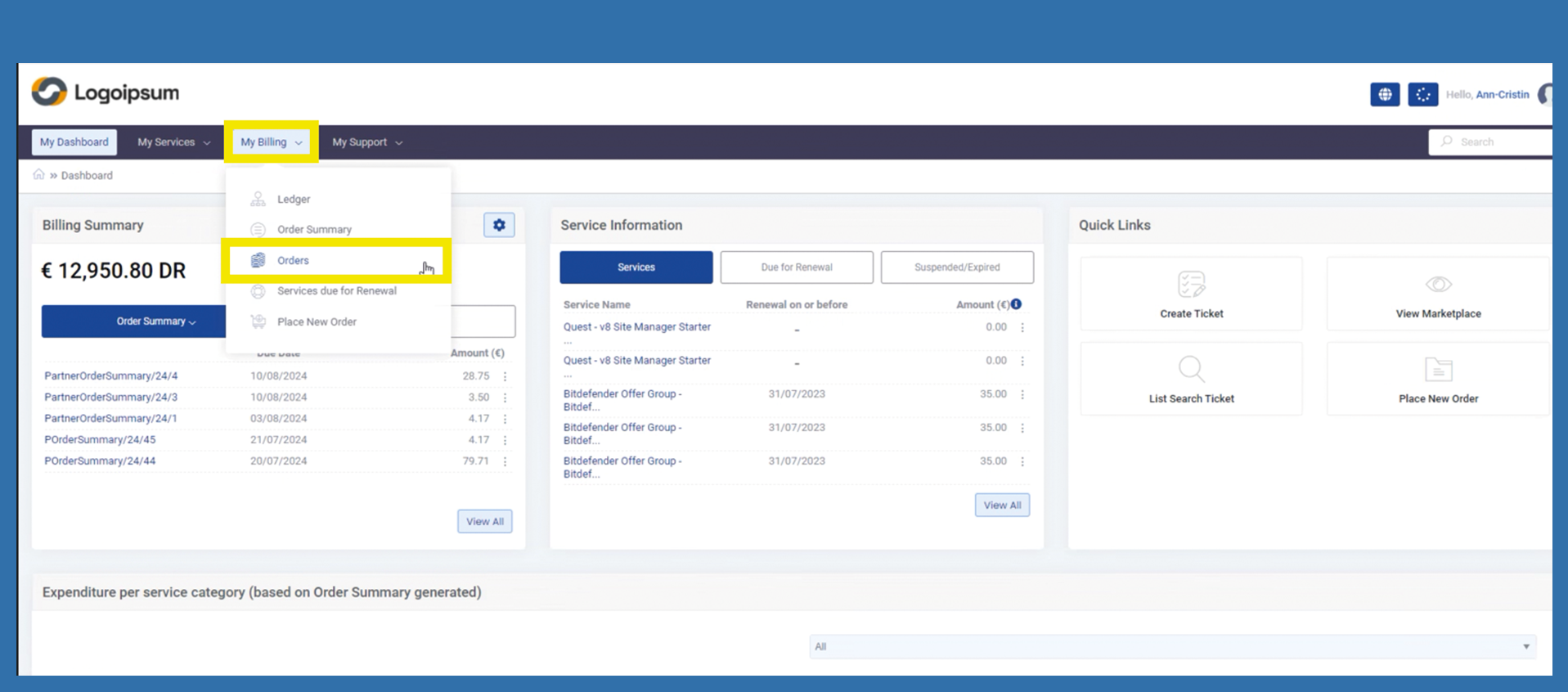
So that the end customer can see all his orders at a glance, he can use the following path:
My Billing > Orders
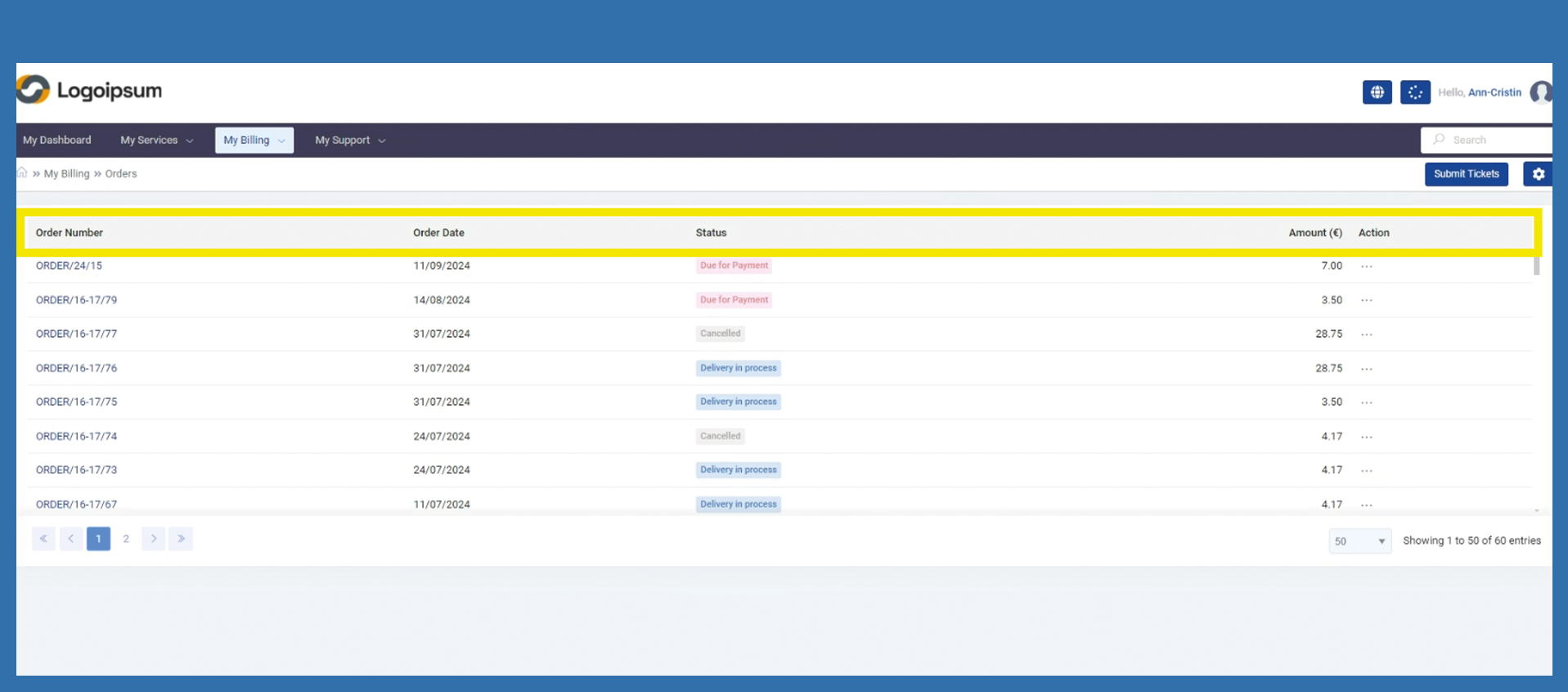
He can view the following information here, such as order number or order date. The status and amount of the order are also displayed. Depending on the status of the order, the end customer can perform various actions using the three dots under Action.
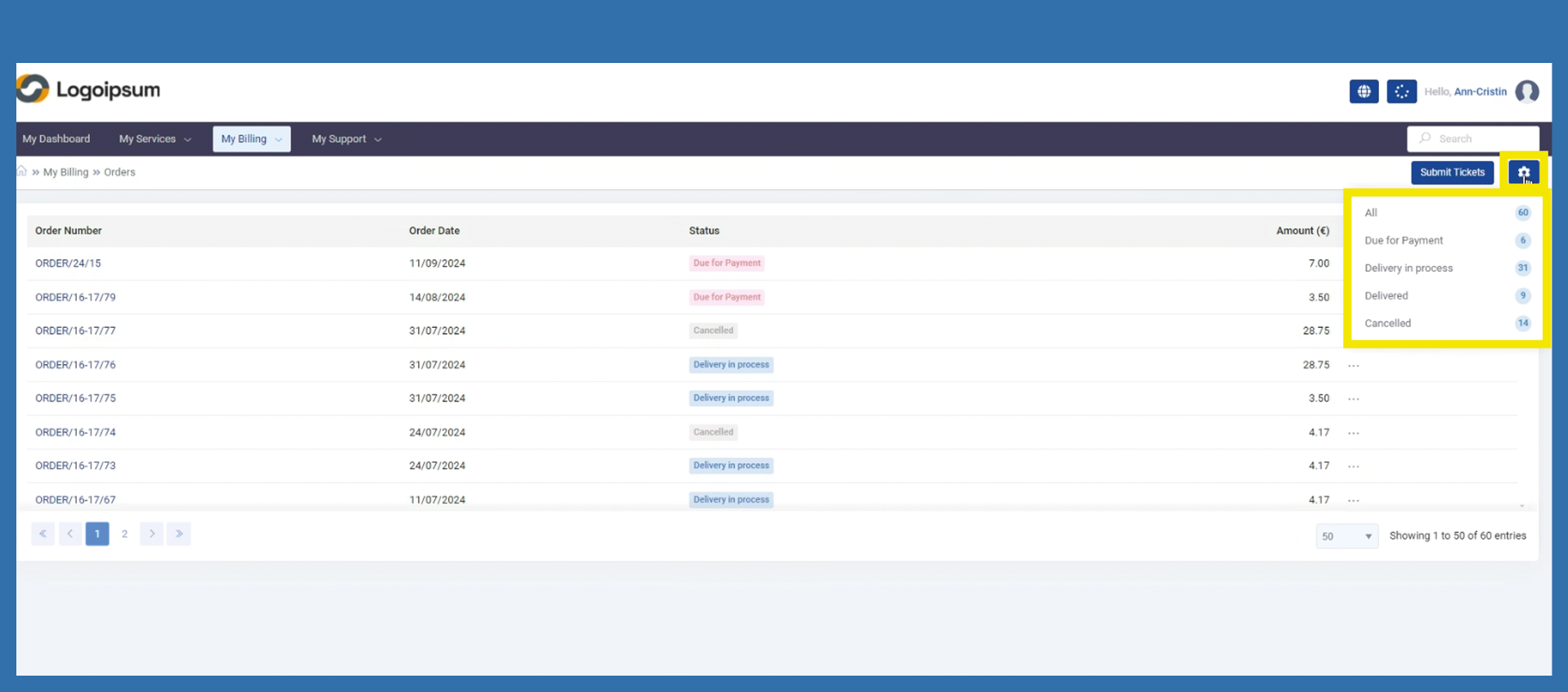
A filter can already be set via the settings at the top right.