Language settings
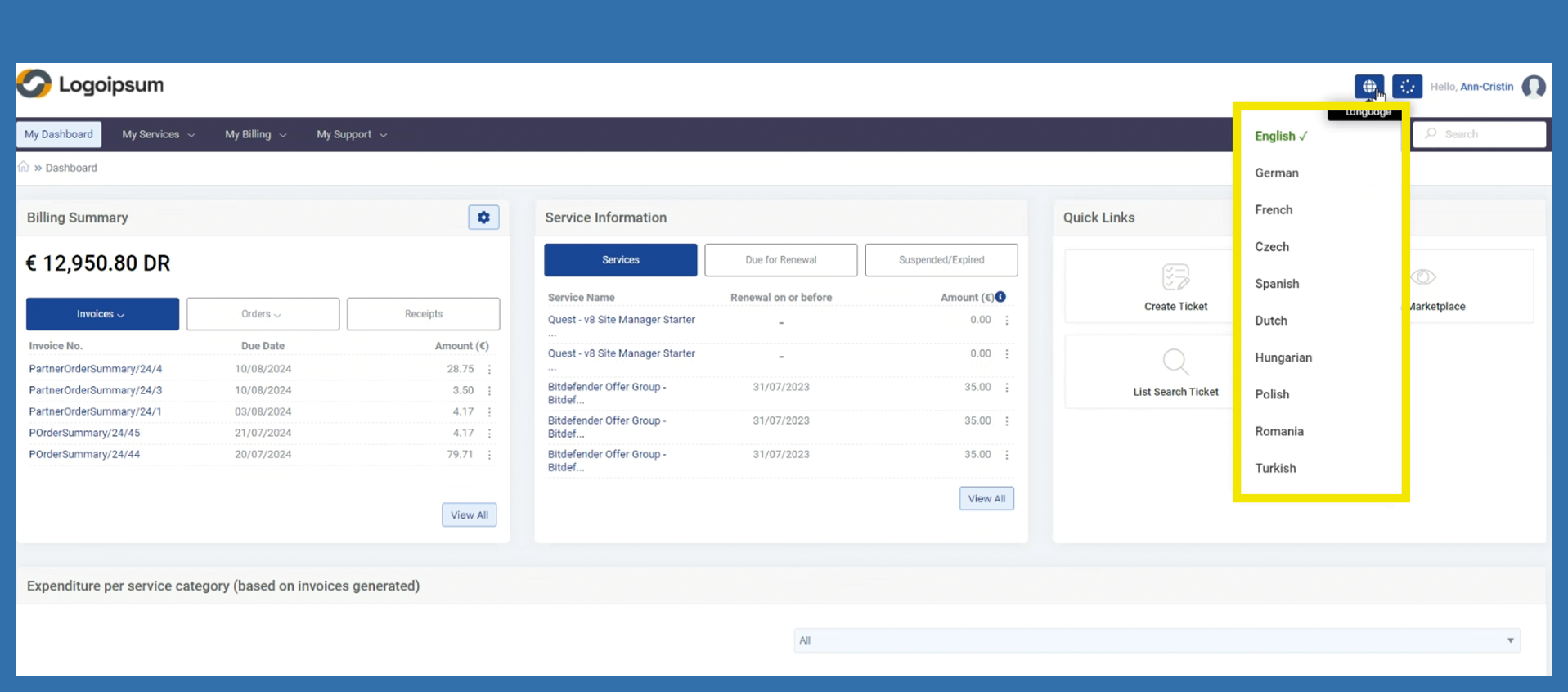
Customers can choose from ten different languages in their customer portal.
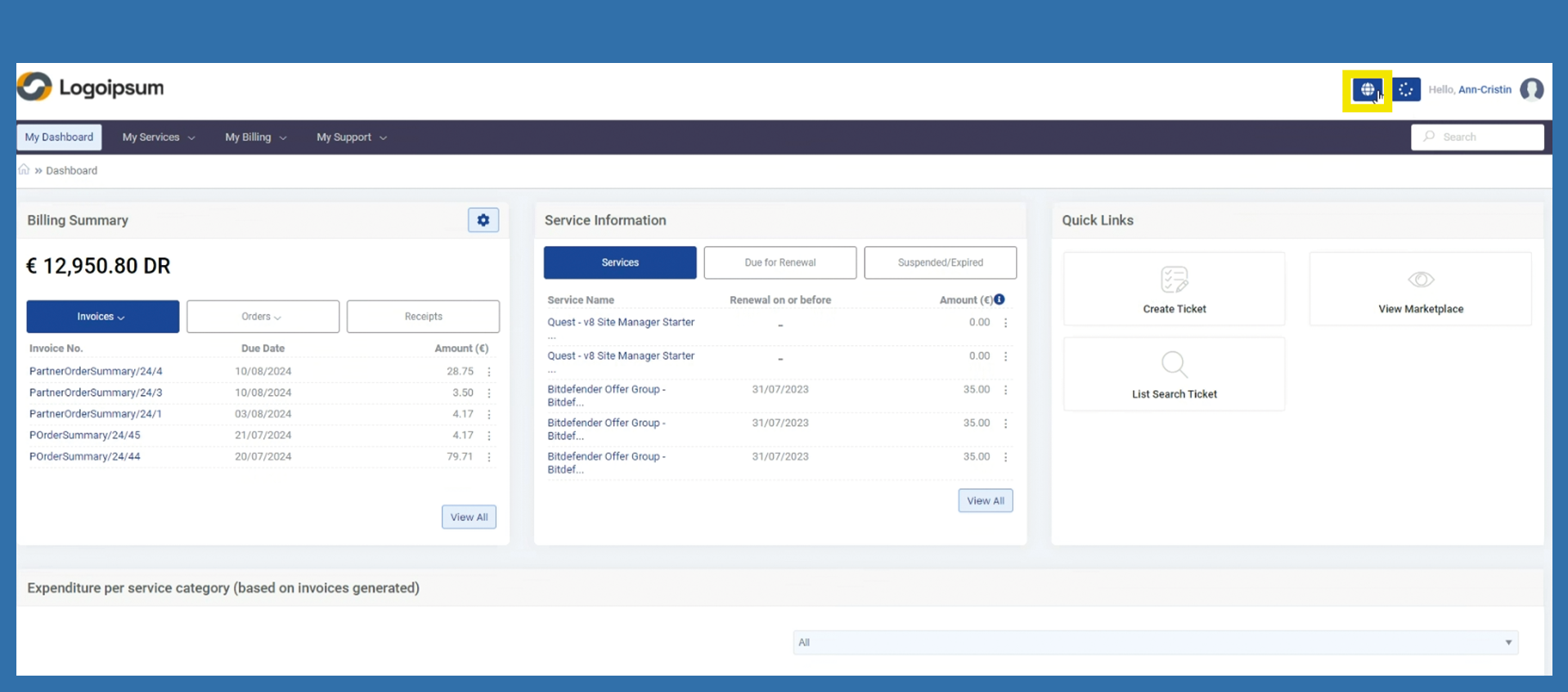
To do this, the end customer can click on the globe in the top right-hand corner.
After clicking on the globe, a list of the languages available in the portal opens. The end customer can select these accordingly.
The page is then loaded and the panel appears in the previously selected language.