End Customers My Support > Close Ticket
As soon as a request has been successfully completed, it is advisable to close the ticket.
The end customer can use the following path to do this.
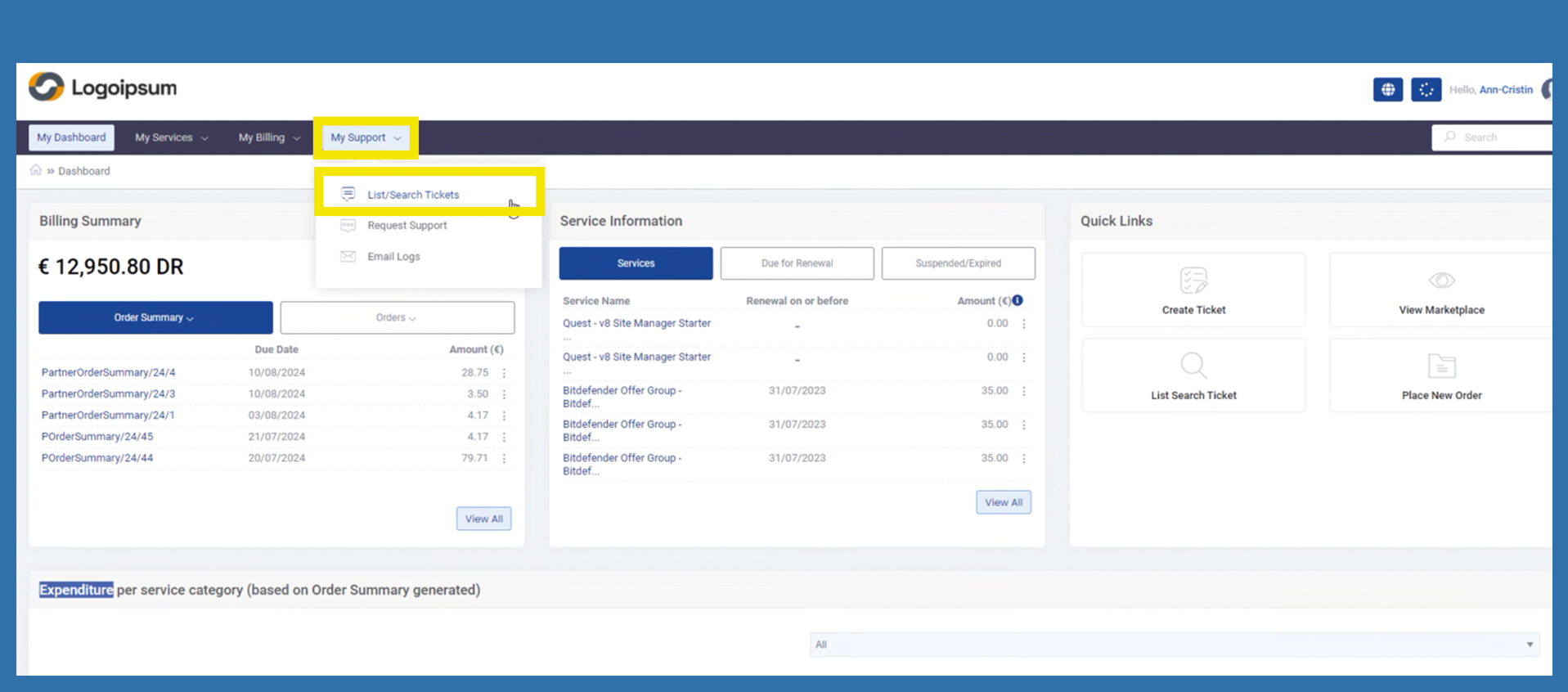
My Support > List/Search Tickets
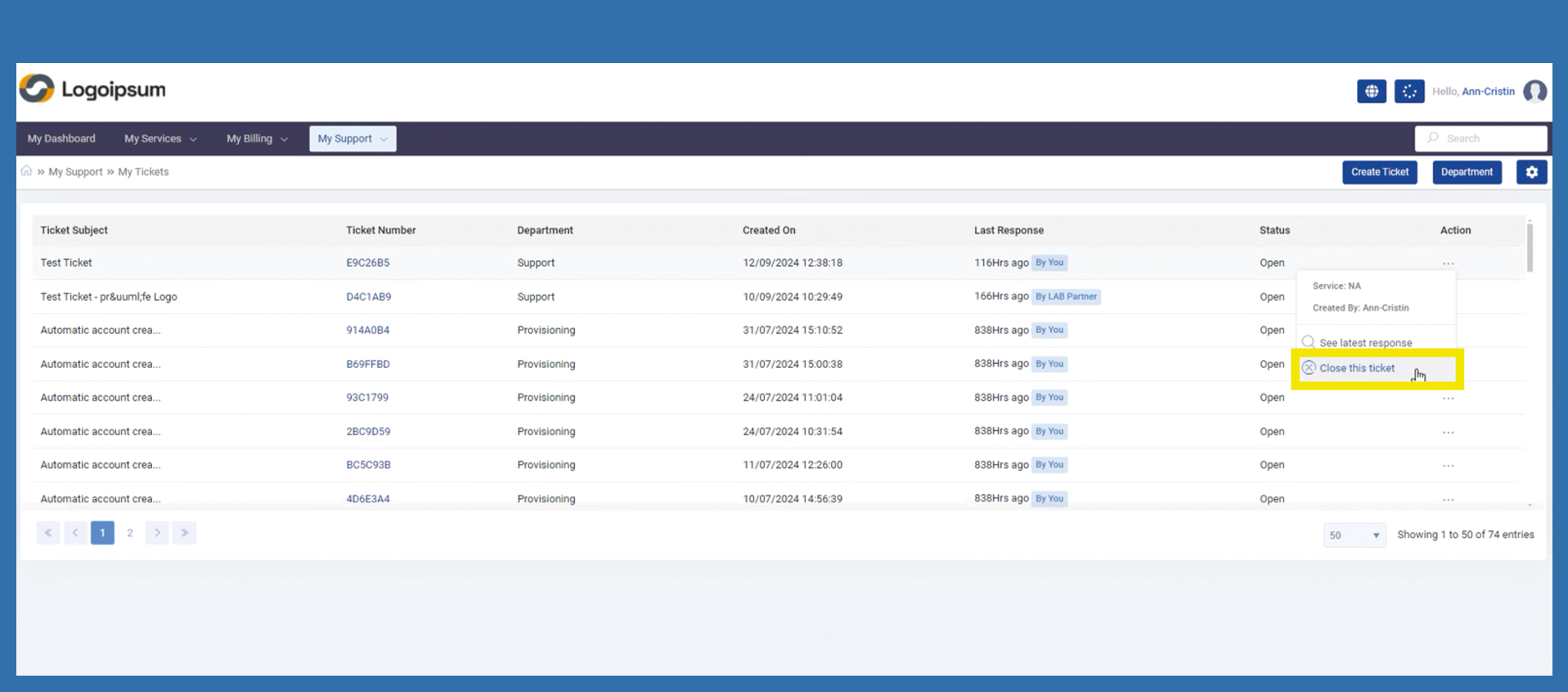
The customer is now taken to the overview of all tickets. To close a ticket from the overview, click on the three dots for the respective ticket under Action. Then select Close this ticket.
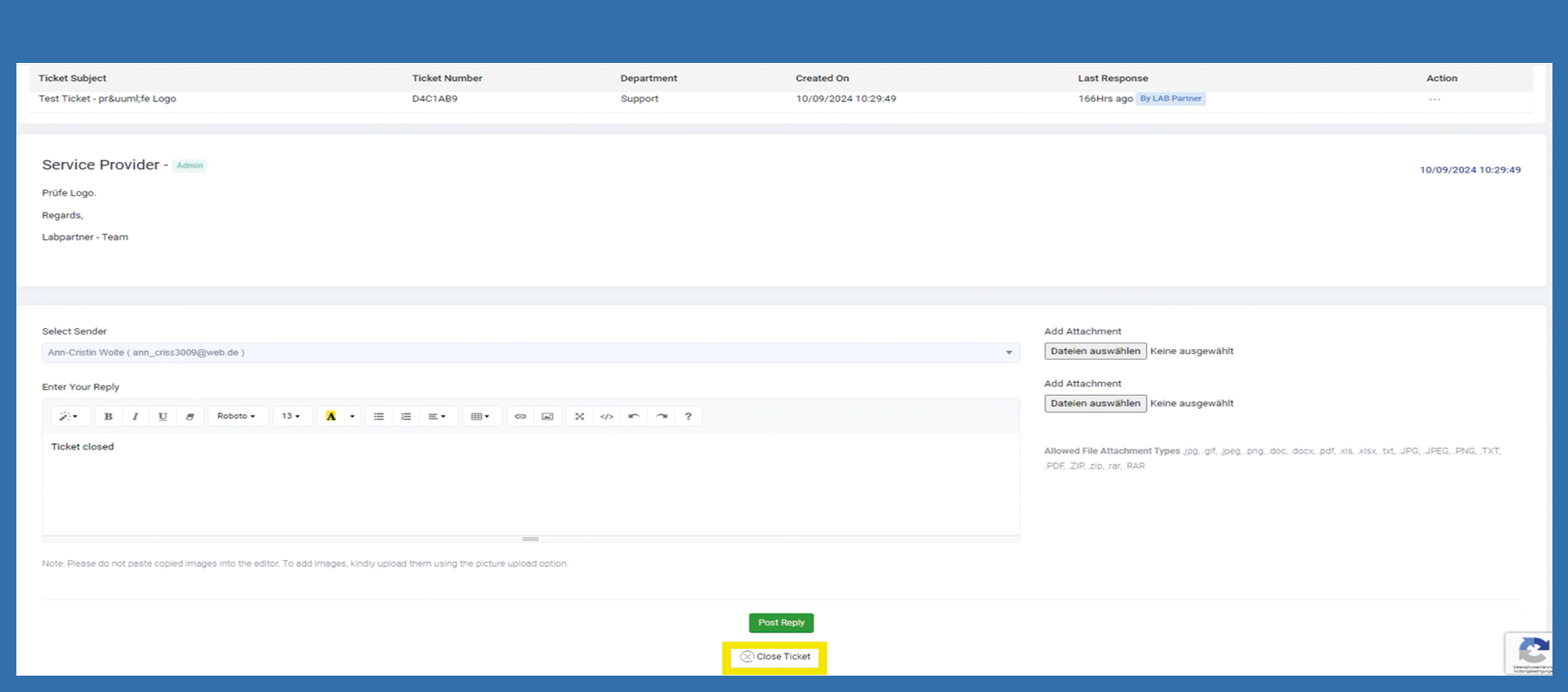
If the end customer is already in a ticket, they can click on the Close Ticket button at the bottom of the page.