End Customers My Support > Email Logs
All emails generated from the member panel are archived in the email logs. Here, for example, it can be traced whether the email was created and sent by the system, even if the recipient claims otherwise.
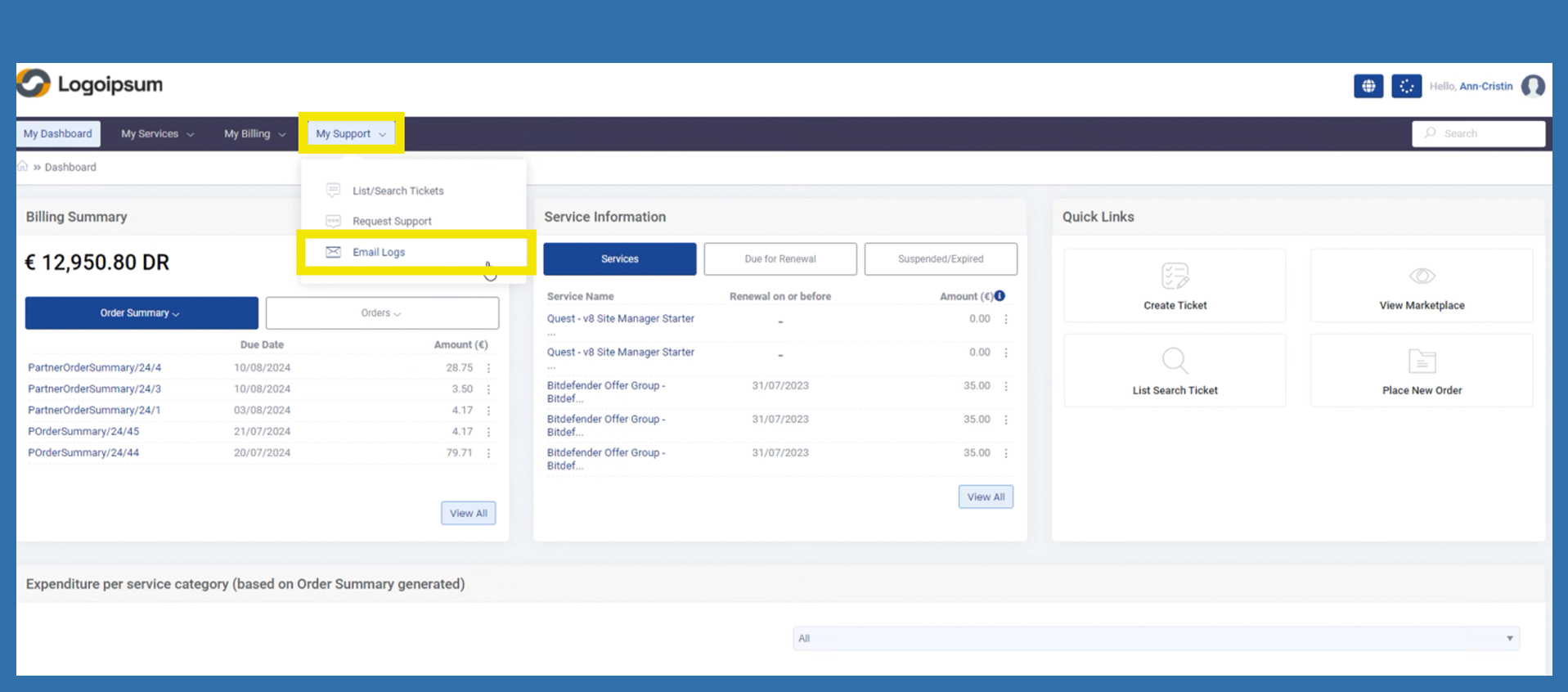
To check email logs use the following path:
My Support > Email Logs
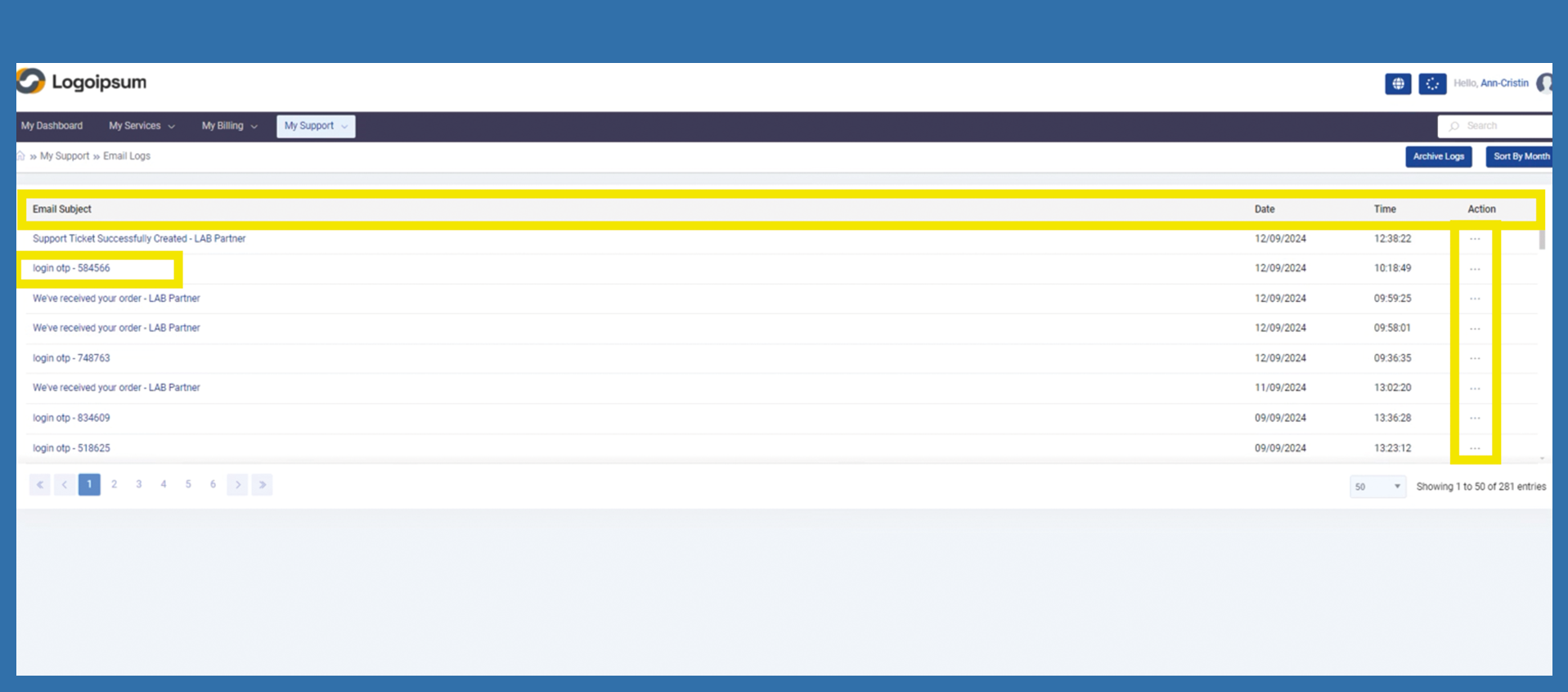
Click on Email Subject or click on the three dots under Action to display the complete email to the end customer. The recipient, subject and dispatch date are displayed. The overview shows both the Date and Time the email was sent.
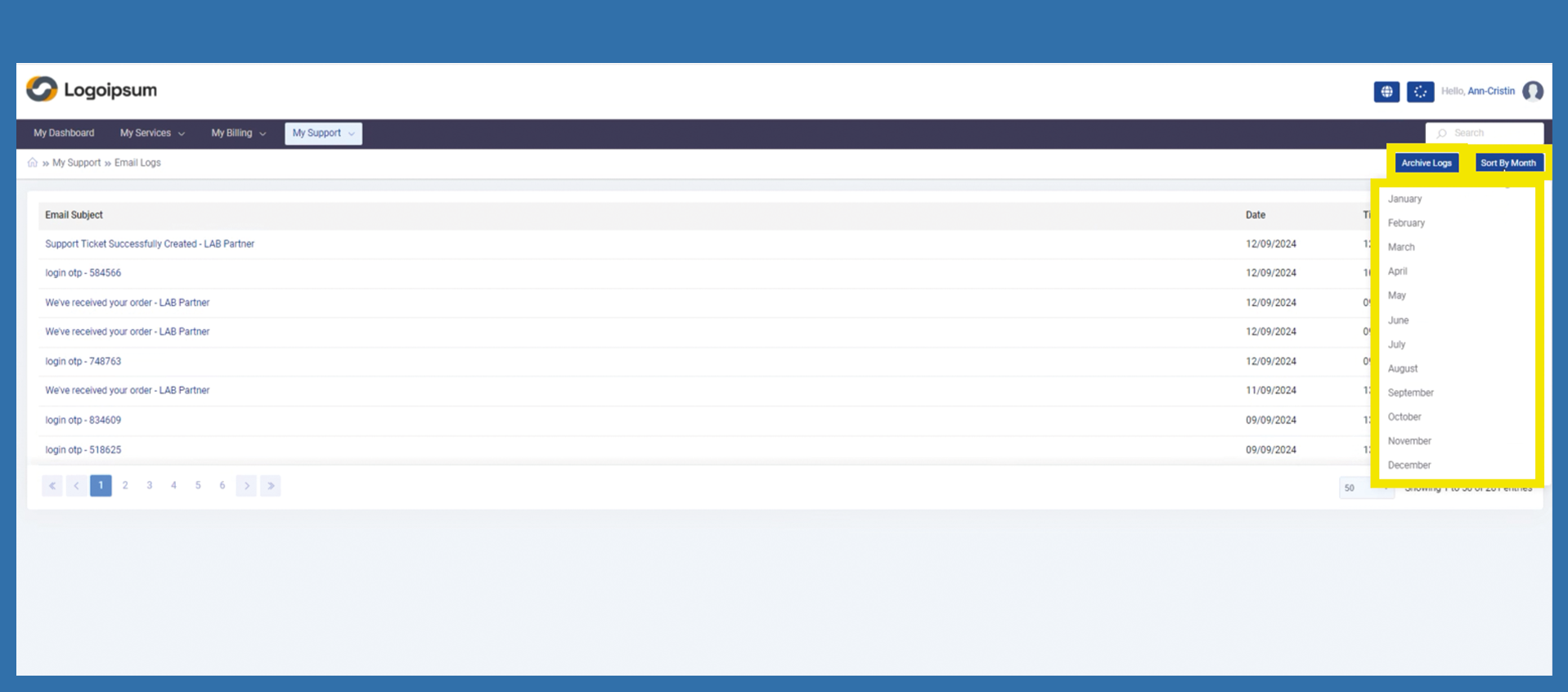
To limit the search for emails, customer can click on Archive Logs in the top right-hand corner and filter the financial year accordingly. Or end customer clicks on Sort by Month, the selection of months opens. Select the month you want to filter by clicking on it.