End Customers My Support > Reply Ticket
Perhaps your customer is not satisfied with your response to their ticket? Then your end customer can of course reply to a ticket.
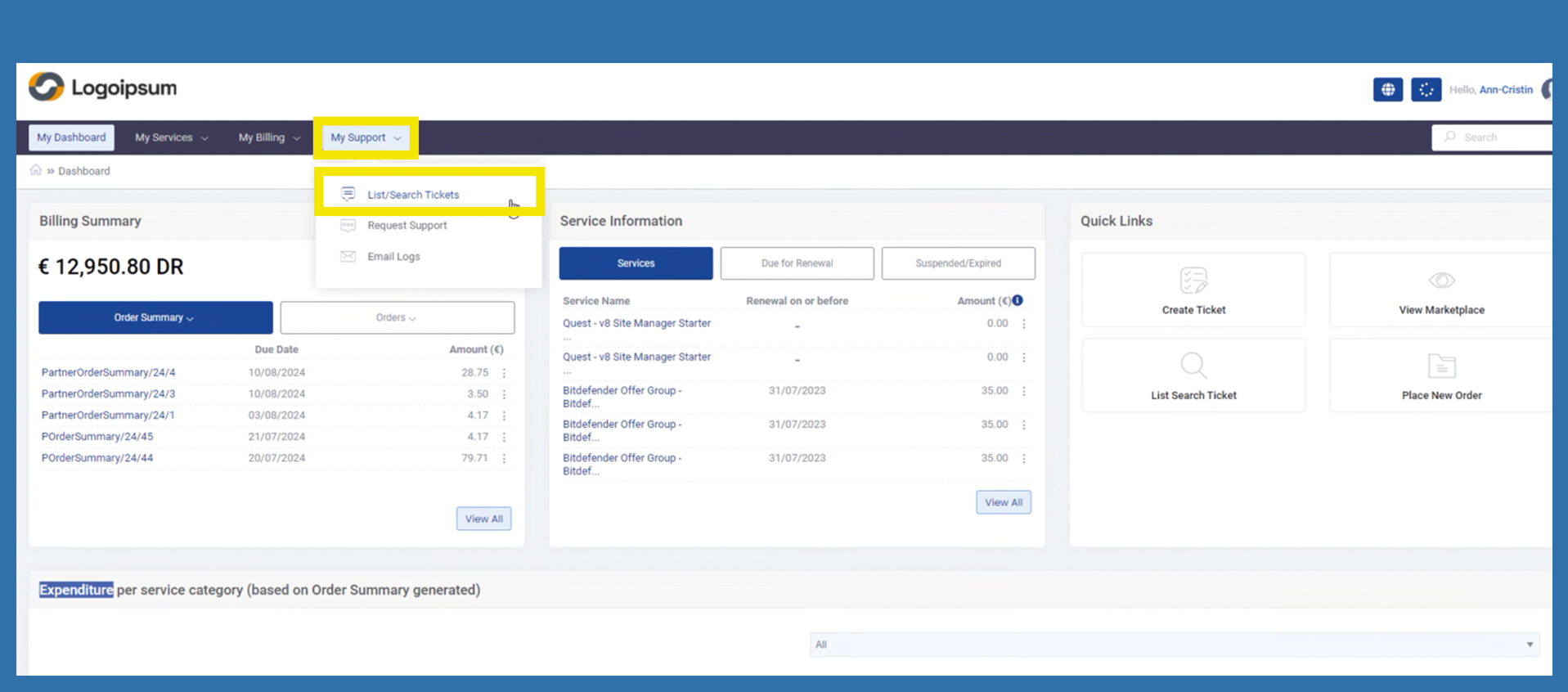
He can use the following path to do this:
My Support > List/Search Tickets
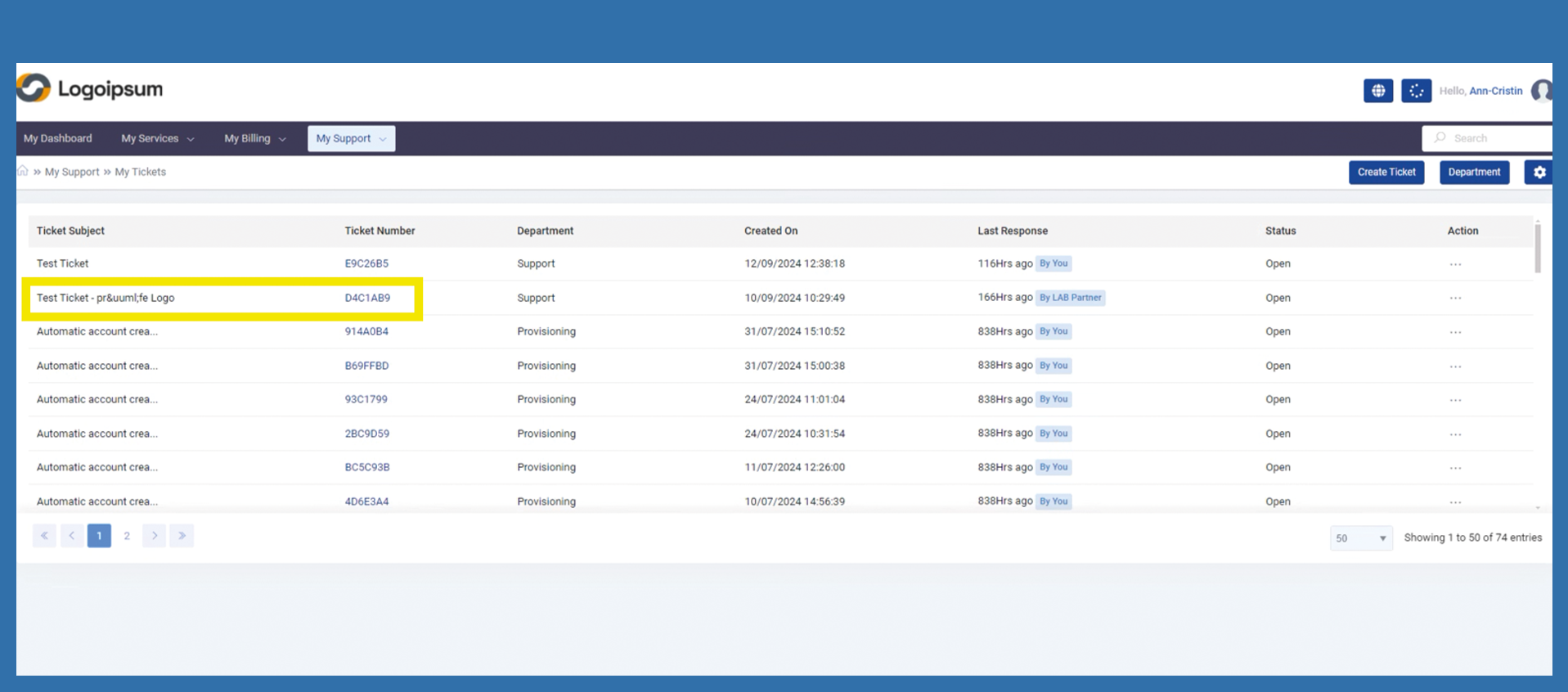
The end customer is now taken to the overview for all tickets. From here he can select the ticket he wants to reply to by clicking on the link under the ticket number.
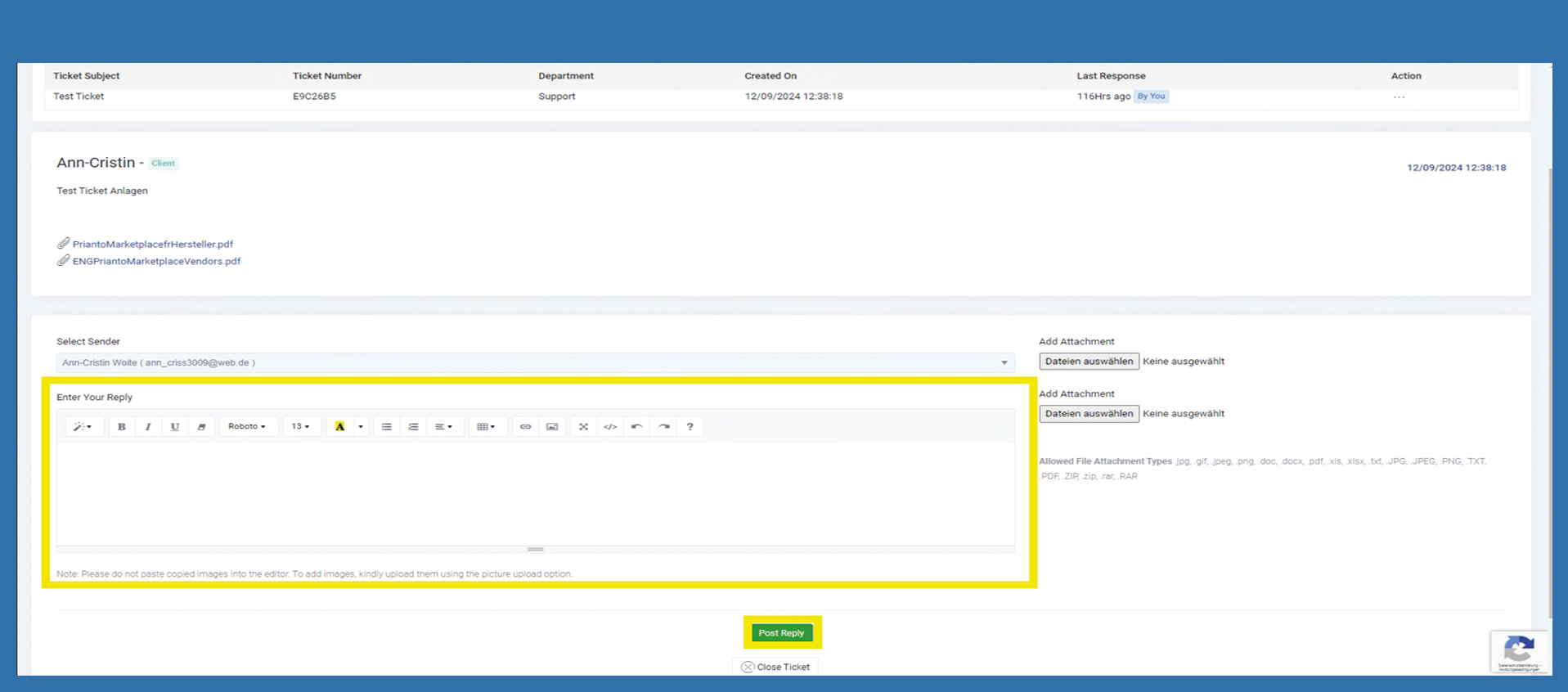
The corresponding reply can be written in the Enter Your Reply window. Click on Post Reply to send the corresponding message.