End Customers My Billing > Services due for Renewal
No licenses for renewal are displayed here for the first vendor Paramount Software Ltd - Macrium Reflect.
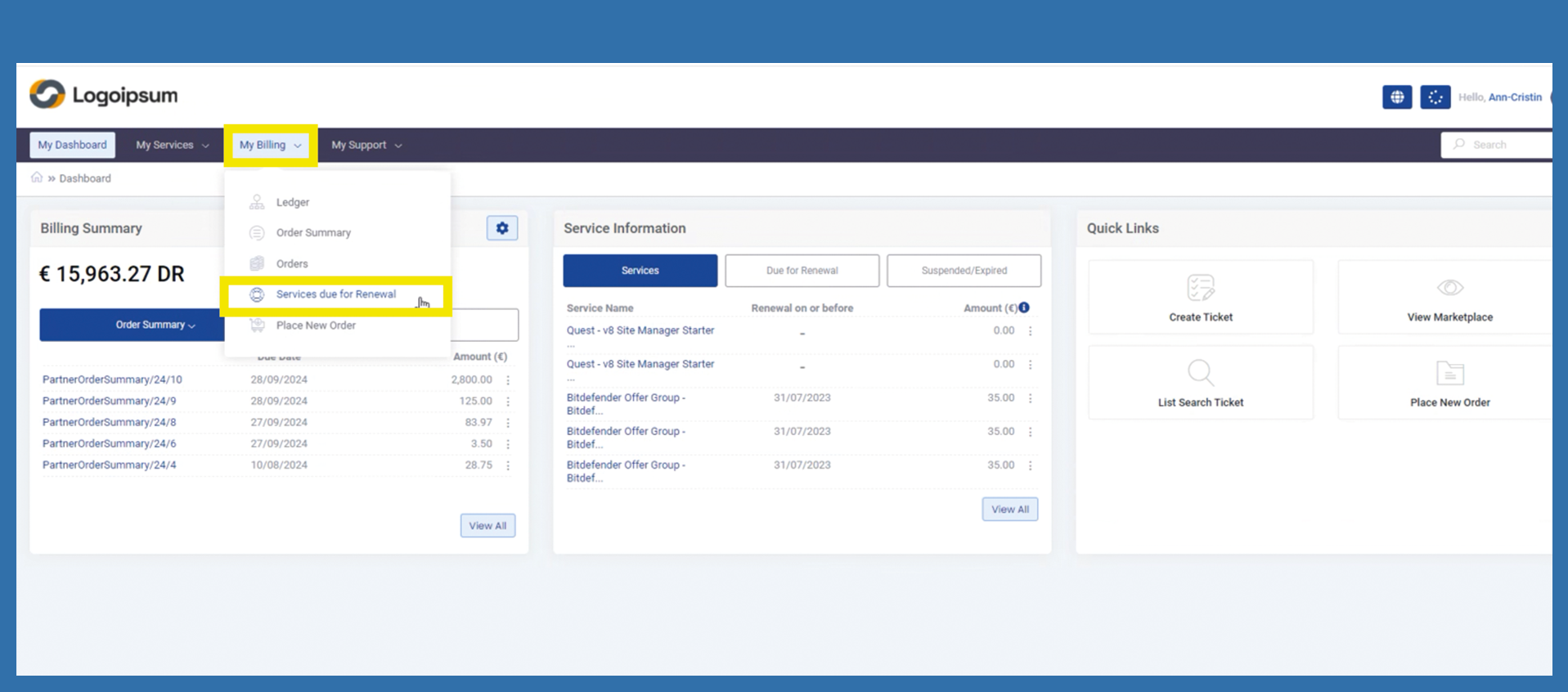
To enable your end customer to view their licenses for renewal, they can use the following path:
My Billing > Services due for Renewal
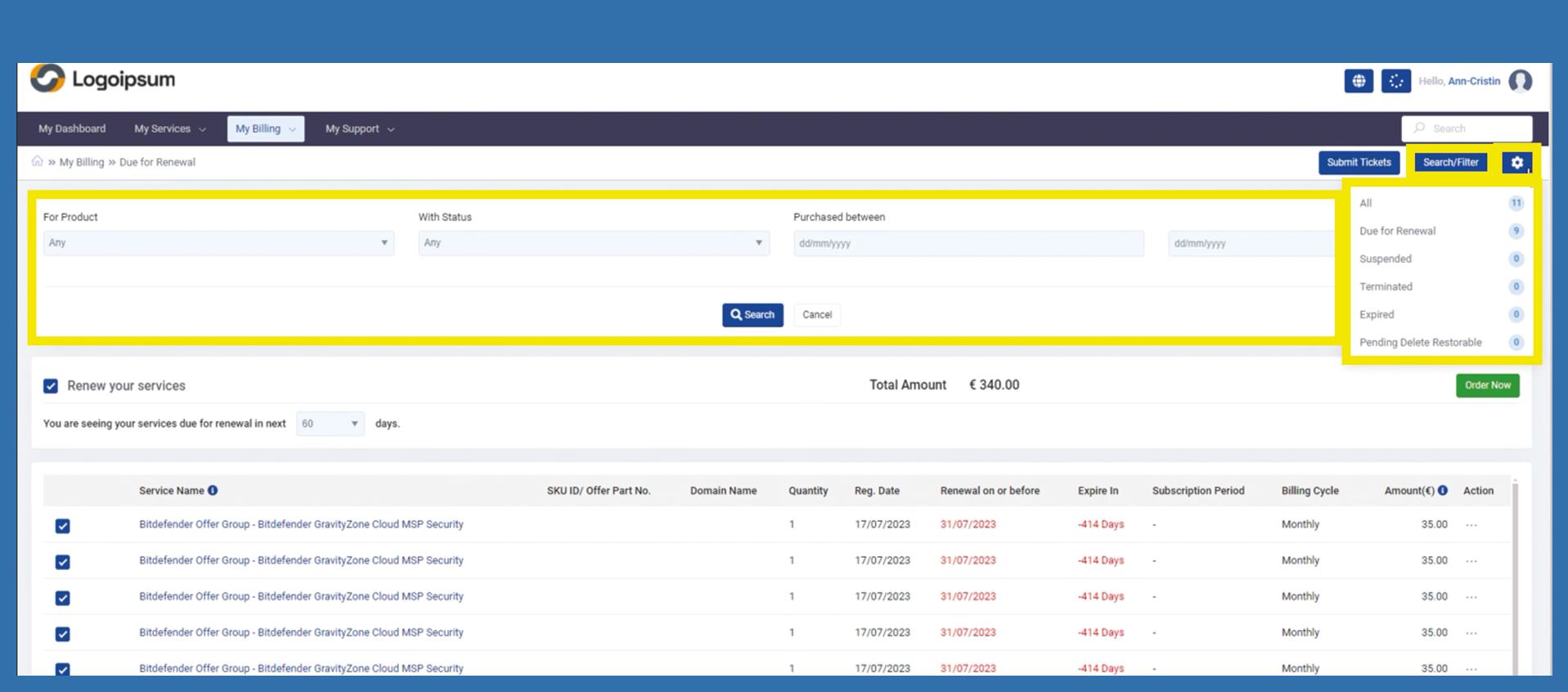
On the right top just on the left to Gear Icon there is a button called “Search / Filter”. Using this option we can perform the advance searching on the service renewal table based on the following three inputs as following:
- For Product
- With Status
- Purchase Date (between any provided range of dates)
On the right top Gear Icon Using this option we can perform data filter on the service renewal table based on the following six categories:
-
All
-
Due for Renewal
-
Suspended
-
Terminated
-
Expired
-
Pending Delete Restorable
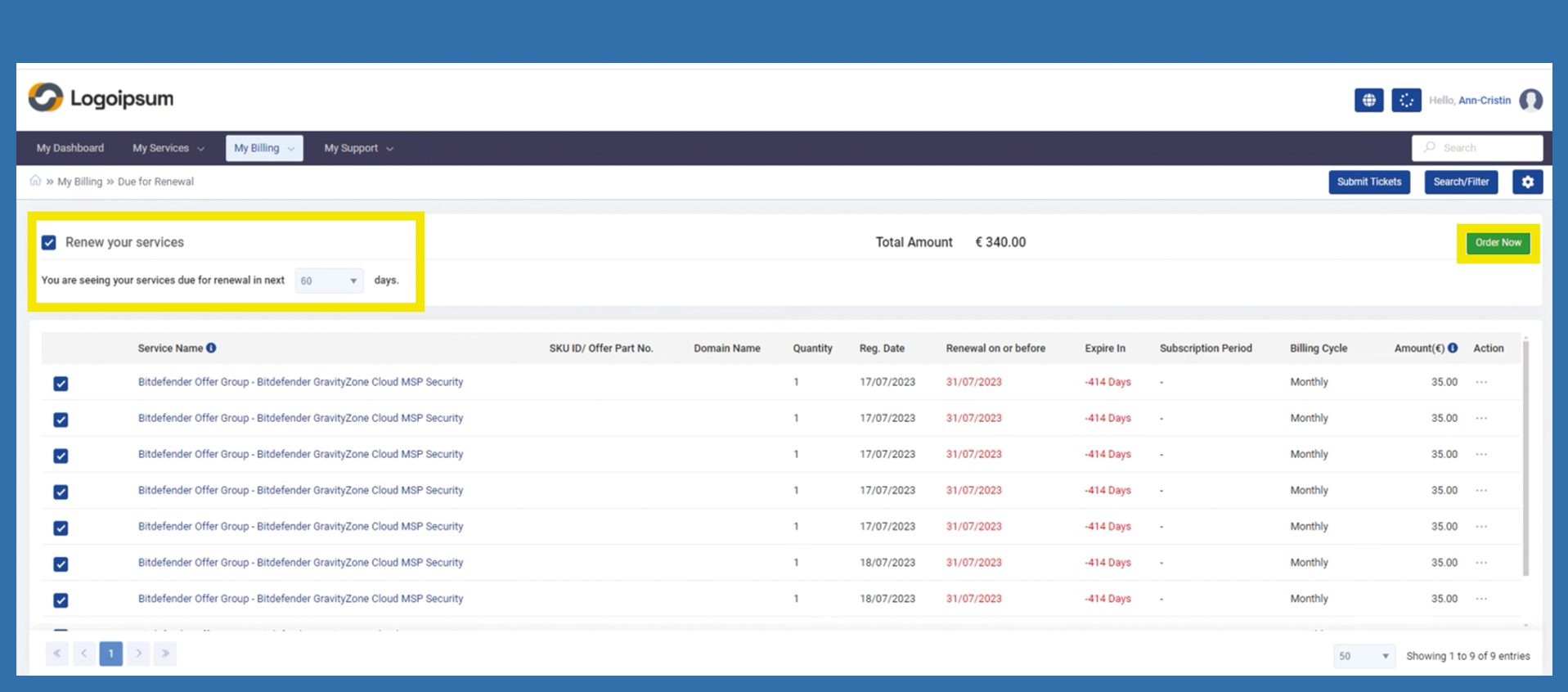
The Services Due for Renewal section lists all your services that are due for renewal or needs to be renewed in a short while.
If the check mark is set under Renew your Services, the end customer is shown all services that are available for renewal in the period specified below and selected accordingly. The period can be adjusted accordingly.
If the end customer only wants to renew one license, they can uncheck the box under Renew your Services and then select the corresponding license to be renewed. Then click on Order Now.