End Customers My Support > Request Support
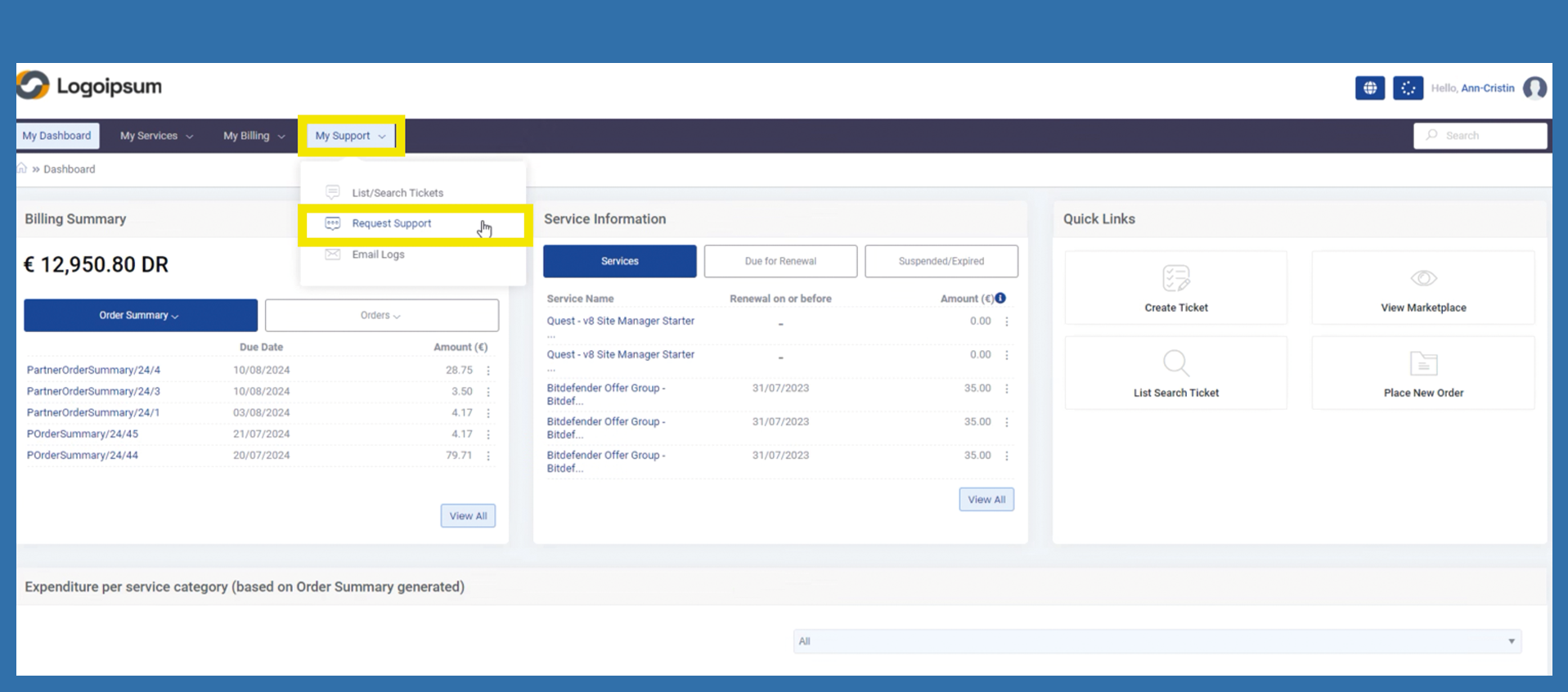
The end customer can use the following path to create a support ticket.
My Support > Request Support
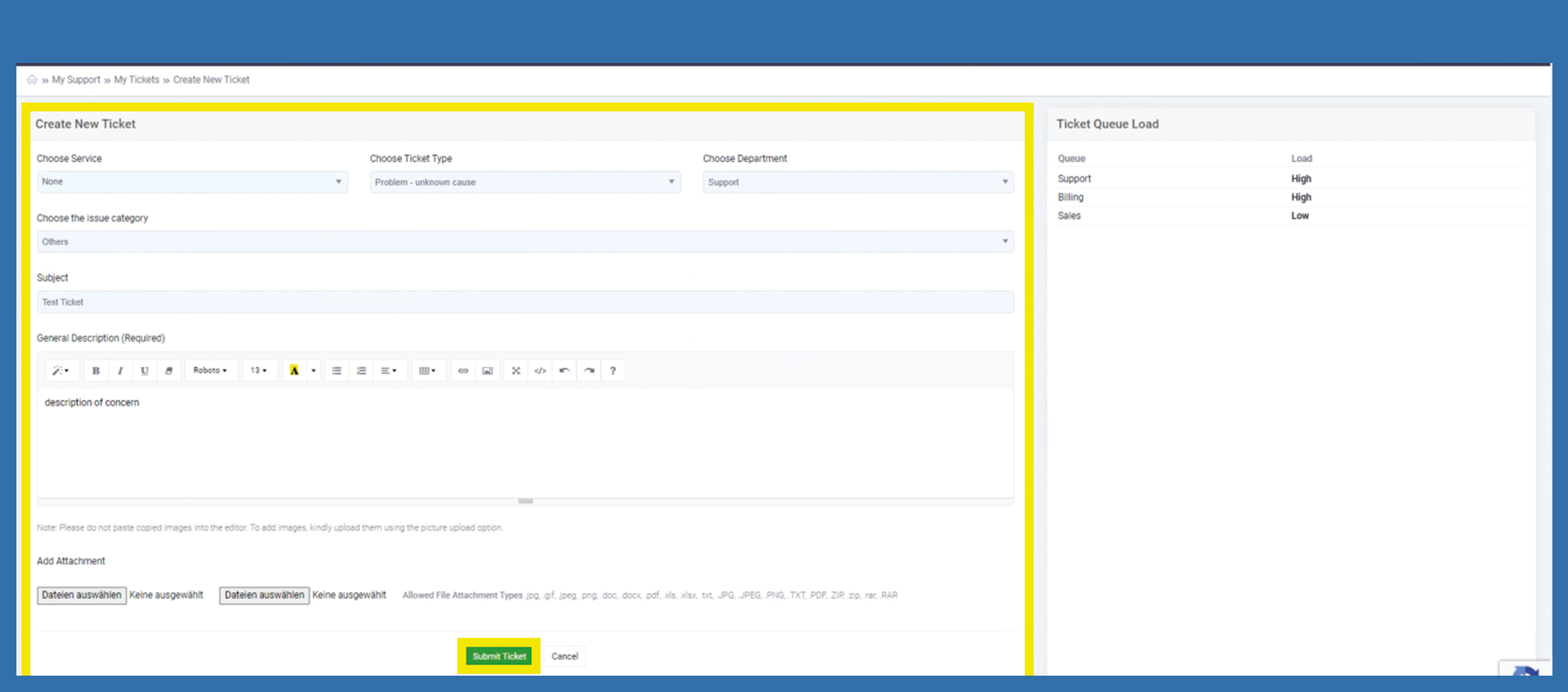
If your end customer's request concerns a specific license, the corresponding license can be selected via Choose Service drop-down. Otherwise None can be selected.
Choose Ticket Type by opening the drop-down. Select the description that applies to your problem and click on Choose Department to select the department to which the ticket is to be assigned. It may be that only a few departments are available at the beginning.
Ideally, the customer should enter a meaningful Subject.
The explanation of the problem or concern must be clearly described in the General Description field.
Attachments can also be added if required. To do this, click on the Add Attachment button. The corresponding file must be selected with a double-click. The file is now attached to the ticket.
The end customer can now check the ticket for completeness and submit the ticket by clicking on Submit.