End Customers My Support > List/Search Tickets
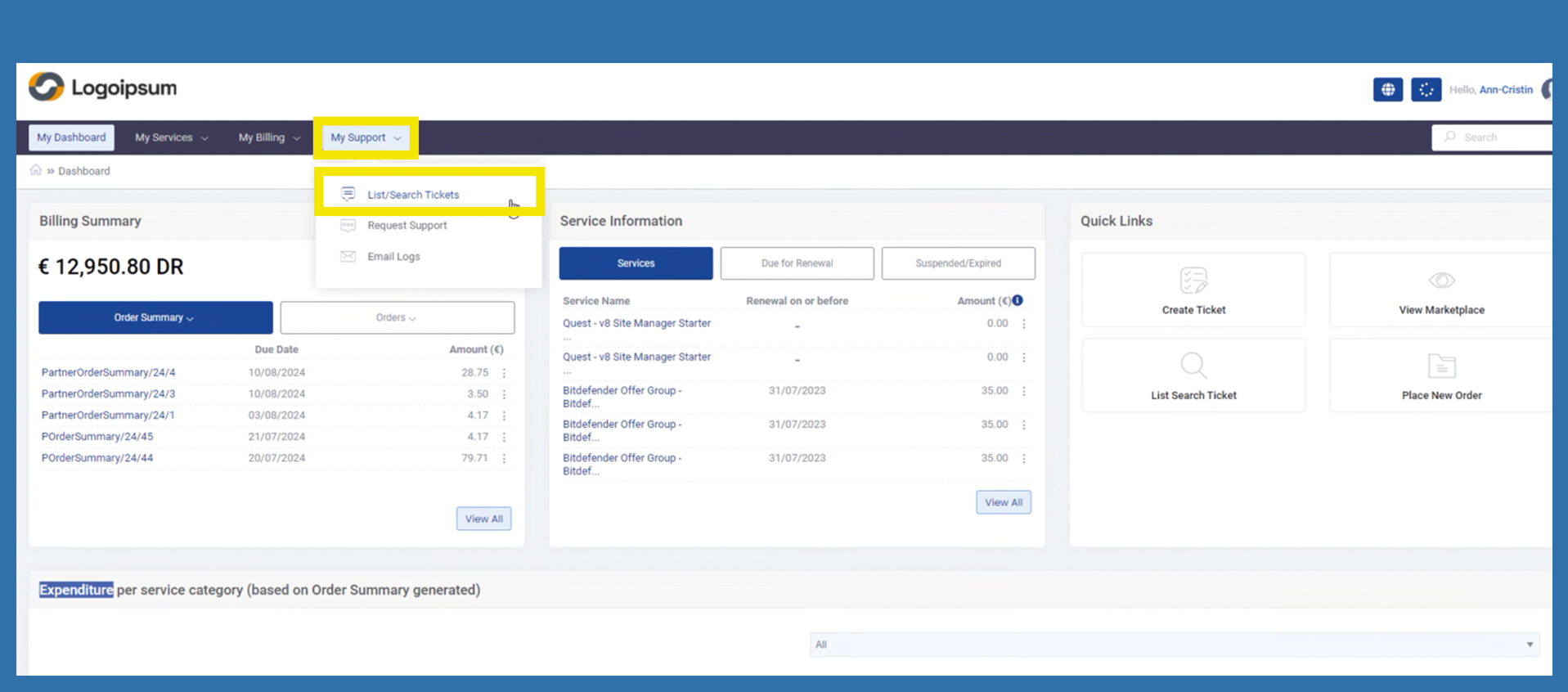
If your end customer would like to see which tickets have already been created by him or which tickets have been created in general, he can use the following path to view them.
My Support > List/Search Tickets
The following information is displayed.
Ticket Subject: The subject that was entered in the respective ticket is displayed here. The subject is repeated for automatically created tickets.
Ticket Number: The ticket number is automatically assigned by the system as soon as the ticket is created.
Department: The department in which the ticket is currently located is displayed.
Created On: Shows the creation date of the ticket
Last Response: Shows the creation date of the ticket
Status: Displays the corresponding status of the ticket. This can be, for example. Open, In process, Resolved, Closed.
Action: Under Action, the end customer can select the following actions by clicking on the three dots for the respective ticket. See latest response or close ticket
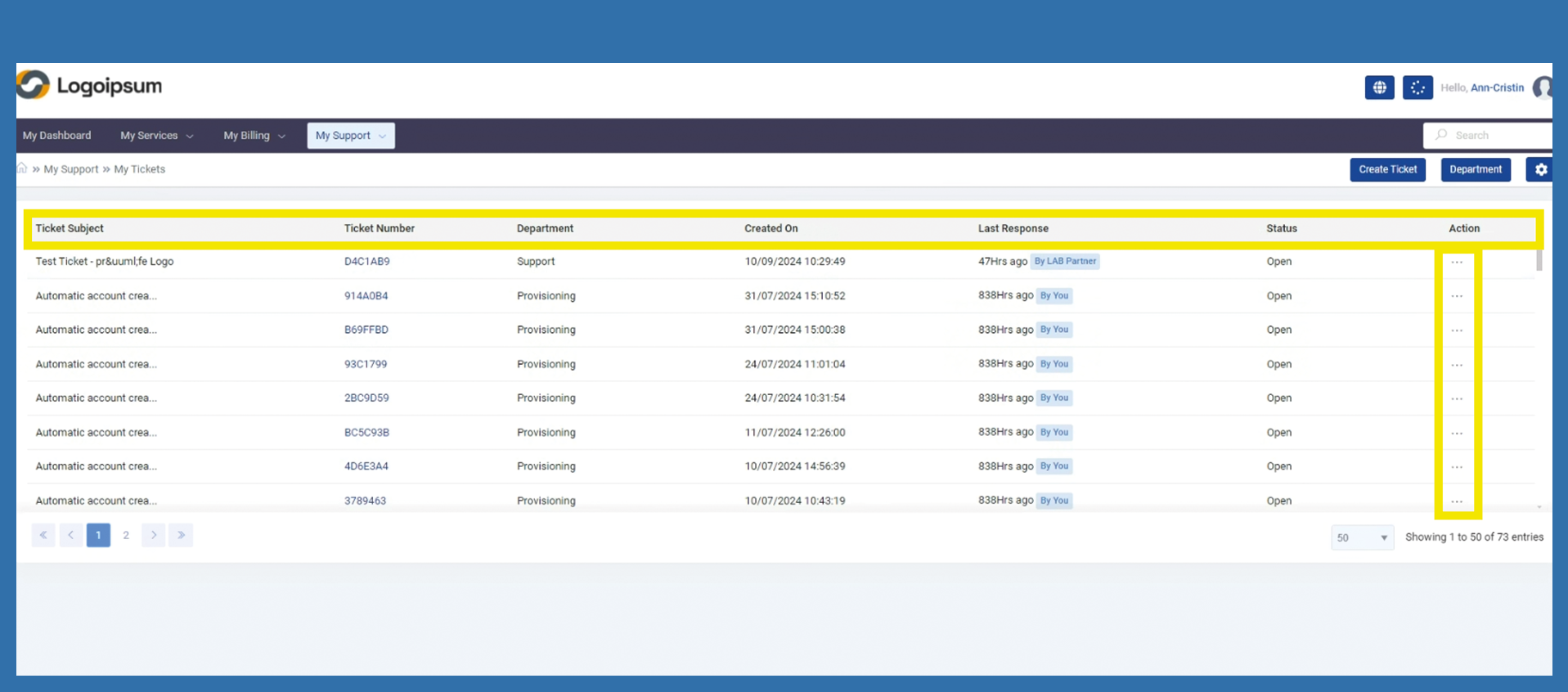
At the top right, the end customer will find further functions, such as Create Ticket. By clicking on this button, they are immediately redirected to the corresponding page.
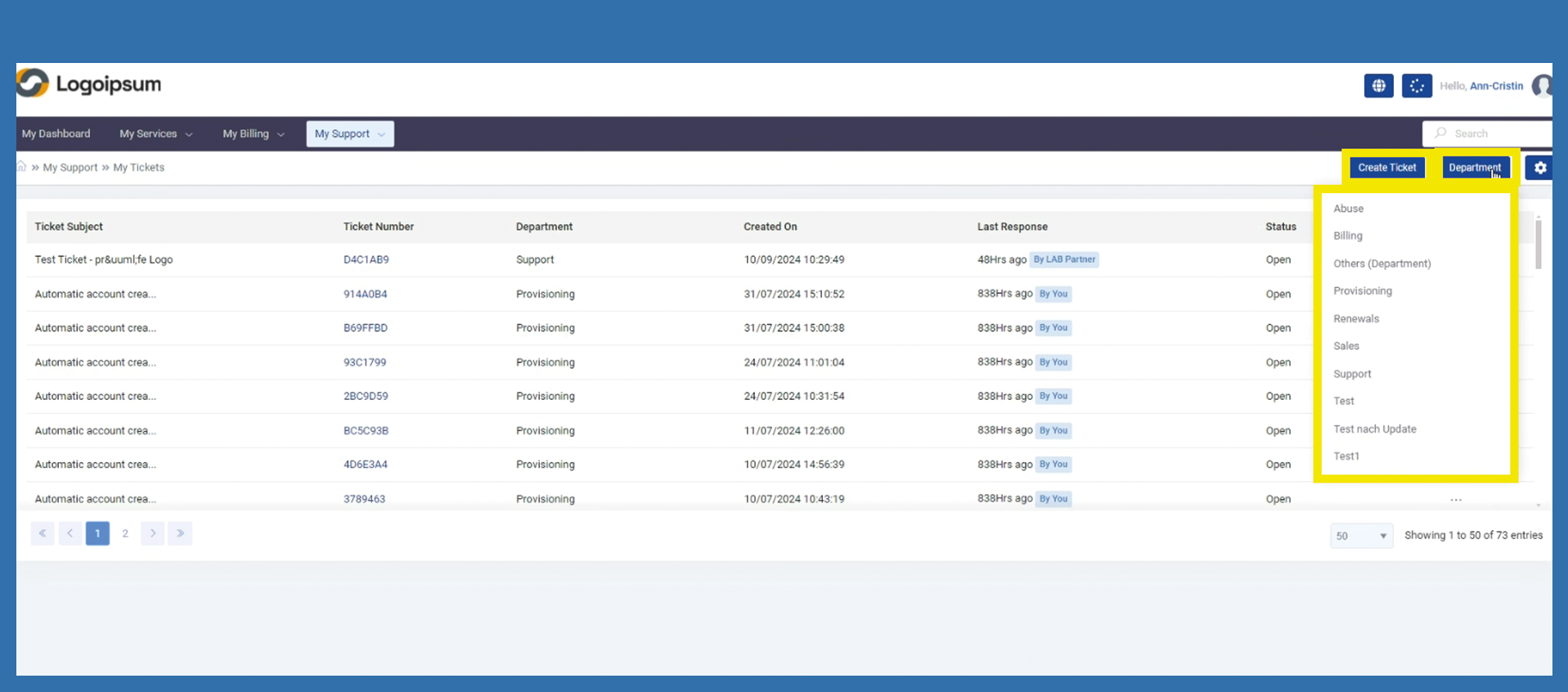
There are also further options for filtering the tickets. Clicking on Department opens a corresponding list of all departments. By selecting one of the departments, all tickets placed in this department are automatically displayed.
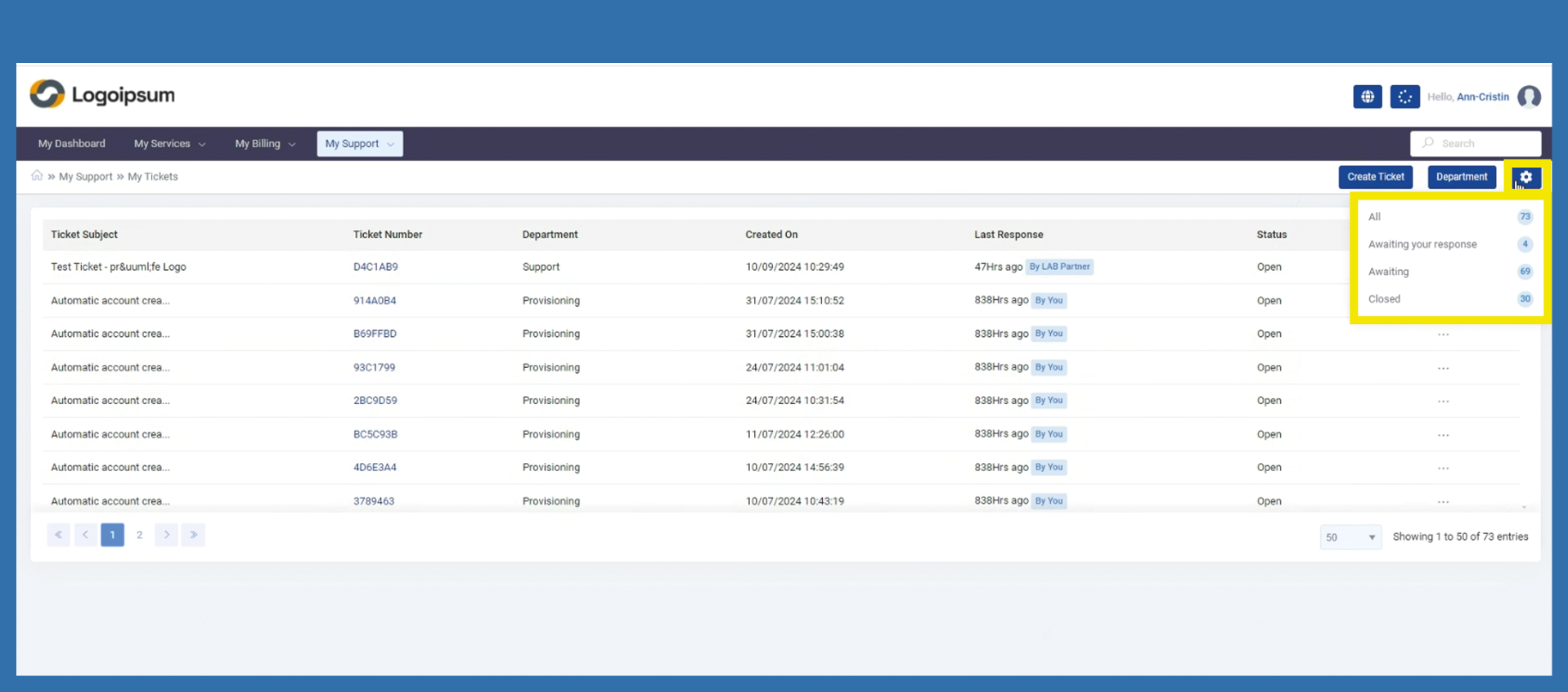
By clicking on the settings, further filters such as Waiting for reply or Closed can be set.