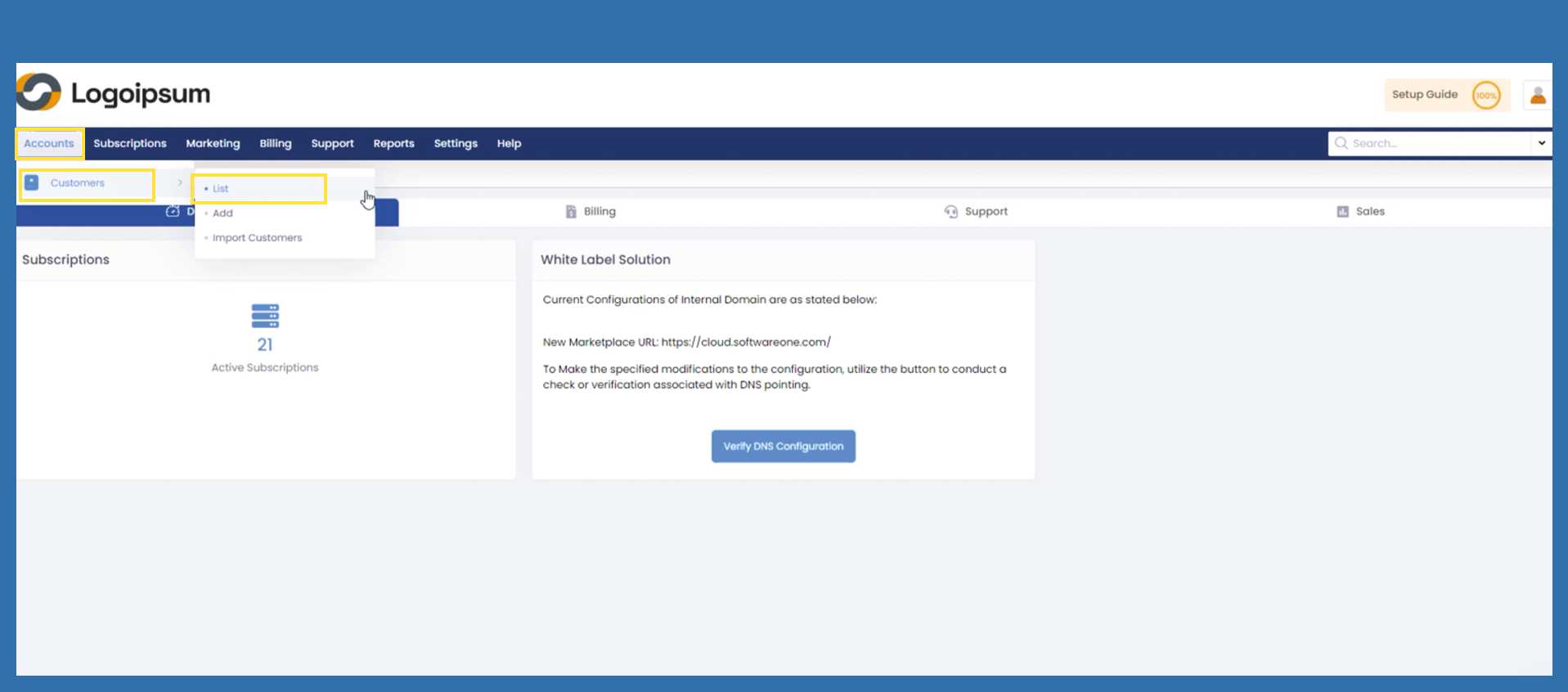
Accounts > Customers > List
To view and manage end customer accounts please the following path:
Accounts > Customers > List
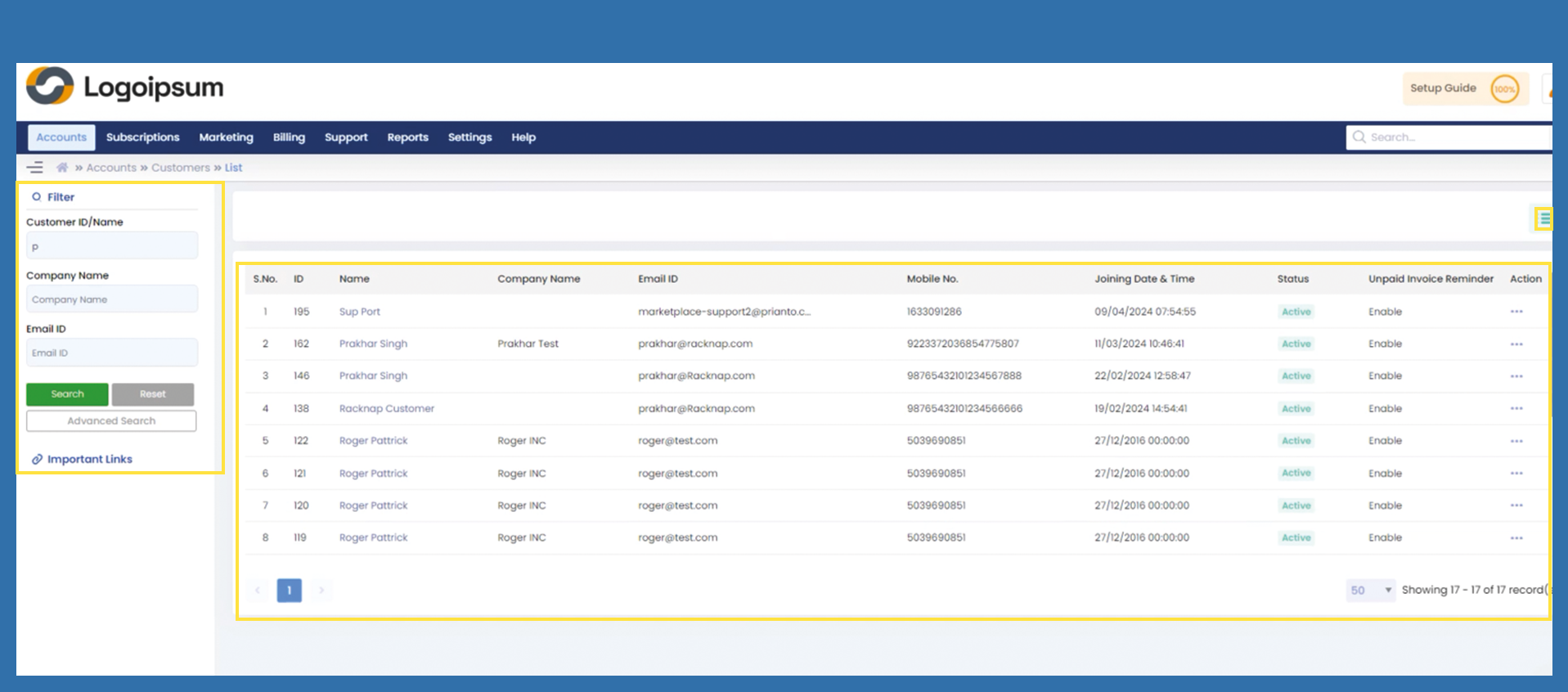
Use the filter section on the lefthand side, to check if the customer is registered on the marketplace.
Choose the corresponding criteria:
- Customer ID /Name
- Company Name
- Email ID
If you have specific information, click on Advanced Search.
Here you can see the most important information of an end customer:
S.No.: The S.No. is not assigned to the end customer, it is only for numerical listing.
ID: is assigned to customers automatically when they are registering or getting imported.
Company Name: is the company name, which was entered by the end customer at registration form.
Email ID: is the email address, which was entered by the end customer at registration form.
Mobile No.: the mobile no. which was entered by the end customer at the registration form.
Joining Date & Time: Date of registration.
Please note: If an end customer was imported wire excel import, the request date is the date, on which the data was imported.
Status: can be active or inactive.
Action: Here you can Edit or Delete existing end customer profiles.
You can manage your headlines by clicking on the hamburger menu symbol on the upper right side. There you can mark the information you want to see displayd.