Settings >Offers > Basic Configuration > Offer Group > Offer Name > Bulk Update
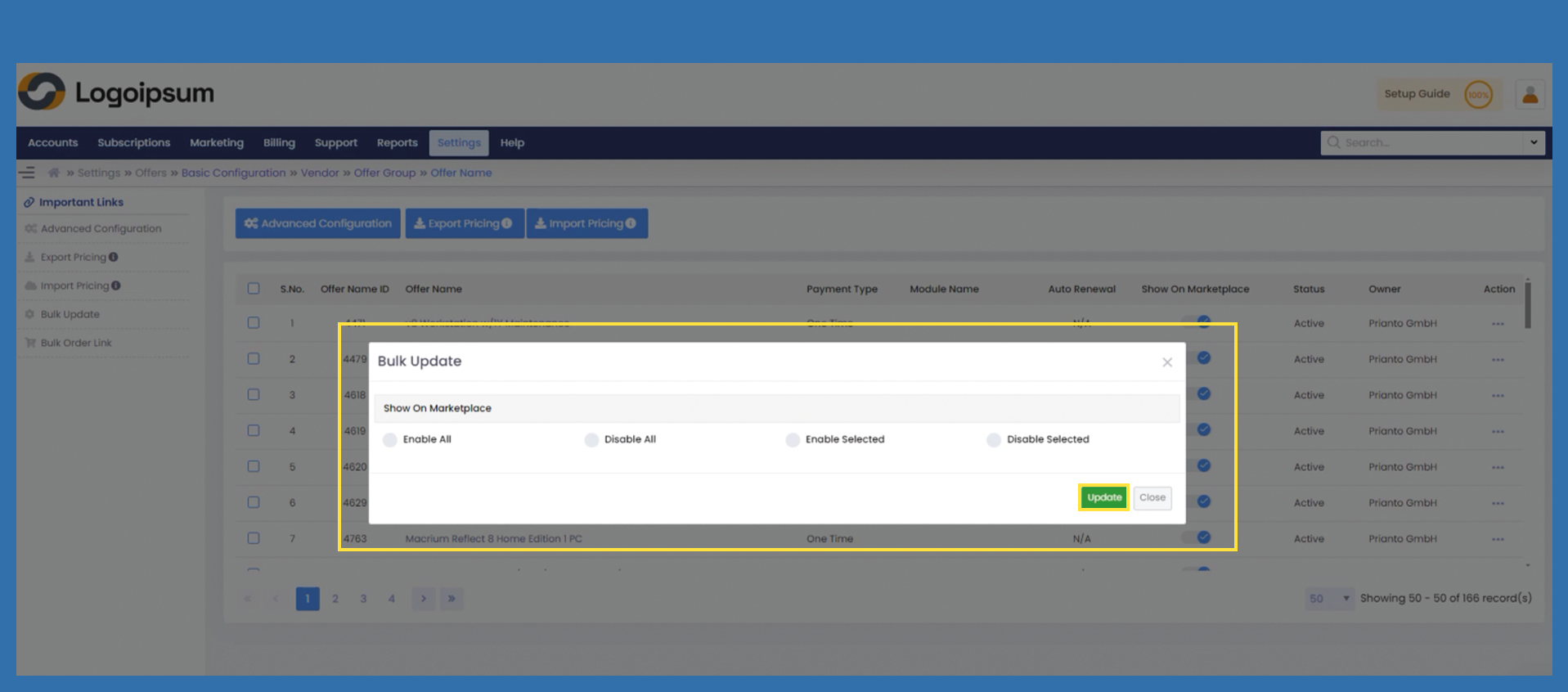
With the bulk update option, you can make items visible or invisible on the Marketplace.
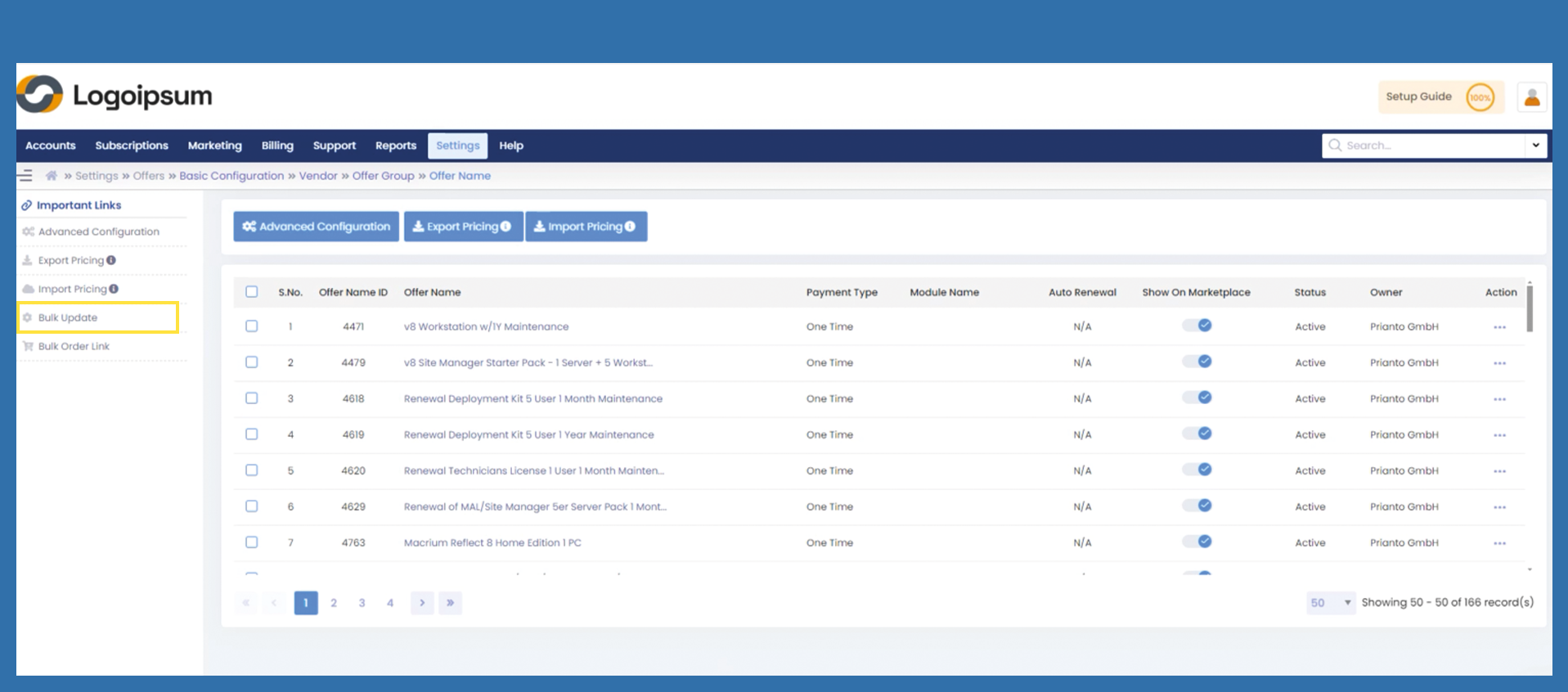
Click on Bulk Update on the left-hand side.
Enabel All - You can use Enable All to display all items on the Marketplace. It is not necessary to mark the items for this.
The slider under Show on Marketplace is moved to the right.
Disable All - You can use Disable All to hide all items on the Marketplace. It is not necessary to mark the items.
The slider under Show on Marketplace is moved to the left.
Enable Selected - Select the desired items here and place a check mark in the overview. Then click on Bulk Update and then on Enable Selected to display these items on your Marketplace.
Disable Selected - Select the desired items here and place a check mark in the overview. Then click on Bulk Update and then on Disable Selected to disable these items on your Marketplace.