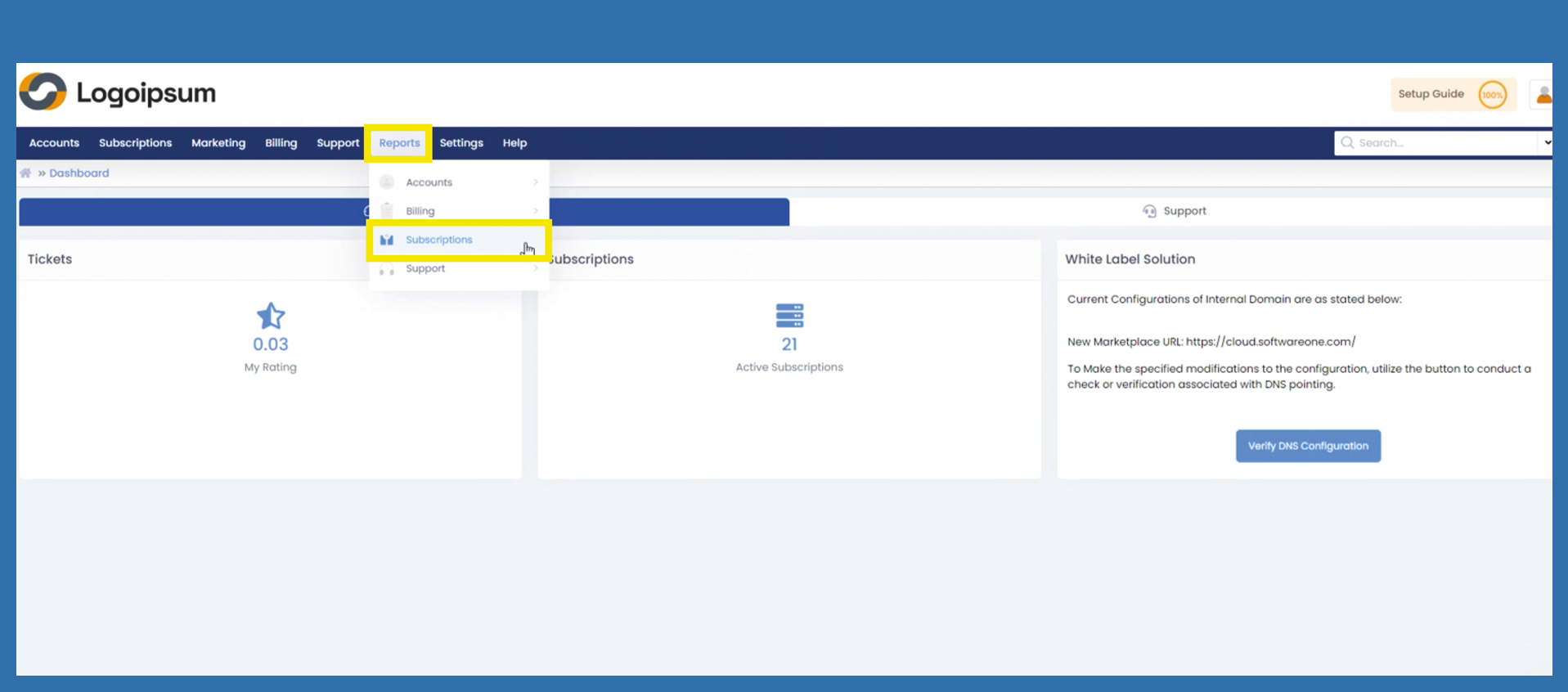
Reports > Subscriptions
Here you can report all subscriptions. Would you like to analyze more information about your subscriptions? Then you can do this under the following path:
Reports > Subscriptions
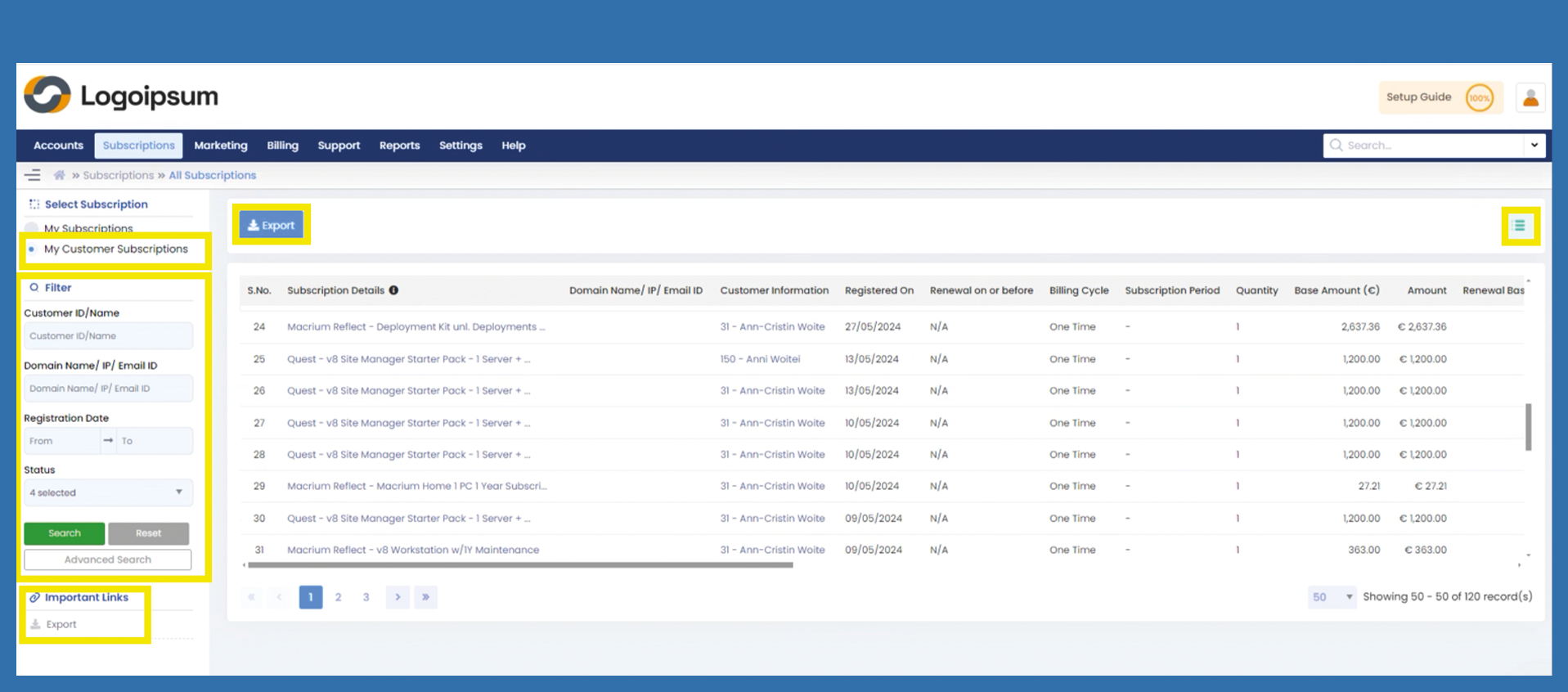
Choose between My Subscriptions and My Customer Subscriptions at the top left to see your subscriptions or those to your end customer.
Use the Filter Section on the left-hand side to filter specific subscriptions. If you want to filter for more information for e.g. offer category, offer name, click on Advanced Search. Once you have set the filters accordingly, click on Search. All subscriptions with the previously selected filters will now be displayed.
You can manage your headlines by clicking on the hamburger menu symbol on the upper right side. There you can mark the information you want to see displayed.
If you would like to export this data, click on the blue Export button or use the link under Important Links.
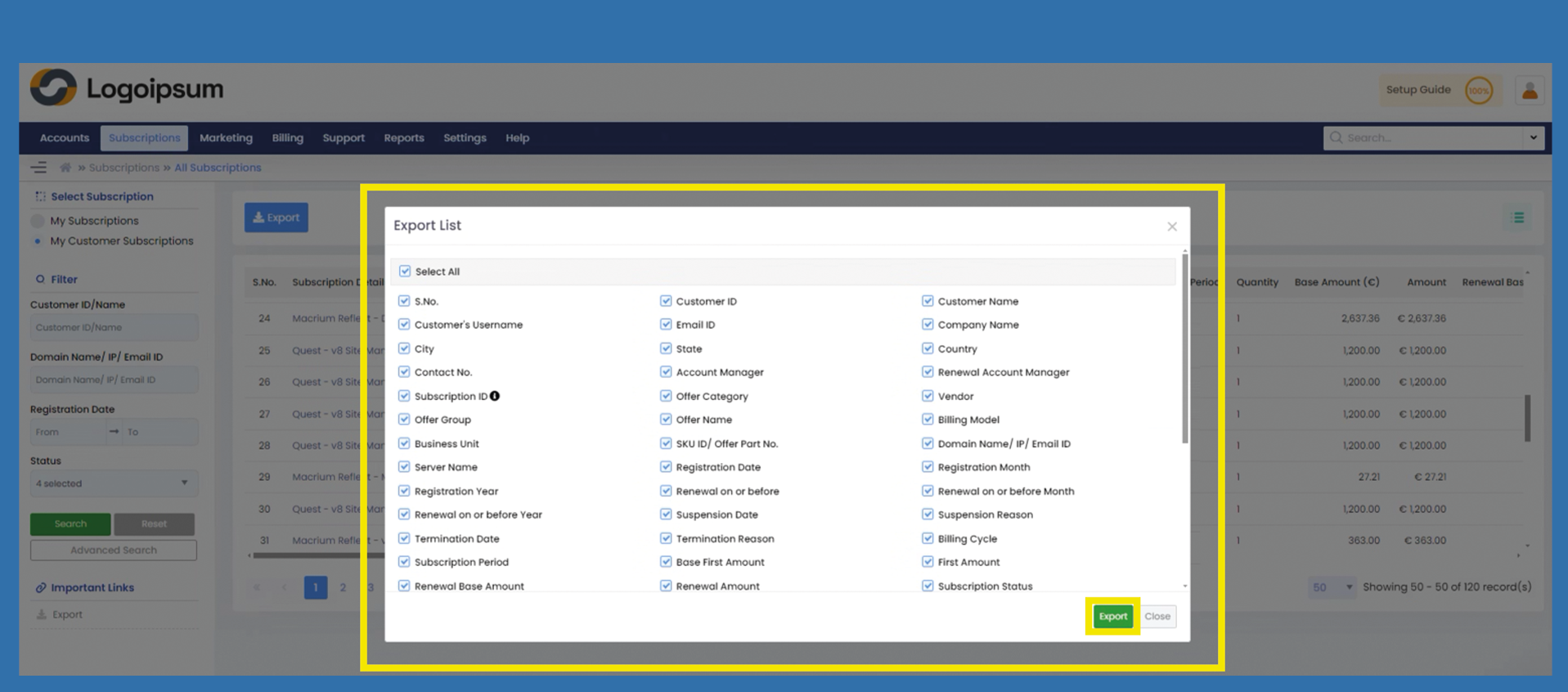
A popup opens, from here you can select which data you would like to have displayed in addition to your subscriptions.
Check or check off the respective box if you do not want the preset information in the evaluation.
If you check the box under Select All, you can select all fields at once or check off the box to deselect all fields.
Click on Export.