Support > Tickets > Assign ticket to a person
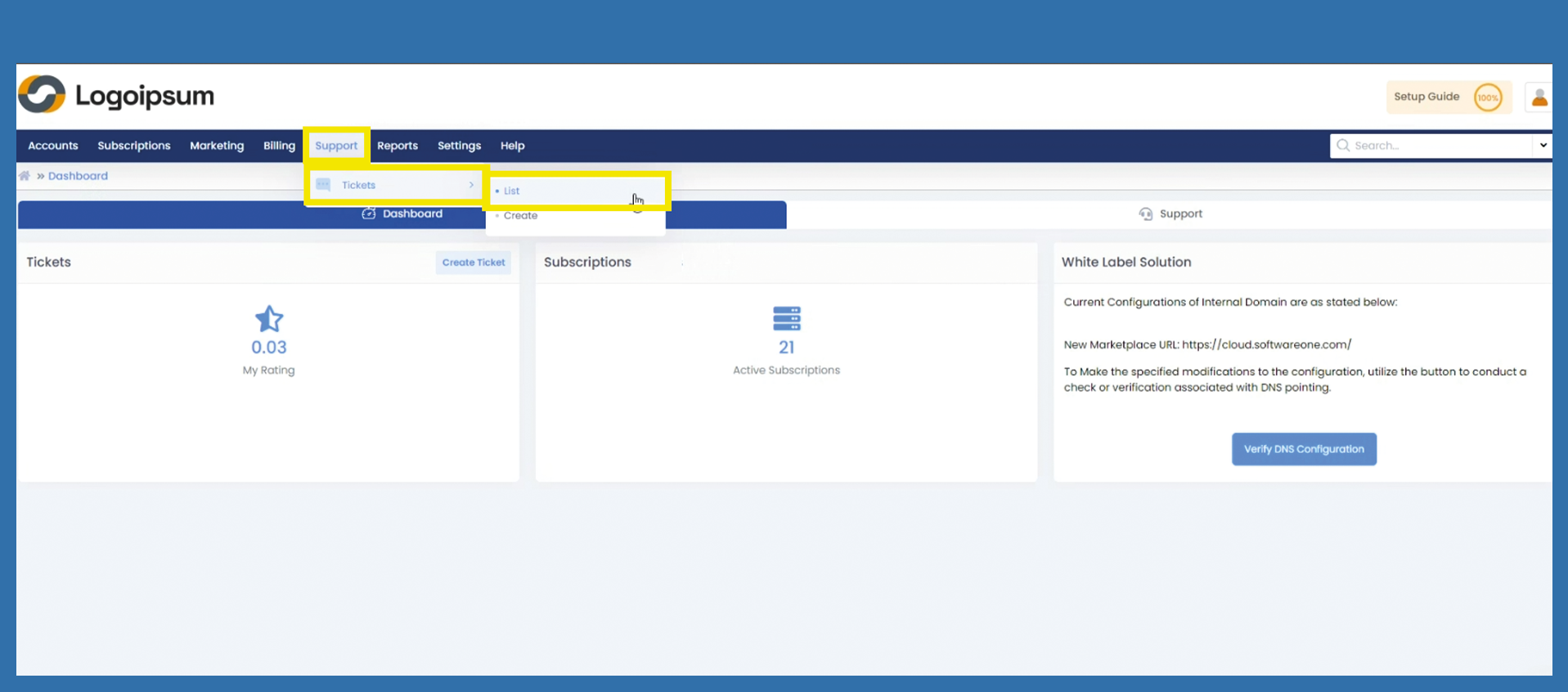
To assign Tickets to another user/admin, please use the following path:
Support > Tickets > List
With this function, a ticket can be assigned to a specific user, not to a general department. Some tickets require certain experts, so this function get the problem to the expert.
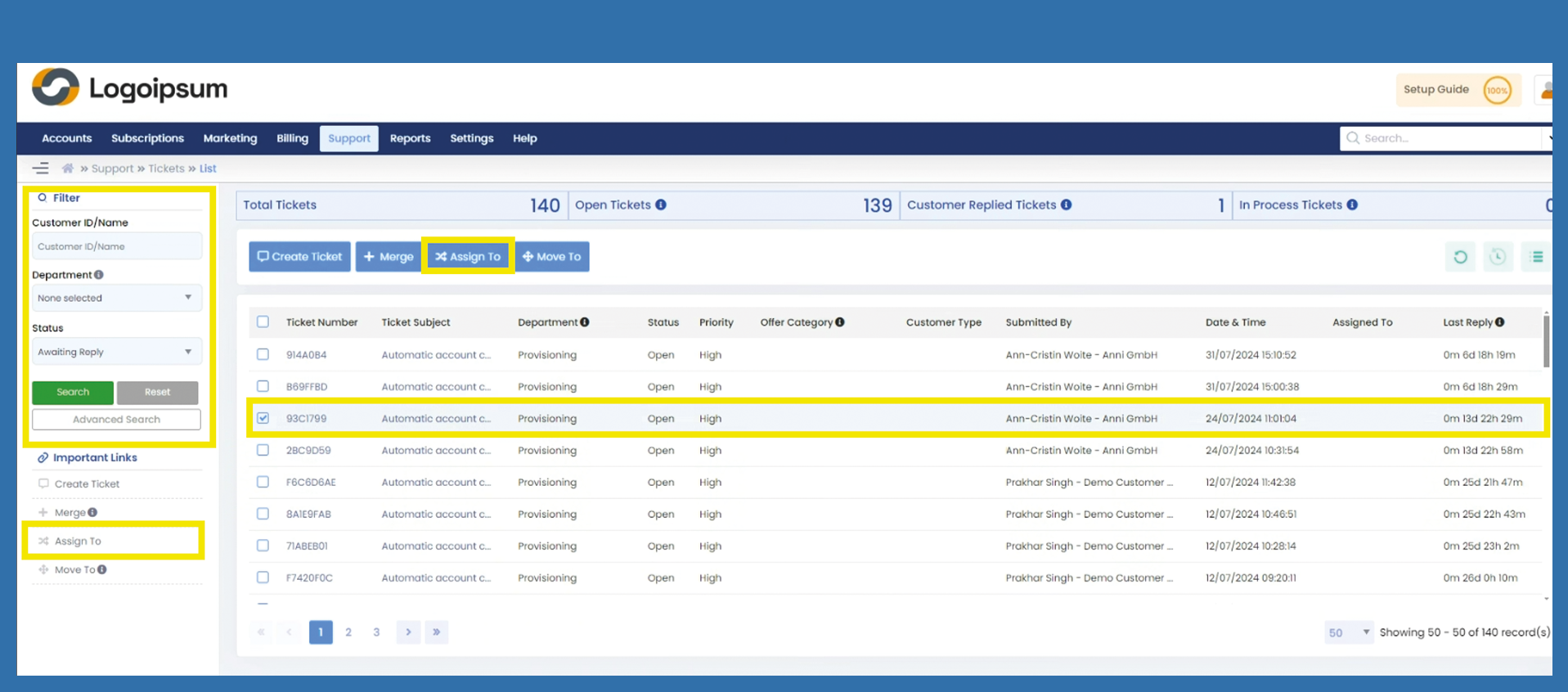
Use the filter section on the left to find the corresponding ticket. Please mark the checkbox of the ticket you want to assign.
Then click on the blue button above Assign To or under Important Links on the left.
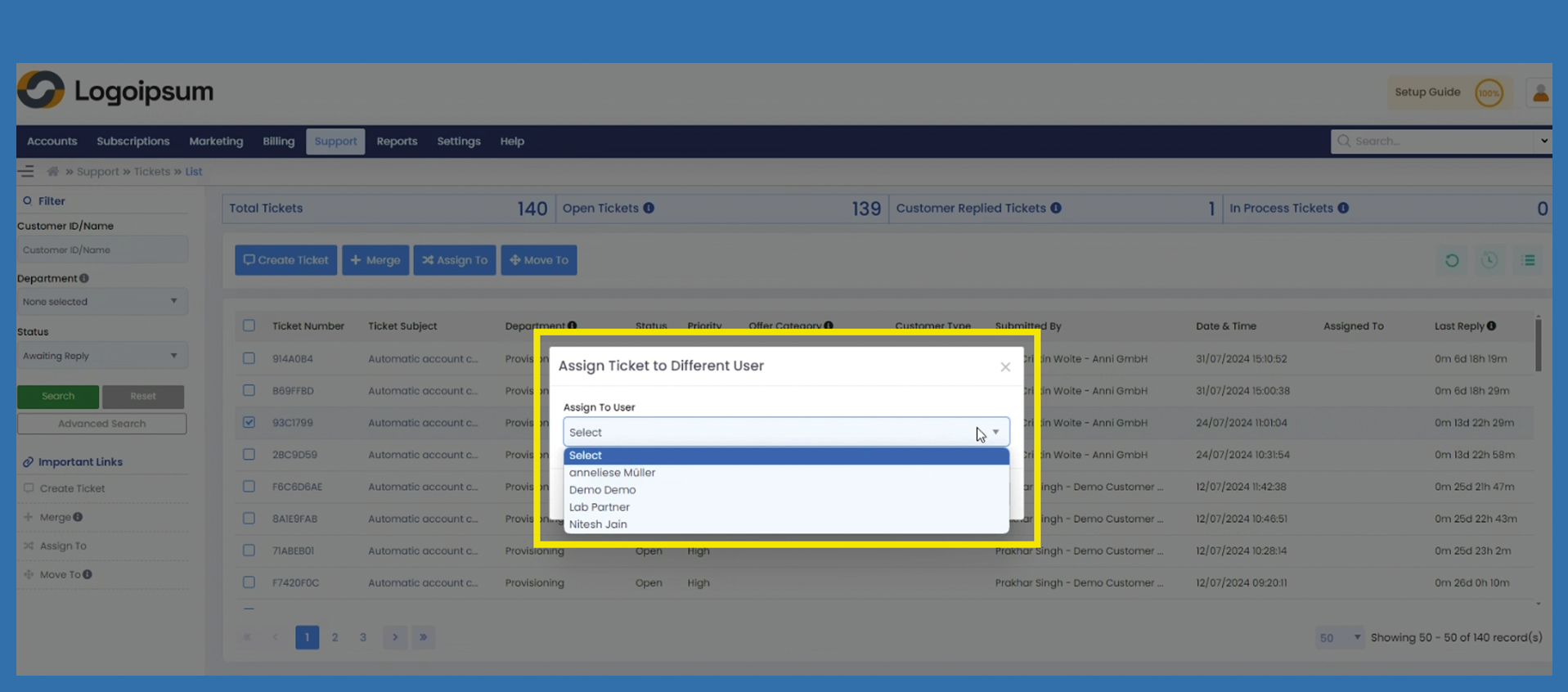
A window will open. Please choose the user/admin, to which the ticket should be assigned to. Then click Save to assign and click Ok on the following pop-up.
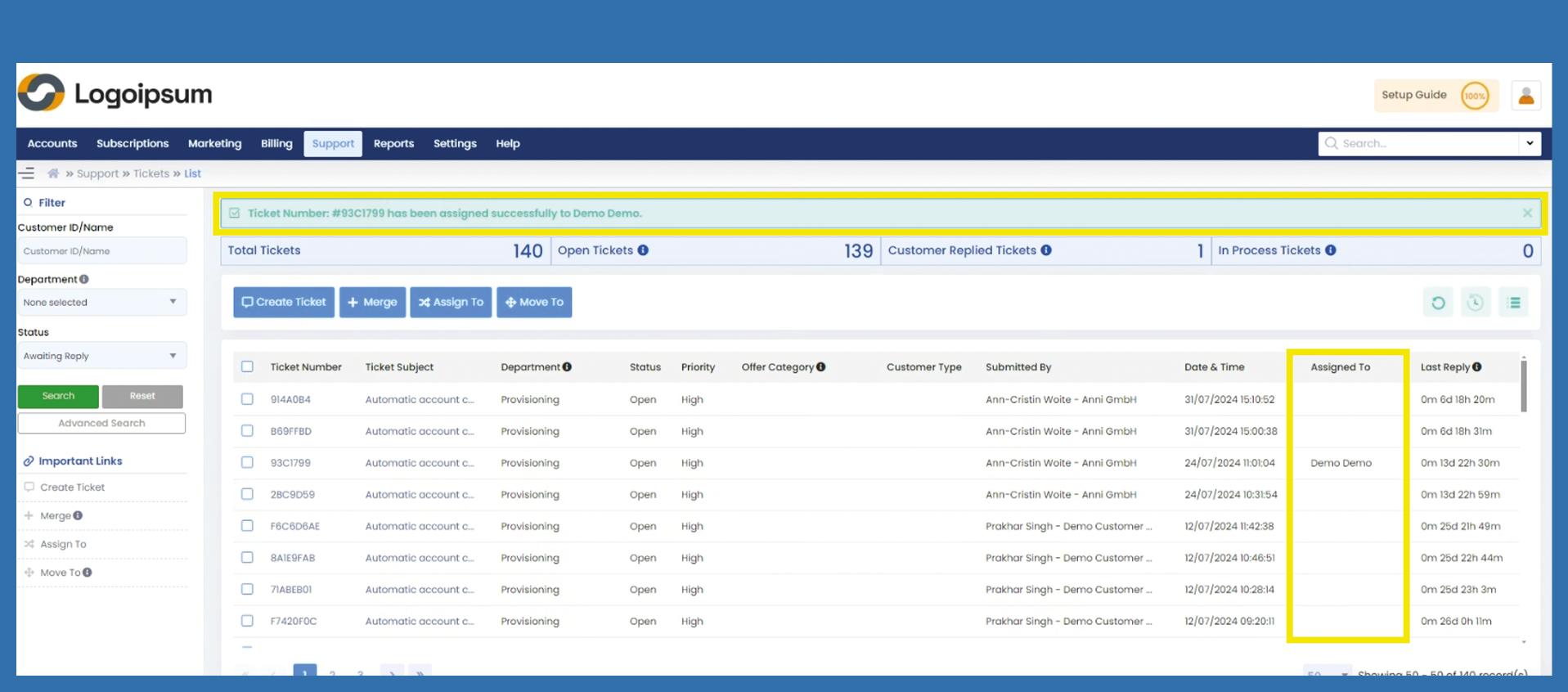
You can see, if tickets are assigned to a user/admin under the caption Assigned To on the right side.