Billing > Orders > Approve an Order
As soon as an order has been placed by the customer, it must be confirmed accordingly.
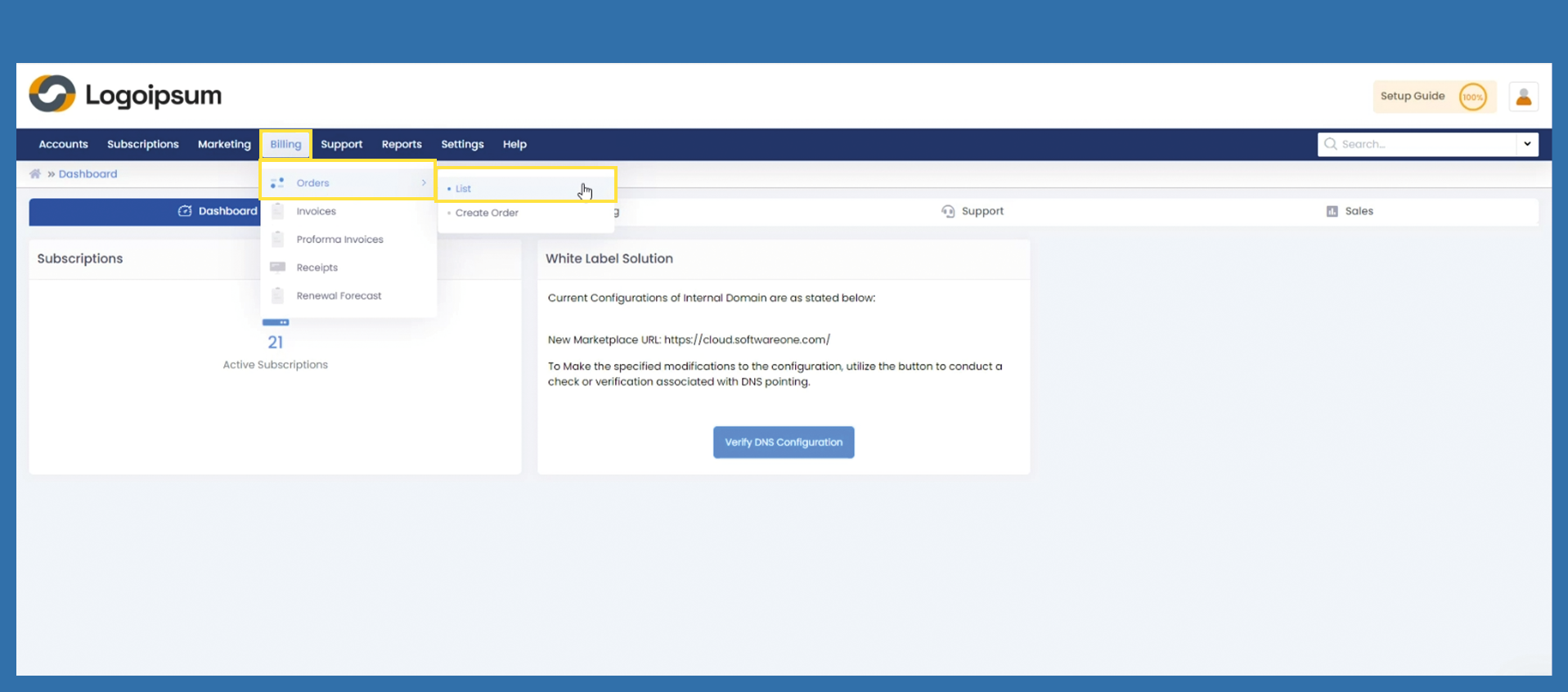
To call up the corresponding order, use the following path:
Billing > Orders > List
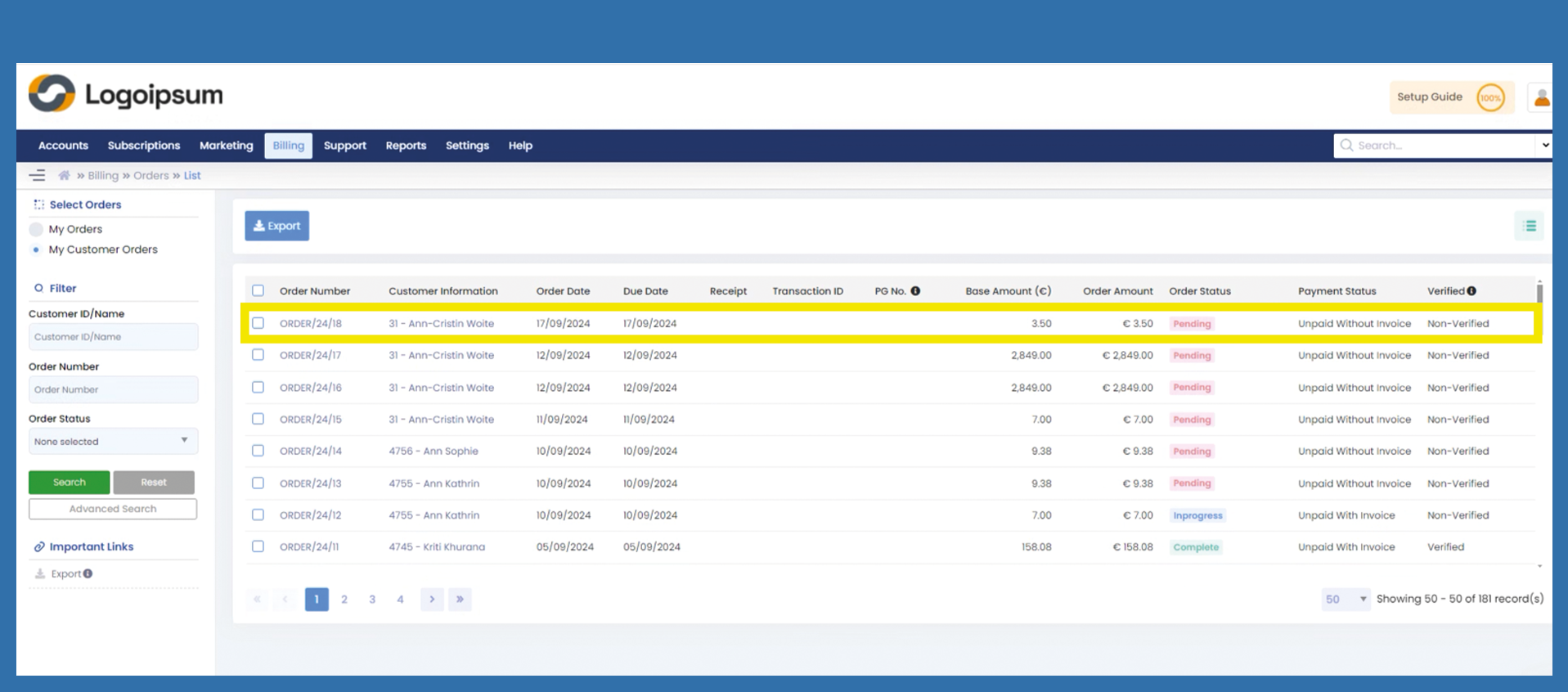
Based on the status you can see which orders have not yet been confirmed. These have the status Pending.
Then select the corresponding order and click on the link under the order number.
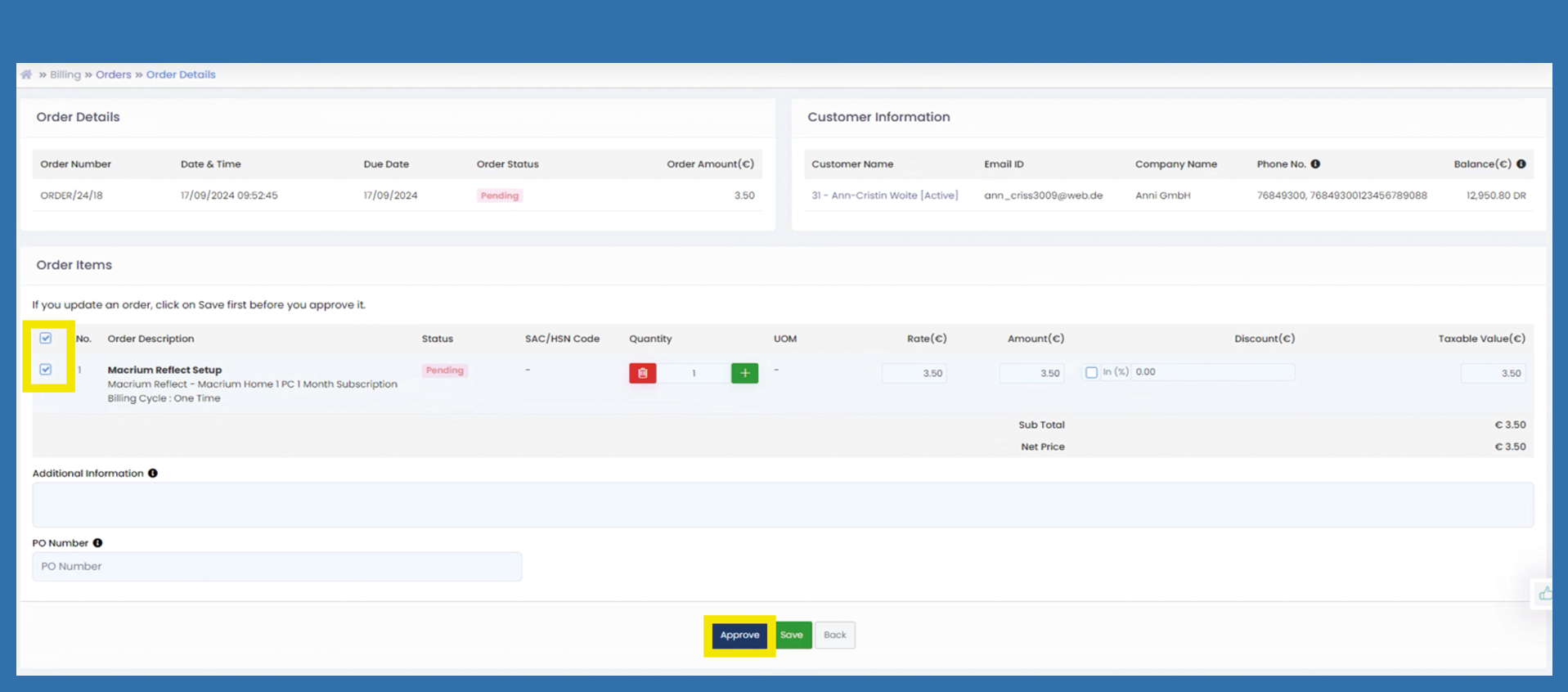
You are now in the order details. Please check the customer's order. If the order is complete and correct, the check mark must be placed in front of the article. Then click on Approve.