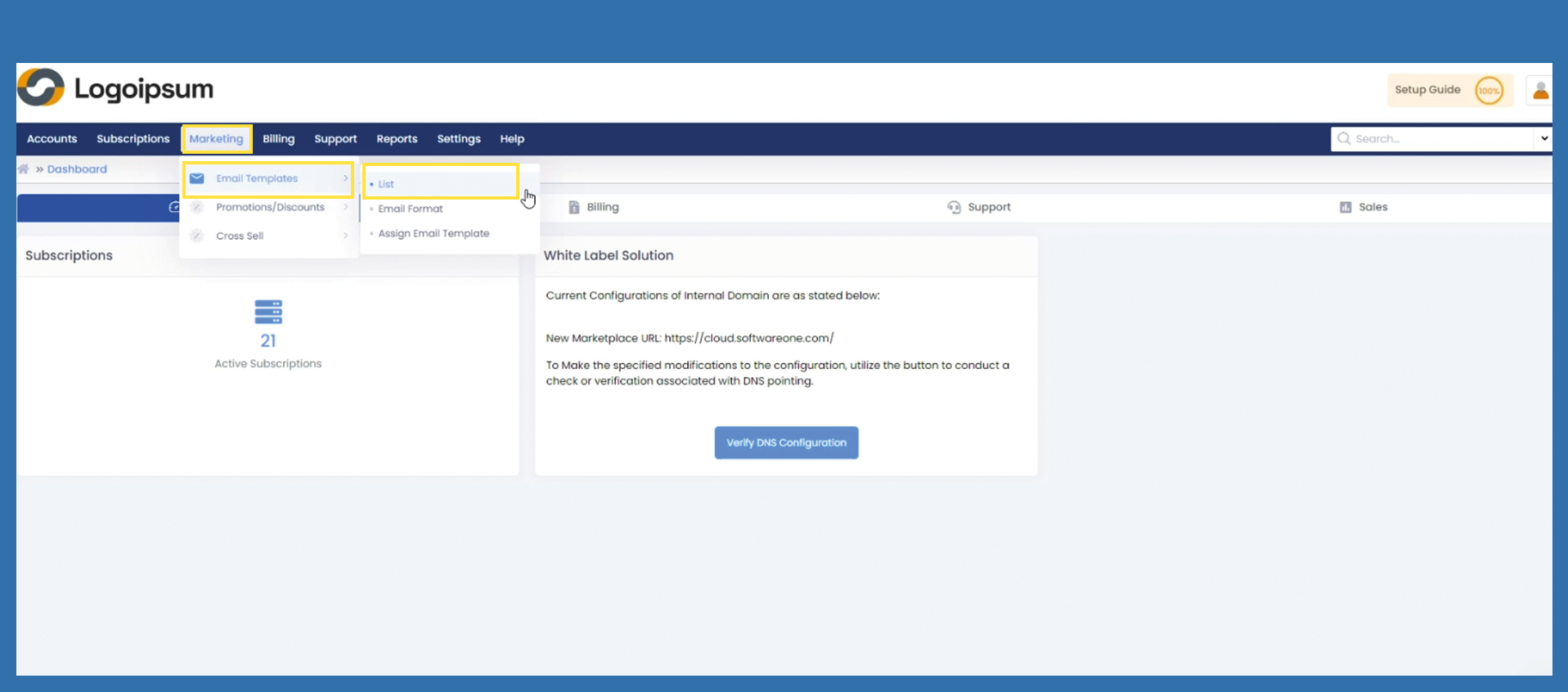
Marketing > Email Templates > List
Emails are generated from the Marketplace for a wide range of activities. These emails have already been customized by the administration so that you can get started right away.
If you do need to make changes to your templates, please carry out the following steps.
Marketing > Email Templates > List
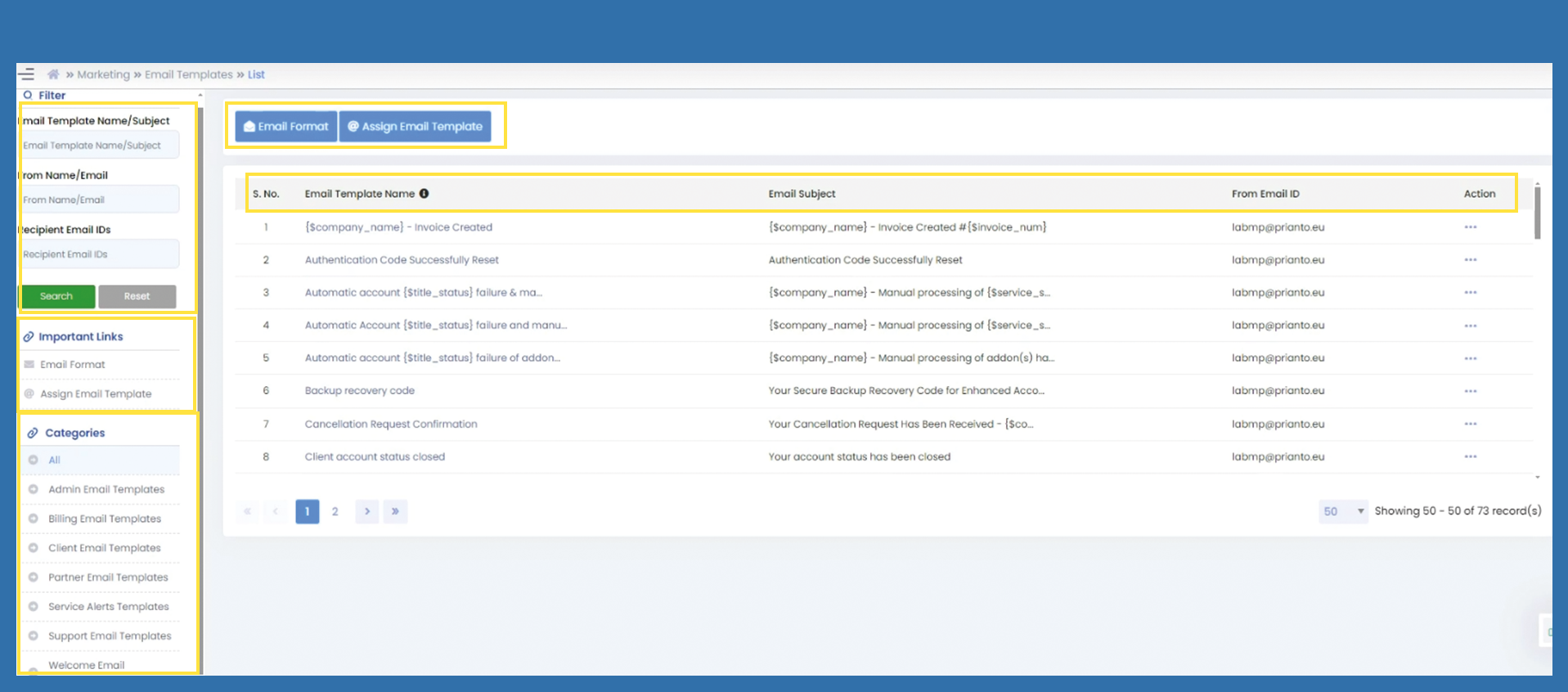
You have a variety of options on the left-hand side:
Filter: you can use the filter option to find existing email templates for further work.
Important links: These links are quick access links to further functions (These functions are also displayed with the blue buttons at the top of the list).
Categories: Quick access to different subject areas. All e-mail templates are divided into different categories here.
In this overview, you can see the following subjects:
S. No.: numbering of the email template
Email Template Name: Name of the Template to distinct it from other ones.
Email Subject: this is the subject that is displayed at the top of the automatically generated email when it is sent.
Business Unit: Currently only Prianto GmbH can be selected, but if further business units are added, the business unit using this email template will be displayed here.
From Email ID: This Email will be displayed as sender, if this template is used.
Action: Here, you can interact with the individual templates. Click on the three dots of the corresponding email you want to interact with and chose one of the options.