Marketplace CMS > Pages
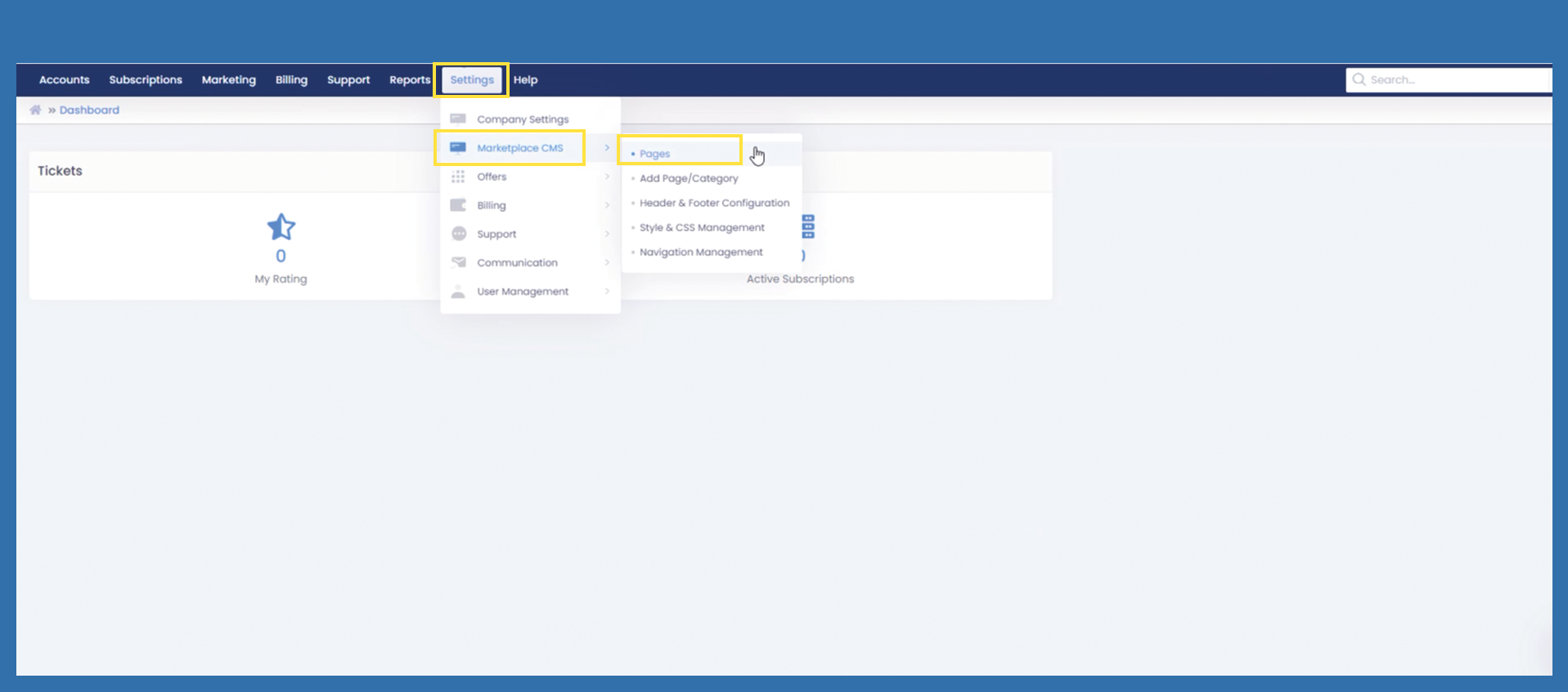
Use the following path to get an overview of all functions for the creation of your own homepage:
Settings > Marketplace CMS > Pages
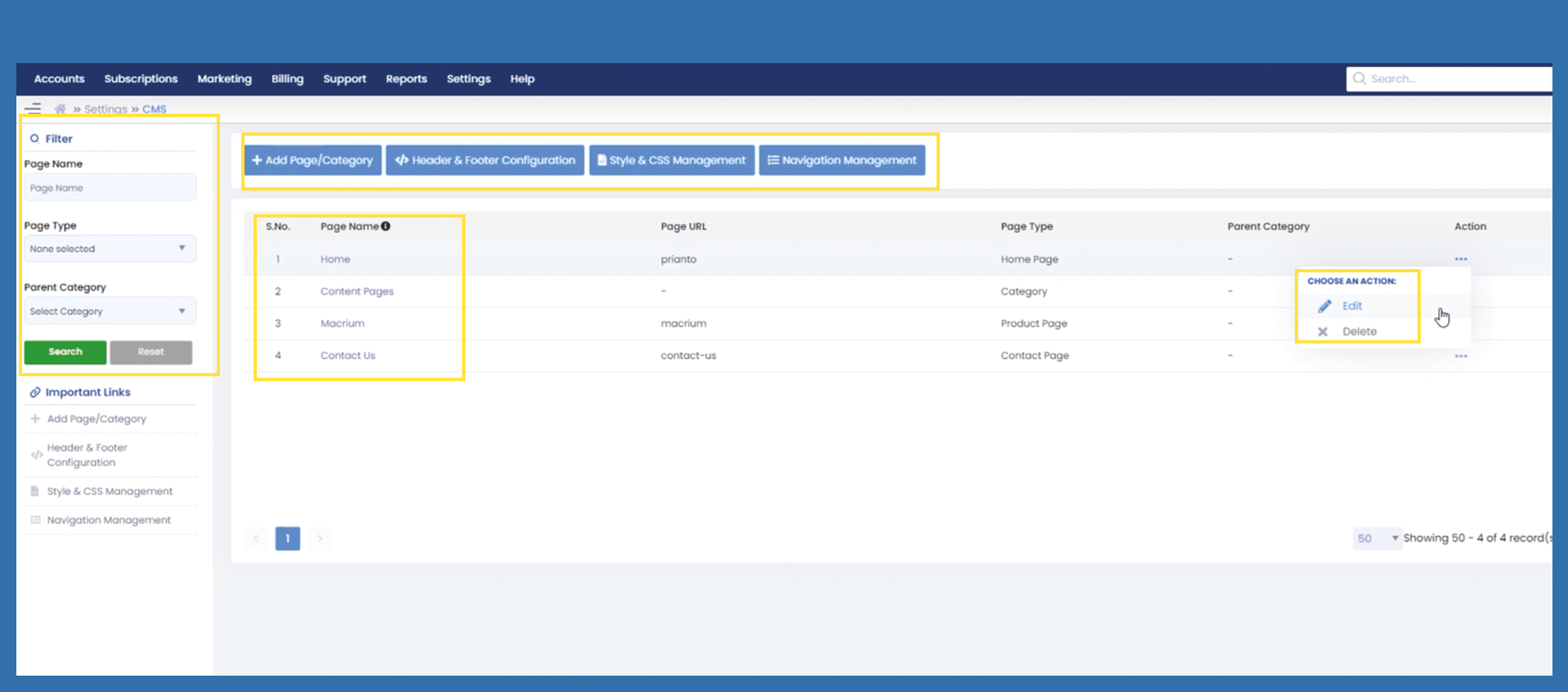
Here you can see an overview of all the pages you have created. From here, you can edit pages you have already created by clicking on the three dots on the right-hand side under Action and then on Edit.
On the left-hand side, you can use the filter area to search for a specific page.
Also on the left side you will find important links that have the same functions as the blue buttons above.
If you click on the blue buttons at the top, you will see further functions, more information can be found in the following documentation.