Settings > Support > Ticket Department
The predefined departments are controlled from the Admin Panel. The partner cannot create or delete their own departments.
Ticket Department settings are required to refer the ticket to the relevant department when a ticket is created.
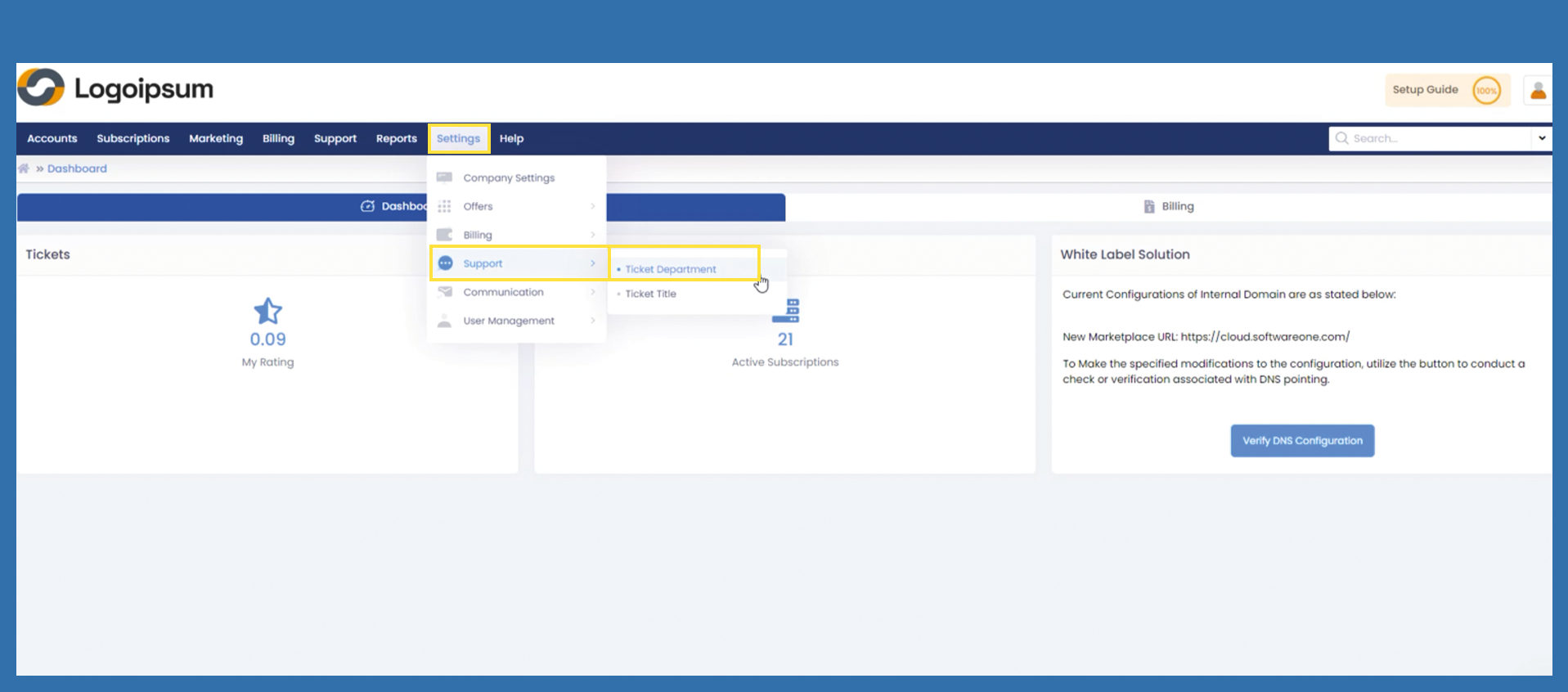
To get to the Ticket Department settings, please use the following path:
Settings > Support > Ticket Department
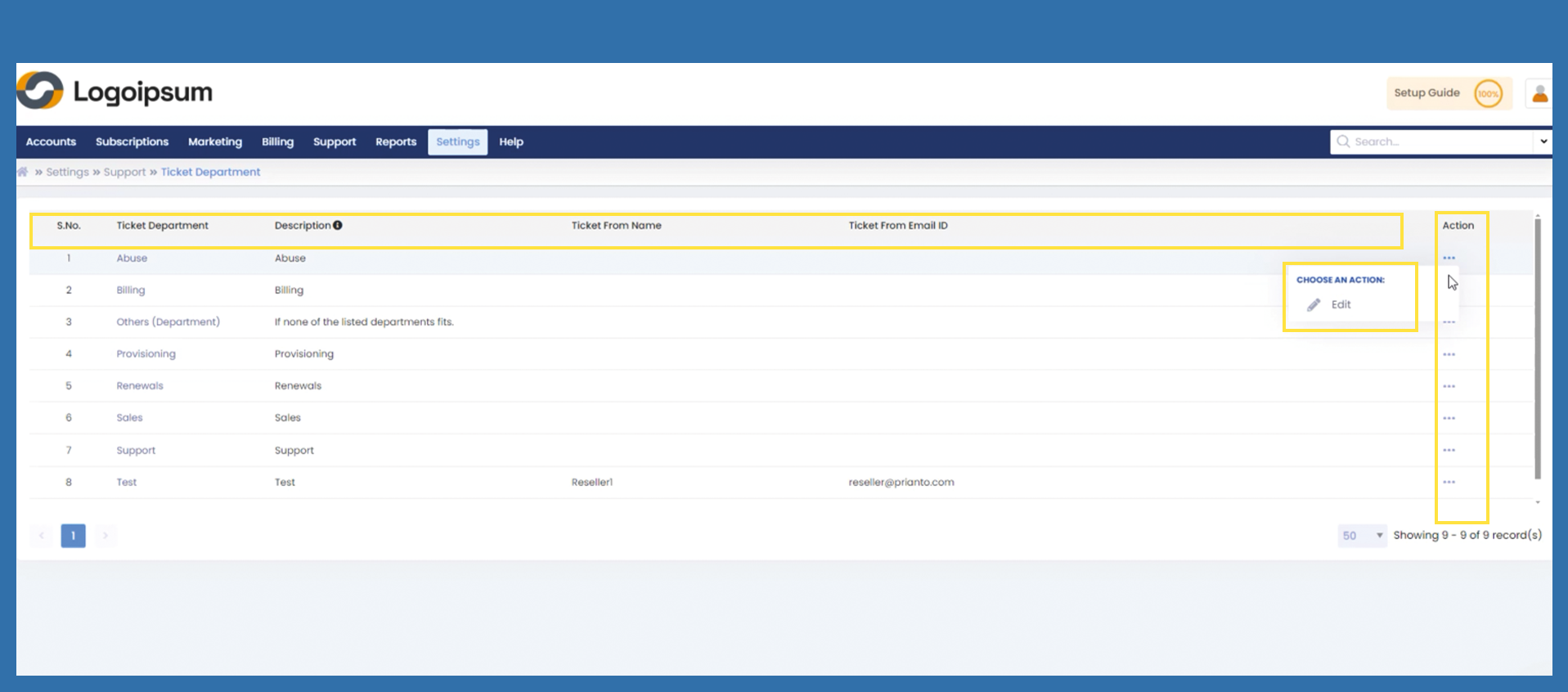
Ticket Department Name: A meaningful name for a department.
Description: A meaningful description for the relevant department.
Ticket From Name: The From Name is shown in the email head of the outgoing email.
Ticket From Email ID : This email address is shown as sender in the email header.
Action: Click on three dots under Action to Edit the given departments.
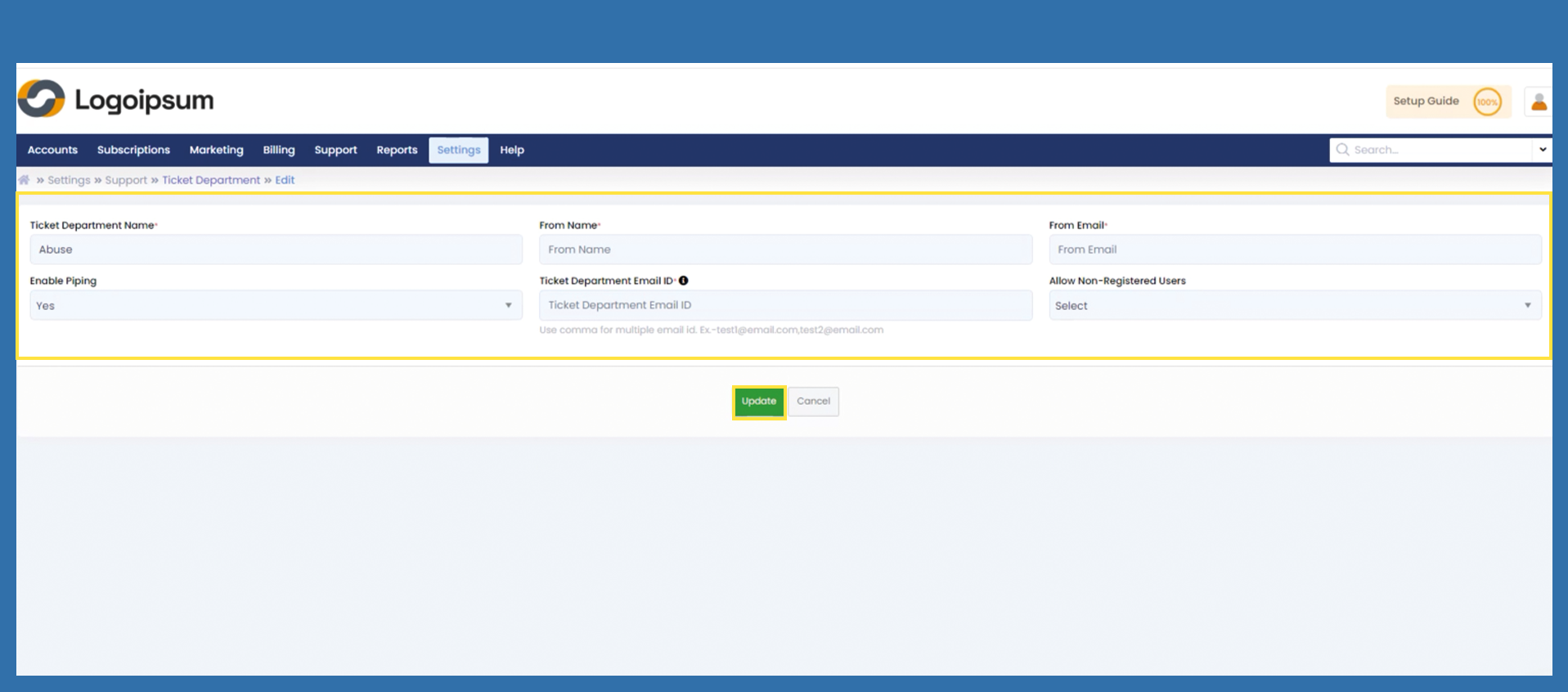
To assign the From Name and From Email fields according to your wishes, click on Edit and adjust the From Name and From Email fields from here.
Enable Piping: This function sets up a specific email address in the support tickets in your panel. When a customer sends an email to this configured email address, the system automatically creates a corresponding ticket in the portal. For example, if we configure test@piping.com in the piping email address and a customer sends an email to this address, the system will automatically create a ticket in the portal. In the Ticket Department Email ID section, it is recommended to use unique email IDs for each service provider and partner to ensure proper ticket processing.
Not every e-mail address can be used, but the e-mail address must be created via the Marketplace server.