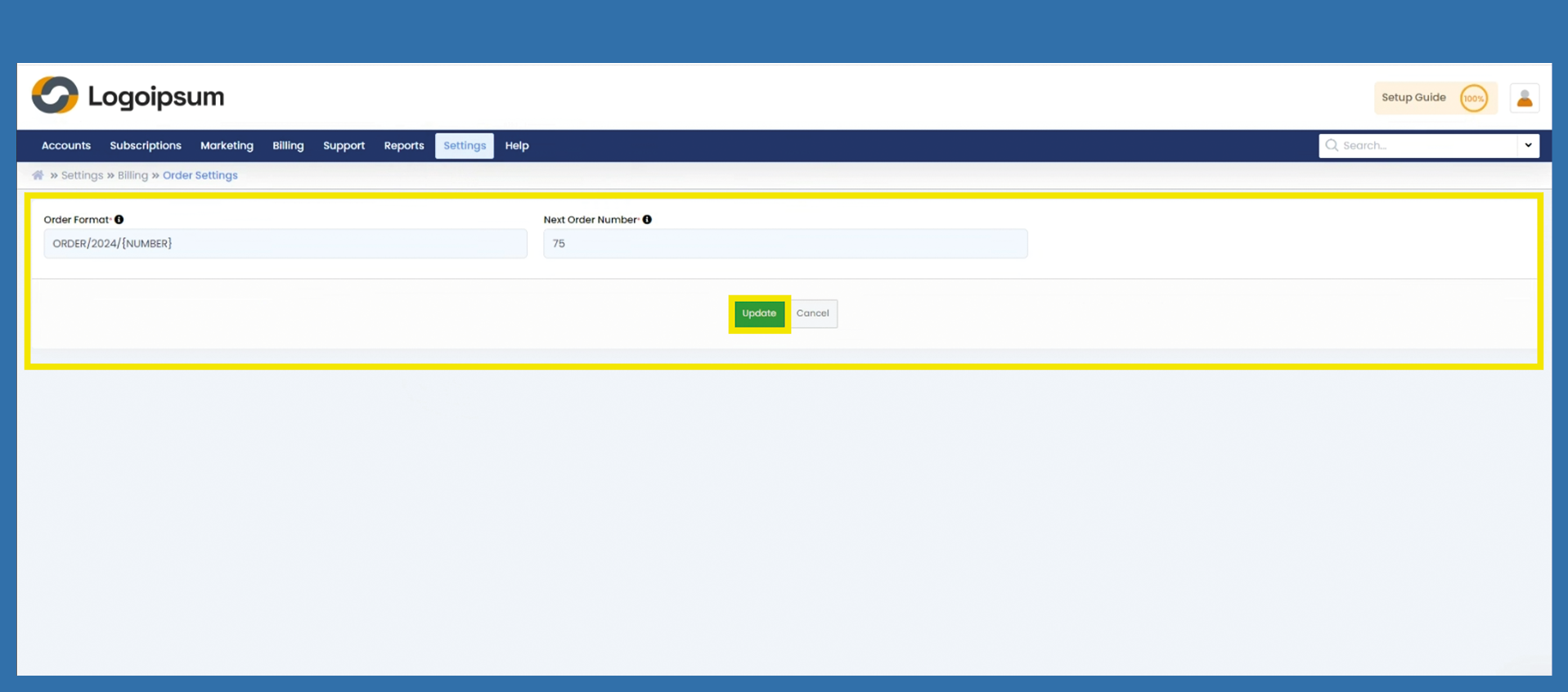
Settings > Billing > Order Settings
You can assign the setting for the document format of your order numbers here.
The variable {NUMBER} is important here. This variable automatically draws the next number.
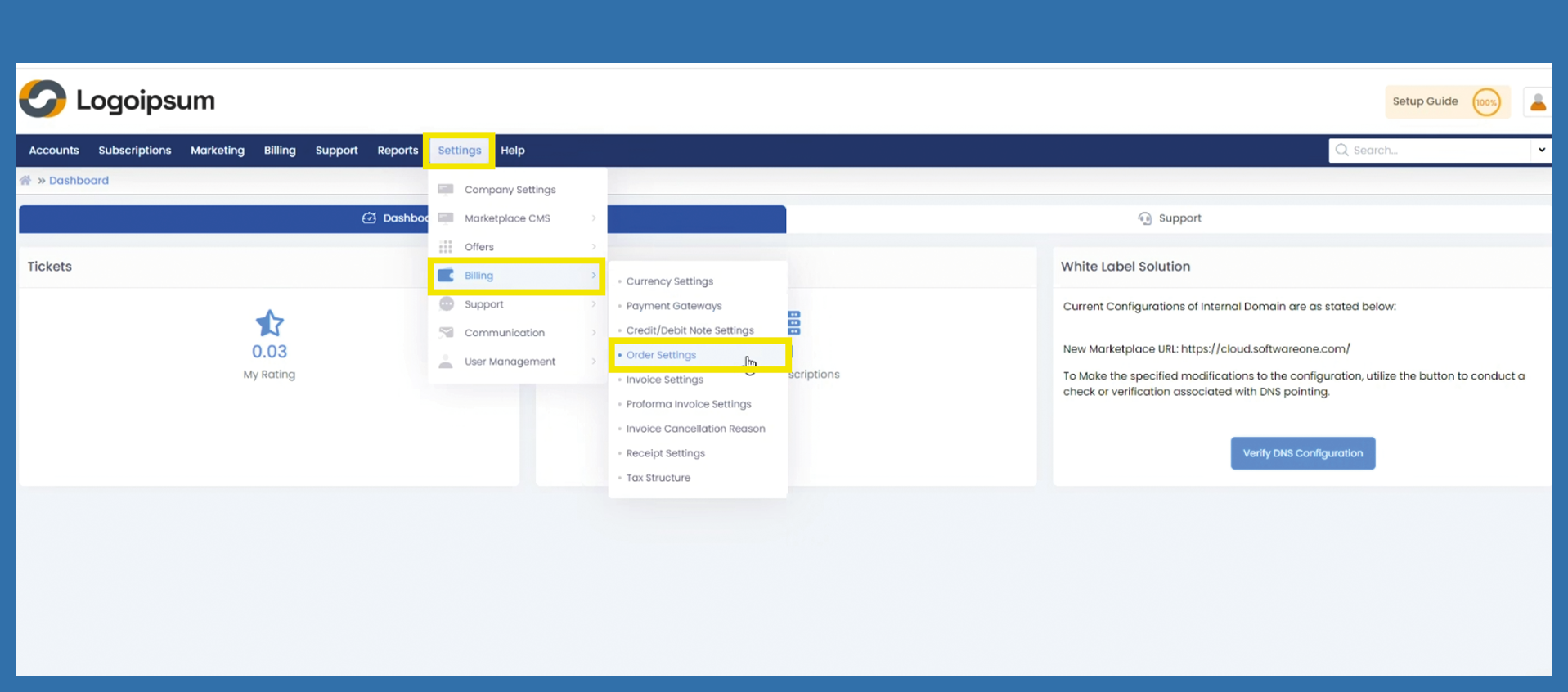
You have already made these settings at the beginning with the Getting Started Wizard. However, if you need to make a change, you can do so under the following path:
Settings > Billing > Order Settings
In general, you can assign your document format however you like. It is also not necessary to enter a year.
However, the variable {NUMBER} is important. This variable automatically draws the next number.
Order Format: Enter your desired order number here.
Next Order Number: Here you can enter which consecutive number should be assigned next. This number is appended to the previously assigned order number.