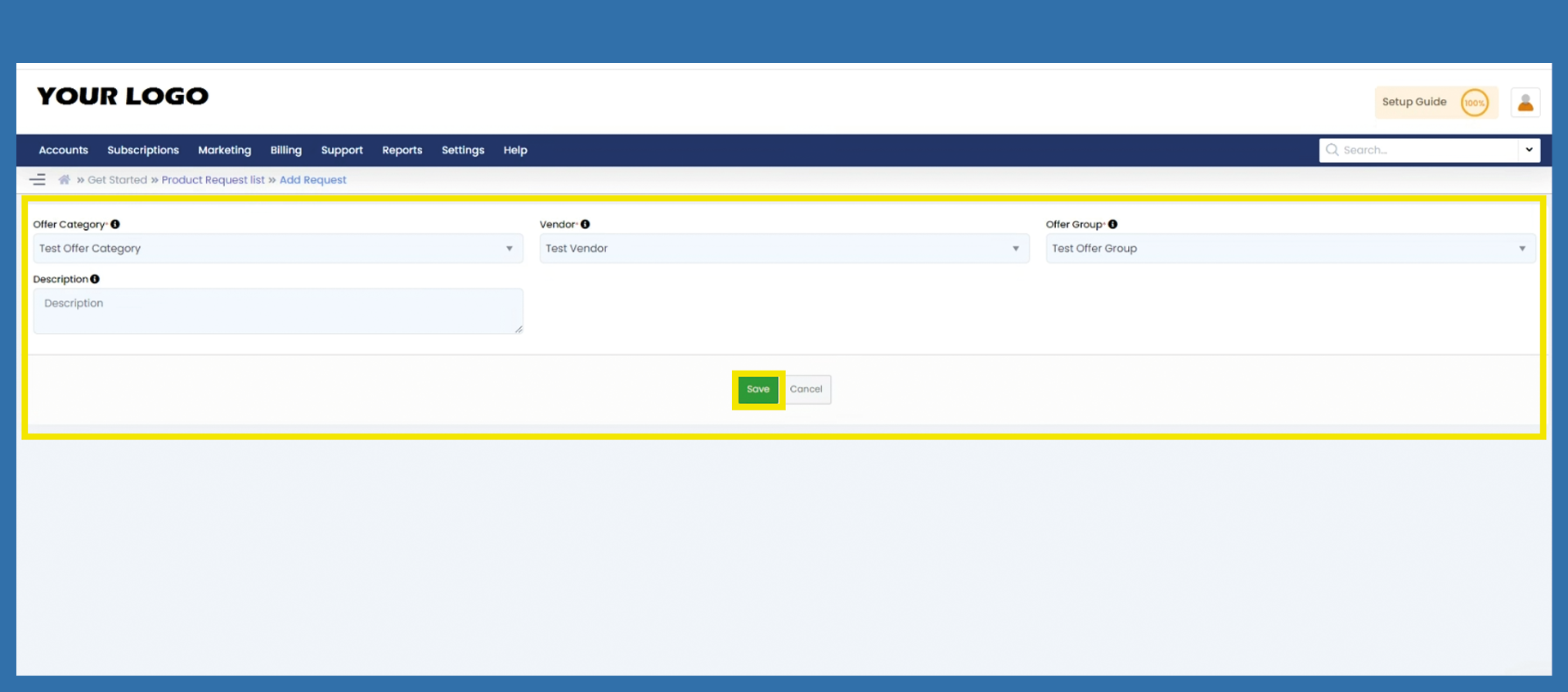
Settings > Offers > Basic Configuration > Request Product
In the best case, you have already made this setting/request in the Getting Started Wizard.
However, if you have forgotten to send the request for the products you want to sell, you can do so using the following path. This also applies if you want to sell other products from other manufacturers in addition to your existing products. As soon as you have triggered this request, it will be checked in the background and approved or rejected.
Settings > Offers > Basic Configuration
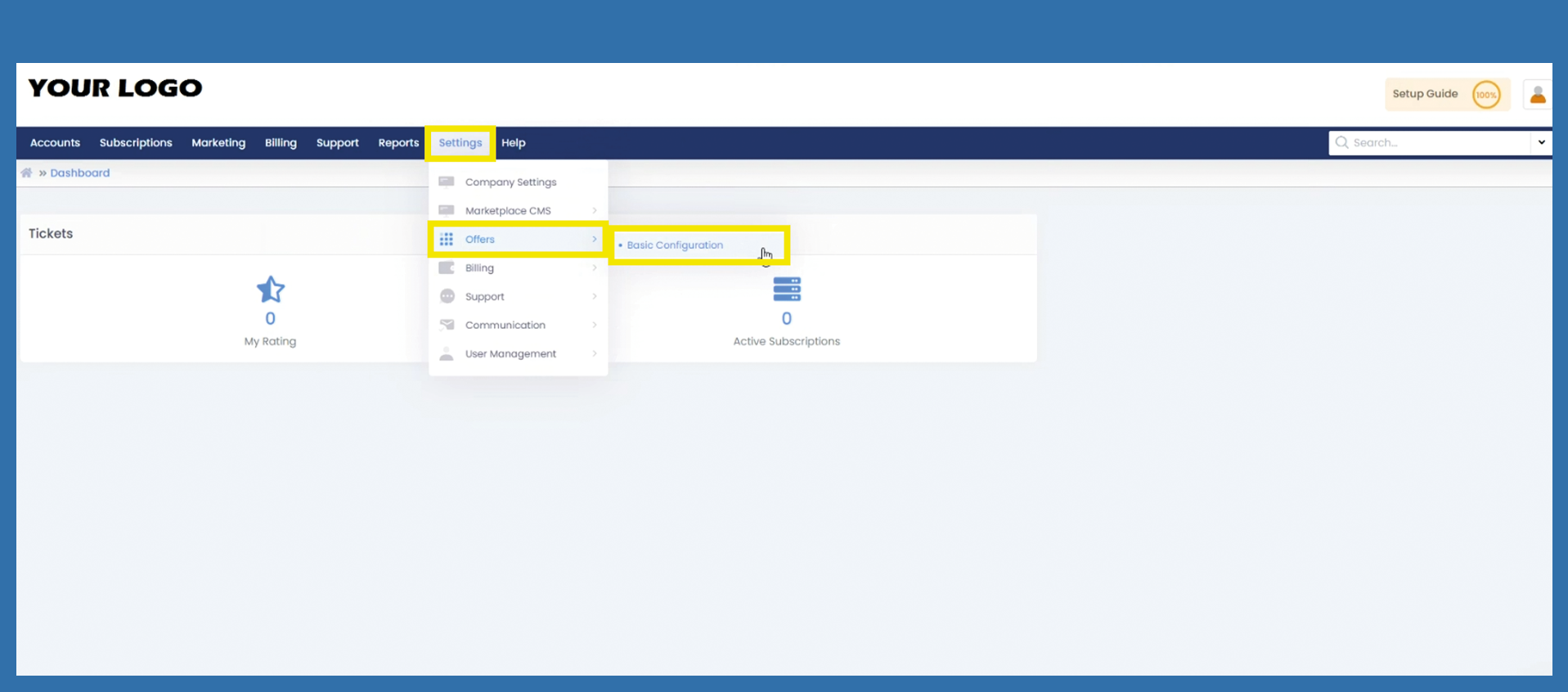
Click on the blue button Request Product or use the Important Links on the left side to get to the same page.
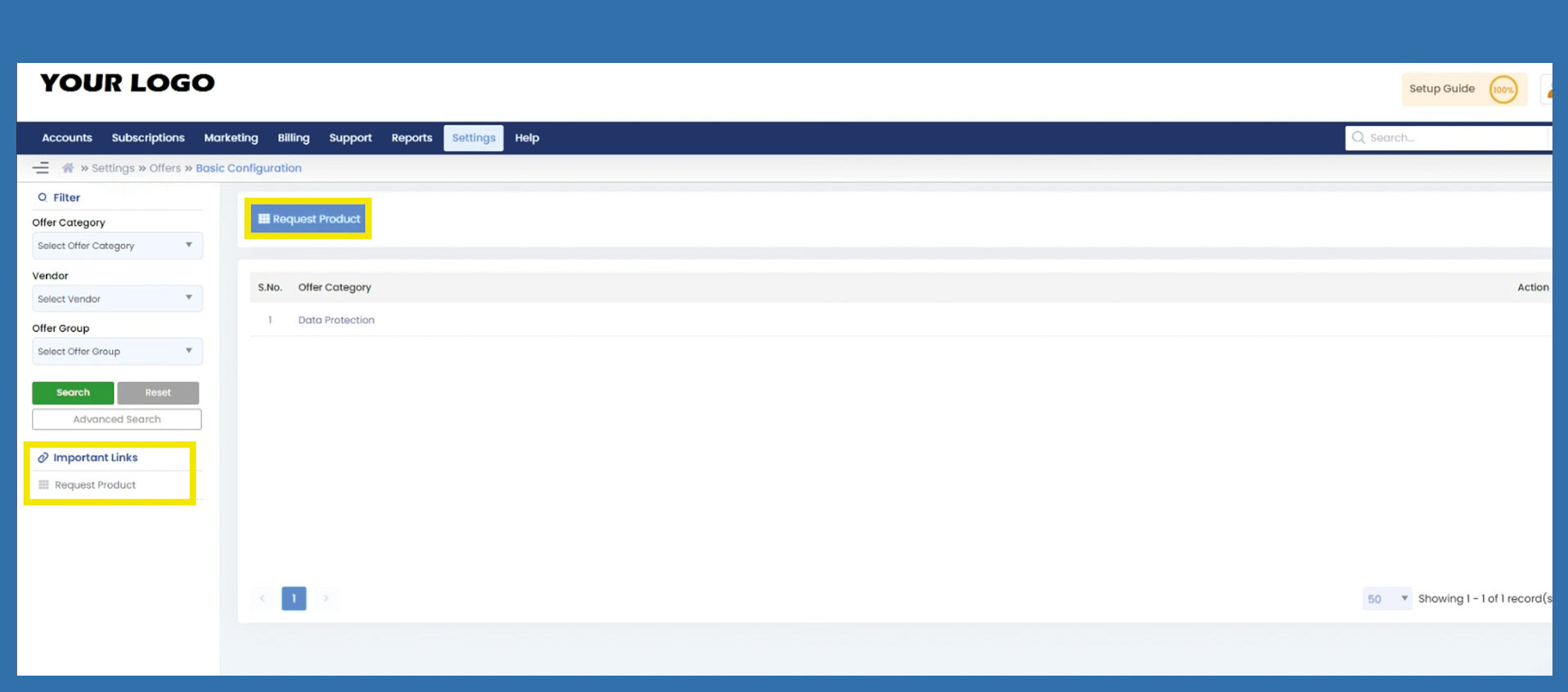
Click on the blue button or under important links +Add Request.
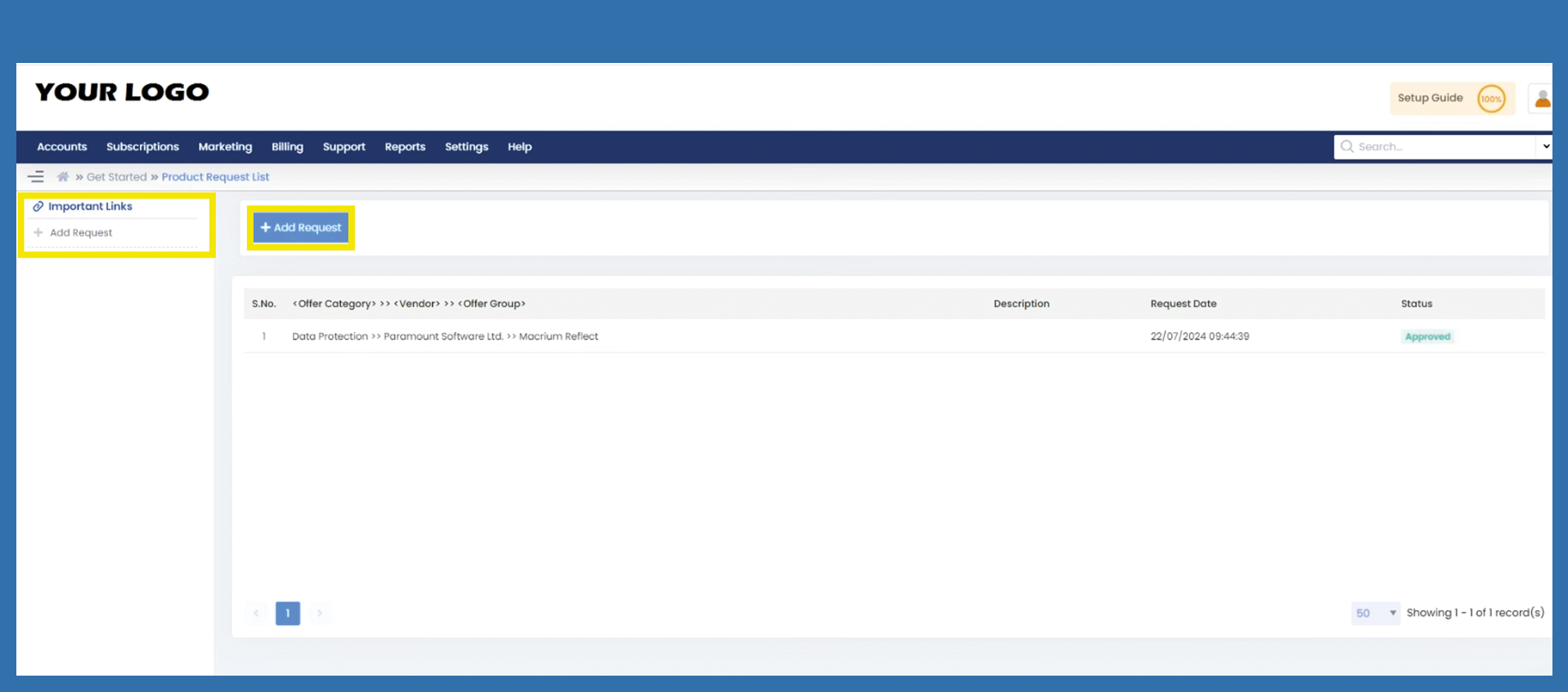
Choose the desired Offer Category via Dropdown. After that you can choose the related Vendor and then the specific Offer Group. Click on Save.