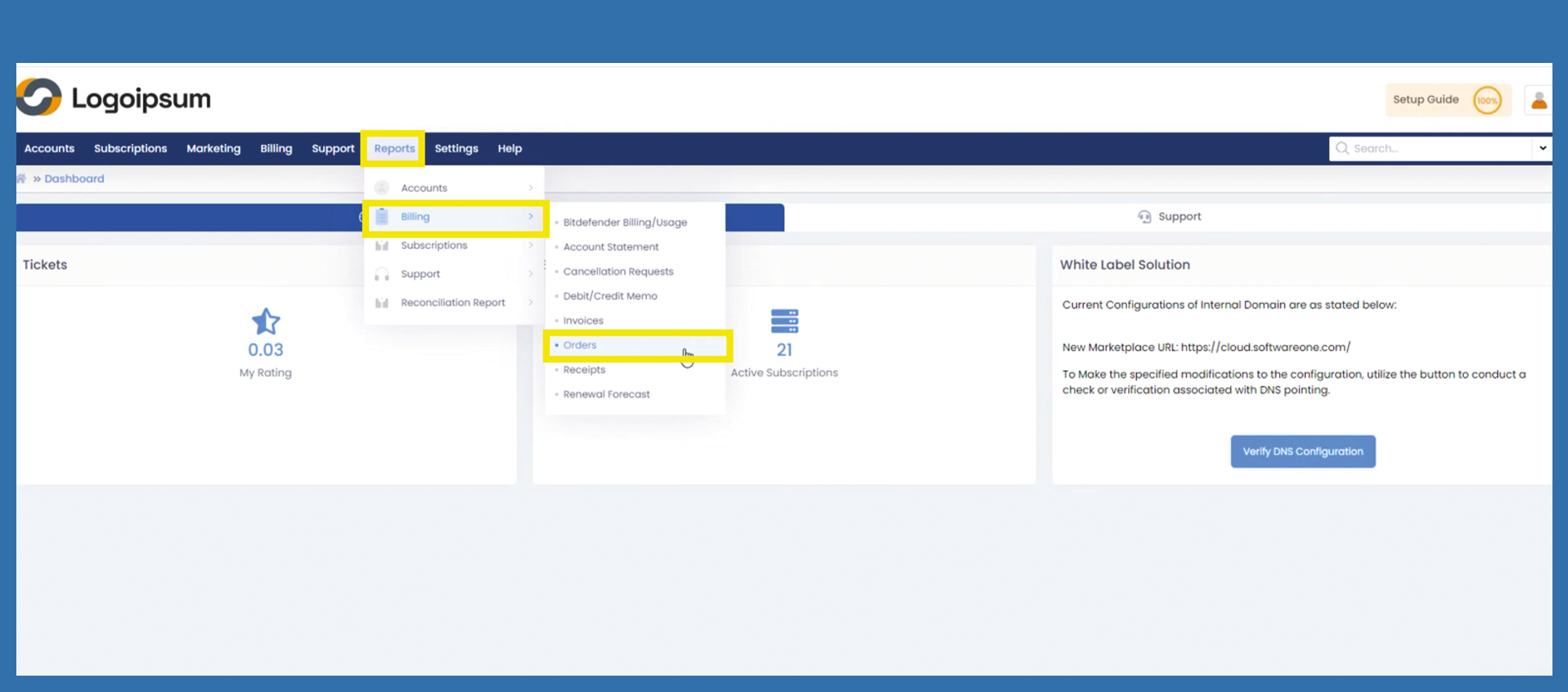
Reports > Billing > Orders
To get an evaluation of all your orders, use the following path:
Reports > Billing > Orders
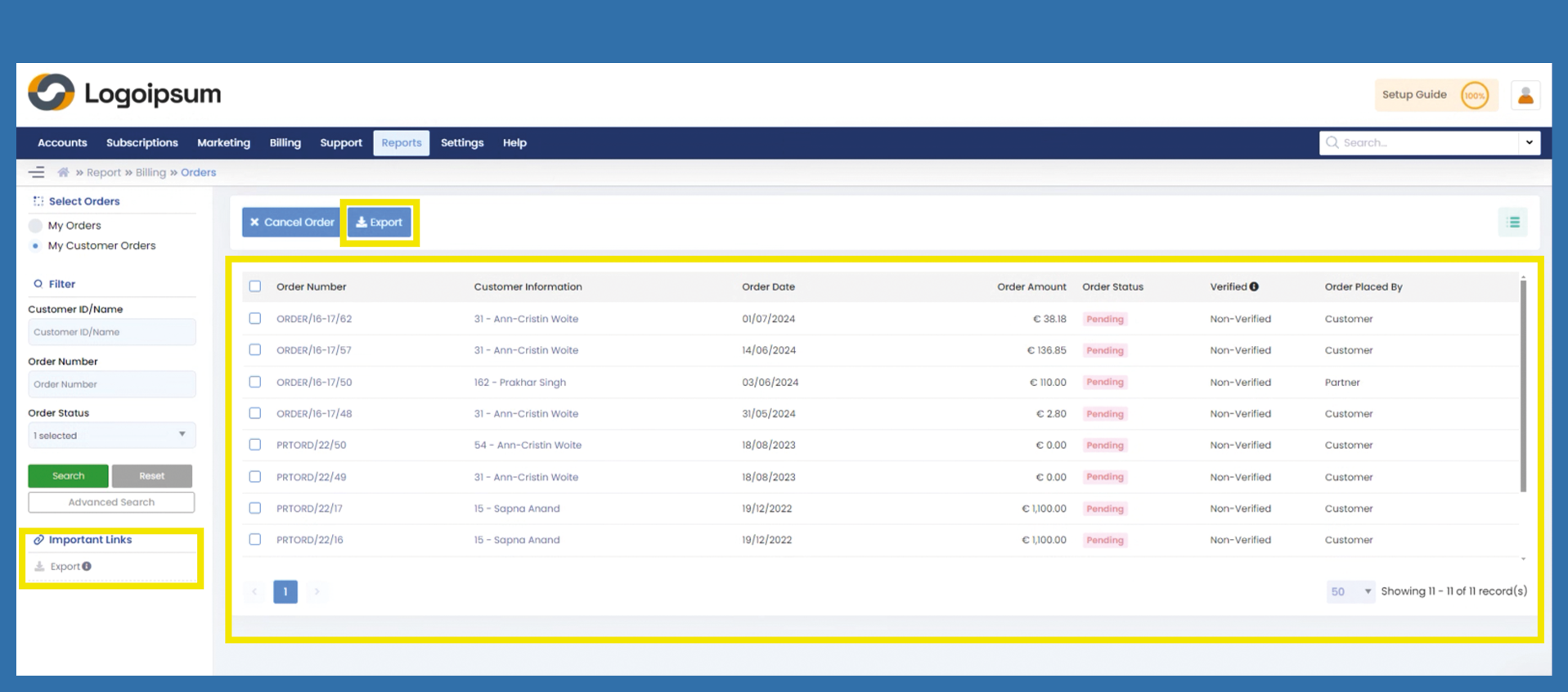
Click on the blue button Export or use Export List under Important Links.
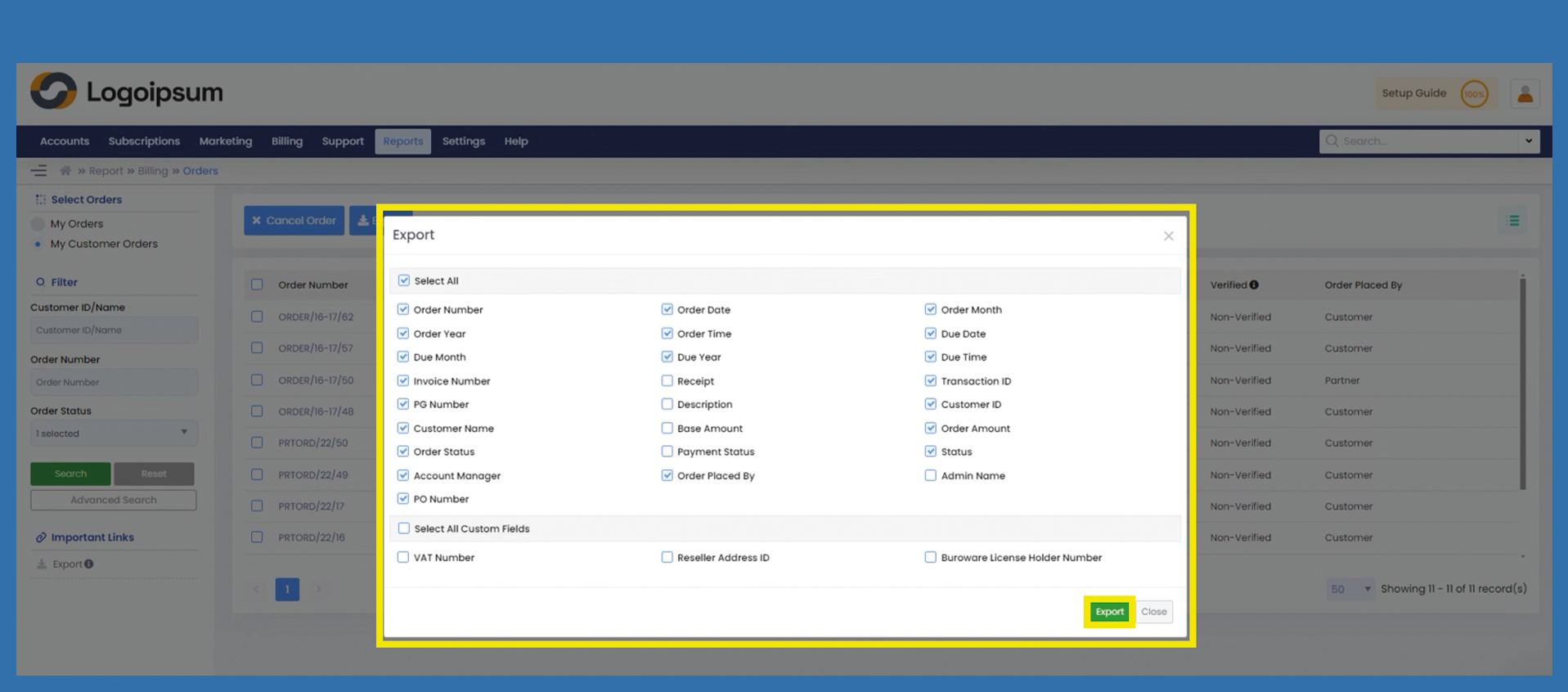
A popup opens, from here you can select which data you would like to have displayed in addition to your orders.
Check or check off the respective box if you do not want the preset information in the evaluation.
If you check the box under Select All, you can select all fields at once or check off the box to deselect all fields.
Click on Export.
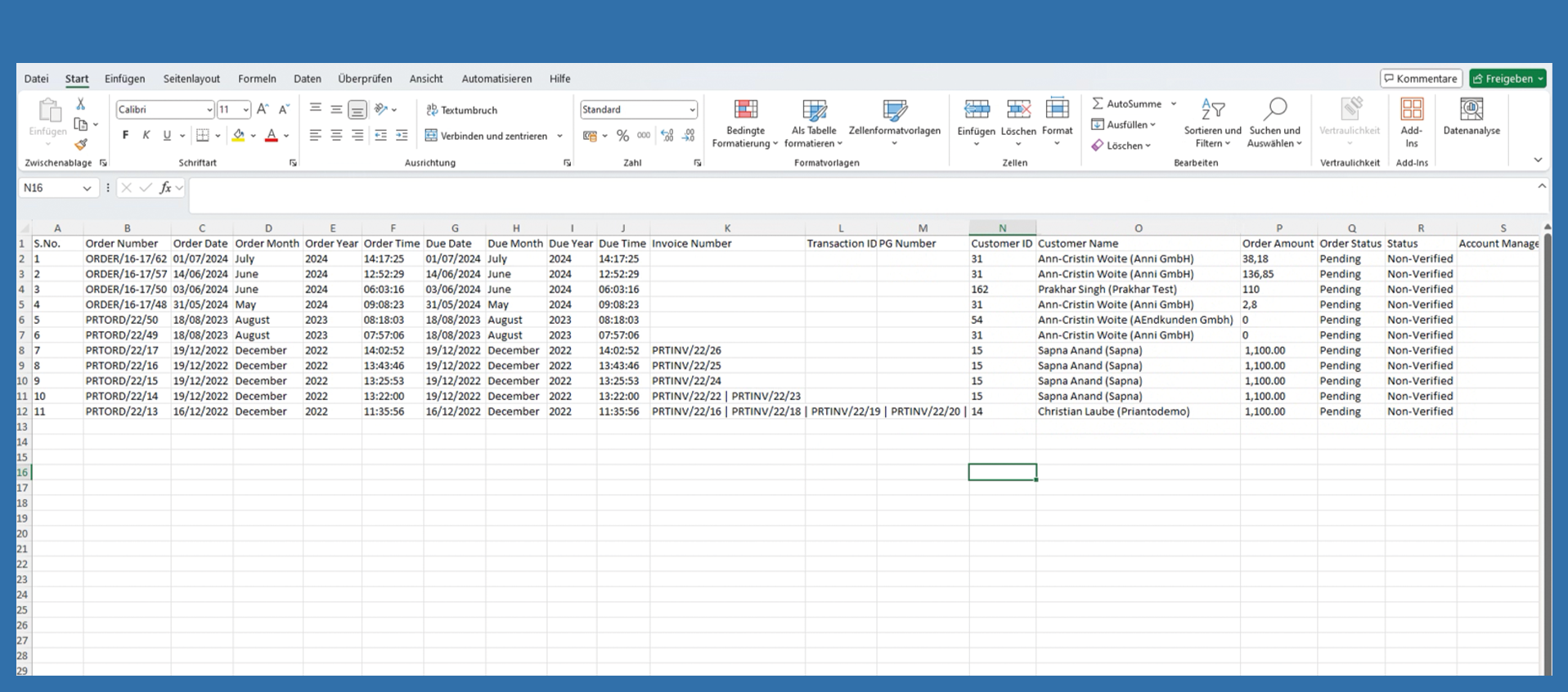
Now go to your download folder and open the file.