Subscriptions > All
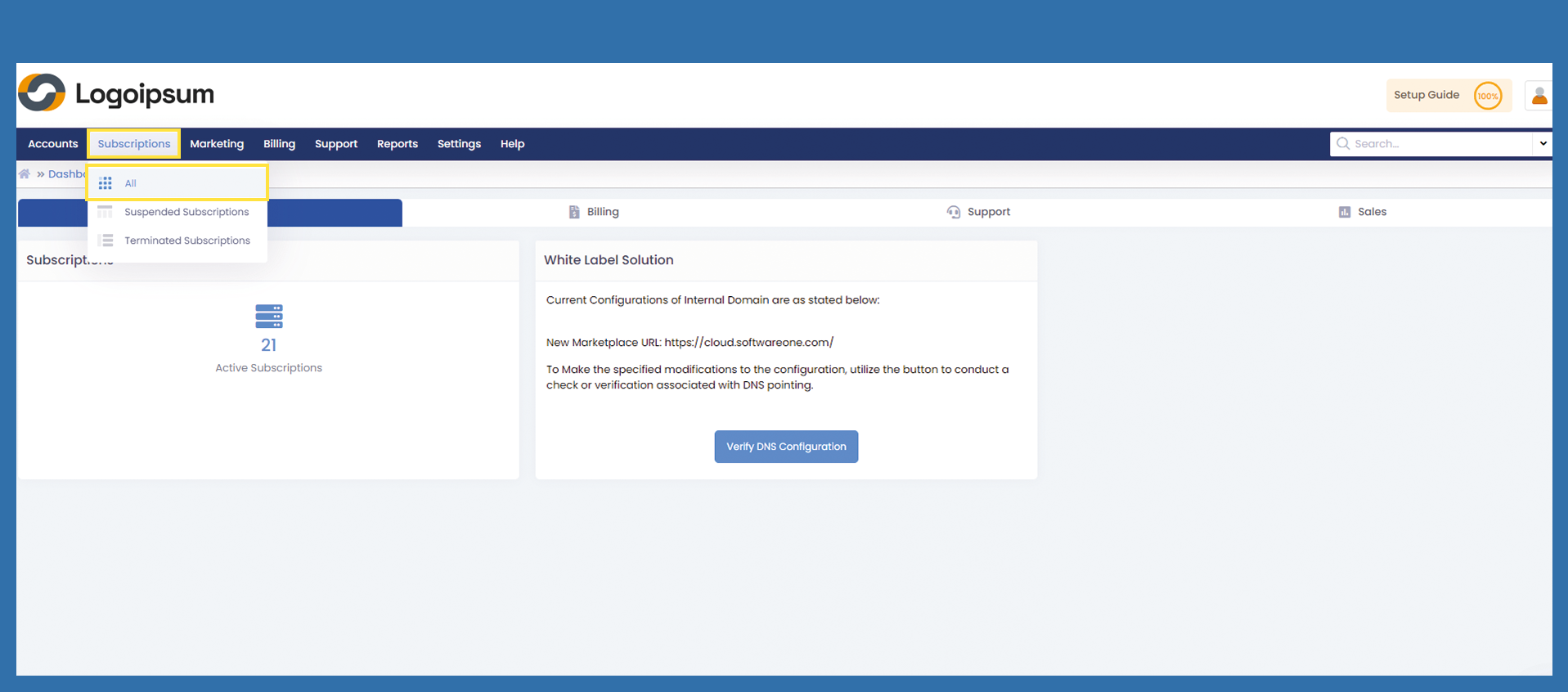
Get an overview of all subscriptions, use the following path:
Subscriptions > All
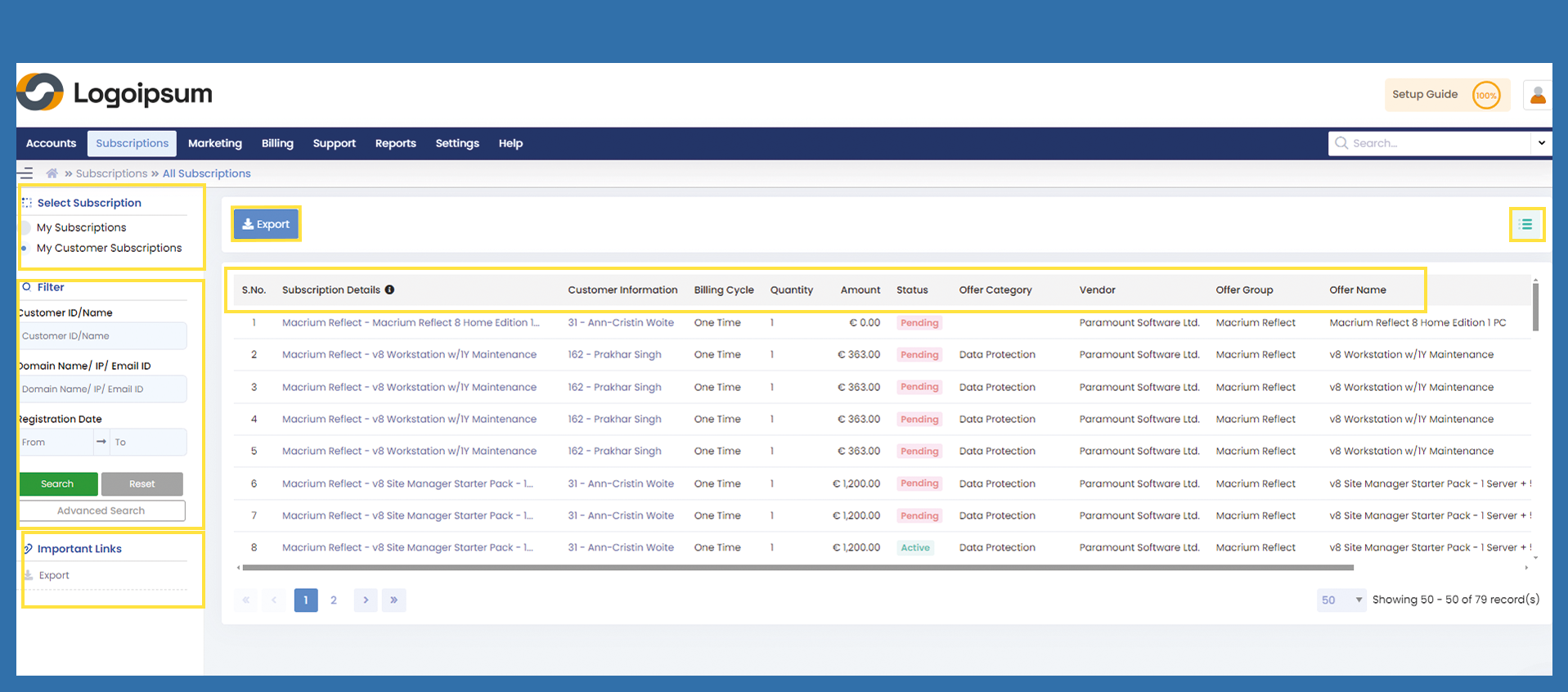
Under Select Subscriptions on the top left-hand side, you can choose which subscriptions you would like to view.
My Subscriptions: All subscriptions from you as a partner to the distributor.
My Customer Subscriptions: All subscriptions from your end customer to you.
To find a subscription, you can use the filter section on the left-hand side.
The blue Export button and the link under Important Links on the left contain the same function. Selected data can be exported from here as an Excel file.
You can see the following headlines.
S.No.: Is a numerical list that changes accordingly when filtering.
Subscription Details: If the article group is - Article description, clicking on the link takes you to the Accounts > Customers > Subscriptions tab. Here you can see all the details about the license.
Customer Information: Name of the end customer, click on the name to go to Accounts > Customers> Summary. You can view all information about your end customer from here.
Billing Cycle: Billing model, One Time or Recurring.
Quantity: Number of license.
Amount: Amount of the license.
Status: Status at which point in the processing the subscription is located.
Offer Category: Product category.
Vendor: is the name of the Vendor.
Offer Group: is the name of the group into which the product was integrated.
Offer Name: is the article description.
To get more information to your orders, user hamburger menu on the upper right corner.