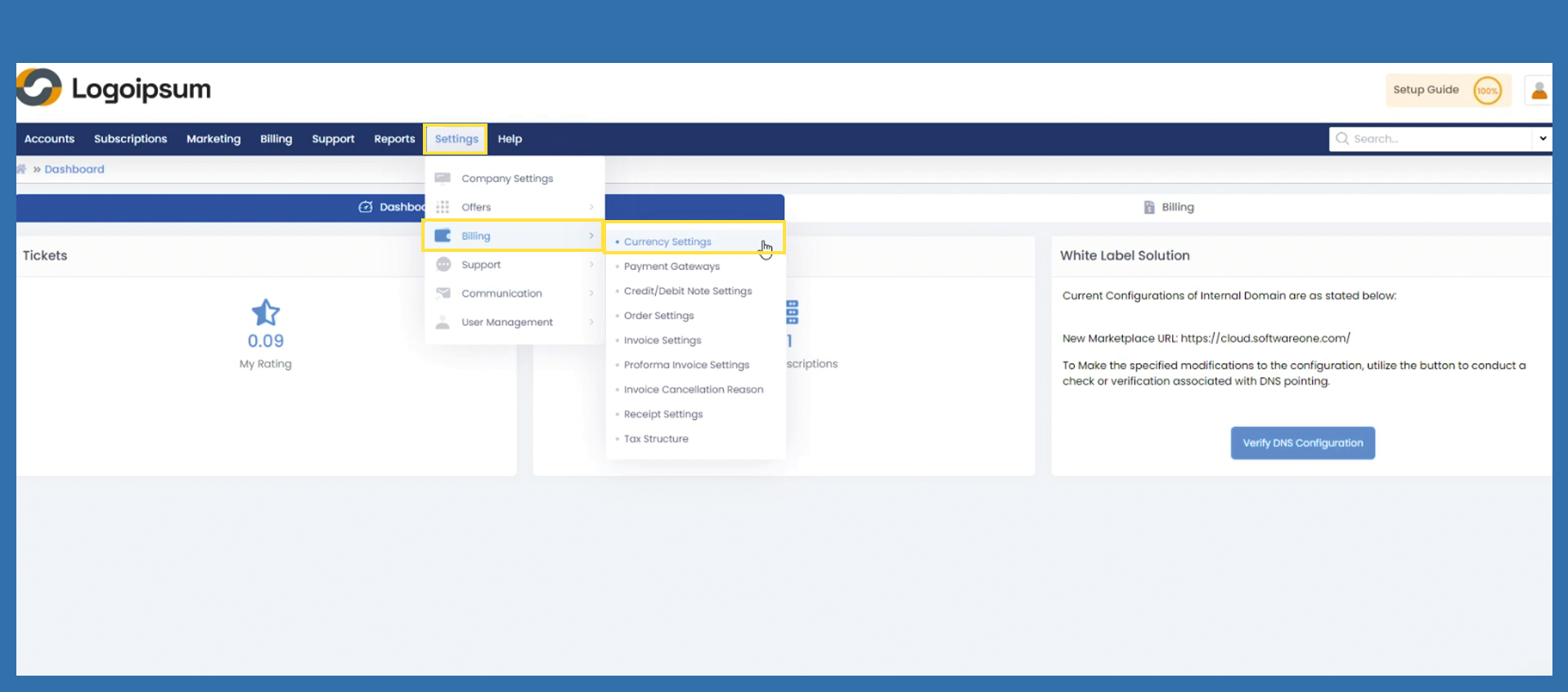
Settings >Billing > Currency Settings
The first currency stored in the marketplace cannot be deleted. The default setting is €.
If you missed the opportunity to create an additional currency for € in the Getting Started Wizard, you can still do this under this path: Settings > Billing > Currency Settings
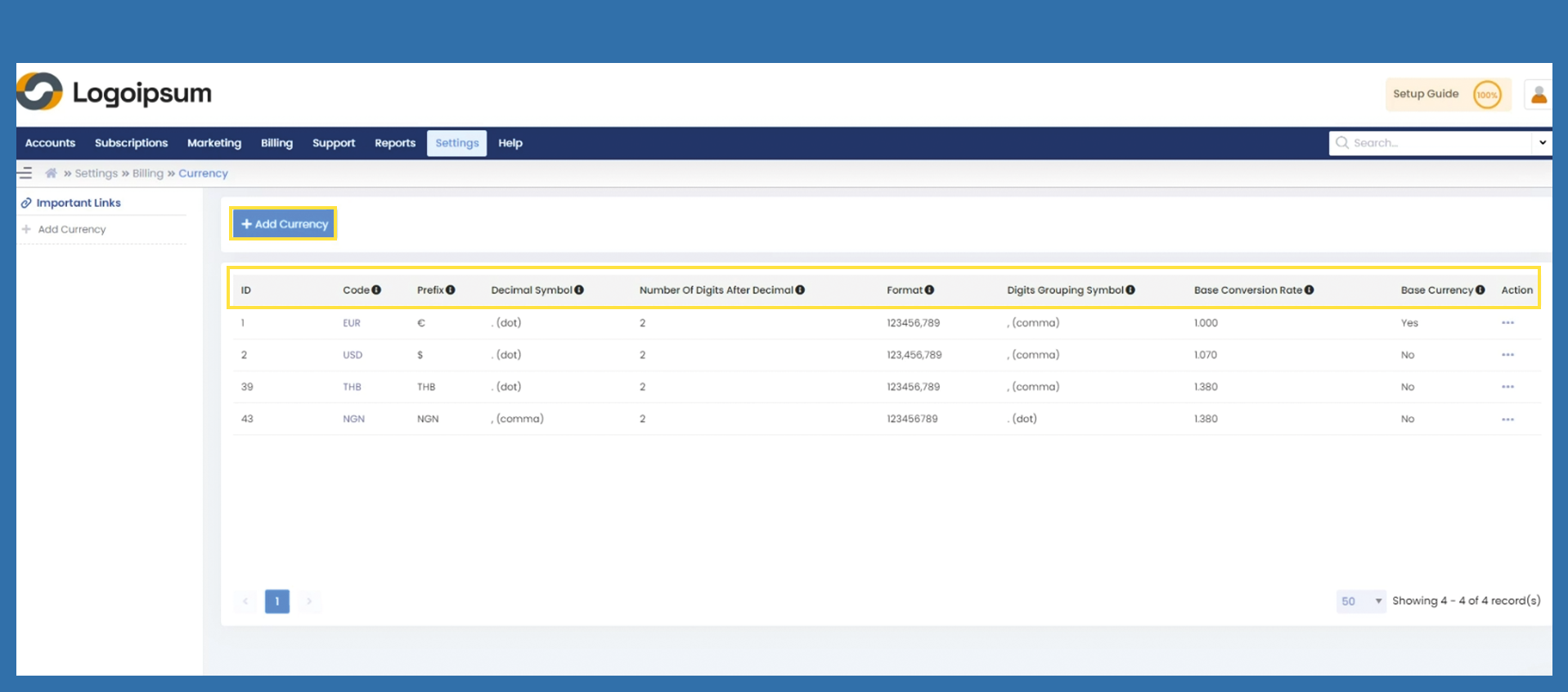
In the overview you can see which currencies are already stored.
The ISO 3 code for the corresponding currency is displayed in the Code field. The Prefix field shows the currency symbol. Depending on the currency, the Decimal Symbol and the Number Of Digits After Decimal can be adjusted. The number of digits after the decimal point should always be two digits.
The first currency is the basis for all orders and can no longer be deleted. The Format displays the amounts accordingly and the Digit Grouping Symbol is the character for separating a thousands sign. Every currency needs a Base Conversion Rate.
If sales are to be made in currencies other than euros, it is important that the base code is adjusted manually for each currency everyday.
The Base Currency field shows which currency is the base currency.
If you would like to add another currency, click on the +Add Currency button. You must fill in the fields already mentioned above.