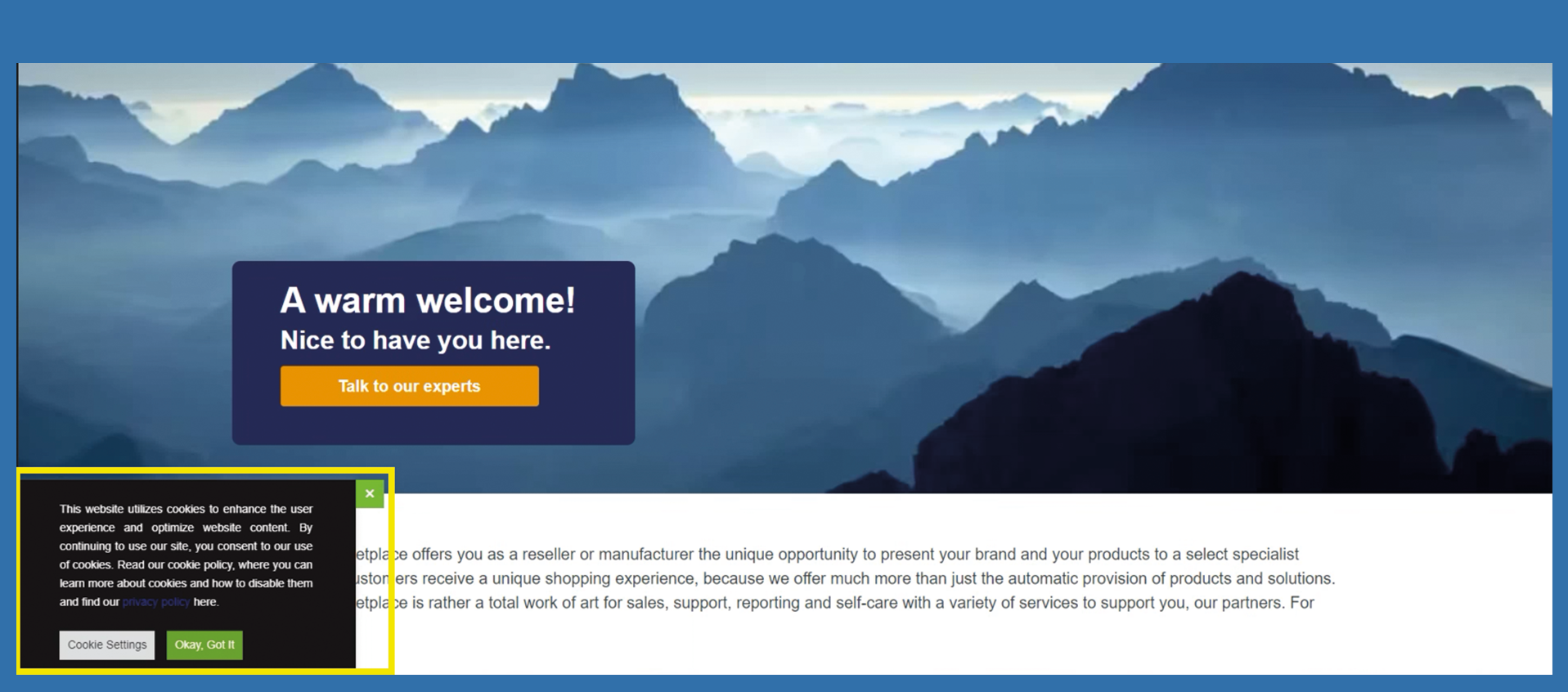
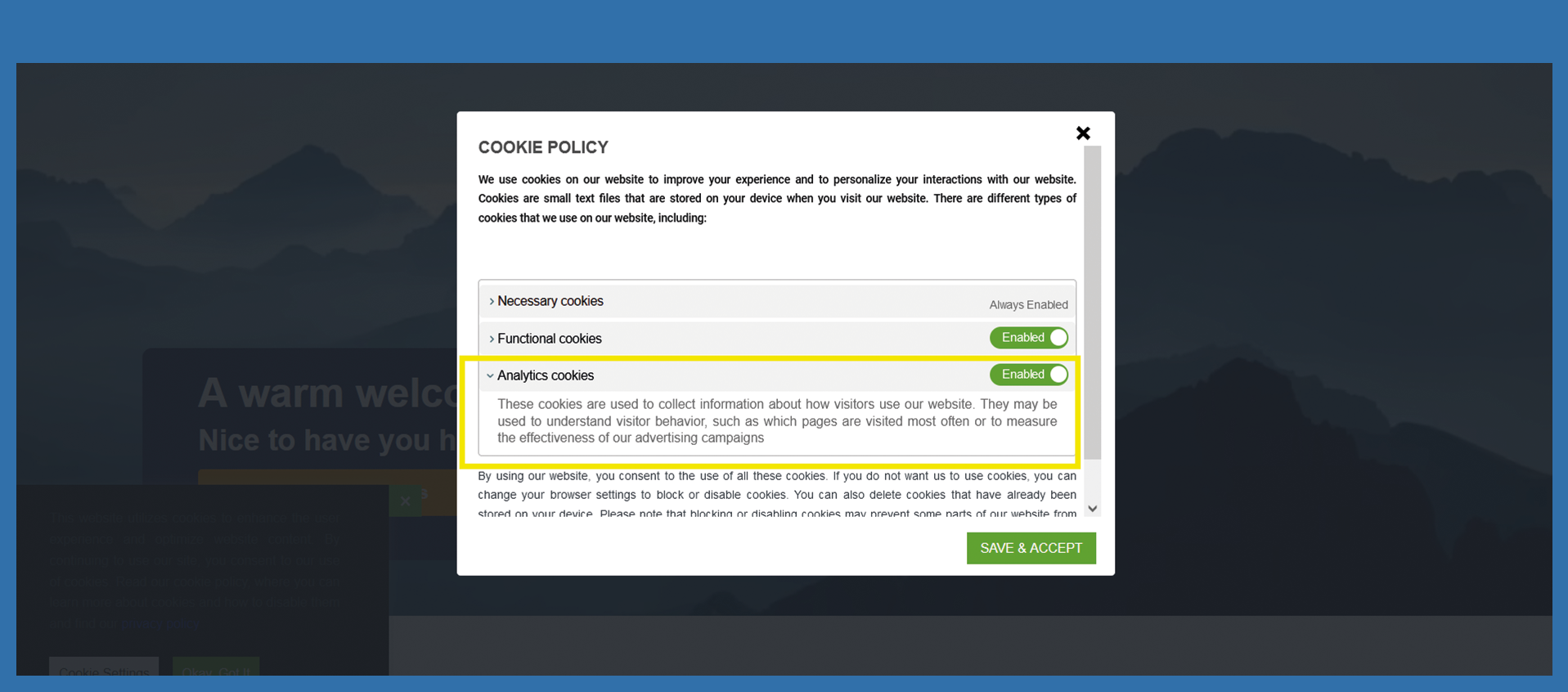
In the following description we show you sample texts and where exactly they are displayed in the cookie banner on your homepage.
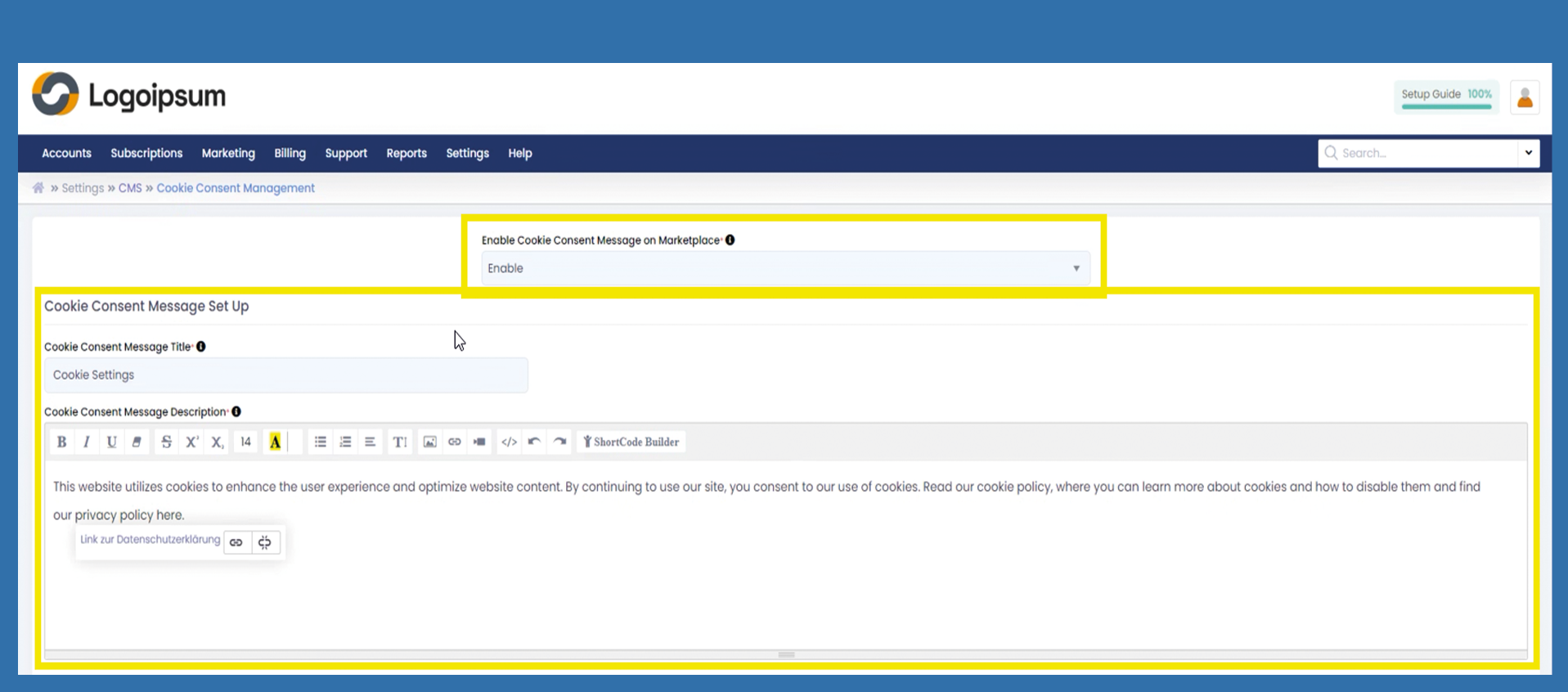
Under Enable Cookie Message on Marketplace you can Enable or Disable via dropdown the hole cookie banner from your website.
Under Cookie Consent Message Set Up you can create the following settings for the display of the cookie banner.
Cookie Consent Message Title: You can label the gray button here called Cookie Settings. To do this, click in the text field and adjust the text accordingly.
Cookie Consent Message Description: You can edit the preliminary description that is displayed in the pop-up window. To do this, click in the text field and adjust the text according to your wishes.
Please note that you link to your privacy policy on the first page. To do this, select the text privacy policy and press the button .
If you have marked the text accordingly, it will be displayed in the Text to display field. Now enter the link to your privacy policy under To what URL should this link go?
Cookie Settings
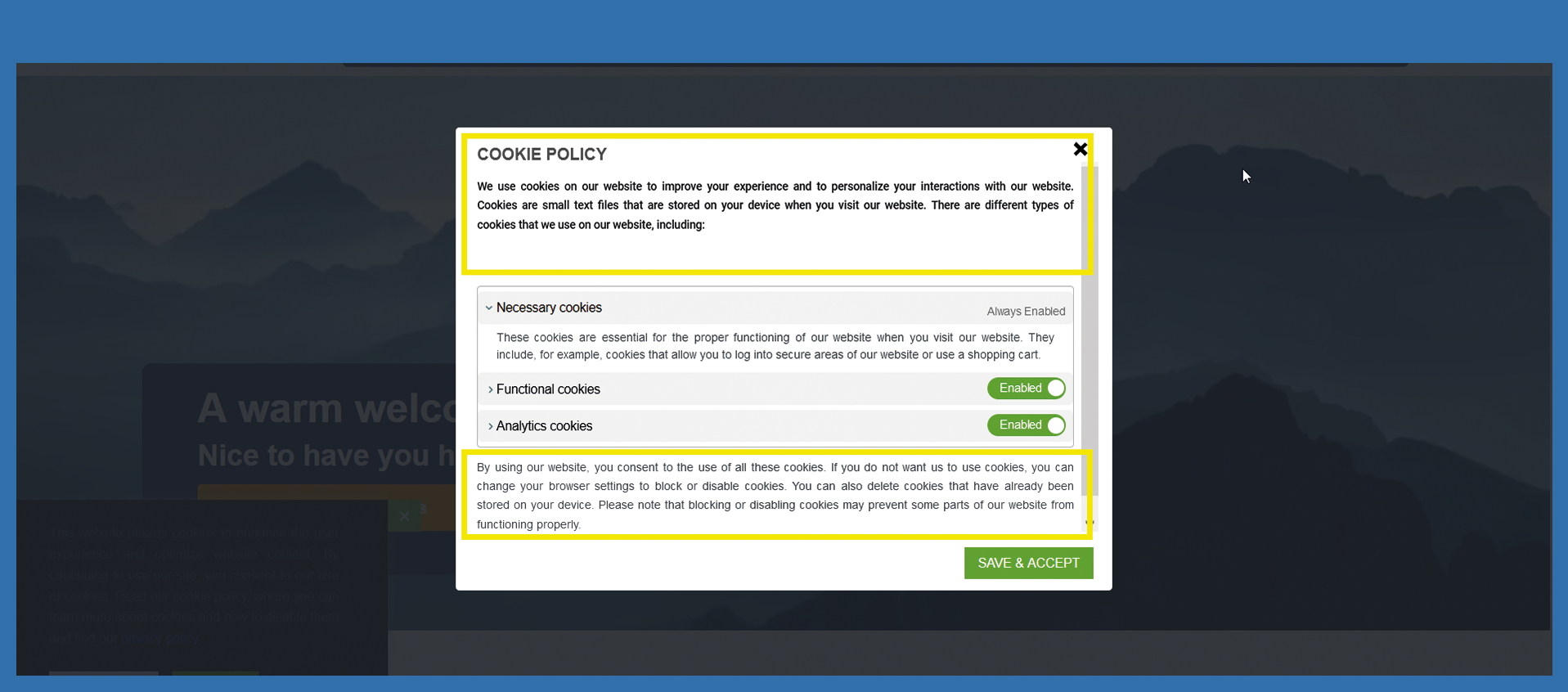
The texts of the actual settings of the cookie banner can now be edited here.
Cookie Settings Title is displayed as a heading in the cookie settings.
The Cookie Settings Header Description provides a general information about the subsequent settings that the user of the website can edit. The informative header of the banner can be created and edited here. The same applies to the footer, which can be edited under Cookie Settings Footer Description.
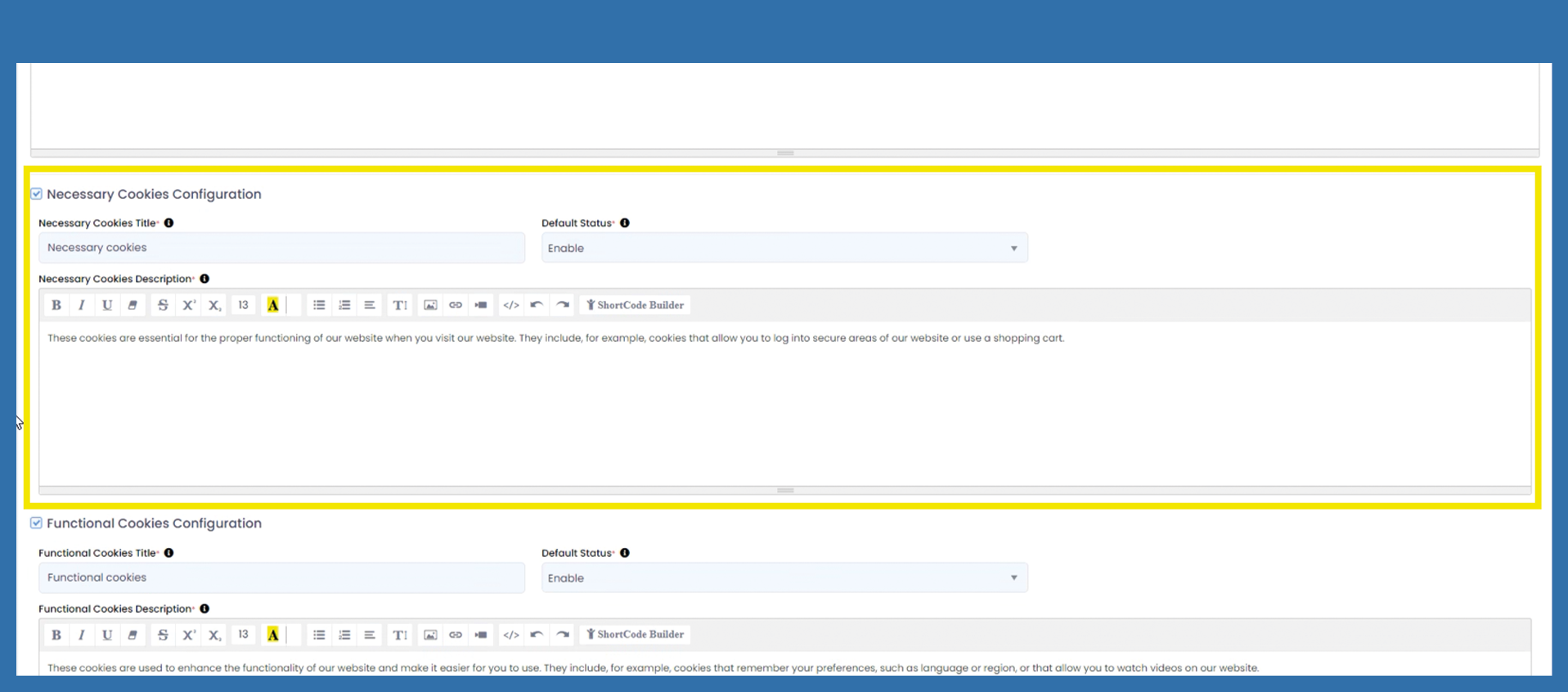
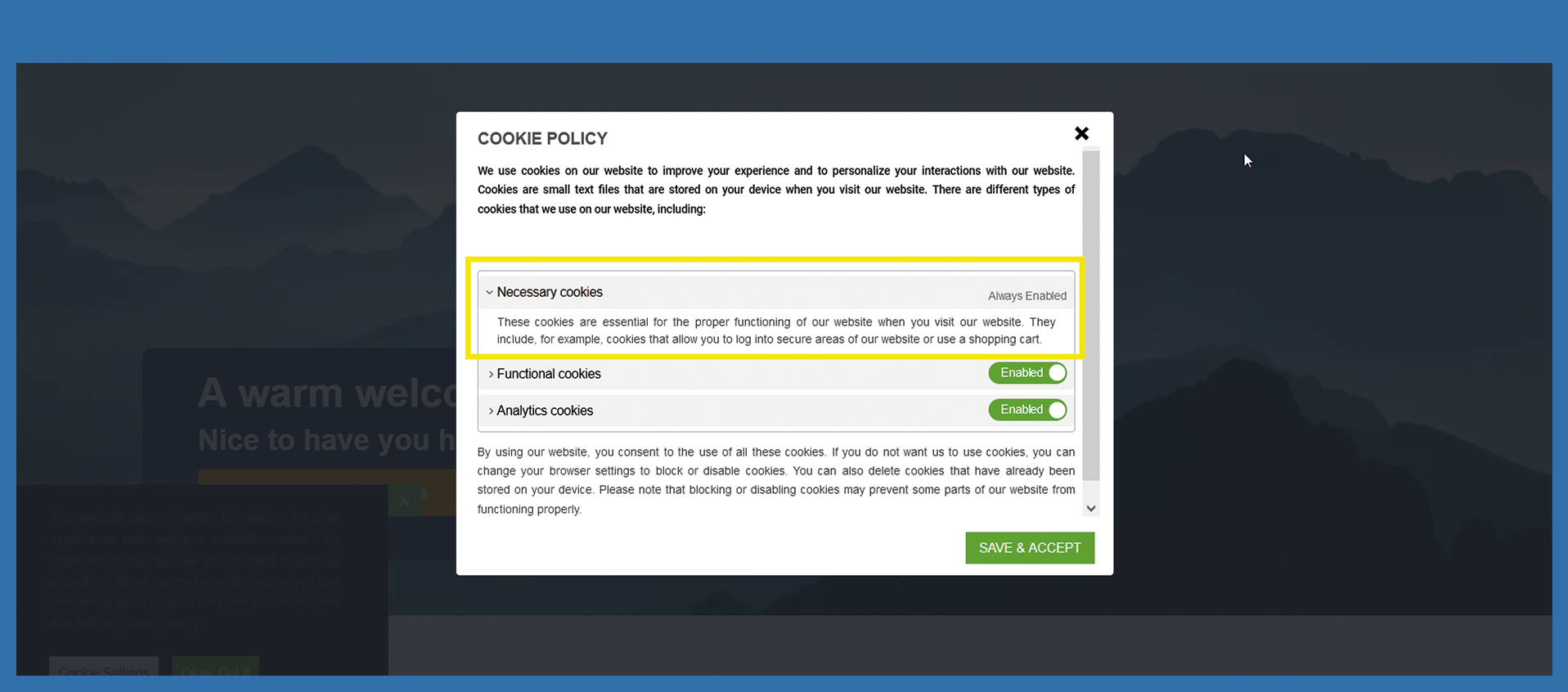
Necessary Cookies Configuration are those cookies that ensure the basic functions of the website and thus enable its operation.
Use Necessary Cookies Title to rename the specific headline. Click into the textbox to change the heading.
The Default Status for the necessary cookies is always enabled as mentioned.
A short description of the function of these cookies can be displayed under Necessary Cookies Description, which is displayed under the previously assigned title.
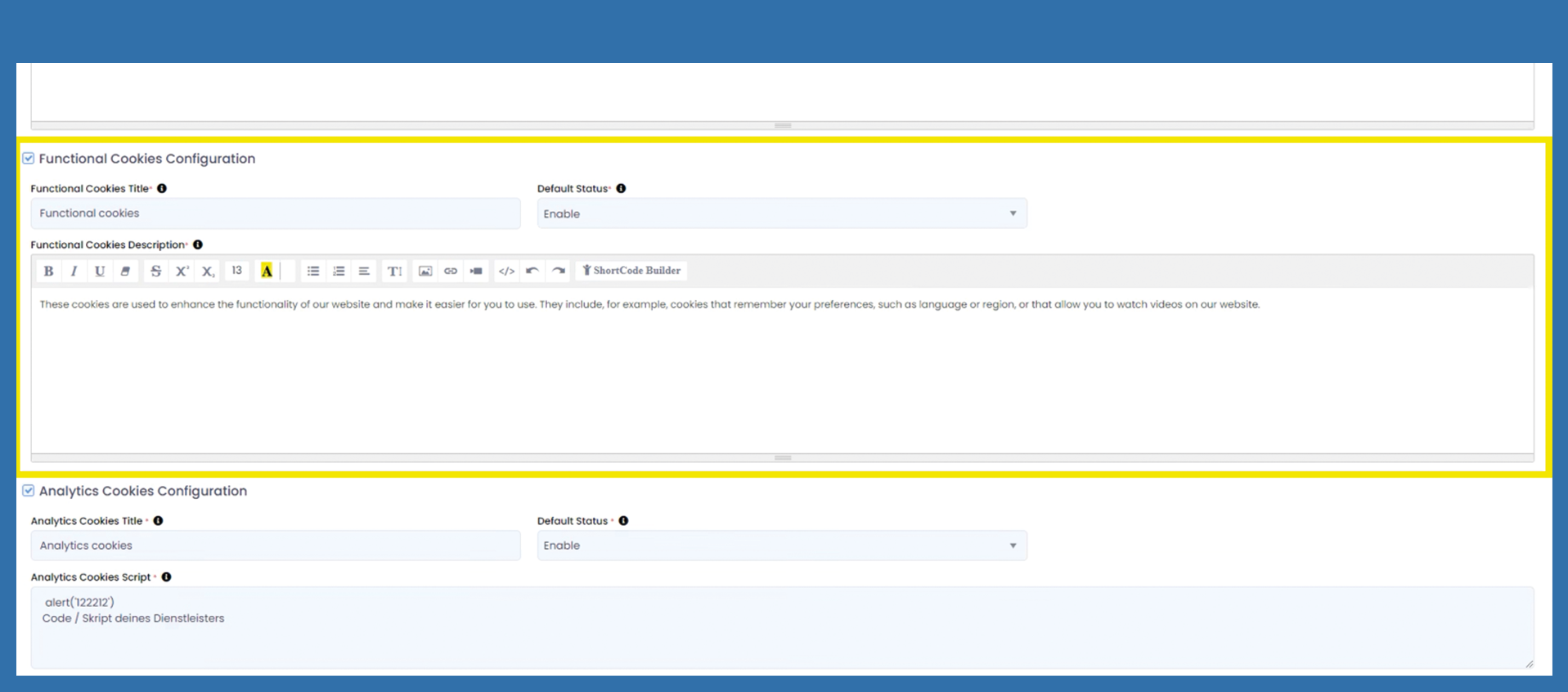
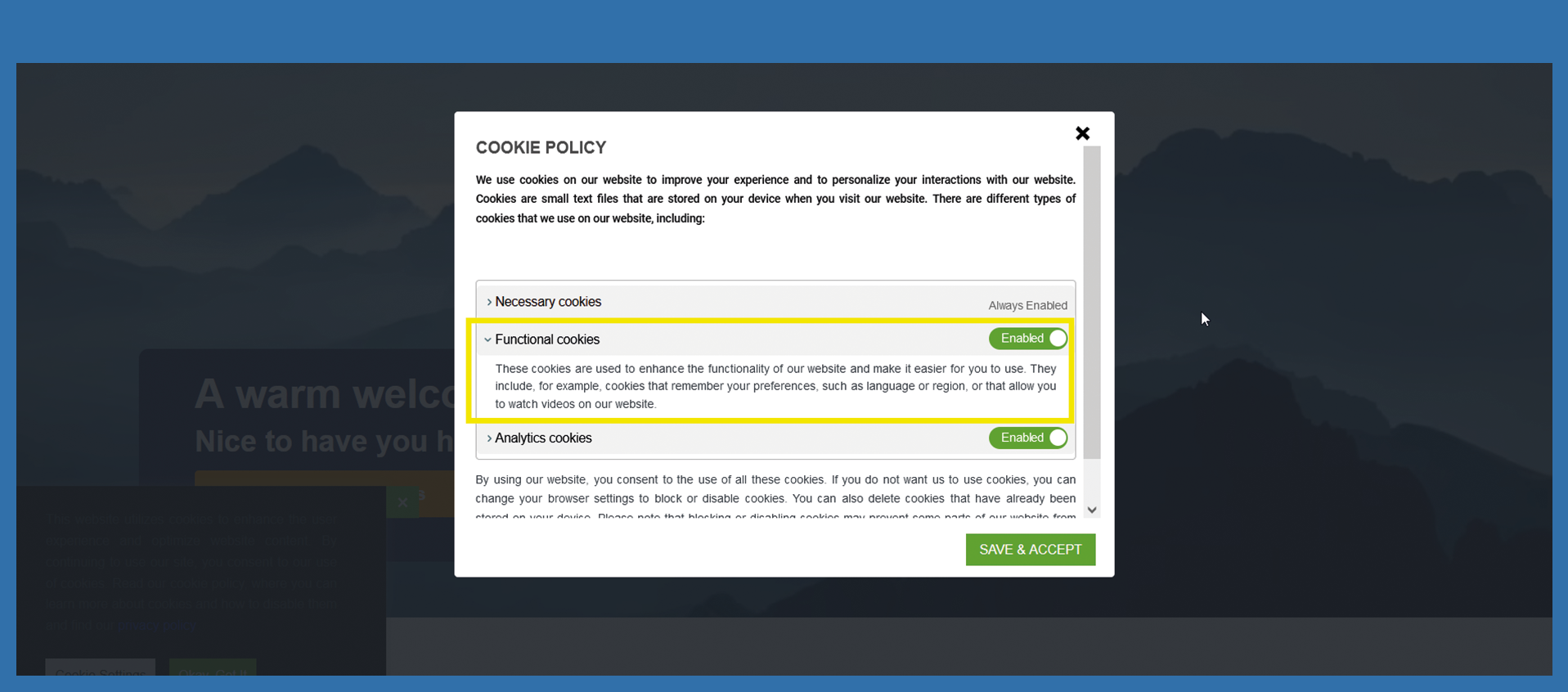
Functional Cookies Configuration enable this website to store information provided, such as the user name or language selection, and to offer the user improved and personalized functions based on this. These cookies only collect and store anonymized information.
The Functional Cookies Title represents the heading of this cookie type and can be customized by changing the corresponding field.
Choose the Default Status to Enable or Disable this area in the cookie banner via dropdown. The descriptive text for functional cookies can be customized under Functional Cookies Description.
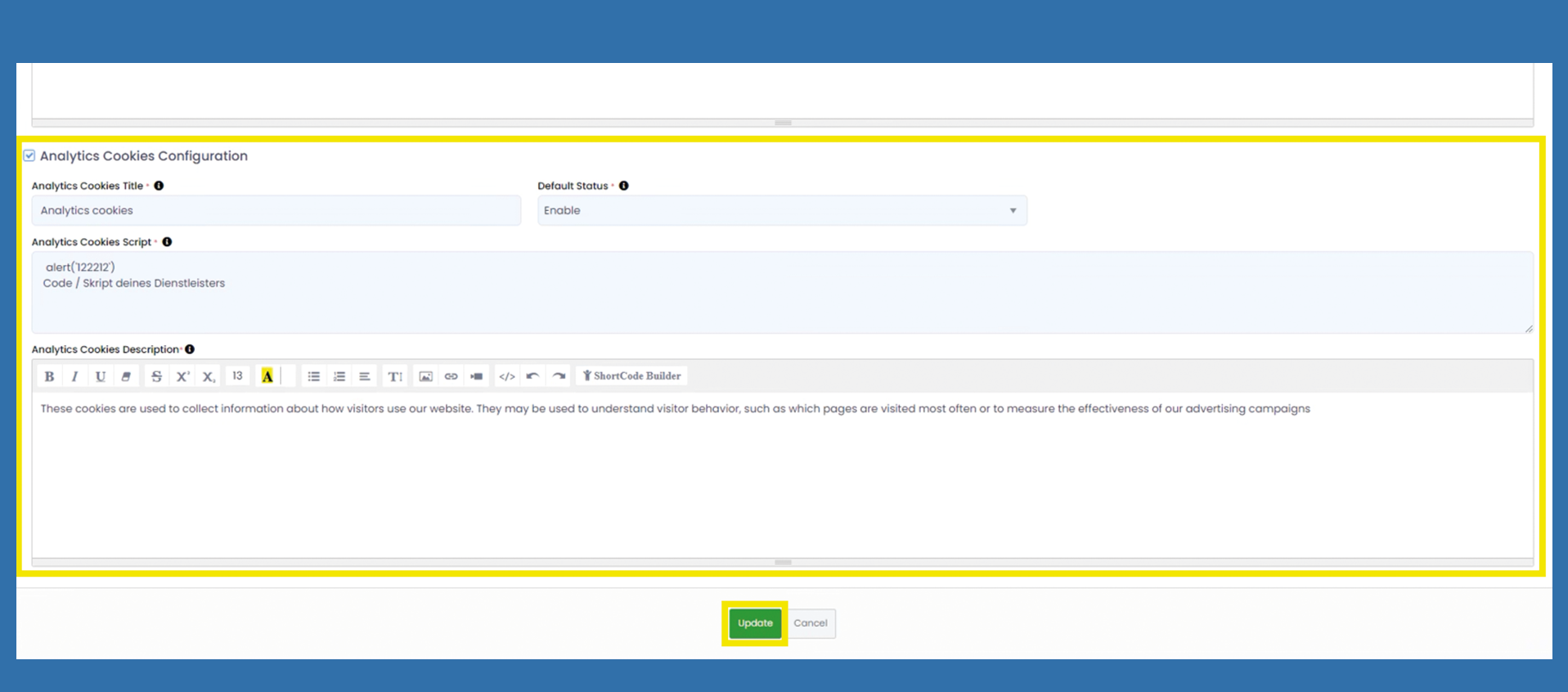
Analytics Cookies Configuration are used to analyze visitor behavior so that we can offer you a better service in the future. All information collected is stored anonymously and does not allow us to identify the visitor.
The Analytics Cookies Title represents the heading of this cookie type and can be customized by changing the corresponding field.
Choose the Default Status to Enable or Disable this area in the cookie banner via dropdown. After you chose Enable a new field named Analytics Cookies Script opens.
Analytics Cookies Script: You can find the code for the script in your service provider that you use for tracking.
A short description of the function of these cookies can be displayed under Analytics Cookies Description.

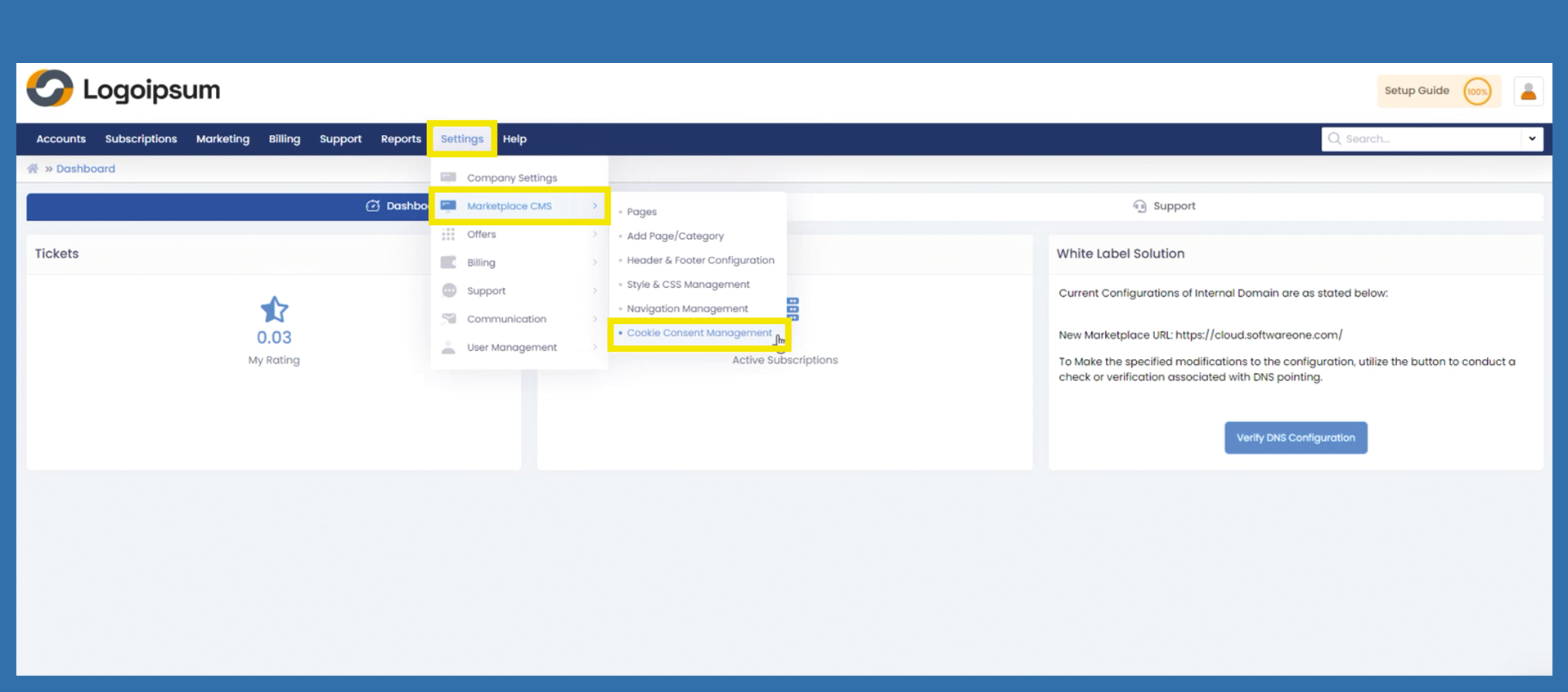
 .
.